
Artificial intelligence has changed the way developers write software. Instead of writing every line of code manually, developers can now use AI tools to generate functions, explain unfamiliar code, find bugs, create tests, and help solve programming problems.
However, using AI effectively for programming is more than asking an AI chatbot to "write my code." The quality of the result depends heavily on how clearly you describe the problem, provide context, review the generated code, and test the final result.
In this guide, you'll learn how to use AI to write code more effectively, even if you're still learning programming.
What Can AI Do for Programmers?
AI coding tools can assist with many parts of software development. They are useful for both beginners and experienced developers, although the developer should remain responsible for reviewing and testing the generated code.
You can use AI to:
- Generate code from a description
- Explain existing code
- Find and fix bugs
- Convert code between programming languages
- Create functions and components
- Write SQL queries
- Create unit tests
- Improve code readability
- Optimize existing code
- Generate documentation
- Learn programming concepts
- Understand error messages
How AI Code Generation Works
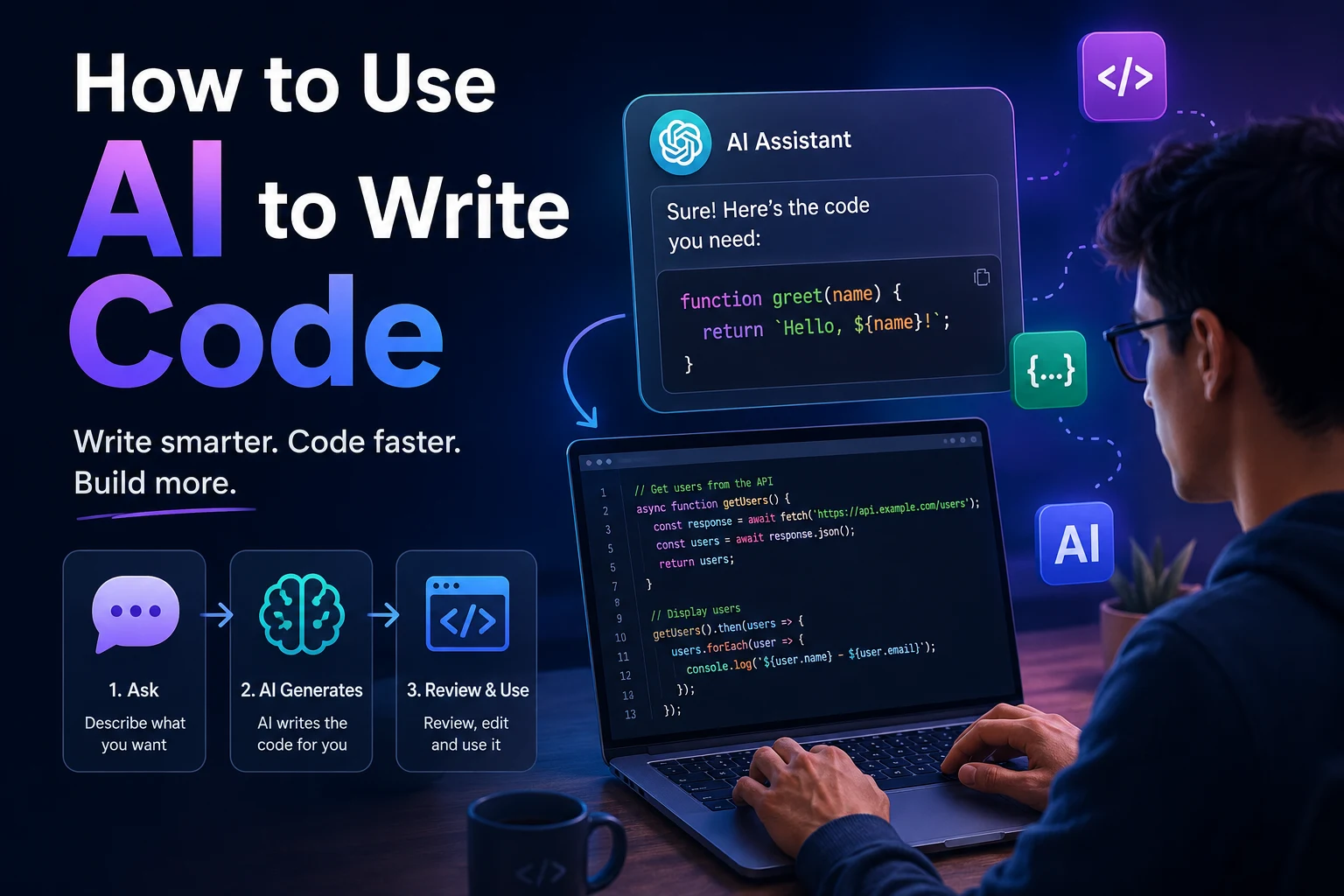
When you ask an AI model to write code, the model analyzes your instructions and generates code based on patterns learned from its training and the context you provide.
For example, instead of manually writing a function, you could describe what you want:
Create a PHP function that validates an email address and returns true or false.
The AI can generate a possible implementation and explain how it works.
The important point is that AI-generated code is not automatically correct. You should treat the output as a starting point that needs to be reviewed and tested.
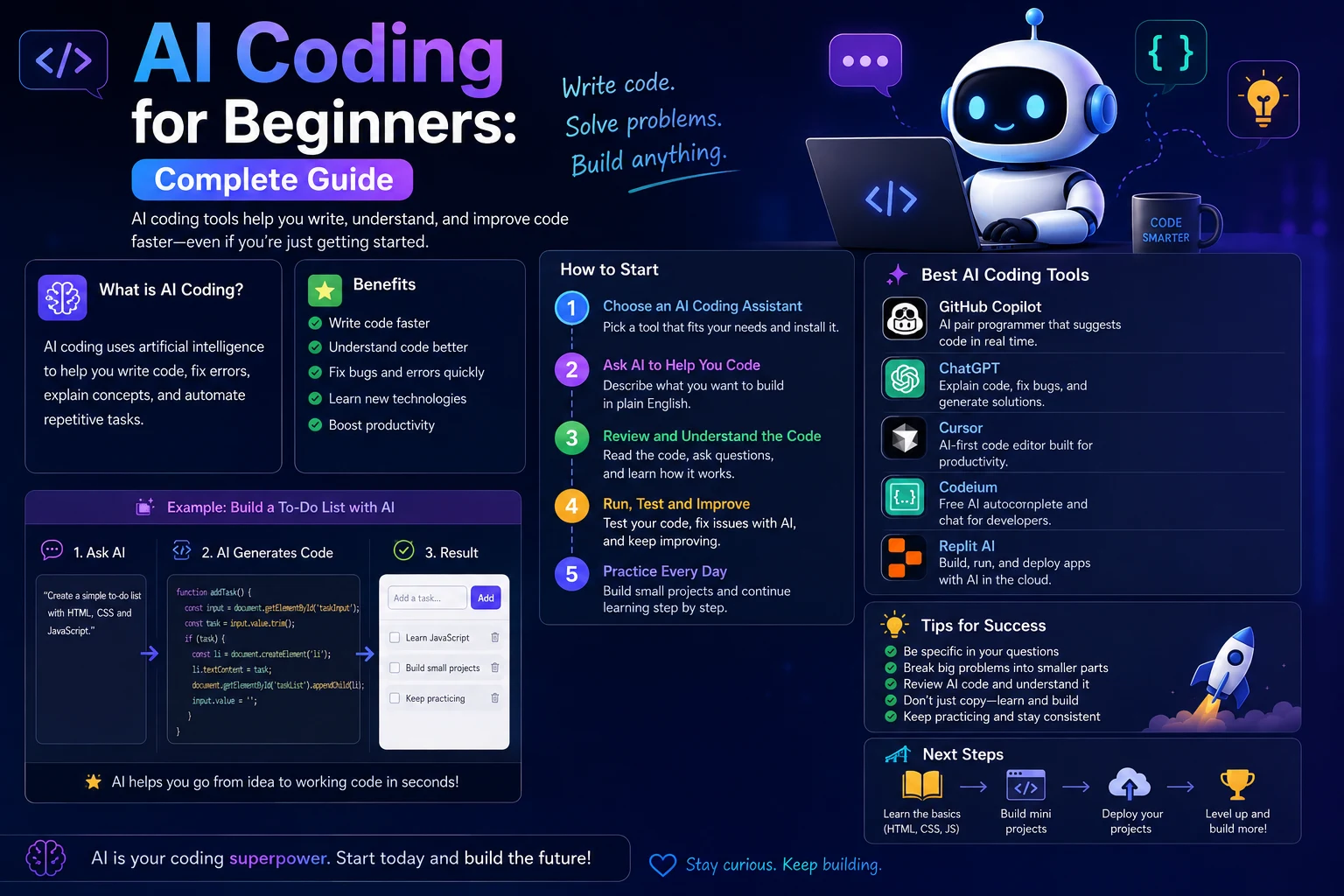
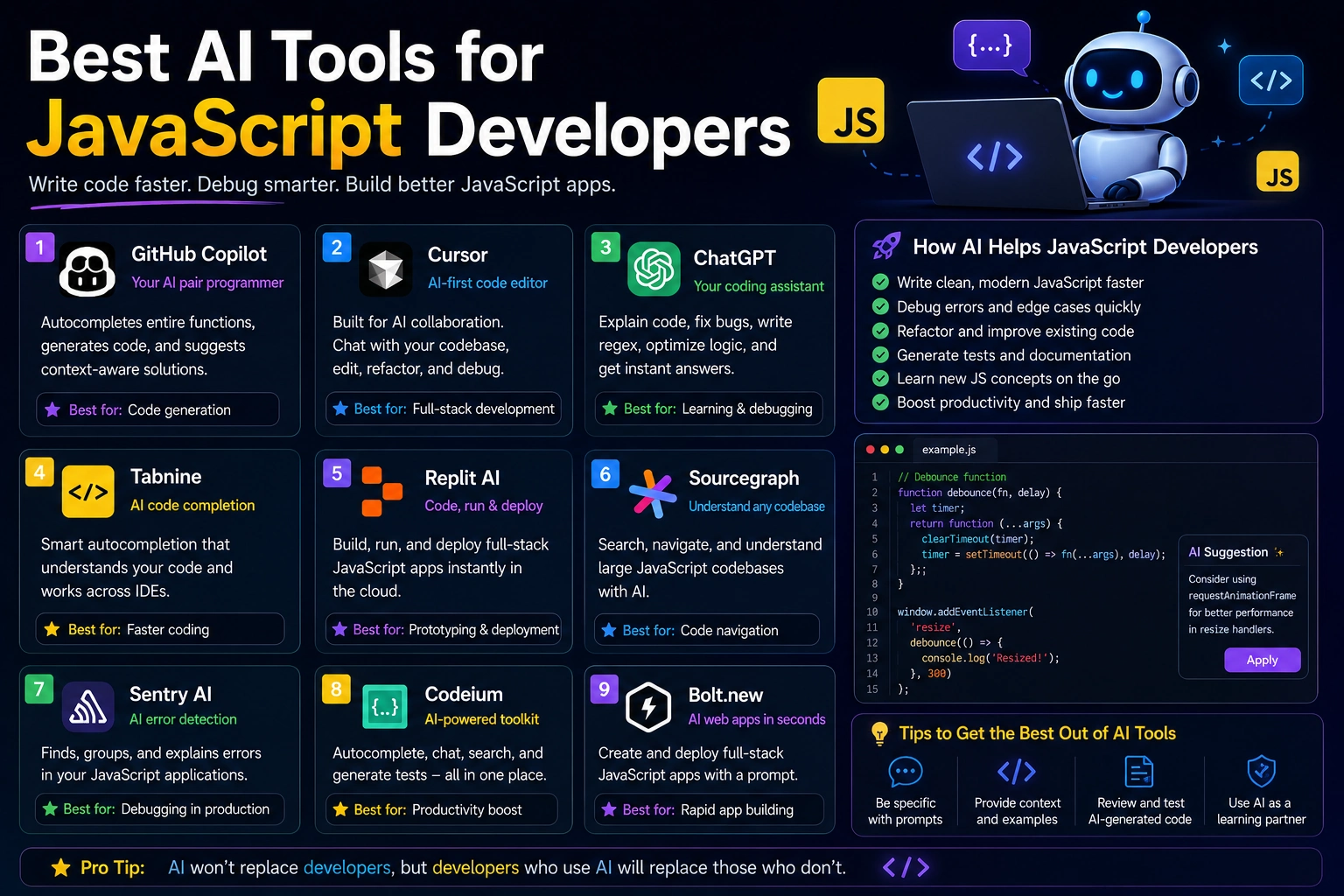
Step 1: Choose an AI Coding Tool
There are several types of AI tools available for programming. Some work through conversational interfaces, while others integrate directly into code editors and development environments.
Common categories include:
- AI chat assistants: Useful for explaining code, generating examples, debugging, and planning projects.
- AI coding assistants: Integrated into development environments to provide suggestions while you code.
- AI development agents: Designed to work across multiple files and perform more complex coding tasks.
The best tool depends on your programming language, development environment, project size, and workflow.
Step 2: Explain What You Want Clearly
One of the biggest mistakes beginners make is giving AI an extremely short prompt.
For example:
Make me a login system.
This does not provide enough information for the AI to understand your requirements.
A better request could specify:
- The programming language
- The framework or libraries
- The database
- The required features
- The expected input and output
- Security requirements
- The existing project structure
For example:
Create a secure PHP and MySQL login system using PDO prepared statements. Include registration, login, logout, password hashing, session management, and basic validation. Separate the database connection from the authentication logic.
The second prompt gives the AI much more useful context.
Step 3: Give AI Your Existing Code
AI becomes much more useful when it understands the code you already have.
Instead of asking it to recreate an entire application, provide the relevant file or code section and explain the problem.
For example:
This PHP page retrieves articles from MySQL. The query works for older articles but returns no result for newly published articles. Review this code, identify the likely problem, and provide a corrected version without changing the database structure.
This approach can produce much better results because the AI can work with your actual implementation rather than guessing how your application is structured.
Step 4: Ask AI to Explain the Code
AI is not only useful for generating code. It can also act as a programming tutor.
If you find code you don't understand, ask the AI to explain it step by step.
For example:
Explain this PHP function line by line. Assume I understand basic PHP but have never worked with PDO.
You can also ask questions about specific concepts:
- What does this function do?
- Why is this query using a prepared statement?
- Why is this variable nullable?
- What happens if the database query fails?
- Can you explain this JavaScript event listener?
Step 5: Use AI for Debugging
Debugging is one of the most useful applications of AI for developers.
When an error occurs, give the AI the error message, relevant code, and information about what you expected to happen.
A useful debugging prompt could look like this:
I have a PHP application using MySQL and PDO. When I visit /article/example, I receive a 404 error. The database contains the article and its status is published. Here is my .htaccess file and article.php code. Identify the most likely cause and give me the exact changes needed to fix it.
This is much better than simply saying:
My website doesn't work. Fix it.
Step 6: Ask AI to Improve Existing Code
AI can review existing code and suggest improvements.
For example, you can ask:
Review this PHP code for security, performance, readability, and maintainability. Keep the existing functionality and database structure. Explain each important change before providing the corrected code.
This can help identify issues such as:
- Unsafe database queries
- Missing input validation
- Repeated code
- Slow queries
- Unnecessary database requests
- Poor error handling
- Inconsistent naming
Step 7: Generate Code in Small Pieces
For larger applications, avoid asking AI to generate the entire project in one response.
A better workflow is to divide the project into smaller components.
- Define the project requirements.
- Design the database structure.
- Create the authentication system.
- Create the main application layout.
- Build individual features.
- Add validation and security.
- Create tests.
- Review and optimize the application.
Working in smaller steps makes it easier to identify problems and prevents the AI from making assumptions about parts of the application that you have not yet defined.
Step 8: Ask AI to Write Tests
Generated code should be tested. AI can help create tests for functions, APIs, and application features.
For example:
Write PHPUnit tests for this PHP function. Include successful inputs, invalid inputs, empty values, and edge cases.
Testing helps you determine whether the generated implementation actually behaves as expected.
Step 9: Review AI-Generated Code
Never assume that code generated by AI is automatically correct.
AI can produce code that looks convincing but contains logical errors, outdated approaches, security problems, or assumptions that do not match your project.
Before using generated code, check:
- Does the code actually solve the problem?
- Does it match your existing architecture?
- Are user inputs validated?
- Are database queries secure?
- Are authentication and authorization handled correctly?
- Does it expose sensitive information?
- Does it work with your installed library versions?
- Have you tested edge cases?
Step 10: Never Share Sensitive Information
When using AI coding tools, be careful about the information you provide.
Do not paste passwords, API keys, private tokens, database credentials, private certificates, or other secrets into an AI prompt unless you fully understand how that service handles the information.
Before sharing code, replace sensitive values with placeholders.
For example, instead of:
$password = 'your-real-database-password';use:
$password = 'YOUR_DATABASE_PASSWORD';This keeps your debugging context useful without exposing credentials.
Useful AI Coding Prompts
Here are several prompts you can adapt to your own projects.
Generate a Function
Create a [language] function that [describe the task]. Explain the implementation and include validation and error handling.
Debug Code
Find the bug in this code. Explain why it happens, identify the exact problematic section, and provide a corrected version. Do not change unrelated functionality.
Explain Code
Explain this code step by step in beginner-friendly language. Describe what each important function, variable, and condition does.
Improve Code
Review this code for security, performance, readability, and maintainability. Keep the existing behavior and explain the most important improvements.
Write Tests
Create tests for this function. Include normal cases, invalid input, empty input, and edge cases. Explain what each test verifies.
AI Coding Workflow
A practical AI-assisted development workflow can look like this:
- Plan: Describe the feature and requirements.
- Design: Ask AI to suggest an implementation approach.
- Generate: Ask AI to create a small part of the code.
- Review: Read and understand the generated code.
- Test: Run the code and test expected and unexpected inputs.
- Debug: Give AI the actual error messages if something fails.
- Improve: Ask AI to optimize or refactor the working implementation.
- Document: Generate documentation for the final code.
AI Coding vs. Traditional Coding
| Task | Traditional Approach | AI-Assisted Approach |
|---|---|---|
| Writing boilerplate | Write manually | Generate and review |
| Debugging | Investigate manually | Use AI to analyze errors |
| Documentation | Write manually | Generate a first draft |
| Learning APIs | Read documentation | Ask AI for explanations and examples |
| Testing | Write tests manually | Generate initial tests and review them |
AI does not eliminate the need for programming knowledge. Instead, it can reduce repetitive work and help developers move more quickly through parts of the development process.
Common Mistakes When Using AI for Coding
1. Copying Code Without Understanding It
Generated code should not be treated as a black box. If you understand what the code does, you are more likely to identify errors and maintain it later.
2. Giving Too Little Context
If you provide only a short description, the AI may make assumptions about your framework, database, file structure, or requirements.
3. Asking for Too Much at Once
Large requests can produce inconsistent implementations. Breaking the task into smaller steps usually makes the process easier to control.
4. Not Testing the Result
A successful response from an AI model does not mean that the code works correctly. Always run and test the generated code.
5. Ignoring Security
AI-generated code can contain insecure patterns. Authentication, authorization, input validation, database queries, file uploads, and API integrations should receive particular attention.
How Beginners Can Start Using AI for Coding
If you are new to programming, start with small tasks instead of asking AI to build a complete application immediately.
For example, you can ask AI to:
- Explain variables and functions
- Create a simple calculator
- Explain an error message
- Build a basic HTML form
- Create a small JavaScript function
- Write a simple SQL query
- Explain an existing code example
As your understanding improves, you can use AI for larger projects and more advanced development tasks.
Final Verdict
AI can be a powerful programming assistant. It can help you generate code, understand unfamiliar concepts, debug problems, write tests, improve existing implementations, and reduce repetitive development work.
The most effective approach is not to let AI replace your programming knowledge. Instead, use it as a tool that helps you think, experiment, learn, and work faster.
For the best results, provide clear context, work in small steps, review every important change, protect sensitive information, and test the code before using it in production.
The future of AI-assisted programming is not simply about generating more code. It is about helping developers spend more time solving problems and designing useful software while AI handles more of the repetitive work.
Frequently Asked Questions
Can AI write code for me?
Yes. AI tools can generate code from natural-language descriptions, but the generated code should always be reviewed and tested before being used.
Is AI coding useful for beginners?
Yes. Beginners can use AI to explain programming concepts, provide examples, analyze errors, and guide them through small coding projects. It is important to learn the fundamentals rather than relying entirely on generated code.
Can AI fix programming errors?
AI can help identify potential causes of errors and suggest fixes. Providing the actual error message and relevant code usually produces better results than describing the problem vaguely.
Can AI build an entire website?
AI can generate substantial portions of a website, including HTML, CSS, JavaScript, PHP, database queries, and other code. However, larger projects still require human planning, testing, security review, debugging, and maintenance.
What is the best way to ask AI to write code?
Describe the programming language, framework, project context, requirements, expected behavior, and constraints. The more relevant context you provide, the easier it is for the AI to produce code that fits your project.
Should I trust AI-generated code?
AI-generated code should be treated as an assistant's suggestion rather than guaranteed-correct software. Review, test, and verify important code before deploying it.