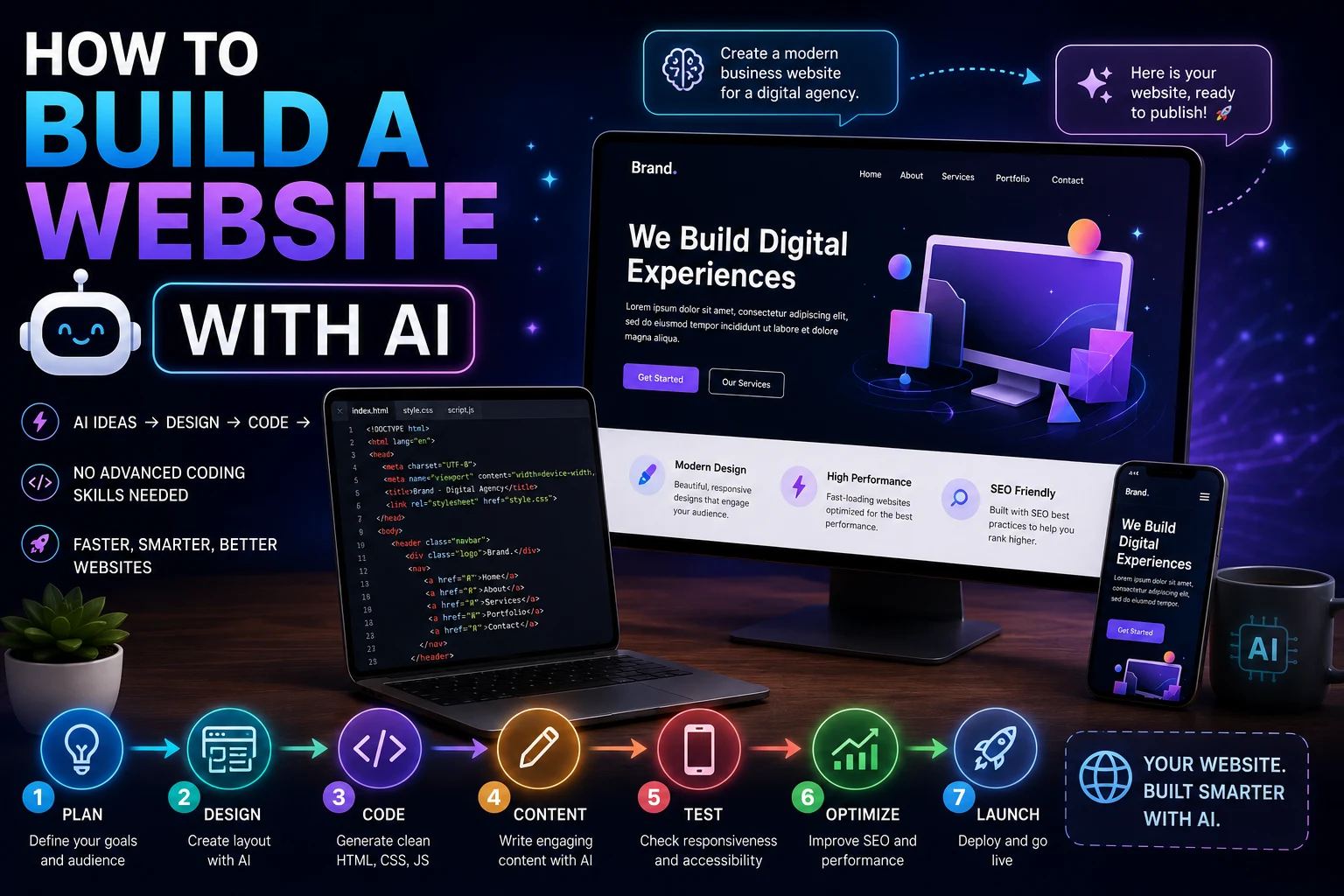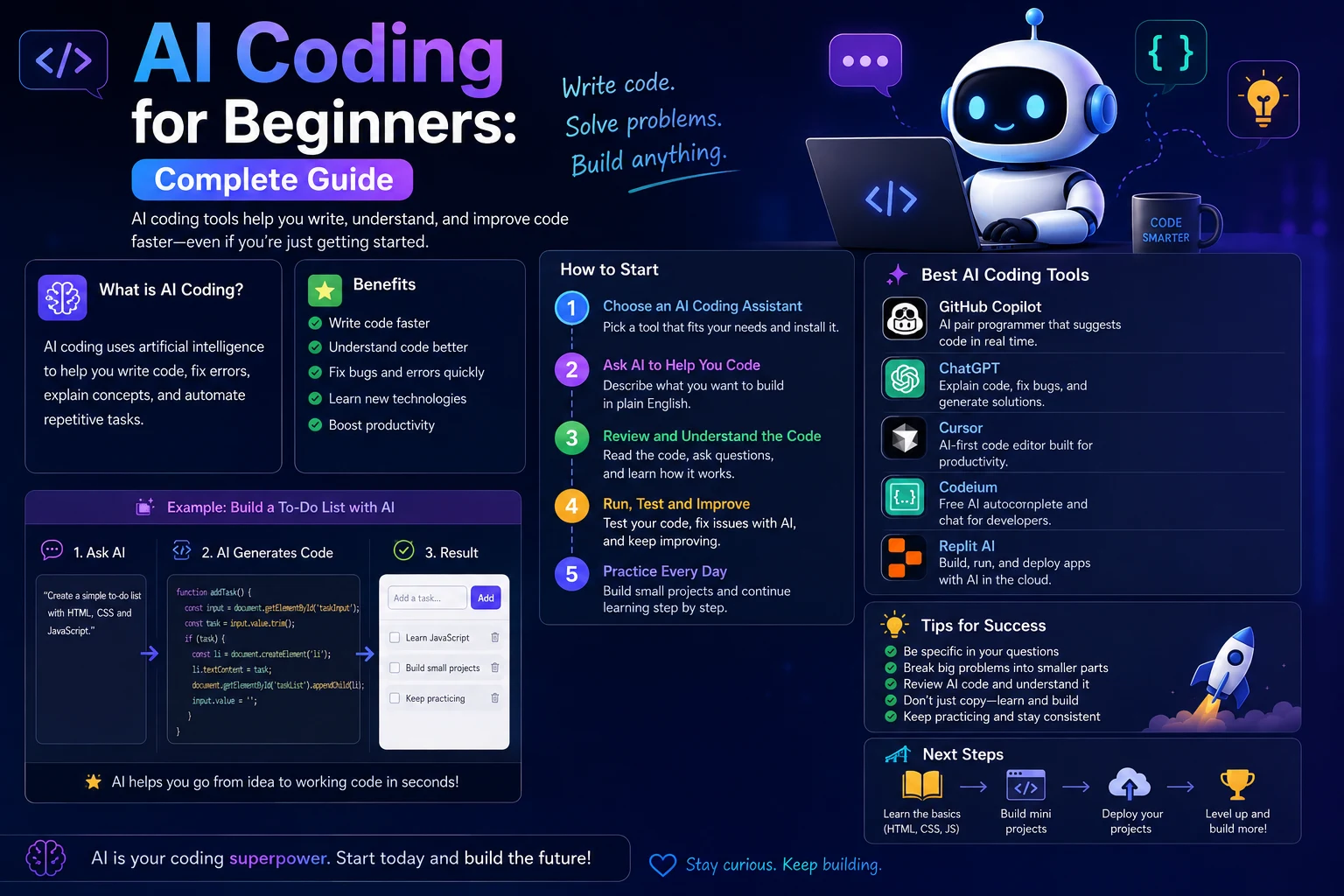

AI has changed the way people learn and write software. You no longer need to understand every programming concept before building your first small application. AI coding assistants can explain programming concepts, generate examples, find errors, write tests, and guide you through projects step by step.
However, using AI effectively does not mean copying code without understanding it. Beginners who learn how to work with AI as a programming tutor and development assistant can use it to learn faster while still building real programming skills.
In this complete guide, you'll learn what AI coding is, how beginners can use AI to learn programming, which languages and tools to consider, how to write better coding prompts, how to debug code with AI, and how to avoid becoming dependent on generated code.
What Is AI Coding?
AI coding is the use of artificial intelligence tools to help with software development. Depending on the tool, AI can generate code, explain existing code, identify bugs, suggest improvements, create tests, and help developers complete programming tasks.
Modern AI coding tools can work with languages such as Python, JavaScript, TypeScript, PHP, Java, C#, C++, Go, and many others.
For beginners, the most useful feature is often not code generation. AI can act as an interactive programming tutor that explains unfamiliar concepts and provides examples based on your current level.
Can Beginners Learn Coding With AI?
Yes. AI can be particularly useful for beginners because you can ask questions using normal language instead of searching through documentation for every small problem.
For example, if you don't understand a JavaScript function, you can ask:
Explain this JavaScript function like I'm completely new to programming. Break down every line and explain why each part is needed.
You can then ask follow-up questions about anything that remains unclear.
The important distinction is that AI should help you understand programming, not simply complete programming assignments for you.
How AI Coding Works
AI coding assistants use large language models trained on large amounts of programming and natural-language data. They analyze the instructions and code you provide and generate a response based on the context available to them.
Depending on the tool, an AI coding assistant may work with:
- Your current code file
- Multiple files in a project
- Project documentation
- Error messages
- Terminal output
- Existing functions and components
- Programming frameworks
- Tests and configuration files
The more useful context you provide, the easier it is for an AI tool to produce relevant suggestions.
What Can AI Do for Beginner Programmers?
Explain Programming Concepts
One of the best ways to use AI when learning programming is as an interactive teacher.
You can ask AI to explain variables, functions, loops, arrays, objects, classes, APIs, databases, asynchronous programming, and other concepts.
Explain JavaScript arrays to a complete beginner. Start with a simple example, then show how to add, remove, search, and loop through array items.
Generate Code
AI can generate small pieces of code from natural-language instructions.
Write a simple Python program that asks the user for their age and prints whether they are an adult. Explain every line after the code.
For beginners, asking the AI to explain the generated code is just as important as asking it to create the code.
Debug Errors
Programming errors are one of the biggest challenges for beginners. AI can help interpret error messages and identify possible causes.
I'm a beginner. Explain this error in simple terms, identify the likely cause, and show me how to fix it without changing the rest of my program.
Whenever possible, provide the complete error message and the relevant section of code.
Create Examples
If a programming concept seems abstract, ask AI for several examples with increasing difficulty.
For example:
Give me three JavaScript examples of the map() method: beginner, intermediate, and practical real-world examples. Explain the differences between them.
Write Comments
AI can help beginners understand unfamiliar code by adding explanations and comments.
You can ask it to explain a complicated function without changing the code.
Generate Tests
AI can create basic tests for functions and applications. This can help beginners learn an important programming habit: checking whether code actually behaves as expected.
However, generated tests should be reviewed rather than blindly trusted.
Refactor Code
Once you understand a working program, AI can help you make the code cleaner and easier to maintain.
Review this code as if you were teaching a beginner. Identify unnecessary complexity and suggest a simpler version while preserving the existing behavior.
Help With Projects
AI can help break a large project into smaller tasks.
Instead of asking:
Build me a complete website.
ask:
Help me plan a beginner portfolio website. Break the project into small tasks that I can complete one at a time. Do not write the code yet.
This approach helps you learn while building.
Best Programming Languages for Beginners
You can learn programming with AI using almost any popular programming language. However, some languages are particularly approachable for beginners.
Python
Python is a popular choice for beginners because its syntax is relatively readable and it can be used for web development, automation, data analysis, artificial intelligence, and many other applications.
AI can help you learn Python concepts progressively, from variables and loops to functions, classes, modules, and APIs.
JavaScript
JavaScript is an excellent choice if your goal is web development.
You can use JavaScript to create interactive websites and eventually build applications with technologies such as React, Node.js, and other JavaScript frameworks.
HTML and CSS
HTML and CSS are essential technologies for beginners interested in websites.
HTML defines the structure of a webpage, while CSS controls presentation and layout. Although neither is a traditional programming language, learning both provides a strong foundation for frontend development.
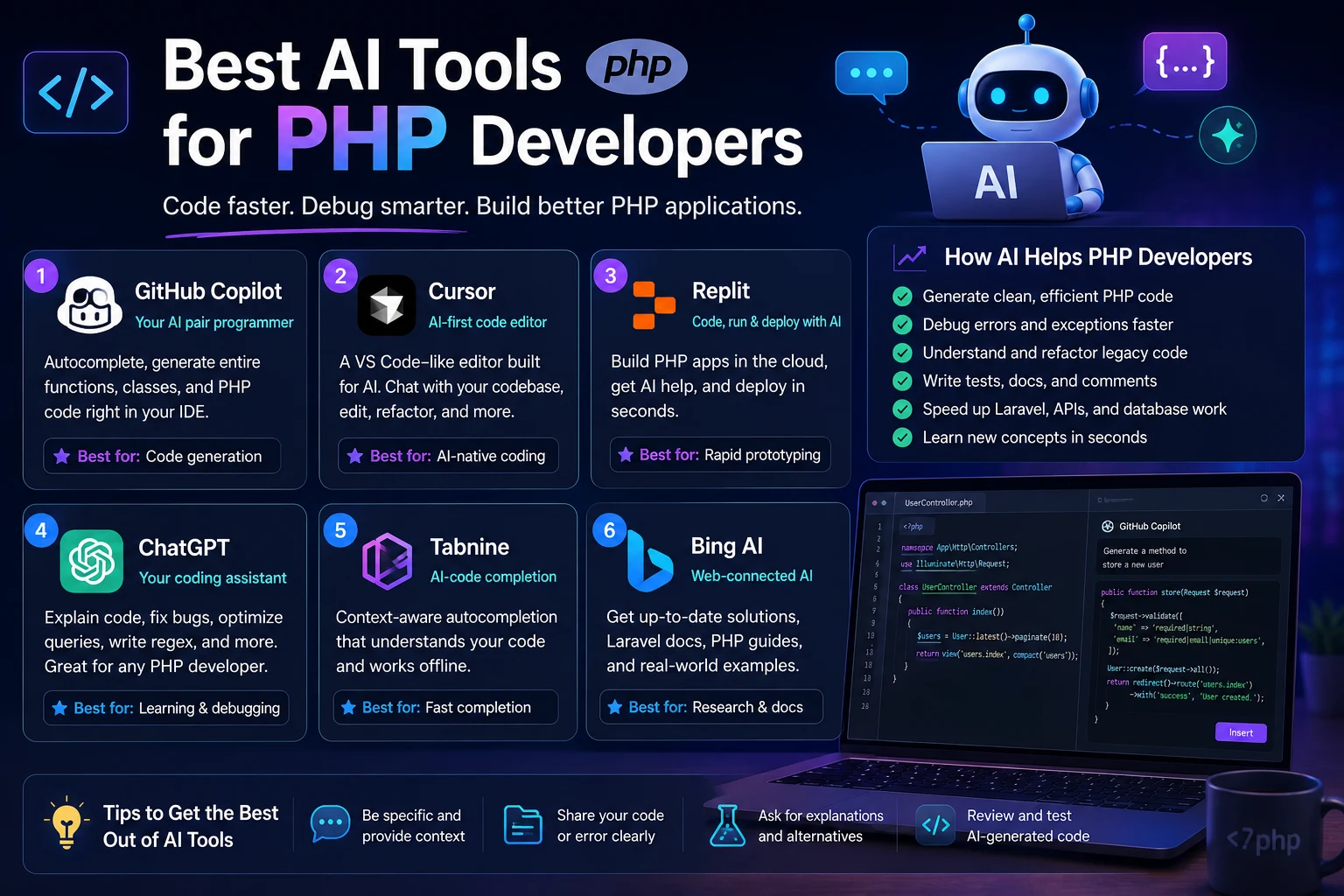
PHP
PHP remains useful for server-side web development and is especially relevant when working with websites, content management systems, and traditional web applications.
AI can help beginners understand PHP syntax, forms, databases, sessions, authentication, and server-side programming.
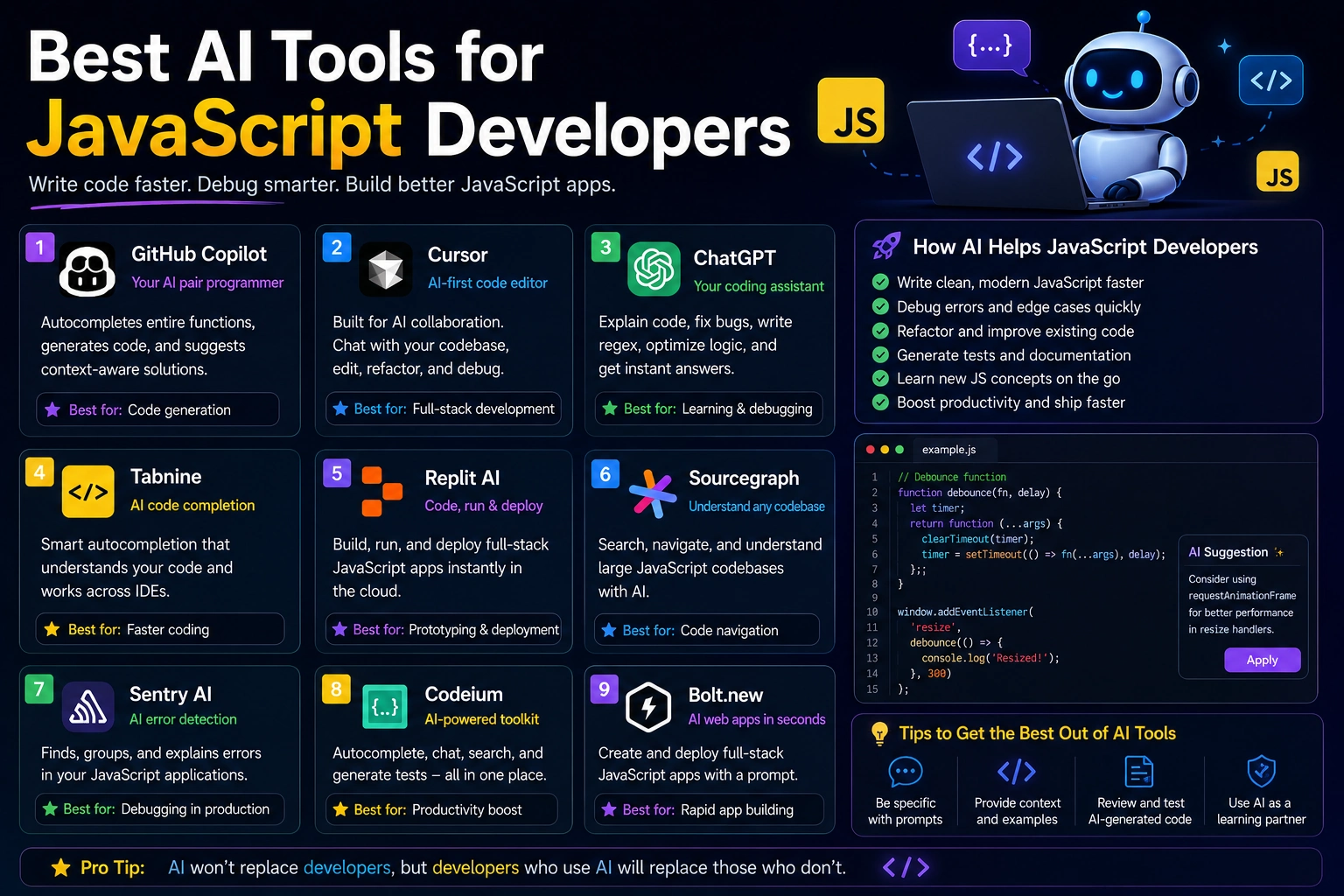
Best AI Tools for Coding Beginners
There is no single AI coding tool that is perfect for every beginner. The best choice depends on whether you want a general-purpose AI tutor, an AI assistant inside your editor, or an AI-first development environment.
ChatGPT
A general-purpose AI assistant can be useful for learning programming concepts, explaining errors, reviewing code, creating exercises, and planning projects.
It is particularly useful when you want to have a conversation about why code works rather than simply generating code.
GitHub Copilot
GitHub Copilot can provide coding assistance directly inside supported development environments. It can help with code completion, explanations, debugging, and other development tasks.
It can be useful once a beginner becomes comfortable working inside a code editor.
Claude
Claude can be useful for explaining code, analyzing larger pieces of text and code, debugging problems, and helping plan programming projects.
Beginners can use it as a programming tutor by asking for explanations at different levels of difficulty.
Google Gemini
Gemini can help explain programming concepts, generate code examples, troubleshoot errors, and assist with development tasks.
Cursor
Cursor is an AI-powered code editor designed around AI-assisted development. It can be particularly useful after you become comfortable with basic programming and want AI assistance directly inside your development workflow.
How to Start Coding With AI
Step 1: Choose a Programming Language
Choose one language based on what you want to build.
- Want to learn general programming? Start with Python.
- Want to build websites? Start with HTML, CSS, and JavaScript.
- Want to build server-side websites? Consider PHP or Node.js.
- Want to explore AI and data? Python is a strong starting point.
Avoid trying to learn five programming languages at the same time.
Step 2: Install a Code Editor
Install a modern code editor and learn the basics of creating files, opening projects, saving changes, and running programs.
Visual Studio Code is a popular general-purpose option, but other editors can also work well.
Step 3: Learn the Fundamentals
Before building large applications, learn the fundamentals of your chosen language.
For most programming languages, this includes:
- Variables
- Data types
- Operators
- Conditions
- Loops
- Functions
- Arrays or collections
- Objects or data structures
- Error handling
Step 4: Use AI as a Tutor
Ask AI to teach one concept at a time.
Teach me JavaScript functions as a beginner. Explain the concept, show a very simple example, give me a small exercise, and wait for me to answer before giving me the solution.
This creates a much more useful learning experience than asking AI to write everything for you.
Step 5: Build Small Projects
Once you understand the fundamentals, start building small applications.
Good beginner projects include calculators, quizzes, to-do lists, simple games, portfolios, note-taking applications, and basic API projects.
Step 6: Debug Your Code
When something breaks, try to understand the problem before immediately asking AI for a complete replacement.
Give AI the error message and ask it to explain what happened.
Step 7: Review and Improve
After your program works, ask AI to review it for readability, unnecessary complexity, security problems, and possible improvements.
How to Ask AI to Write Code
The quality of an AI coding response depends heavily on the quality of your instructions.
Instead of writing:
Make a website.
provide more context:
Create a simple responsive portfolio website using HTML, CSS, and vanilla JavaScript. Include a navigation bar, hero section, about section, projects section, and contact form. Do not use external libraries. Keep the code beginner-friendly and explain the main parts after the code.
A useful coding prompt should usually describe:
- Programming language
- Framework or library
- Project goal
- Required functionality
- Existing code
- Libraries already installed
- Technical limitations
- Expected output
Beginner AI Coding Prompts
Learning a Concept
Explain Python functions to me as if I have never programmed before. Use simple examples and then give me three exercises to practice.
Understanding Code
Explain this code line by line. Define every programming concept that a beginner might not understand and explain why each part is necessary.
Debugging
Here is my code and the error message. Explain what the error means, identify the likely cause, and guide me toward fixing it. Do not rewrite the entire program.
Practicing
Give me a beginner JavaScript programming exercise involving arrays. Do not provide the solution until I attempt it.
Code Review
Review this code for a beginner. Identify problems with readability, logic, security, and maintainability. Explain each issue and suggest improvements without completely rewriting the project.
How to Debug Code With AI
Debugging is one of the most practical ways beginners can use AI.
When asking AI for help, provide:
- The exact error message
- The relevant code
- What you expected to happen
- What actually happened
- Your programming language
- Your framework or runtime version when relevant
For example:
I'm learning JavaScript. This function should return the total price of all products, but it returns NaN. Here is the function and the sample data. Explain why NaN is being returned and show me how to fix the underlying problem.
This gives the AI enough context to investigate the actual problem.
How to Learn Programming Without Becoming Dependent on AI
One of the biggest risks of AI coding for beginners is becoming dependent on generated solutions.
If AI writes every line, you may finish projects without actually learning how programming works.
A better approach is to use AI in stages:
- Try solving the problem yourself.
- Ask AI for a hint if you get stuck.
- Ask for an explanation of the relevant concept.
- Attempt the solution again.
- Use AI to review your implementation.
- Only request a complete solution when necessary.
This turns AI from a replacement for learning into a learning accelerator.
Common Mistakes Beginners Make With AI Coding
Copying Code Without Understanding It
Code that works today may still contain bugs, security problems, or unnecessary complexity. Always understand what important code does before using it in a real project.
Asking Vague Questions
Questions such as "Why doesn't my code work?" provide very little context.
Include the error message, relevant code, expected behavior, and actual behavior.
Building Projects That Are Too Large
A beginner who tries to create a complete social network on the first day is likely to become overwhelmed.
Start with a small feature and gradually increase the complexity.
Ignoring Errors
Don't simply paste an error into AI and copy the first suggested fix. Understand why the error happened and why the solution works.
Skipping Programming Fundamentals
AI can generate advanced code before you understand basic programming concepts. Don't let generated code replace learning variables, conditions, functions, data structures, and debugging.
Trusting AI-Generated Code
AI can produce code that looks convincing while being incorrect. Test generated code and review important logic before using it in production.
Is AI Coding Good for Beginners?
AI coding can be extremely useful for beginners when it is used correctly.
It provides instant explanations, examples, feedback, debugging assistance, and project guidance. This can make programming feel less intimidating and reduce the amount of time spent stuck on simple problems.
However, AI does not eliminate the need to learn programming fundamentals. Beginners still need to understand how their programs work and how to evaluate whether generated code is correct.
A Beginner AI Coding Workflow
- Choose: Select one programming language.
- Learn: Study one fundamental concept.
- Practice: Solve a small exercise without AI if possible.
- Ask: Use AI when you need an explanation or hint.
- Build: Create a small project.
- Debug: Investigate errors with AI assistance.
- Test: Verify that the application behaves correctly.
- Review: Ask AI to identify improvements.
- Understand: Make sure you can explain the important parts of the code.
Beginner Project Ideas
Calculator
Build a simple calculator that performs basic arithmetic operations. This teaches variables, functions, conditions, events, and user input.
To-Do List
A to-do application is a useful beginner project for learning arrays, objects, DOM manipulation, events, and data storage.
Weather App
A simple weather application can teach you how APIs, asynchronous requests, JSON, error handling, and user interfaces work together.
Personal Portfolio
A portfolio website is a practical way to learn HTML, CSS, JavaScript, responsive design, and basic deployment.
Quiz App
A quiz application teaches conditions, arrays, objects, event handling, scoring logic, and application state.
Simple API Project
Once you understand the basics, build a small application that communicates with an API. This introduces concepts such as HTTP requests, JSON, asynchronous programming, and error handling.
Important AI Coding Safety Tips
Never assume that AI-generated code is automatically safe.
Before using generated code in a real application, check:
- Input validation
- Authentication and authorization
- API security
- Dependency vulnerabilities
- Data handling
- Error handling
- Cross-site scripting risks
- Injection vulnerabilities
- Unintended data exposure
You should also avoid giving AI tools real passwords, private API keys, authentication tokens, or other sensitive credentials.
Instead of putting a real secret into your source code:
const API_KEY = "REAL_SECRET_KEY";use an environment variable:
const API_KEY = process.env.API_KEY;Keep real credentials outside your source code and follow the security practices recommended by the platform or framework you are using.
Final Verdict
AI coding is one of the most accessible ways for beginners to get additional help while learning programming. AI tools can explain difficult concepts, generate examples, debug errors, suggest improvements, and help turn project ideas into practical learning exercises.
The most effective approach is not to let AI write everything for you. Instead, use it as a combination of programming tutor, debugging assistant, code reviewer, and development partner.
Start with one programming language, learn the fundamentals, build small projects, and use AI whenever you need an explanation or guidance. As your skills improve, you can gradually use more advanced AI coding tools and workflows.
The goal is not simply to generate code faster. The goal is to become a programmer who can understand, evaluate, debug, improve, and build software with AI.
Frequently Asked Questions
Can a complete beginner learn coding with AI?
Yes. AI can explain programming concepts, provide examples, create exercises, and help beginners understand errors. The best results come from using AI as a tutor rather than simply copying generated code.
Is AI coding good for beginners?
Yes. AI can make learning programming more interactive by providing immediate explanations and feedback. Beginners should still learn programming fundamentals and review generated code carefully.
Can ChatGPT teach me programming?
Yes. You can use an AI assistant to learn programming concepts, practice exercises, debug code, review projects, and create personalized learning plans. Asking the AI to explain concepts instead of only providing solutions can make the learning process more effective.
What is the best AI coding tool for beginners?
The best tool depends on your needs. General-purpose AI assistants are useful for learning concepts and debugging, while coding assistants integrated into development environments are useful for writing and modifying code directly.
Should beginners use AI to write code?
Yes, but they should use it carefully. Beginners should understand generated code, test it, and ask questions about anything they do not understand.
Can AI replace learning programming?
No. AI can generate code, but understanding programming remains important for debugging, evaluating solutions, making technical decisions, and maintaining software.
What programming language should beginners learn with AI?
Python is a strong choice for general programming and AI-related learning. JavaScript is an excellent choice for web development. The best language ultimately depends on what you want to build.