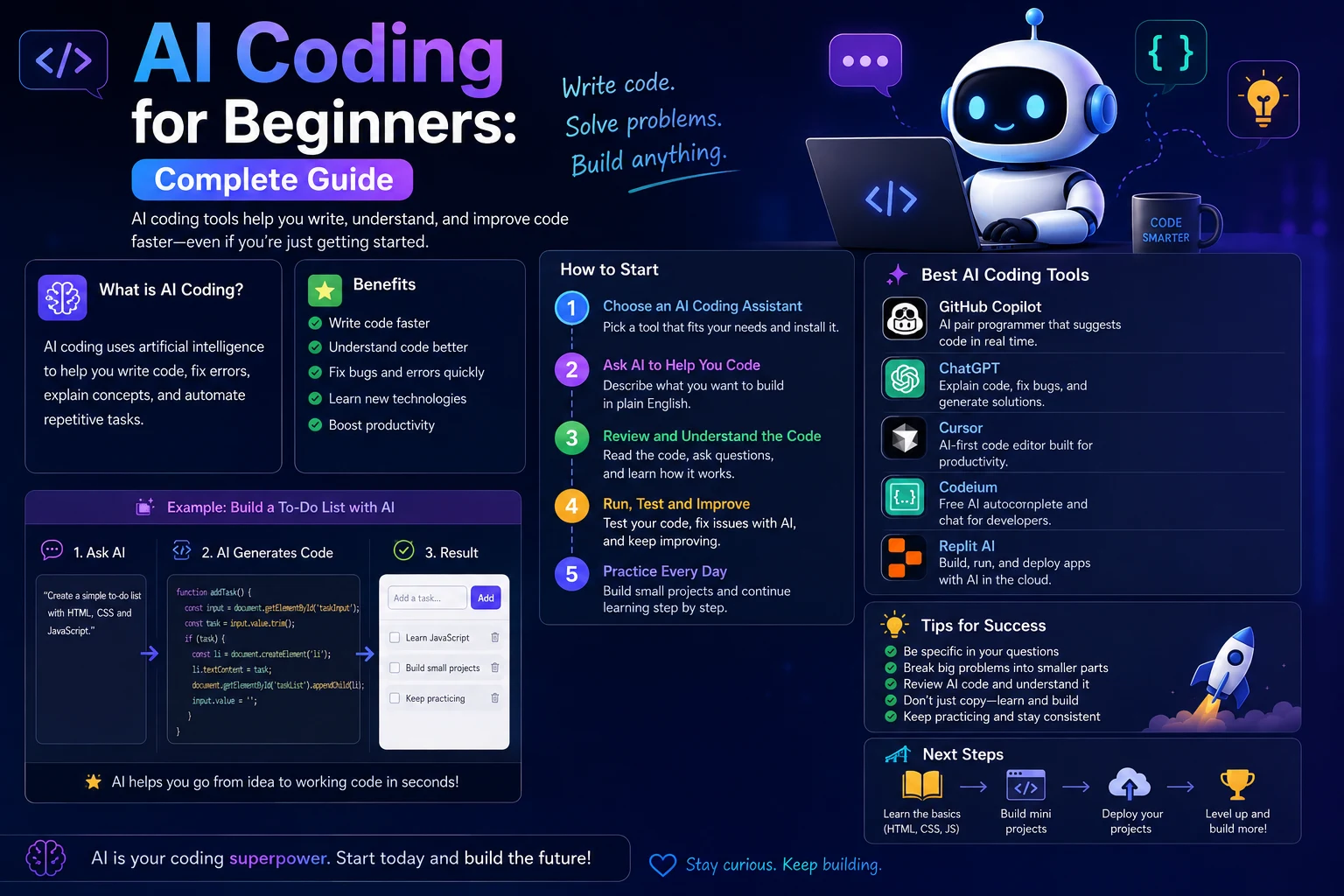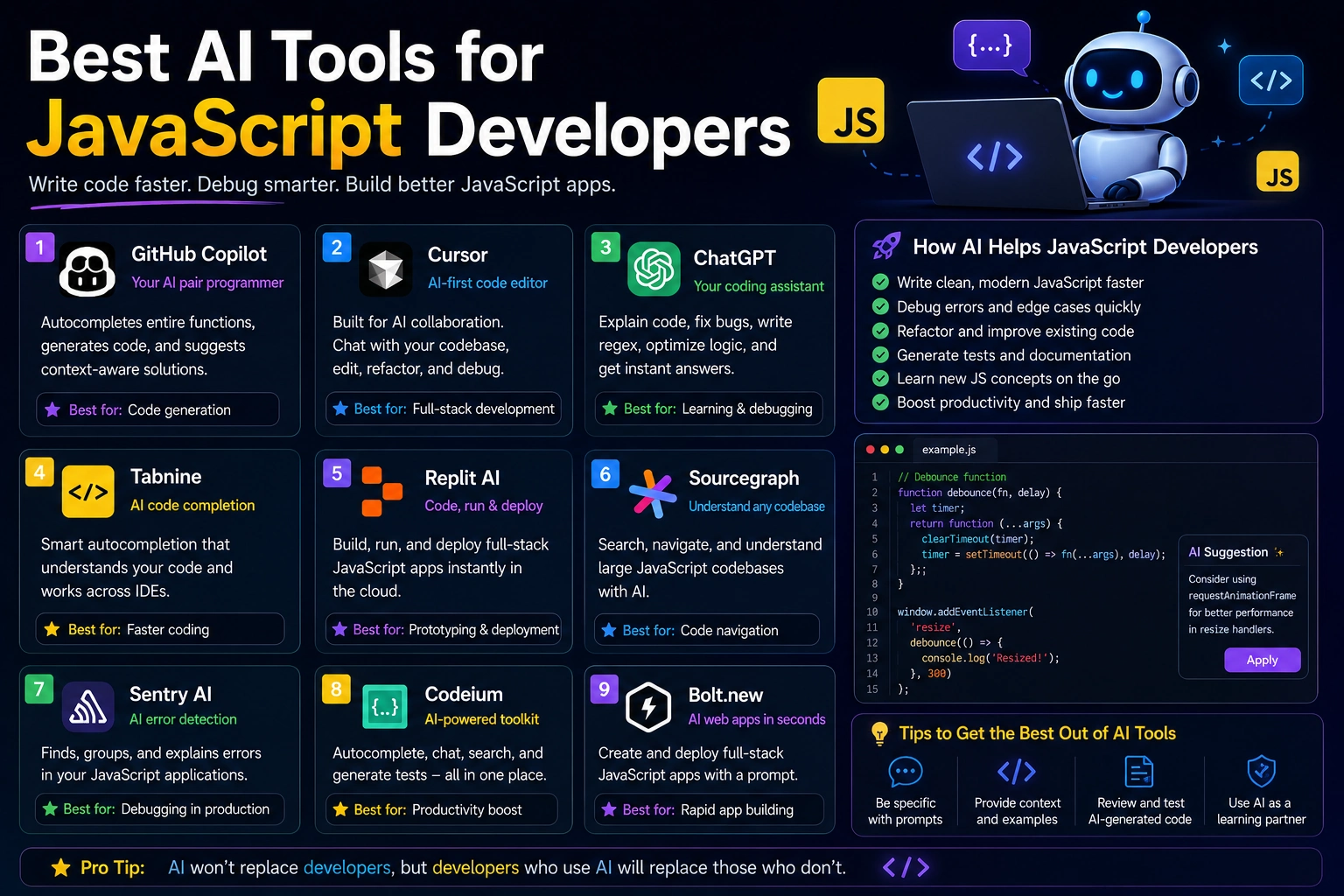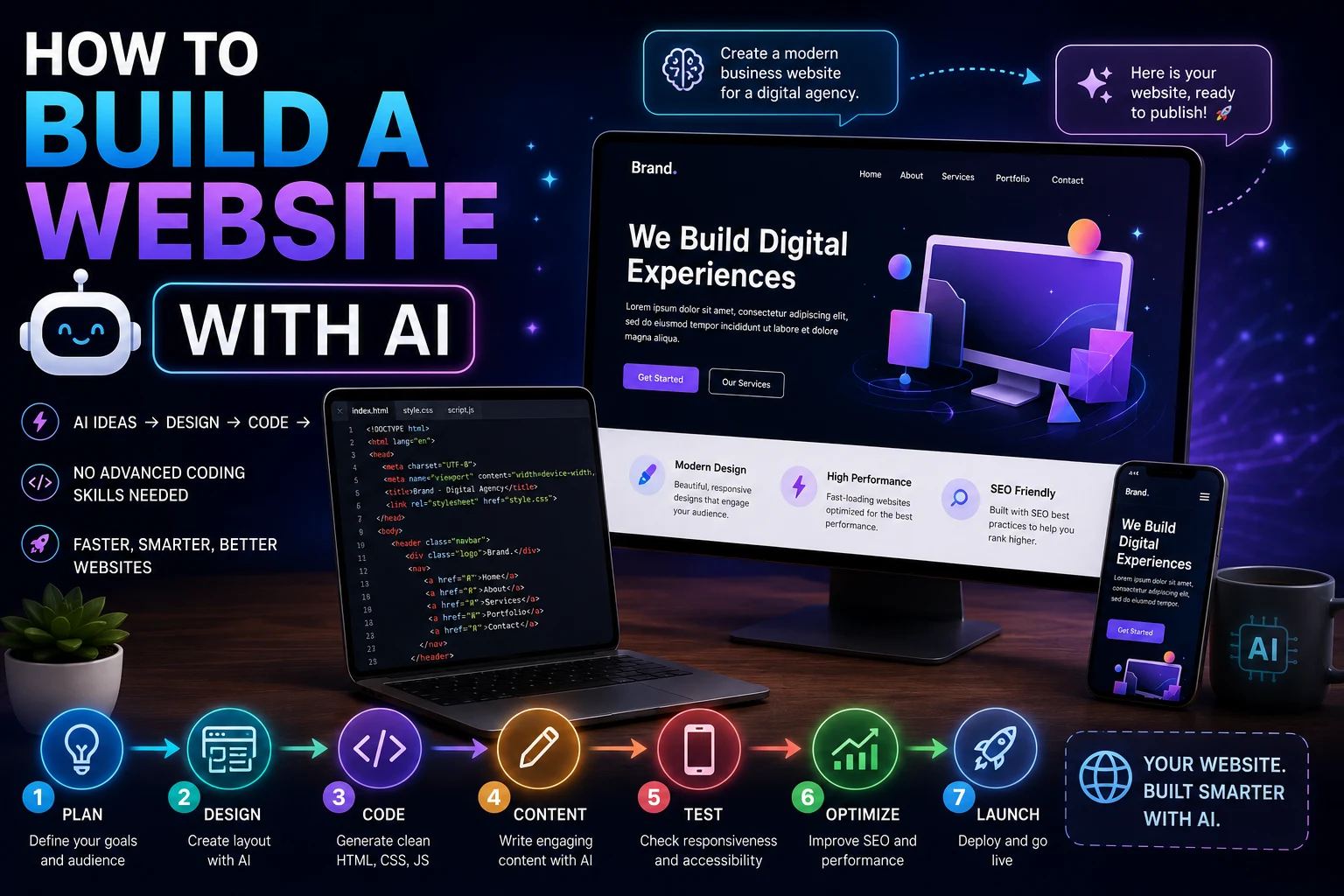

Building a website used to require a combination of design skills, HTML and CSS knowledge, JavaScript programming, hosting experience, and an understanding of SEO. AI has changed that process by helping beginners and experienced developers plan, design, write code, debug problems, and improve websites much faster.
Today, AI tools can help create everything from a simple personal website to a business website, blog, landing page, portfolio, online store, or full-stack web application.
However, building a website with AI does not mean simply asking an AI tool to create an entire website and publishing whatever it produces. The best results come from using AI as a development assistant while you remain responsible for the design, content, security, performance, and final quality.
In this guide, we'll explain how to build a website with AI step by step, including planning, choosing the right tools, generating the design and code, adding content, testing the website, improving SEO, and publishing it online.
How to Build a Website With AI
You can build a website with AI by following a simple development process:
- Define the purpose of the website.
- Plan the pages and structure.
- Choose your technology.
- Create the website design.
- Generate the HTML and CSS.
- Add JavaScript functionality when needed.
- Create and optimize the content.
- Make the website responsive.
- Test the website.
- Optimize SEO and performance.
- Connect hosting and a domain.
- Publish and maintain the website.
AI can assist with almost every step, but you should review the output before moving to the next stage.
1. Decide What Type of Website You Want to Build
Before asking AI to write code, decide what you are trying to build. A clear goal makes it much easier for an AI tool to generate useful designs and code.
Common types of websites include:
- Business websites
- Personal websites
- Portfolio websites
- Blogs
- News websites
- Landing pages
- Online stores
- Documentation websites
- Membership websites
- Web applications
For example, instead of asking:
Build me a website.
give the AI more context:
I want to build a modern website for a small electrical contracting company. The website should generate leads and include a homepage, services page, about page, service-area section, testimonials, FAQ, contact form, and call-to-action buttons. The design should look professional, trustworthy, and mobile-friendly.
The second prompt gives the AI enough information to make better decisions.
2. Plan Your Website Structure
A website should have a logical structure before you start generating individual pages.
For a typical business website, the structure might look like:
/
├── index.html
├── about.html
├── services.html
├── contact.html
├── faq.html
├── css/
│   └── style.css
├── js/
│   └── script.js
└── images/
    └──
For a larger website, you may need a backend, database, authentication system, content management system, or framework.
Ask AI to create a sitemap before generating the actual code.
Create a complete sitemap for a professional business website. Organize the pages into primary navigation, secondary pages, and supporting content. Explain the purpose of each page and recommend the most important internal links.
3. Choose How You Want to Build the Website
There are several ways to build a website with AI. The best approach depends on your technical experience and the type of website you want to create.
AI Website Builders
AI website builders can generate websites from natural-language descriptions. They are useful for beginners who want to create a website without writing much code.
These tools can often generate layouts, sections, text, images, and basic functionality automatically.
Best for: Beginners who want the fastest path from an idea to a working website.
AI Coding Assistants
AI coding assistants are better suited to developers who want control over the source code.
They can help generate HTML, CSS, JavaScript, PHP, React, Next.js, and other technologies depending on the development environment.
Best for: Developers who want complete control over the website's code.
AI + Traditional Development
You can also use AI alongside a normal development workflow. For example, you might write the project structure yourself and use AI for individual components, debugging, testing, SEO, and optimization.
Best for: Developers who want AI assistance without giving up control of the development process.
4. Ask AI to Create the Website Design
Once you know what your website should contain, ask AI to create a design system.
A good design prompt should describe:
- Target audience
- Brand personality
- Color preferences
- Typography
- Layout
- Navigation
- Buttons
- Cards
- Forms
- Mobile behavior
For example:
Design a modern responsive website for a software company. Use a clean professional layout with a clear navigation bar, large hero section, feature cards, customer testimonials, pricing section, FAQ, and footer. Prioritize readability, accessibility, mobile responsiveness, and fast loading times.
You can then ask the AI to turn the design into actual HTML and CSS.
5. Generate the HTML
HTML provides the structure of your website.
AI can generate semantic HTML elements such as:
- Header
- Navigation
- Main content
- Sections
- Articles
- Forms
- Tables
- Footer
Instead of asking AI to create a huge website in one step, start with one page.
Create the HTML structure for a professional homepage. Use semantic HTML5 elements and include a header, navigation, hero section, services section, benefits section, testimonials, FAQ, call-to-action section, and footer. Keep the HTML accessible and SEO-friendly.
Once the structure is working, you can ask AI to build additional pages using the same design system.
6. Generate the CSS
CSS controls the appearance of the website.
AI can help create:
- Responsive layouts
- Navigation bars
- Hero sections
- Buttons
- Cards
- Forms
- Animations
- Mobile layouts
- Dark mode
A useful prompt is:
Create responsive CSS for this HTML. Use a clean modern design, consistent spacing, accessible color contrast, responsive typography, and a mobile-first layout. Do not use unnecessary animations or external dependencies.
Avoid asking AI to add excessive animations simply because they look impressive. Unnecessary animations can make a website slower and harder to use.
7. Add JavaScript Functionality
JavaScript can add interactive functionality to your website.
For example, AI can help implement:
- Mobile navigation menus
- Form validation
- Search
- Tabs
- Accordions
- Sliders
- Modal windows
- Interactive calculators
- API requests
- Dynamic content
For example:
Create accessible vanilla JavaScript for a mobile navigation menu. The menu should open and close when the button is clicked, close when a navigation link is selected, support keyboard navigation, and update the appropriate ARIA attributes.
Specific requirements usually produce better code than simply asking AI to "add JavaScript."
8. Use AI to Create Website Content
AI can also help you create website copy.
It can generate:
- Homepage copy
- Service descriptions
- Product descriptions
- About-page content
- FAQ questions and answers
- Blog outlines
- Call-to-action text
- Meta titles and descriptions
However, avoid publishing generic AI-generated content without editing it. Your website should contain useful information that reflects your actual business, products, expertise, or experience.
Write homepage copy for a local electrical contractor. Focus on helping homeowners understand the company's services and encourage them to request a quote. Use clear, natural English and avoid exaggerated marketing claims.
9. Make Your Website Mobile-Friendly
A website should work properly on phones, tablets, laptops, and large desktop screens.
Ask AI to review your website specifically for responsive design.
Review this website code for responsive-design problems. Identify elements that may overflow on small screens, fixed widths that should be changed, typography problems, navigation issues, and touch targets that may be too small. Provide the necessary CSS fixes.
Test the website at several screen sizes instead of assuming that responsive CSS works correctly.
10. Use AI to Improve Accessibility
Accessibility should be considered during development rather than added at the end.
AI can help identify issues involving:
- Missing image alt text
- Incorrect heading hierarchy
- Keyboard navigation
- Form labels
- ARIA attributes
- Color contrast
- Focus states
- Semantic HTML
For example:
Audit this HTML for accessibility problems. Check semantic structure, heading hierarchy, form labels, buttons, links, images, keyboard navigation, focus states, and ARIA usage. List each problem and provide a specific fix.
11. Use AI to Improve Website SEO
AI can help optimize many parts of technical and on-page SEO.
Ask AI to review:
- Page titles
- Meta descriptions
- Headings
- URLs
- Internal links
- Image alt text
- Structured data
- Canonical URLs
- Open Graph metadata
- Content structure
A useful SEO prompt is:
Audit this webpage for on-page SEO. Check the title tag, meta description, headings, URL, internal linking opportunities, image alt text, content structure, canonical URL, Open Graph metadata, structured data, and search intent. Identify problems and provide specific recommendations.
AI can suggest improvements, but SEO recommendations should still be checked against the actual website and search-engine guidelines.
12. Add Internal Links
Internal linking helps users navigate your website and helps search engines understand relationships between pages.
AI can analyze your existing pages and suggest relevant internal links.
Review these website pages and identify natural internal-link opportunities. For each suggestion, provide the source page, destination page, suggested anchor text, and the reason the link is useful to the reader. Do not force irrelevant links.
Internal links should be useful to visitors rather than added simply to increase the number of links on a page.
13. Optimize Images With AI
Images can significantly affect website performance when they are unnecessarily large.
AI can help you decide:
- Which images need compression
- Which images should use modern formats
- Where dimensions should be specified
- Which images should be lazy-loaded
- Which image is likely to be the LCP resource
- Where responsive images are appropriate
You can ask:
Review this webpage's images and identify potential performance problems. Recommend appropriate dimensions, image formats, lazy-loading behavior, width and height attributes, and priority settings for important images.
Do not automatically lazy-load the main above-the-fold image if it is the page's primary content image. Important images may need to be discovered and loaded quickly.
14. Improve Website Performance With AI
AI can help analyze performance problems and suggest optimizations.
Common areas include:
- Large images
- Render-blocking resources
- Unused CSS
- Unused JavaScript
- Large third-party scripts
- Font loading
- Caching
- Lazy loading
- Server response time
For example:
Analyze this HTML and CSS for performance problems. Focus on improving LCP, reducing render-blocking resources, minimizing unnecessary JavaScript, optimizing fonts and images, and reducing third-party dependencies. Give the highest-impact fixes first.
Always measure the result before and after making changes. A suggested optimization is only useful if it improves the actual website.
15. Use AI to Debug Your Website
One of the most useful applications of AI in web development is debugging.
Instead of saying:
My website doesn't work.
provide the exact error and relevant code:
This JavaScript function produces the following browser-console error: "Cannot read properties of null". Here is the relevant HTML and JavaScript. Explain the root cause and provide the smallest safe fix without changing the intended behavior.
Useful information to provide includes:
- Exact error message
- Browser console output
- Relevant source code
- Expected behavior
- Actual behavior
- Recent changes
16. Use AI to Generate Tests
AI can help create tests for website functionality.
For example, you can ask it to create tests for:
- Forms
- Authentication
- Navigation
- API requests
- Calculators
- Search functionality
- Interactive components
Create a test plan for this website. Include functional tests, responsive tests, accessibility checks, form validation tests, navigation tests, performance checks, and security-related checks.
AI-generated tests should also be reviewed to make sure they test meaningful behavior.
17. Build a Website With AI Without Knowing How to Code
You do not need to be an advanced programmer to start building a website with AI.
A beginner can ask AI to explain each step while gradually building the project.
For example:
- Ask AI to explain the basic website structure.
- Create the homepage.
- Ask AI to explain the HTML.
- Add CSS styling.
- Make the layout responsive.
- Add simple JavaScript.
- Test the website.
- Fix errors with AI assistance.
- Learn the concepts behind each change.
- Publish the finished website.
This approach is much better for learning than blindly copying large amounts of generated code.
18. Example Prompt to Build a Website With AI
You can start a project with a detailed prompt like this:
Build a responsive business website using semantic HTML, modern CSS, and vanilla JavaScript.
Website type: small local service business.
Pages: Home, About, Services, FAQ, Contact.
Requirements:
- Mobile-first responsive design
- Semantic HTML5
- Accessible navigation
- Clear heading hierarchy
- Fast loading
- No unnecessary libraries
- SEO-friendly structure
- Accessible forms
- Optimized images
- Clean and maintainable code
Create the project structure first. Then generate each file separately. Explain the purpose of every file and do not introduce dependencies unless they are necessary.
19. Don't Ask AI to Build Everything at Once
One of the most common mistakes beginners make is asking an AI tool to create an entire complicated website in a single prompt.
Large requests can produce:
- Inconsistent code
- Missing functionality
- Duplicate CSS
- Broken interactions
- Security problems
- Hard-to-maintain files
- Unnecessary dependencies
A better approach is to divide the project into smaller tasks.
For example:
- Create the project structure.
- Build the header.
- Build the homepage.
- Create the services section.
- Add the contact form.
- Add responsive styles.
- Add JavaScript.
- Test each component.
- Optimize SEO.
- Optimize performance.
This makes it easier to identify and fix problems.
20. Review AI-Generated Code Before Publishing
AI-generated code can look professional while still containing bugs or security vulnerabilities.
Before publishing a website, review:
- Authentication
- Authorization
- Input validation
- Form security
- API keys
- Database queries
- File uploads
- Cross-site scripting risks
- Cross-site request forgery
- Dependency vulnerabilities
Never assume that generated code is automatically safe because it came from an AI system.
Never Give AI Your Secrets
Do not paste real passwords, private API keys, authentication tokens, database credentials, or other sensitive information into an AI tool unless you are authorized to do so and understand how that service handles your data.
Instead of:
const API_KEY = "REAL_SECRET_KEY";use a placeholder:
const API_KEY = "YOUR_API_KEY";For server-side applications, use environment variables or another appropriate secrets-management system.
AI Website Development vs Traditional Development
| Task | Traditional Development | AI-Assisted Development |
|---|---|---|
| Planning | Mostly manual | AI can help create plans and structures |
| HTML generation | Written manually | AI can generate initial code |
| CSS development | Mostly manual | AI can generate and modify styles |
| JavaScript | Written manually | AI can generate and debug code |
| Content creation | Mostly manual | AI can assist with drafts and outlines |
| Debugging | Manual investigation | AI can analyze errors and suggest fixes |
| SEO | Manual analysis | AI can identify optimization opportunities |
| Testing | Manual and automated | AI can help generate test cases |
| Final review | Human review | Human review remains essential |
How to Publish a Website Built With AI
Once your website is complete, you need to publish it on a web server.
The general process is:
- Purchase a domain name.
- Choose a hosting provider.
- Upload your website files.
- Configure the domain.
- Enable HTTPS.
- Test the live website.
- Submit the website to search engines.
- Monitor performance and errors.
If your website uses a backend such as PHP, Node.js, Python, or a database, make sure your hosting environment supports the required technology.
How to Maintain a Website Built With AI
Launching a website is only the beginning. Websites need ongoing maintenance.
AI can help you:
- Find outdated content
- Identify broken links
- Improve existing pages
- Analyze error logs
- Update documentation
- Improve performance
- Generate new content ideas
- Review security issues
Schedule regular reviews instead of waiting until something breaks.
A Practical AI Website-Building Workflow
- Plan: Define your website's purpose and audience.
- Structure: Create the sitemap and page hierarchy.
- Design: Define the visual style and components.
- Build: Generate the HTML, CSS, and JavaScript.
- Content: Create useful and original website content.
- Responsive: Optimize the website for mobile devices.
- Accessibility: Check keyboard navigation, headings, forms, and contrast.
- SEO: Optimize titles, descriptions, headings, URLs, and internal links.
- Performance: Optimize images, fonts, CSS, JavaScript, and third-party resources.
- Security: Review forms, APIs, authentication, and dependencies.
- Testing: Test the website across browsers and devices.
- Deploy: Publish the website and connect the domain.
- Monitor: Continue improving the website after launch.
Final Verdict
AI has made website development much more accessible. Beginners can use AI to learn HTML, CSS, JavaScript, and web-development concepts while building real projects, while experienced developers can use AI to accelerate coding, debugging, testing, SEO, and optimization.
The most effective approach is not to ask AI to build everything and blindly publish the result. Instead, treat AI as a development assistant that helps you move faster while you remain responsible for the final website.
Start with a clear website goal, create a logical structure, build the project in small steps, and test every major change. Use AI to explain unfamiliar code rather than simply copying it.
AI can generate a large amount of code quickly, but a successful website still requires good design, useful content, accessibility, performance, security, SEO, and ongoing maintenance.
If you use AI strategically, you can go from a simple idea to a functional website much faster while also learning the skills needed to improve and maintain it yourself.
Frequently Asked Questions
Can I build a website with AI?
Yes. AI can help you plan, design, code, debug, test, optimize, and improve a website. Beginners can use AI website builders, while developers can use AI coding assistants to generate and modify source code.
Can I build a website with AI without coding?
Yes. AI website builders can create websites from natural-language instructions without requiring you to write most of the code yourself. However, understanding basic HTML, CSS, and JavaScript can help you customize and maintain the website.
What is the best AI tool for building a website?
There is no single best tool for everyone. AI website builders are convenient for beginners, while AI coding assistants are better for developers who want greater control over the source code and architecture.
Can ChatGPT build a complete website?
AI assistants can generate substantial parts of a website, including HTML, CSS, JavaScript, content, and backend code. Complex websites still require human testing, debugging, security review, deployment, and maintenance.
Can AI create HTML and CSS?
Yes. AI can generate HTML structures and CSS styles from natural-language descriptions. You can also provide existing HTML and ask AI to improve its structure, responsiveness, accessibility, or styling.
Can AI create a responsive website?
Yes. AI can generate responsive CSS and layouts designed for different screen sizes. You should still test the website on real phones, tablets, and desktop screens because generated responsive code may contain layout problems.
Can AI build a website from a screenshot?
AI can analyze a website screenshot and help recreate its general layout, components, spacing, and visual style. The resulting code should still be reviewed and adjusted to make it responsive, accessible, and original.
Can AI help with website SEO?
Yes. AI can help optimize page titles, meta descriptions, headings, content structure, internal links, image alt text, structured data, and other SEO elements. SEO recommendations should be reviewed before implementation.
Can AI build an online store?
AI can help create many parts of an online store, including product pages, interfaces, search, filters, shopping-cart functionality, and backend code. E-commerce websites require additional attention to payments, authentication, privacy, security, and customer data.
Is a website built with AI safe?
Not automatically. AI-generated code can contain bugs and security vulnerabilities. Before publishing, review authentication, authorization, input validation, APIs, dependencies, forms, database queries, and other security-sensitive components.
Should beginners use AI to learn web development?
Yes. AI can be a useful tutor and coding assistant. Beginners should ask AI to explain the code and concepts behind each change rather than relying entirely on generated code without understanding it.