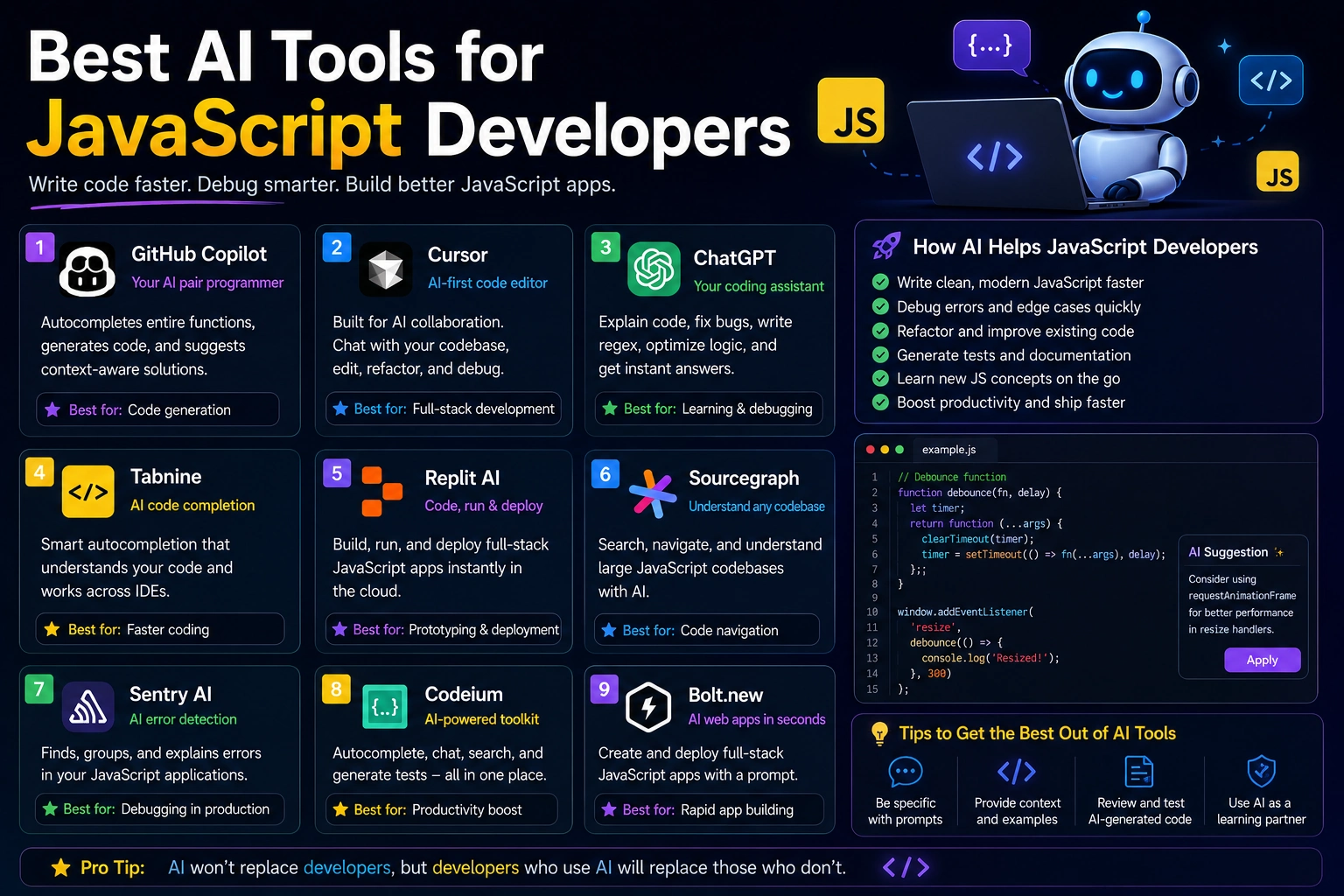

JavaScript remains one of the most important programming languages for modern web development. Developers use it to build interactive websites, frontend applications, backend services, APIs, mobile applications, and full-stack products.
At the same time, AI coding assistants have become an increasingly important part of the JavaScript development workflow. Modern AI tools can generate code, explain unfamiliar functions, debug errors, refactor multiple files, write tests, and help developers work with frameworks such as React, Next.js, Vue, Angular, Node.js, and Express.
The best AI tools for JavaScript developers in 2026 are no longer limited to autocomplete. Many can understand an entire codebase and help with larger development tasks.
In this guide, we'll look at the best AI tools for JavaScript developers and explain what each one is best suited for.
Best AI Tools for JavaScript Developers in 2026
Different AI coding tools are designed for different workflows. Some work inside your existing IDE, while others provide a complete AI-powered development environment.
- GitHub Copilot — Best for everyday JavaScript development
- Cursor — Best for AI-powered JavaScript development
- Claude Code — Best for large projects and coding agents
- Windsurf — Best for AI-assisted development inside an editor
- Amazon Q Developer — Best for JavaScript applications on AWS
- Tabnine — Best for privacy-focused development teams
- JetBrains AI — Best for JavaScript developers using JetBrains IDEs
1. GitHub Copilot
GitHub Copilot is one of the most widely adopted AI coding assistants and is particularly well suited to JavaScript and TypeScript development. GitHub states that JavaScript is one of Copilot's best-supported languages because of its large representation in public repositories.
Copilot can provide inline code suggestions, answer coding questions, explain code, help debug problems, and assist with APIs, frameworks, databases, and infrastructure-as-code workflows.
Why use GitHub Copilot?
- Strong JavaScript and TypeScript support
- Inline code completion
- AI coding chat
- Code explanation
- Debugging assistance
- Test generation
- Framework assistance
- Works with VS Code and JetBrains IDEs
Copilot is a particularly good option if you already use Visual Studio Code and want to add AI assistance without switching editors.
Best for: JavaScript developers who want an AI assistant integrated into their existing development environment.
2. Cursor
Cursor is an AI-powered code editor designed around AI-assisted software development. It can understand your codebase, generate and edit code using natural language, and work across multiple files.
Cursor has particularly strong support for JavaScript and TypeScript development. Its documentation highlights support for React, Next.js, Vue, Angular, Svelte, Express, and NestJS.
Why use Cursor?
- AI-powered JavaScript and TypeScript development
- Codebase-aware suggestions
- Multi-file editing
- Natural-language code changes
- Automatic imports
- ESLint integration
- React and Next.js support
- Vue, Angular, and Svelte support
- Node.js, Express, and NestJS support
Cursor's Agent can also search a codebase, edit files, run terminal commands, and complete more complex coding tasks.
Best for: Developers who want an AI-first editor for JavaScript and full-stack development.
3. Claude Code
Claude Code is designed for developers who want an AI agent that can work with a project rather than simply suggesting individual lines of code.
It can be especially useful for JavaScript and TypeScript applications with many files, where a task may require analyzing existing code, making changes across the project, and running development commands.
Claude Code can also work with GitHub repositories through its web workflow. Developers can connect a repository, submit a task, and review the resulting pull request.
Why use Claude Code?
- Large-codebase assistance
- Multi-file development
- Debugging and code analysis
- Refactoring
- Terminal-based workflows
- GitHub integration
- Useful for complex development tasks
Best for: Experienced JavaScript developers who want an AI agent for larger coding tasks.
4. Windsurf
Windsurf is another AI-powered development environment designed to combine code editing with AI assistance.
It can help JavaScript developers generate code, modify existing files, understand project context, and work through larger development tasks.
Why use Windsurf?
- AI-assisted JavaScript development
- Context-aware coding
- Multi-file editing
- Code generation
- Debugging assistance
- AI agent workflows
Windsurf is worth considering if you want an AI-first editor but prefer its workflow and interface over alternatives such as Cursor.
Best for: JavaScript developers looking for an alternative AI-native development environment.
5. Amazon Q Developer
Amazon Q Developer can be useful for JavaScript developers building applications that depend heavily on Amazon Web Services.
It can assist with coding, troubleshooting, understanding applications, and AWS-related development tasks.
Why use Amazon Q Developer?
- AI coding assistance
- AWS development support
- Code explanations
- Debugging assistance
- Cloud development workflows
- Security-focused assistance
If your JavaScript application uses services such as Amazon S3, EC2, RDS, Lambda, or other AWS infrastructure, an AWS-focused AI assistant can be useful.
Best for: JavaScript and Node.js developers building applications on AWS.
6. Tabnine
Tabnine is an AI coding assistant that focuses on code completion and developer productivity. It can be useful for teams that place particular importance on privacy and enterprise-oriented development workflows.
Why use Tabnine?
- AI code completion
- JavaScript development assistance
- TypeScript support
- IDE integration
- Team-oriented workflows
- Privacy-focused options
Best for: Development teams looking for AI-assisted coding with a stronger focus on privacy and organizational controls.
7. JetBrains AI
JetBrains AI can be useful for JavaScript developers who prefer JetBrains development environments such as WebStorm or IntelliJ IDEA.
The main advantage is combining AI assistance with an IDE that already provides advanced JavaScript and TypeScript navigation, refactoring, debugging, testing, and project-management capabilities.
Why use JetBrains AI?
- AI assistance inside JetBrains IDEs
- JavaScript and TypeScript development
- Code explanation
- Code generation
- Refactoring assistance
- Testing assistance
- Project-aware development
Best for: JavaScript developers who already use WebStorm or another JetBrains IDE.
AI Tools for React Developers
React developers can use AI coding assistants for almost every part of application development.
AI can help create:
- React components
- Custom hooks
- State management logic
- Forms
- API integrations
- Reusable UI components
- Unit tests
- Loading and error states
For example, instead of asking an AI tool to simply "create a React component," provide details about your existing project, component conventions, styling system, and expected behavior.
Create a reusable React product card component using the existing project conventions. It should accept product data as props, display an image, title, price, and availability, and include accessible buttons. Do not introduce a new UI library.
AI Tools for Next.js Developers
Next.js combines frontend and backend capabilities, making project context particularly important when using AI coding assistants.
AI can help with:
- App Router development
- Server components
- Client components
- API routes
- Server actions
- Data fetching
- Authentication
- Metadata and SEO
- Performance optimization
Cursor's documentation specifically lists Next.js support, including server components and API route intelligence.
AI Tools for Node.js Development
Node.js allows JavaScript developers to build backend applications, APIs, command-line tools, and server-side services.
AI assistants can help with:
- Express applications
- NestJS applications
- REST APIs
- Authentication
- Middleware
- Database integration
- API validation
- Error handling
- Automated tests
For backend JavaScript projects, always specify the Node.js version, framework, database, and existing architecture when asking an AI assistant to generate code.
What Can AI Do for JavaScript Developers?
1. Generate JavaScript Code
AI can generate functions, components, modules, API clients, utilities, and other JavaScript code from natural-language descriptions.
Create a JavaScript function that receives an array of products and returns only products that are currently available, sorted by price from lowest to highest. Use modern JavaScript syntax.
2. Debug JavaScript Errors
AI can analyze JavaScript errors, browser console messages, Node.js exceptions, and stack traces.
This React component throws "Cannot read properties of undefined". Explain why the error occurs, identify the likely source, and provide the smallest safe fix without changing the component's intended behavior.
3. Refactor JavaScript
AI can help simplify complicated functions, remove duplicated logic, improve naming, and modernize older JavaScript code.
Refactor this JavaScript function for readability and maintainability. Keep the existing behavior and public API unchanged. Use modern JavaScript syntax where appropriate.
4. Generate Tests
AI coding assistants can generate initial tests for JavaScript and TypeScript applications.
Depending on the project, you may work with testing tools such as Jest, Vitest, Playwright, or other testing frameworks.
Generated tests should always be reviewed to make sure they test actual behavior rather than simply matching the current implementation.
5. Explain Existing Code
AI is particularly useful when you inherit a JavaScript project that you did not originally create.
You can ask it to explain a function, trace how data moves through an application, identify dependencies, or summarize the role of individual files.
Best AI Tools for JavaScript by Use Case
| AI Tool | Best For | Main Strength |
|---|---|---|
| GitHub Copilot | Everyday JavaScript coding | Strong JavaScript support and broad IDE integration |
| Cursor | AI-first development | Codebase-aware editing and multi-file workflows |
| Claude Code | Large projects | Agent-based development and codebase reasoning |
| Windsurf | AI-assisted editing | AI-native development workflow |
| Amazon Q Developer | AWS applications | Cloud-focused coding assistance |
| Tabnine | Teams and privacy | Enterprise-oriented AI coding assistance |
| JetBrains AI | WebStorm users | AI inside a professional JavaScript IDE |
How to Choose the Right AI Tool
If You Use VS Code
GitHub Copilot is an easy starting point because it integrates directly with VS Code and provides both inline suggestions and chat-based assistance. GitHub's documentation specifically demonstrates JavaScript development with Copilot in VS Code.
If You Want an AI-Native Editor
Cursor is a strong choice if you want AI to be deeply integrated into the editing workflow. Its JavaScript documentation covers code completion, automatic imports, inline editing, multi-file workflows, ESLint integration, and major JavaScript frameworks.
If You Work on Large Applications
Cursor and Claude Code are particularly interesting when development tasks involve multiple files and require the AI to understand the broader application rather than only the current function.
If You Use WebStorm
JetBrains AI is a natural option if you already use WebStorm or another JetBrains IDE. It lets you add AI assistance without abandoning the development environment you already know.
If You Build on AWS
Amazon Q Developer is worth considering when your JavaScript or Node.js applications depend heavily on AWS services.
How to Write Better JavaScript Prompts
Good prompts can significantly improve the usefulness of AI-generated JavaScript code.
Instead of:
Create a login page with JavaScript.
Try:
Create a responsive login form using vanilla JavaScript, HTML, and CSS. Validate the email and password fields on the client side, display accessible validation messages, disable the submit button while the request is running, and send the form data to POST /api/login using fetch(). Do not use external libraries.
A good JavaScript coding prompt should usually include:
- JavaScript or TypeScript
- Framework and version
- Runtime environment
- Existing project structure
- Required functionality
- Libraries already installed
- Browser or server requirements
- Performance requirements
- Security requirements
- Expected output
Important: Review AI-Generated JavaScript
AI-generated code should not automatically be considered production-ready.
Before deploying AI-generated JavaScript, check:
- Authentication and authorization
- Input validation
- Cross-site scripting risks
- Cross-site request forgery
- API security
- Dependency vulnerabilities
- Incorrect asynchronous behavior
- Unhandled promises
- Memory leaks
- Performance problems
An AI assistant may produce code that looks correct but contains subtle bugs or security problems. Always test important functionality before deploying it.
Never Give AI Your Secrets
Avoid sending real API keys, passwords, authentication tokens, private environment variables, or other sensitive credentials to AI coding tools.
Instead of sharing a real environment variable:
const API_KEY = "REAL_SECRET_KEY";use a placeholder:
const API_KEY = "YOUR_API_KEY"; You can also use environment variables such as process.env.API_KEY instead of putting credentials directly into source code.
A Practical AI Workflow for JavaScript Developers
- Plan: Describe the feature you want to build.
- Provide context: Explain your framework, project structure, and dependencies.
- Generate: Ask the AI to implement a small, clearly defined part.
- Review: Read and understand the generated code.
- Test: Run automated and manual tests.
- Debug: Give the AI the exact error and relevant code if something fails.
- Refactor: Improve working code without changing its behavior.
- Secure: Check authentication, user input, APIs, and dependencies.
- Deploy: Deploy only after testing the final implementation.
Final Verdict
AI coding assistants have become powerful tools for JavaScript development. They can help developers write code faster, understand unfamiliar projects, debug errors, generate tests, and complete larger development tasks.
For everyday JavaScript and TypeScript development, GitHub Copilot is one of the strongest choices because JavaScript is one of its best-supported languages and it works across popular development environments.
For developers who want an AI-first coding environment, Cursor is an excellent option. Its JavaScript and TypeScript support includes major frameworks such as React, Next.js, Vue, Angular, Svelte, Express, and NestJS.
For larger projects and more autonomous development tasks, Claude Code and Cursor are worth considering. For AWS-focused applications, Amazon Q Developer can be a useful addition to the workflow.
The best AI tool is ultimately the one that fits your existing development process. Whether you use VS Code, WebStorm, Cursor, or a terminal-based workflow, AI can save significant time when you use it as a programming assistant rather than blindly accepting everything it generates.
Frequently Asked Questions
What is the best AI tool for JavaScript developers?
GitHub Copilot and Cursor are among the strongest choices for JavaScript developers in 2026. Claude Code is also worth considering for larger projects and agent-based workflows.
Does GitHub Copilot support JavaScript?
Yes. GitHub states that JavaScript is one of Copilot's best-supported programming languages. Copilot can provide inline suggestions, chat assistance, and help with frameworks and APIs.
Is Cursor good for JavaScript?
Yes. Cursor provides dedicated JavaScript and TypeScript support and works with major frameworks including React, Next.js, Vue, Angular, Svelte, Express, and NestJS.
Can AI write React code?
Yes. AI coding assistants can generate React components, hooks, API integrations, tests, forms, and other application features. Developers should provide project conventions and existing code context for better results.
Can AI debug JavaScript?
Yes. AI can help analyze browser console errors, Node.js exceptions, stack traces, TypeScript errors, and application logic problems. Providing the exact error and relevant code usually produces better results.
Can AI build a complete JavaScript website?
AI can generate significant parts of a JavaScript website or application, including frontend components, backend APIs, database integration, authentication, and tests. However, production projects still require human review, testing, security checks, and maintenance.
Should JavaScript developers use multiple AI tools?
You can use multiple tools when they serve different purposes. For example, GitHub Copilot can provide inline assistance while Cursor or Claude Code handles larger multi-file tasks. However, starting with one tool that fits your workflow is usually simpler.