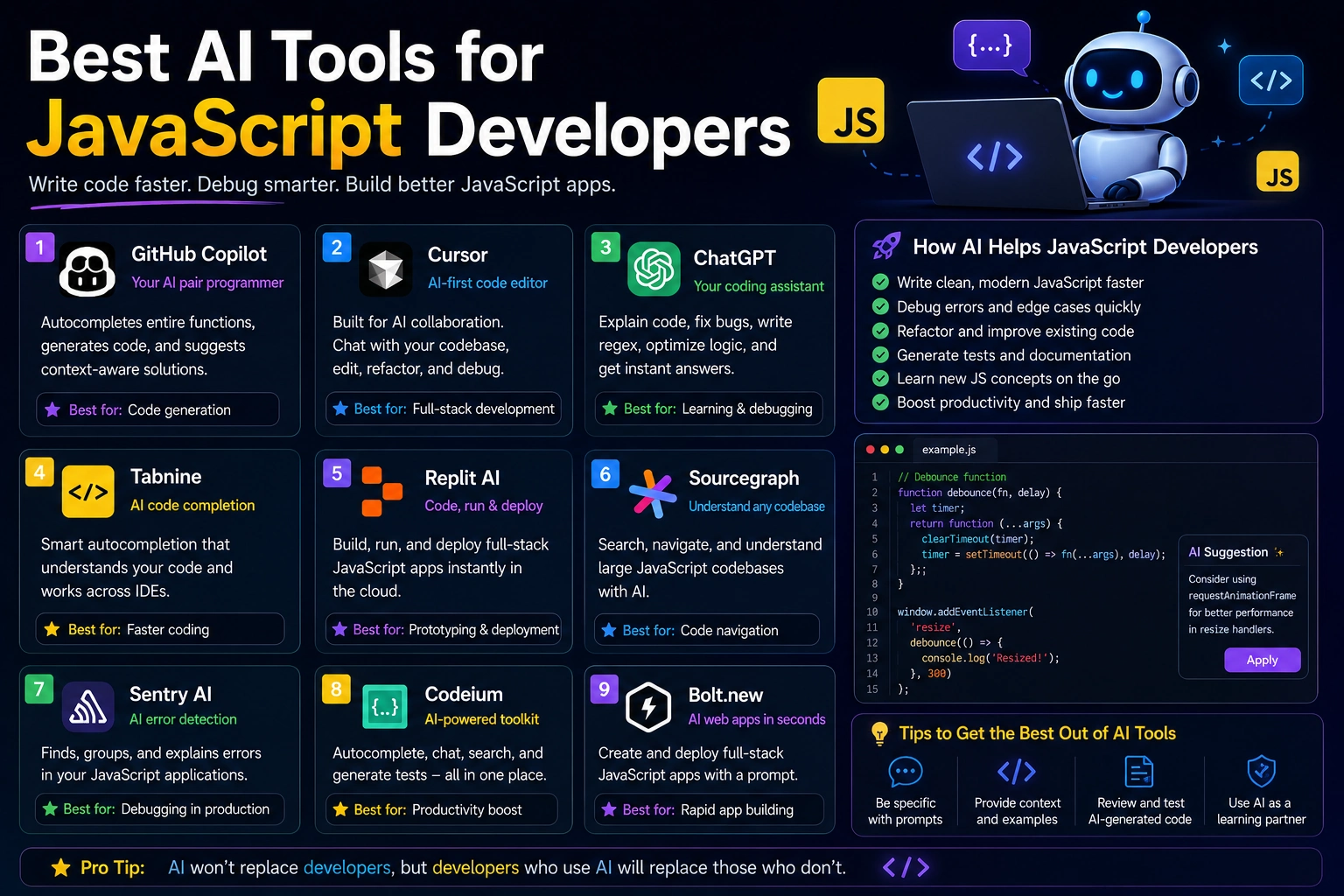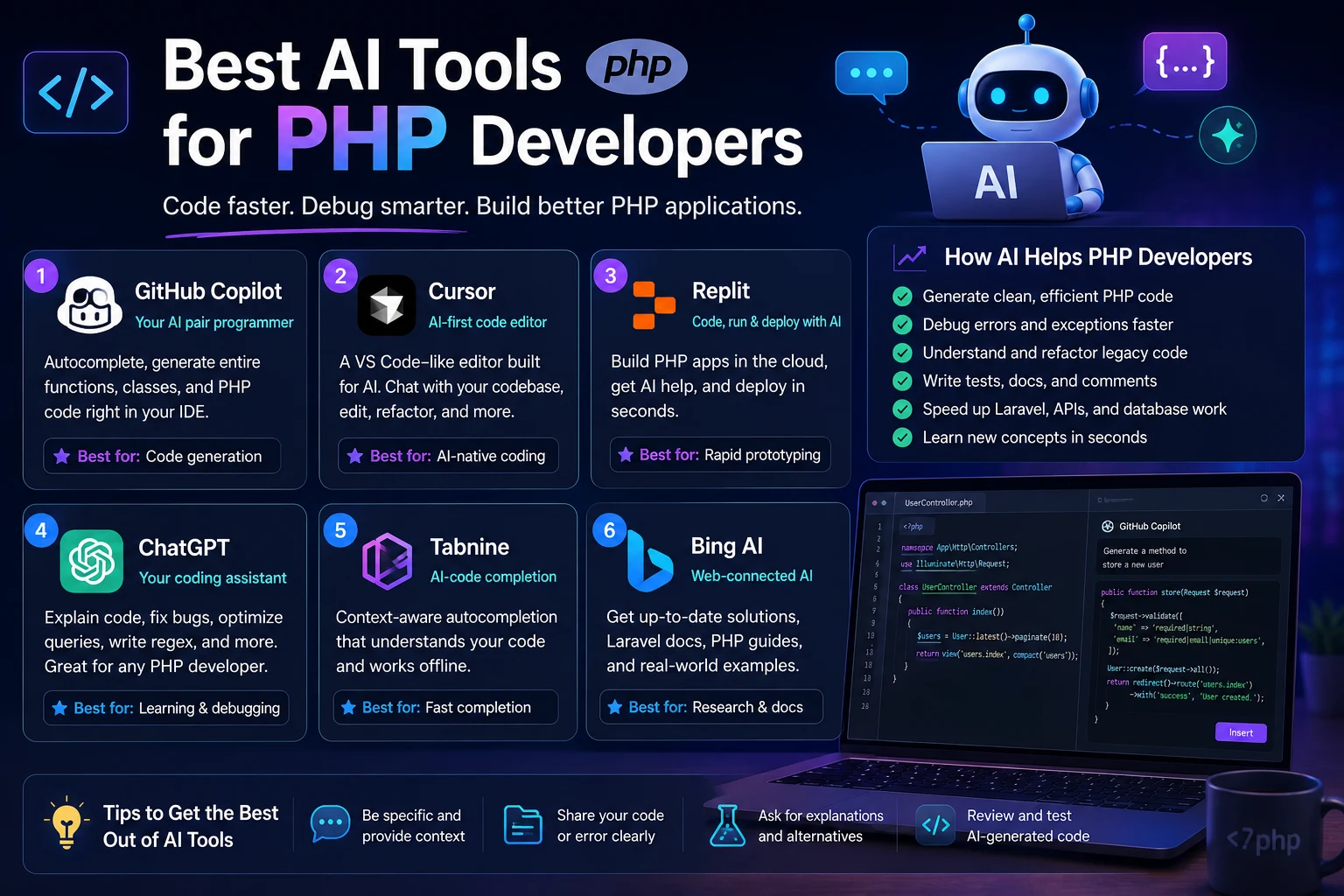

AI has become an increasingly useful part of modern software development. For PHP developers, AI tools can help write code, explain unfamiliar functions, debug errors, refactor applications, generate tests, and work with frameworks such as Laravel and Symfony.
The PHP ecosystem is particularly interesting because developers often work across several layers of an application, including PHP, MySQL, HTML, CSS, JavaScript, APIs, Composer packages, and server configuration.
In 2026, the best AI tools for PHP development are no longer limited to simple code autocomplete. Modern AI assistants can understand project context, work across multiple files, analyze errors, and help developers complete larger development tasks.
In this guide, we'll look at the best AI tools for PHP developers and explain what each one is best suited for.
Best AI Tools for PHP Developers in 2026
The best choice depends on how you develop PHP applications. Some developers want an AI assistant inside their IDE, while others prefer an AI-native editor or a terminal-based coding agent.
- PhpStorm AI — Best for professional PHP development
- GitHub Copilot — Best for general PHP coding assistance
- Cursor — Best for AI-powered multi-file development
- Claude Code — Best for large projects and terminal workflows
- Windsurf — Best for AI-assisted development inside an editor
- Amazon Q Developer — Best for PHP developers working with AWS
- Tabnine — Best for privacy-focused development teams
1. PhpStorm AI
PhpStorm is one of the strongest choices for developers who work primarily with PHP. Its AI features are integrated directly into the PHP-focused IDE, allowing developers to combine traditional PHP development tools with AI assistance.
JetBrains currently supports AI-assisted code completion, code generation, explanations, refactoring, documentation, testing, and AI agents inside PhpStorm. It also supports agents such as Junie and integrations with third-party agents.
Why use PhpStorm AI?
- Deep PHP IDE support
- AI-powered code completion
- Code generation
- Code explanation and refactoring
- PHP documentation generation
- Unit test assistance
- Database and terminal integration
- Support for Laravel, Symfony, and WordPress workflows
PhpStorm is particularly useful if you want AI assistance without giving up the powerful refactoring, debugging, database, and project-navigation features of a dedicated PHP IDE.
Best for: Professional PHP developers, Laravel developers, Symfony developers, and developers working on large PHP applications.
2. GitHub Copilot
GitHub Copilot is one of the most widely used AI coding assistants and works well for PHP development. It provides code suggestions, chat-based assistance, debugging help, and agent capabilities.
GitHub officially supports Copilot across several development environments, including Visual Studio Code and JetBrains IDEs. PHP is among the languages Copilot can assist with, although results can vary depending on the amount and quality of available training data for a particular language.
Copilot is particularly convenient if you already use VS Code or PhpStorm and want to add AI assistance without changing your development environment.
Why use GitHub Copilot?
- Inline PHP code suggestions
- AI chat
- Debugging assistance
- Code explanations
- Test generation
- GitHub workflow integration
- Broad IDE support
Copilot can also work with project context inside supported IDEs, making it easier to ask questions about the code you are currently working on.
Best for: PHP developers who want a general-purpose AI coding assistant with broad editor support.
3. Cursor
Cursor is an AI-focused code editor built around the idea of using AI throughout the development process rather than only for autocomplete.
It can be useful for PHP developers working on projects that contain multiple files and interconnected components. You can ask the AI to analyze existing code, modify several files, explain a feature, or help implement a larger change.
Why use Cursor?
- AI-first development environment
- Multi-file editing
- Codebase-aware assistance
- Natural-language code changes
- Refactoring assistance
- Useful for larger development tasks
Cursor is especially attractive when your main goal is to use AI extensively while developing rather than simply receiving autocomplete suggestions.
Best for: Developers working on multi-file PHP applications who want an AI-native coding environment.
4. Claude Code
Claude Code takes a different approach from traditional IDE autocomplete tools. It is designed around a terminal-based workflow where AI can work with the project, inspect files, reason about changes, and assist with larger development tasks.
This can make it useful for PHP applications with many interconnected files, especially when you need help with refactoring, debugging, or implementing features across an existing codebase.
Why use Claude Code?
- Terminal-based development workflow
- Large-codebase assistance
- Multi-file changes
- Debugging and code analysis
- Refactoring assistance
- Useful for complex development tasks
Best for: Experienced PHP developers who are comfortable working from the terminal and want an AI agent for larger development tasks.
5. Windsurf
Windsurf is another AI-powered development environment that can assist with code generation, editing, and project-level development tasks.
For PHP developers, it can provide an alternative to traditional IDE assistants when you want an editor centered around AI-assisted development.
Why use Windsurf?
- AI-assisted coding
- Context-aware code generation
- Multi-file workflows
- Code explanation
- Debugging assistance
- Useful for rapid prototyping
Best for: Developers who want an AI-focused coding environment and an alternative to Cursor.
6. Amazon Q Developer
Amazon Q Developer can be particularly useful for PHP developers whose applications run on Amazon Web Services.
It can help developers understand code, generate code, troubleshoot problems, and work with AWS-related development workflows.
Why use Amazon Q Developer?
- AI coding assistance
- AWS-focused development support
- Code explanations
- Debugging assistance
- Security-oriented development features
- IDE integrations
If your PHP application uses services such as Amazon EC2, S3, RDS, Lambda, or other AWS infrastructure, an AWS-focused AI assistant can be especially useful.
Best for: PHP developers building and deploying applications on AWS.
7. Tabnine
Tabnine is an AI coding assistant focused on helping developers generate and complete code while providing options that can be attractive to organizations with stronger privacy and deployment requirements.
It can assist PHP developers with code completion and general programming tasks across supported development environments.
Why use Tabnine?
- AI code completion
- PHP development assistance
- Enterprise-oriented workflows
- Privacy-focused options
- IDE integration
Best for: Development teams that prioritize control, privacy, and enterprise-oriented AI coding workflows.
AI Tools for Laravel Developers
Laravel developers can benefit from general-purpose AI coding tools, but framework-specific context can make AI assistance considerably more useful.
When working with Laravel, AI can help with:
- Routes
- Controllers
- Eloquent models
- Migrations
- Database relationships
- Blade templates
- Middleware
- Form requests
- Policies
- API resources
- PHPUnit and Pest tests
Laravel developers should provide the AI with relevant project context rather than asking for generic PHP code. This helps the generated implementation better match the application's architecture and conventions.
AI Tools for WordPress PHP Development
PHP is also central to WordPress development. AI coding assistants can help developers create themes, plugins, custom functions, REST API integrations, and database queries.
For WordPress development, AI can assist with:
- Custom plugins
- Theme development
- WordPress hooks
- Custom post types
- REST API integrations
- Database queries
- Shortcodes
- Admin functionality
- Security improvements
As with any AI-generated PHP code, WordPress code should be reviewed carefully before being deployed to a production website.
AI Tools for Symfony Developers
Symfony developers can also use AI assistants for controllers, services, forms, Doctrine queries, configuration, testing, and API development.
When asking AI to generate Symfony code, specify your Symfony version and relevant packages. Framework versions matter because APIs and recommended practices can change over time.
What Can AI Do for PHP Developers?
AI can assist with nearly every stage of PHP development.
Generate PHP Code
You can describe a function or feature and ask AI to generate the initial implementation.
Create a PHP function that validates user registration data and returns a structured list of validation errors. Use modern PHP syntax and keep the function independent from the database layer.
Debug PHP Errors
AI can analyze PHP warnings, exceptions, stack traces, and unexpected behavior.
This PHP application produces an undefined variable warning. Explain the root cause, identify where the variable should be initialized, and provide the smallest safe fix without changing unrelated code.
Write SQL Queries
PHP applications frequently interact with MySQL or another database. AI can help create and explain SQL queries.
Create a secure PDO query that retrieves all published articles from a MySQL database, ordered by publication date, while excluding inactive categories.
Generate Tests
AI can create initial PHPUnit or Pest tests for PHP functions and application features.
Always review generated tests to make sure they actually verify the expected behavior rather than simply reproducing the implementation.
Refactor PHP Code
AI can identify duplicated code, complicated functions, poor naming, and opportunities to improve maintainability.
Refactor this PHP class for readability and maintainability. Keep its public API and existing behavior unchanged. Explain each important change.
Best AI Tool for PHP by Use Case
| AI Tool | Best For | Main Strength |
|---|---|---|
| PhpStorm AI | Professional PHP development | Deep PHP IDE integration |
| GitHub Copilot | Everyday coding | Broad IDE support |
| Cursor | Multi-file development | AI-native editing |
| Claude Code | Large projects | Terminal-based agent workflow |
| Windsurf | AI-assisted editing | AI-focused development environment |
| Amazon Q Developer | AWS applications | AWS-focused assistance |
| Tabnine | Teams and privacy | Enterprise-oriented workflows |
How to Choose the Right AI Tool
There is no single AI coding tool that is perfect for every PHP developer.
If You Use PhpStorm
PhpStorm AI is a natural starting point because the AI features are integrated directly into the PHP development environment. You can combine AI assistance with PHP-aware navigation, refactoring, debugging, databases, and other IDE features.
If You Use VS Code
GitHub Copilot is one of the easiest options to add to an existing VS Code workflow. It provides inline suggestions and chat-based assistance without requiring you to move to a different editor.
If You Work With Large Projects
Cursor or Claude Code can be useful when your work involves multiple files and larger changes rather than simple autocomplete.
If You Build Laravel Applications
Choose a tool that can understand your project structure, models, routes, tests, and framework conventions. Providing project-specific context is often more important than choosing a particular model.
If You Build AWS Applications
Amazon Q Developer is worth considering when your PHP development workflow is closely connected to AWS services.
How to Write Better PHP Prompts
The quality of AI-generated PHP code depends heavily on the quality of your instructions.
Instead of:
Write a PHP login system.
Try:
Create a secure PHP and MySQL login system using PDO prepared statements. Use password_hash() and password_verify(), validate user input, use secure sessions, and separate the database connection from authentication logic. Provide the implementation file by file and explain the security decisions.
A good PHP coding prompt should usually include:
- Programming language
- PHP version
- Framework
- Database
- Existing project structure
- Required functionality
- Security requirements
- Performance constraints
- Expected output
Important: Review AI-Generated PHP Code
AI-generated code should always be reviewed before production use.
Pay particular attention to:
- SQL injection vulnerabilities
- Cross-site scripting
- Authentication and authorization
- CSRF protection
- File upload security
- Input validation
- Session management
- API credentials
- Error handling
- Dependency compatibility
An AI assistant can generate code that looks correct while still containing security or logic problems. Run tests and inspect important code yourself before deploying it.
Never Give AI Your Secrets
When using AI coding tools, do not unnecessarily provide passwords, API keys, private tokens, database credentials, or other sensitive information.
Instead of:
$password = 'REAL_DATABASE_PASSWORD';use:
$password = 'YOUR_DATABASE_PASSWORD';The same principle applies to API keys and authentication tokens.
A Practical AI Workflow for PHP Developers
- Plan: Describe the PHP feature you want to build.
- Context: Give AI the relevant project structure and requirements.
- Generate: Ask for a small part of the implementation.
- Review: Understand the generated PHP code.
- Test: Run the code and test normal and edge cases.
- Debug: Give AI the exact error if something fails.
- Refactor: Ask AI to improve working code without changing behavior.
- Secure: Review authentication, database queries, and user input.
- Deploy: Only deploy after testing the final implementation.
Final Verdict
AI has become a valuable assistant for PHP development. It can help with everything from writing simple PHP functions to debugging complex applications and working across multiple files.
For developers who want the deepest PHP-focused IDE experience, PhpStorm AI is one of the strongest options. GitHub Copilot is an excellent general-purpose choice, particularly for developers who already use VS Code or JetBrains IDEs.
For developers who want AI at the center of their development workflow, Cursor and Claude Code are compelling choices for larger coding and multi-file tasks.
The best approach is not necessarily to choose the tool with the most features. Choose the tool that fits your existing workflow and helps you solve your biggest development problems.
Most importantly, use AI as a programming assistant rather than a replacement for programming knowledge. Review the generated code, test it thoroughly, and pay particular attention to security when working with PHP applications and databases.
Frequently Asked Questions
What is the best AI tool for PHP developers?
PhpStorm AI, GitHub Copilot, Cursor, and Claude Code are among the strongest options for PHP developers in 2026. The best choice depends on your IDE, project size, framework, and preferred workflow.
Does GitHub Copilot support PHP?
Yes. GitHub Copilot supports PHP and is available in development environments including Visual Studio Code and JetBrains IDEs.
Is PhpStorm good for AI-assisted PHP development?
Yes. PhpStorm combines PHP-specific IDE capabilities with AI-assisted code completion, generation, explanation, refactoring, testing, and coding agents.
Can AI write Laravel code?
Yes. AI coding assistants can generate Laravel routes, controllers, models, migrations, Blade templates, APIs, tests, and other components. Providing your Laravel version and project context can improve the results.
Can AI debug PHP code?
Yes. AI can analyze PHP errors, exceptions, stack traces, SQL problems, and logic errors. Give it the exact error message and relevant code rather than simply asking it to fix the application.
Can AI build a complete PHP website?
AI can generate significant portions of a PHP website, including frontend code, PHP logic, database queries, authentication, and APIs. However, production applications still require human architecture, testing, security review, deployment, and maintenance.
Should PHP developers use more than one AI tool?
You can use multiple tools when they solve different problems. For example, one tool can provide inline suggestions while another handles larger multi-file tasks. However, starting with one tool that fits your workflow is usually simpler.