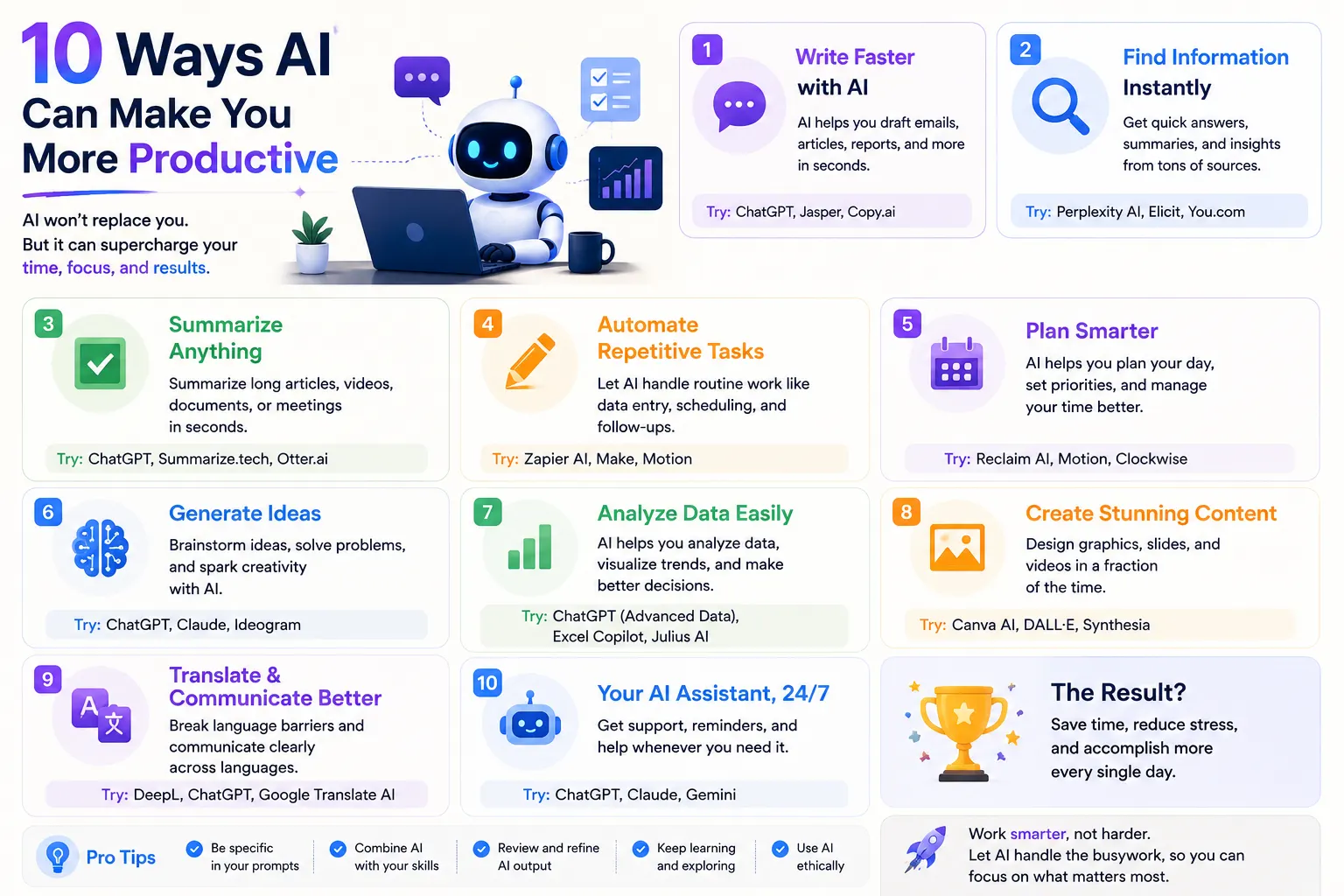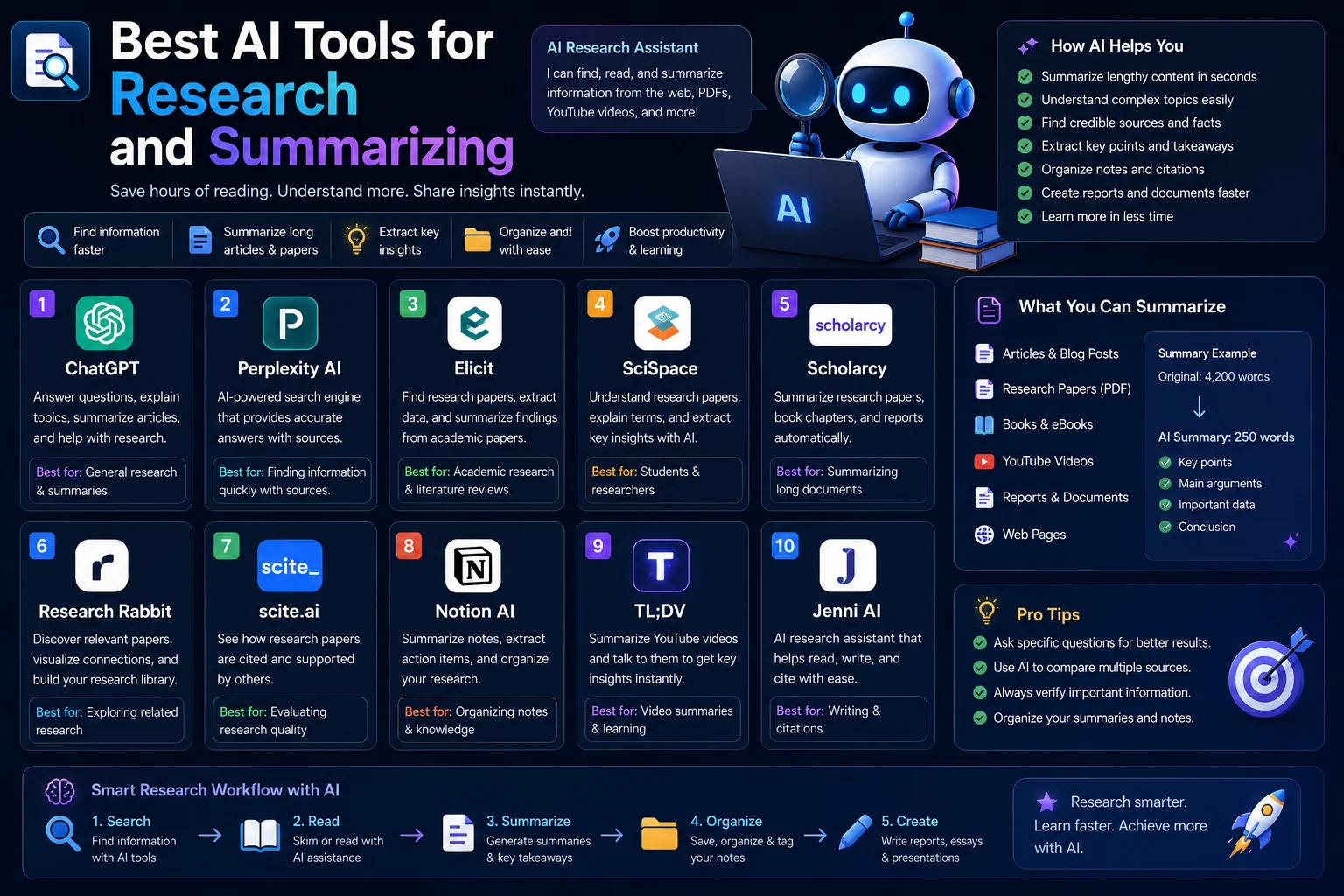

Artificial intelligence is no longer just a tool for programmers and technology professionals. Today, anyone can use AI to save time on everyday tasks such as writing emails, summarizing information, planning schedules, organizing ideas, and handling repetitive work.
The key is not to use AI for everything. Instead, use it for tasks that are repetitive, time-consuming, or easy to delegate while keeping important decisions under your control.
In this guide, you'll learn practical ways to use AI every day to work faster, stay organized, and reduce unnecessary busywork.
How Much Time Can AI Save?
The amount of time you save depends on how often you perform repetitive tasks and how well you integrate AI into your workflow.
For example, AI can help you turn a long document into a short summary in minutes, create a first draft of an email in seconds, organize a list of ideas, or generate a starting point for a project.
The biggest productivity gains usually come from combining AI with simple automation rather than using it only as a question-and-answer tool.
1. Use AI to Write Emails Faster
Email can consume a surprising amount of time during the day. Instead of starting every message from a blank page, use AI to create a first draft.
You can provide the key information and ask AI to create an email with the appropriate tone.
For example:
"Write a short, professional email asking the client to confirm the meeting scheduled for Friday."
You can then review the draft, make any necessary changes, and send it.
AI can also help you:
- Rewrite emails professionally
- Make long messages shorter
- Improve grammar
- Change the tone
- Summarize email conversations
- Create follow-up messages
Time-saving tip: Create reusable prompts for emails you send frequently.
2. Summarize Long Documents
Reading every word of a long document isn't always necessary.
AI can summarize reports, articles, meeting notes, PDFs, and other text so you can understand the main points quickly.
Instead of asking only for a generic summary, try requesting a specific format.
"Summarize this document in five bullet points and list the three most important actions I need to take."
This makes the output much more useful because it focuses on the information you actually need.
3. Use AI as Your Daily Planner
AI can help you organize your day based on your priorities, deadlines, and available time.
For example, you could tell an AI assistant:
"I have five tasks today. The first takes 30 minutes, the second takes two hours, and the others take about one hour each. Help me create a realistic schedule with breaks."
The AI can turn your list into a structured plan.
You can also ask it to:
- Prioritize tasks
- Break large projects into smaller steps
- Create daily schedules
- Plan your week
- Identify urgent tasks
- Estimate how long tasks may take
4. Turn Repetitive Tasks Into Templates
One of the easiest ways to save time with AI is to stop repeating the same instructions.
If you frequently write similar emails, reports, social media posts, product descriptions, or customer responses, create a reusable prompt template.
For example, instead of explaining your writing requirements every time, create a prompt that tells AI:
- Your preferred tone
- Your target audience
- Your preferred length
- Your formatting preferences
- Important information to include
Then you only need to provide the new information each time.
5. Use AI for Research
AI can help you get started with research much faster.
You can ask it to explain a complex subject, identify important concepts, create a research outline, or generate questions you should investigate.
For example:
"I'm researching electric vehicles. Create a beginner-friendly research plan covering battery technology, charging, costs, environmental impact, and major manufacturers."
AI can turn a broad topic into a structured research process.
However, always verify important facts using reliable sources, especially when making financial, legal, medical, or professional decisions.
6. Use AI to Take Better Notes
AI can transform unstructured notes into organized information.
After a meeting, lecture, interview, or brainstorming session, you can ask AI to turn your notes into:
- Key points
- Action items
- Questions
- Decisions
- Deadlines
- A clean summary
This can eliminate the need to manually reorganize notes after every meeting.
7. Automate Routine Content Creation
If you regularly create content, AI can significantly reduce the time required for the first draft.
You can use AI to generate:
- Blog outlines
- Social media ideas
- Video scripts
- Headlines
- Product descriptions
- FAQs
- Meta descriptions
- Content briefs
The best approach is to treat AI-generated content as a starting point rather than automatically publishing everything it produces.
8. Use AI to Organize Your Ideas
Sometimes the problem isn't a lack of ideas. It's having too many ideas without a clear structure.
AI can organize your notes into categories, identify relationships between ideas, and turn brainstorming sessions into actionable plans.
Try a prompt such as:
"Organize these ideas into three categories. Identify the most promising ideas and explain which ones I should prioritize first."
9. Let AI Explain Difficult Topics
When you encounter something you don't understand, AI can provide a simpler explanation.
You can ask it to explain a concept for a beginner, provide an analogy, or walk through an example step by step.
For example:
"Explain APIs as if I'm a complete beginner, then give me a simple real-world example."
This can save you time compared with searching through multiple resources just to understand the basic idea.
10. Use AI for Brainstorming
AI can act as a brainstorming partner when you're stuck.
You can ask it to generate ideas for:
- Business projects
- Blog posts
- Marketing campaigns
- Video topics
- Product features
- Website ideas
- Names and headlines
Instead of asking for one idea, ask for multiple options and then evaluate them yourself.
11. Use AI to Create Checklists
Checklists are useful for tasks that you perform repeatedly.
AI can quickly create checklists for processes such as:
- Publishing a blog post
- Preparing for a meeting
- Launching a website
- Creating a video
- Onboarding a new employee
- Planning a trip
Once you have a good checklist, you can reuse it instead of rebuilding the process from scratch every time.
12. Use AI to Improve Your Writing
You don't have to ask AI to write everything for you.
Sometimes the fastest workflow is to write your own draft and let AI improve it.
AI can help you:
- Fix grammar
- Improve clarity
- Remove unnecessary words
- Make writing more professional
- Improve structure
- Adapt content for a specific audience
This approach lets you maintain your ideas while using AI to polish the final result.
13. Use AI to Manage Your To-Do List
A long to-do list can become overwhelming.
AI can help organize your tasks according to urgency, importance, estimated effort, and deadlines.
For example:
"Here are my tasks for today. Group them into urgent, important, and low-priority tasks. Then create a realistic order for completing them."
This can help you focus on what actually matters instead of simply working through tasks in the order you received them.
14. Automate Tasks With AI Tools
The biggest productivity gains often happen when AI is connected to other applications.
Automation platforms can connect AI with services such as email, calendars, spreadsheets, project management tools, and databases.
For example, an automated workflow could:
- Receive a customer inquiry.
- Extract the important information.
- Use AI to classify the request.
- Add the information to a spreadsheet or CRM.
- Prepare a draft response.
Not every task should be fully automated. For important communications or decisions, keeping a human review step is often the safer approach.
15. Create Your Own AI Productivity Workflow
Instead of randomly using AI throughout the day, create a simple workflow.
A practical workflow might look like this:
| Task | AI Assistance |
|---|---|
| Morning planning | Prioritize tasks |
| Draft and summarize messages | |
| Research | Create outlines and summaries |
| Writing | Create and improve drafts |
| Meetings | Summarize notes and actions |
| Brainstorming | Generate ideas |
| End of day | Review completed tasks and plan tomorrow |
Best AI Tools for Saving Time
You don't need dozens of AI applications. Start with a small set of tools that solve your most common problems.
Useful categories include:
- AI assistants: ChatGPT, Gemini, and Claude
- AI writing tools: tools for editing, rewriting, and content creation
- AI meeting tools: tools that transcribe and summarize meetings
- Automation platforms: tools that connect applications and automate workflows
- AI coding tools: assistants that help developers write and debug software
The best tool is usually the one that fits naturally into the applications you already use.
How to Get Better Results From AI
The quality of an AI response depends heavily on the instructions you provide.
Instead of writing:
"Plan my day."
Try:
"Plan my workday from 9 AM to 5 PM. I have three high-priority tasks, two meetings, and one hour for email. Include a lunch break and leave 30 minutes for unexpected tasks."
Giving AI your goal, context, constraints, and preferred output format usually produces much better results.
Don't Automate Everything
AI is powerful, but more automation isn't always better.
You should review AI-generated information before relying on it, particularly when accuracy matters.
AI can make mistakes, misunderstand context, or produce information that sounds convincing but is incorrect.
A good rule is:
Automate repetitive work, but keep human control over important decisions.
A Simple Daily AI Routine
If you're new to AI productivity, start with a simple routine.
Morning
Ask AI to help prioritize your tasks and create a realistic schedule.
During Work
Use AI for emails, research, writing, explanations, brainstorming, and repetitive tasks.
After Meetings
Turn your notes into a concise summary and action list.
End of the Day
Ask AI to help review what you accomplished and organize unfinished tasks for tomorrow.
You don't need to use AI every minute. The goal is to remove unnecessary work so you can spend more time on important tasks.
Final Thoughts
AI can save significant amounts of time when you use it strategically.
Start with the tasks that consume the most repetitive effort: emails, summaries, planning, research, writing, organization, and routine workflows.
Once you identify those tasks, create reusable prompts and simple automations around them.
The goal isn't to let AI replace your work. It's to let AI handle more of the busywork while you focus on the tasks that require creativity, judgment, and human decision-making.
Frequently Asked Questions
How can AI save me time every day?
AI can save time by helping with writing, email, research, summarization, planning, brainstorming, organization, and repetitive tasks.
What is the easiest way to start using AI for productivity?
Start with one repetitive task. For example, use AI to draft emails or summarize documents. Once you're comfortable, add AI to other parts of your workflow.
Can AI automate daily tasks?
Yes. AI can be combined with automation tools to connect applications and perform repetitive workflows. Important tasks should still include human review when accuracy or judgment is required.
Can AI manage my schedule?
AI can help prioritize tasks and create schedules based on your available time, deadlines, and priorities. You should review the proposed schedule before following it.
Is AI good for personal productivity?
Yes. AI can help organize personal tasks, plan projects, summarize information, brainstorm ideas, and create reusable checklists.
What is the best AI tool for productivity?
There is no single best tool for everyone. General-purpose assistants such as ChatGPT, Gemini, and Claude can handle many productivity tasks, while specialized tools can be better for writing, meetings, automation, or project management.