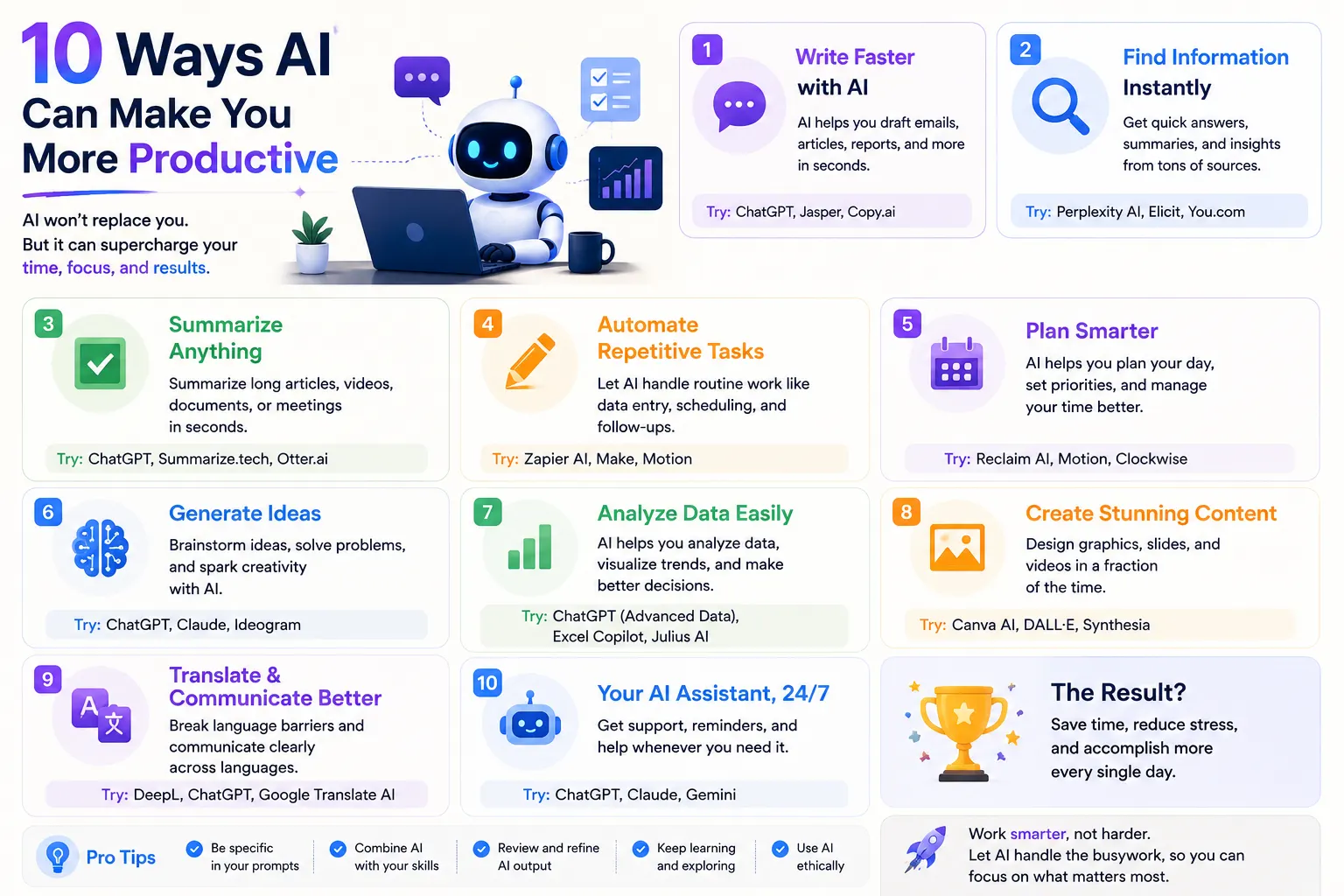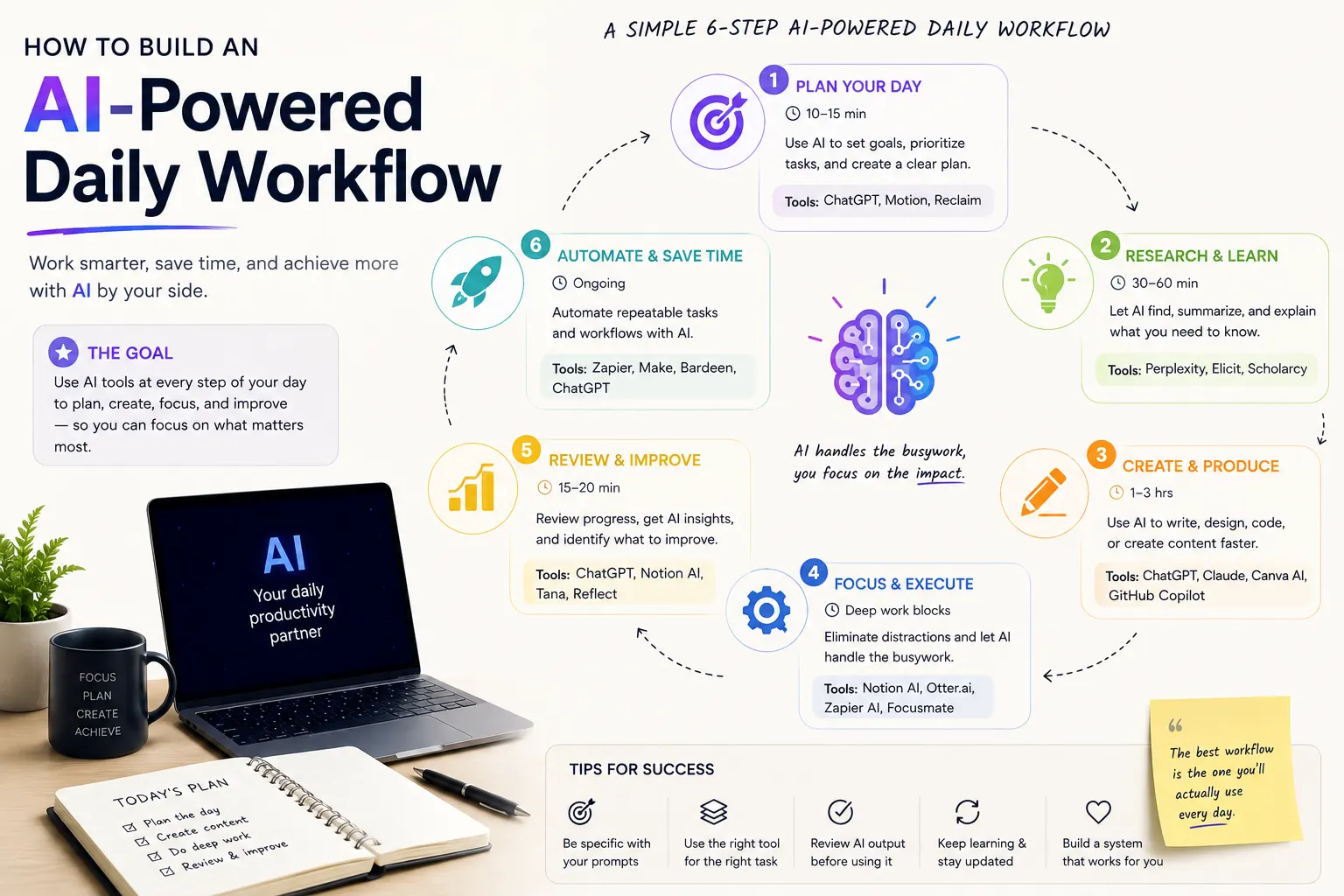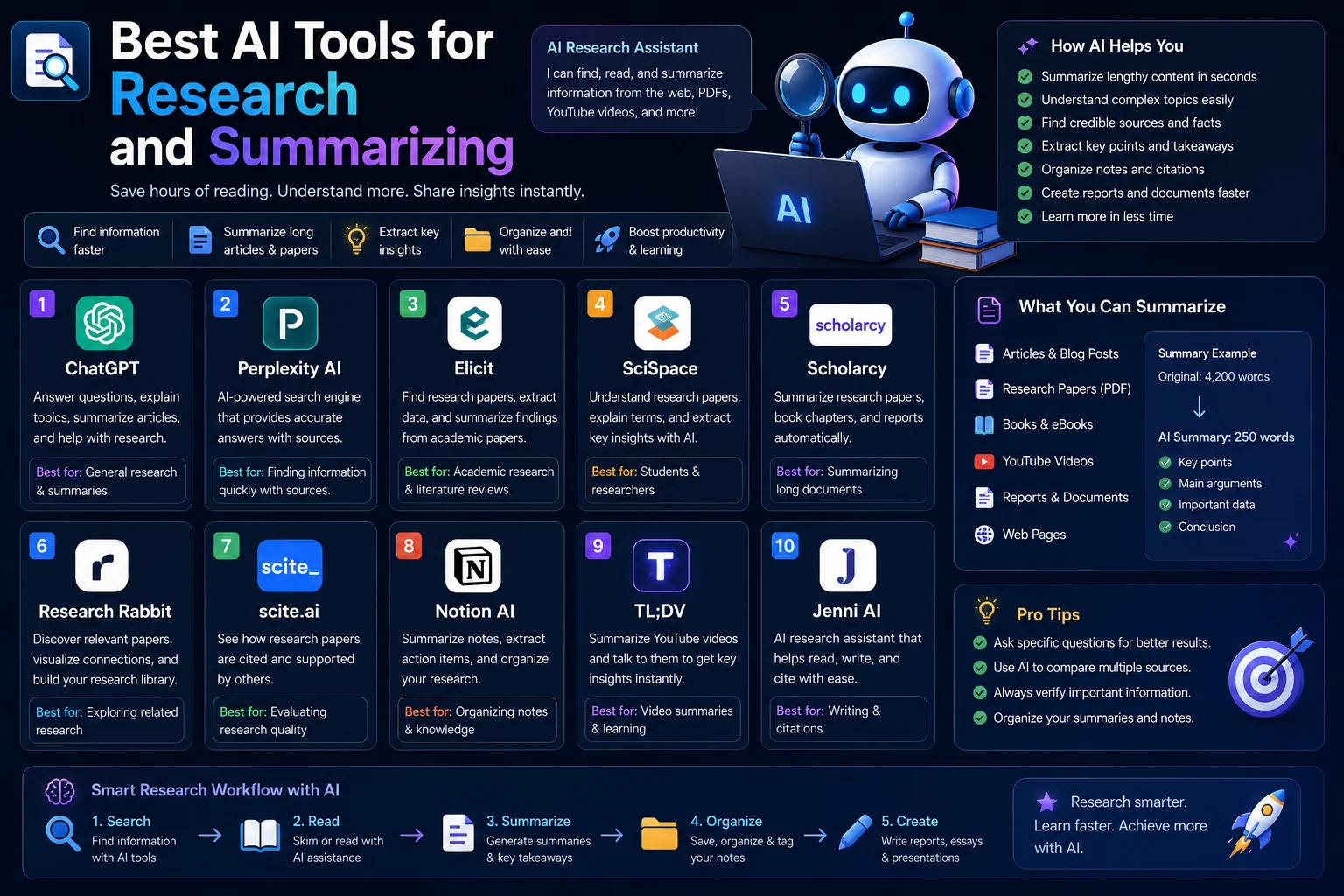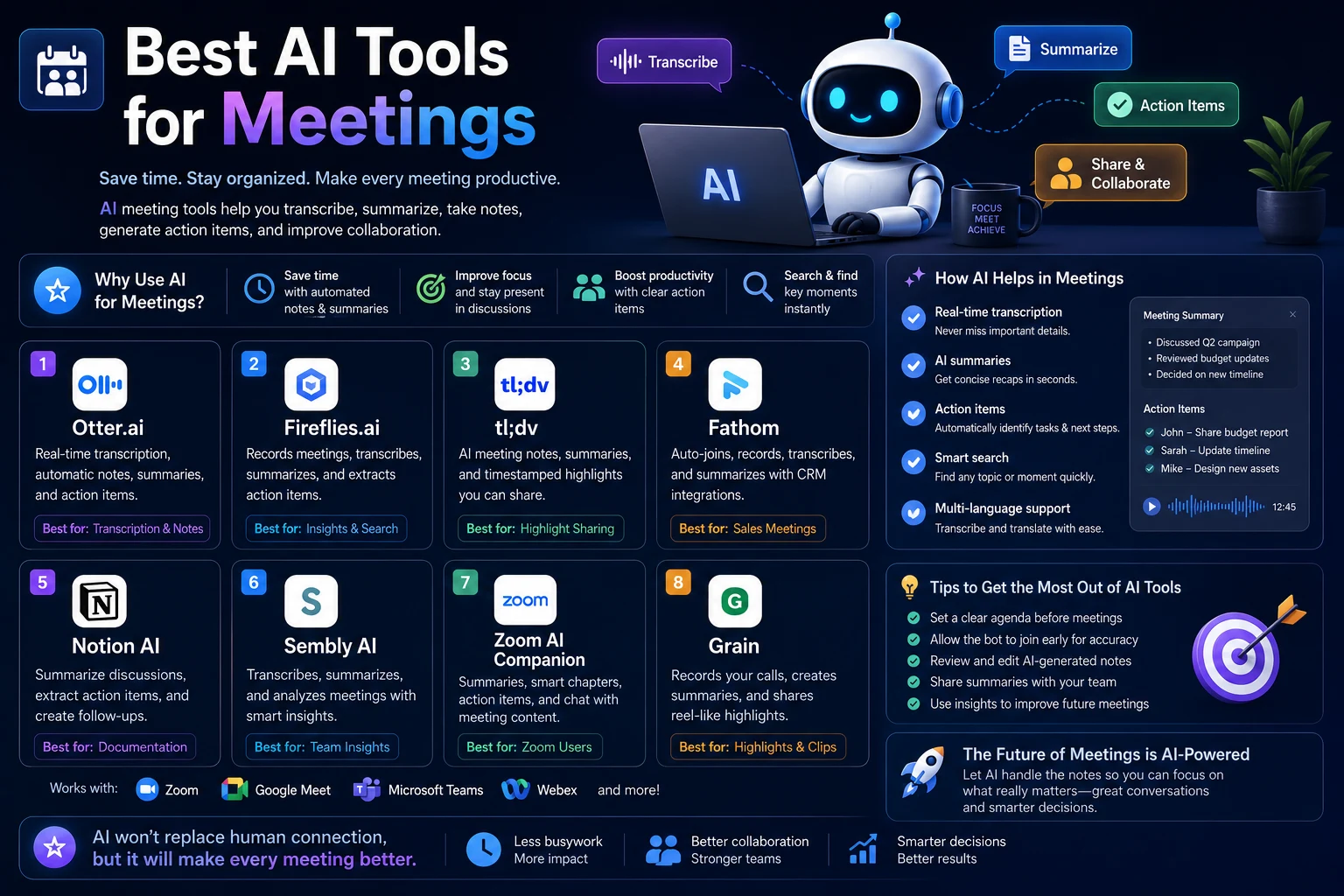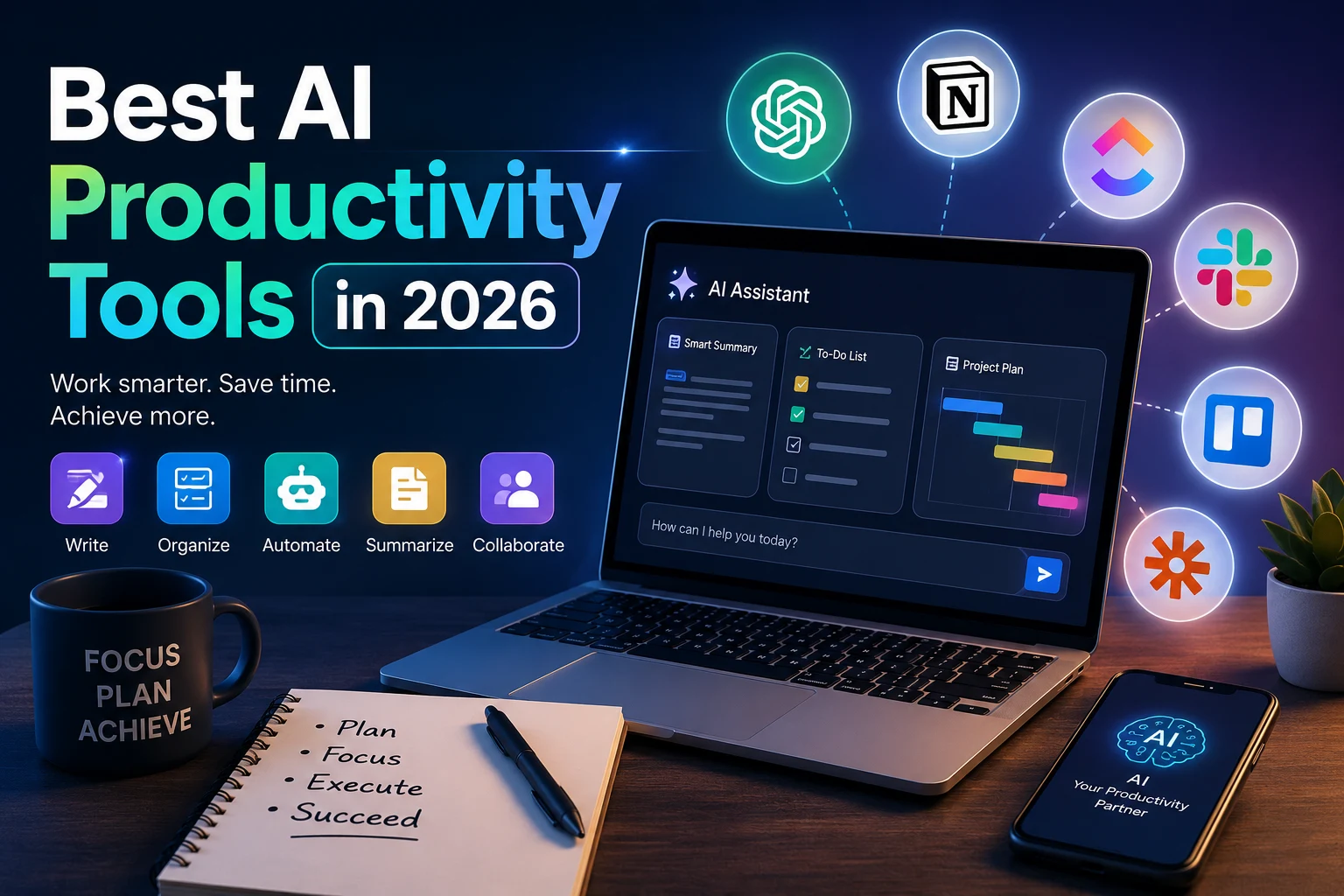

AI is changing the way we work. From writing emails and summarizing documents to managing tasks and automating repetitive workflows, AI productivity tools can help individuals and businesses save time and focus on more important work.
In 2026, there are more AI-powered productivity tools than ever before. Some focus on writing and communication, while others help with research, meetings, project management, automation, or personal organization.
In this guide, we’ll explore some of the best AI productivity tools in 2026, what they can do, and who they are best suited for.
What Are AI Productivity Tools?
AI productivity tools are applications that use artificial intelligence to help you complete tasks faster or more efficiently. Instead of simply providing traditional software features, these tools can understand natural language, generate content, summarize information, analyze data, automate tasks, and assist with decision-making.
For example, an AI assistant can turn a long meeting transcript into a short summary, while an AI writing tool can help you create an email, article, or business document in seconds.
Best AI Productivity Tools in 2026
1. ChatGPT
ChatGPT remains one of the most versatile AI productivity assistants. It can help with brainstorming, writing, research, summarization, coding, planning, data analysis, and many other everyday tasks.
Its biggest advantage is flexibility. You can use it as a writing assistant in the morning, a research assistant later in the day, and a coding assistant when working on a technical project.
Best for: General-purpose AI assistance, writing, research, brainstorming, coding, and learning.
2. Google Gemini
Google Gemini is an AI assistant designed to help users with writing, research, brainstorming, summarization, and other productivity tasks. Its integration with Google's ecosystem can make it particularly useful for people who already use Google services.
Gemini can be useful when you need help understanding information, generating ideas, drafting content, or working with information across Google's productivity environment.
Best for: Google users, research, writing, and everyday AI assistance.
3. Microsoft Copilot
Microsoft Copilot brings AI assistance into Microsoft's ecosystem and can help users work with documents, presentations, spreadsheets, emails, and other productivity workflows.
For people who already rely heavily on Microsoft 365, an integrated AI assistant can reduce the need to switch between multiple applications.
Best for: Microsoft 365 users, business productivity, documents, and workplace tasks.
4. Notion AI
Notion AI combines artificial intelligence with notes, documents, databases, and project organization. It can help users summarize content, generate ideas, improve writing, and find information within their workspace.
It is especially useful for people who use Notion as a central place for managing projects and knowledge.
Best for: Notes, knowledge management, project organization, and team collaboration.
5. Grammarly
Grammarly uses AI to help users improve their writing. Beyond traditional grammar and spelling suggestions, its AI features can help with rewriting, tone, clarity, and generating or improving text.
It can be particularly useful for professionals who write emails, reports, social media posts, or other business content regularly.
Best for: Writing, editing, emails, and professional communication.
6. Otter.ai
Meetings can generate a huge amount of information. AI meeting assistants such as Otter.ai can help transcribe conversations and turn meetings into useful written records.
Instead of manually taking notes throughout an entire meeting, users can focus on the discussion and review the generated transcript and summary afterward.
Best for: Meeting transcription, summaries, interviews, and team discussions.
7. ClickUp
ClickUp combines project management with AI-powered productivity features. It can help teams organize projects, manage tasks, summarize information, and speed up common workflows.
For teams managing multiple projects, having tasks, documents, communication, and AI assistance in one workspace can make daily work easier to organize.
Best for: Project management, task management, and teams.
8. Zapier
Zapier focuses on automation. Its AI-powered features can help users connect applications and automate repetitive workflows without requiring extensive programming knowledge.
For example, a business could create an automated workflow that processes information from one application and sends the result to another service.
Best for: Automation, repetitive workflows, and connecting different applications.
9. Perplexity
Perplexity is an AI-powered search and research tool designed to provide direct answers and help users explore information more efficiently.
It can be useful when you need to quickly research a topic, compare ideas, or find sources without manually opening dozens of search results.
Best for: Research, information discovery, and quick answers.
10. Canva AI
Canva combines design tools with AI features that can help users create visual content more efficiently. It can assist with presentations, social media graphics, images, documents, and other visual projects.
This makes it useful for creators, marketers, students, and businesses that need professional-looking visual content without advanced design skills.
Best for: Graphic design, presentations, social media, and visual content.
How AI Productivity Tools Can Save You Time
The biggest benefit of AI productivity tools is not simply generating content faster. They can also reduce the amount of repetitive work you need to perform.
- Summarizing long documents and meetings
- Drafting emails and professional documents
- Generating ideas and brainstorming
- Organizing tasks and projects
- Automating repetitive workflows
- Researching topics more efficiently
- Improving written communication
- Creating presentations and visual content
How to Choose the Right AI Productivity Tool
The best AI productivity tool depends on what you actually need. Instead of choosing a tool simply because it is popular, consider the tasks you perform most frequently.
Consider Your Main Workflow
If you spend most of your time writing, an AI writing assistant may provide more value than a project management platform. If you manage multiple projects, task management and automation tools may be more useful.
Look for Integrations
A productivity tool becomes much more useful when it works with the applications you already use. Check whether the tool integrates with your email, calendar, documents, project management software, or other important services.
Check Privacy and Security
Before using an AI tool for sensitive business or personal information, review its privacy policy and data-handling practices. Avoid entering confidential information into tools unless you understand how that information is processed and stored.
Start With One or Two Tools
You don't need dozens of AI tools to become more productive. Start with one or two tools that solve a real problem in your daily workflow and learn how to use them effectively.
Free vs. Paid AI Productivity Tools
Many AI productivity platforms offer free plans with limited features. These can be enough for casual users who want to experiment with AI.
Paid plans typically provide higher usage limits, additional AI features, integrations, advanced capabilities, or access to more powerful models.
If you're just getting started, try the free version first. Upgrade only when the additional features provide enough value to justify the cost.
AI Productivity Tips for 2026
Using AI effectively requires more than simply asking an AI assistant to do everything for you. The best results usually come from combining AI with your own judgment and expertise.
- Use AI to automate repetitive tasks.
- Give AI clear instructions and useful context.
- Review important AI-generated information.
- Build reusable prompts for tasks you perform frequently.
- Connect AI tools to your existing workflow where possible.
- Protect confidential and sensitive information.
- Measure whether an AI tool actually saves you time.
Final Thoughts
The best AI productivity tools in 2026 can help you write faster, research more efficiently, organize your work, automate repetitive processes, and manage information more effectively.
Tools such as ChatGPT, Gemini, Microsoft Copilot, Notion AI, Grammarly, Otter.ai, ClickUp, Zapier, Perplexity, and Canva AI each solve different productivity problems.
The key is not to use every AI tool available. Instead, identify the tasks that consume the most time in your workflow and choose the tools that can genuinely make those tasks easier.
As AI continues to evolve, productivity will increasingly depend on knowing how to combine these tools with human creativity, critical thinking, and good decision-making.
Frequently Asked Questions
What is the best AI productivity tool in 2026?
There is no single best tool for everyone. ChatGPT is one of the most versatile options for general productivity, while specialized tools can be better for writing, project management, meetings, research, or automation.
Are AI productivity tools free?
Many AI productivity tools offer free plans or trials. However, advanced features and higher usage limits often require a paid subscription.
Can AI really improve productivity?
Yes. AI can reduce repetitive work, accelerate research, assist with writing, summarize information, and automate workflows. However, users should still review important AI-generated information.
How many AI productivity tools should I use?
Start with one or two tools that solve specific problems in your workflow. Adding too many tools can make your workflow more complicated instead of improving productivity.