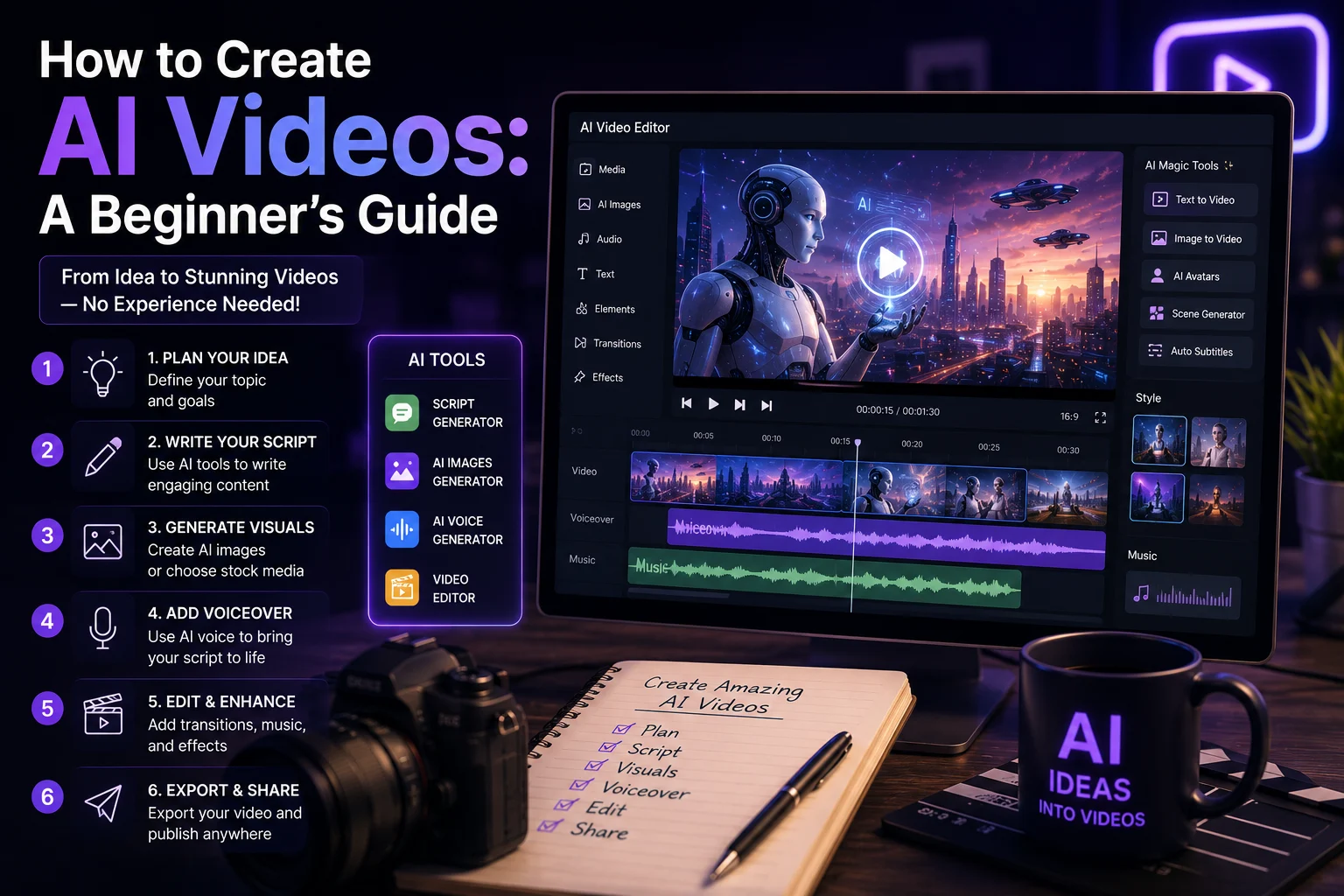

AI video generation has become one of the most exciting areas of artificial intelligence. Today, you can create videos from simple text descriptions, animate images, generate talking characters, and produce professional-looking visual content without being an experienced video editor.
Whether you want to create videos for YouTube, TikTok, Instagram, marketing, education, or your personal projects, AI tools can significantly simplify the production process.
In this beginner's guide, you'll learn how to create AI videos step by step, which tools you can use, how to write better prompts, and how to turn an idea into a finished video.
What Is AI Video Generation?
AI video generation is the process of using artificial intelligence to create or modify video content based on instructions such as text prompts, images, audio, or existing videos.
Instead of manually creating every frame, an AI model can generate visual sequences based on your instructions.
Depending on the tool, you can create:
- Text-to-video clips
- Image-to-video animations
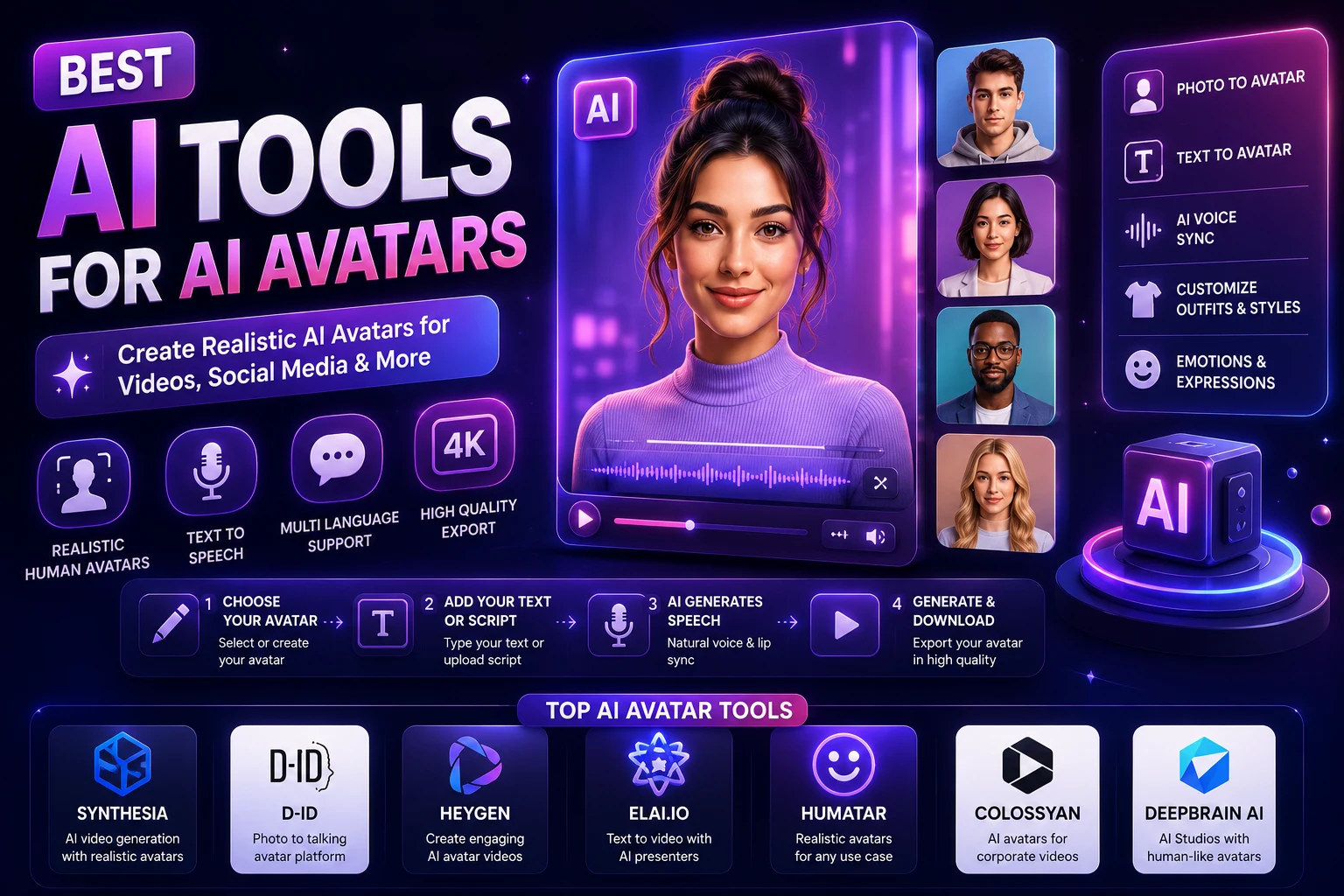
- AI avatars
- Talking characters
- Product videos
- Social media videos
- Marketing advertisements
- Educational videos
- Cinematic scenes
- Animated content
How Does AI Video Generation Work?
Most modern AI video generators use machine learning models trained on large collections of visual data. The model learns relationships between descriptions, images, motion, lighting, objects, and scenes.
When you provide a prompt, the system interprets your instructions and generates a sequence of frames that attempt to match the requested scene.
Some tools can also use an existing image as the starting point and animate it. This is commonly called image-to-video generation.
What Do You Need to Create an AI Video?
You don't need expensive equipment or advanced editing skills to get started.
For a simple AI video project, you usually need:
- An idea for your video
- An AI video generator
- A text prompt or reference image
- Optional background music
- Optional voice-over
- A video editor for final adjustments
A computer or smartphone and an internet connection are usually enough for most beginner workflows.
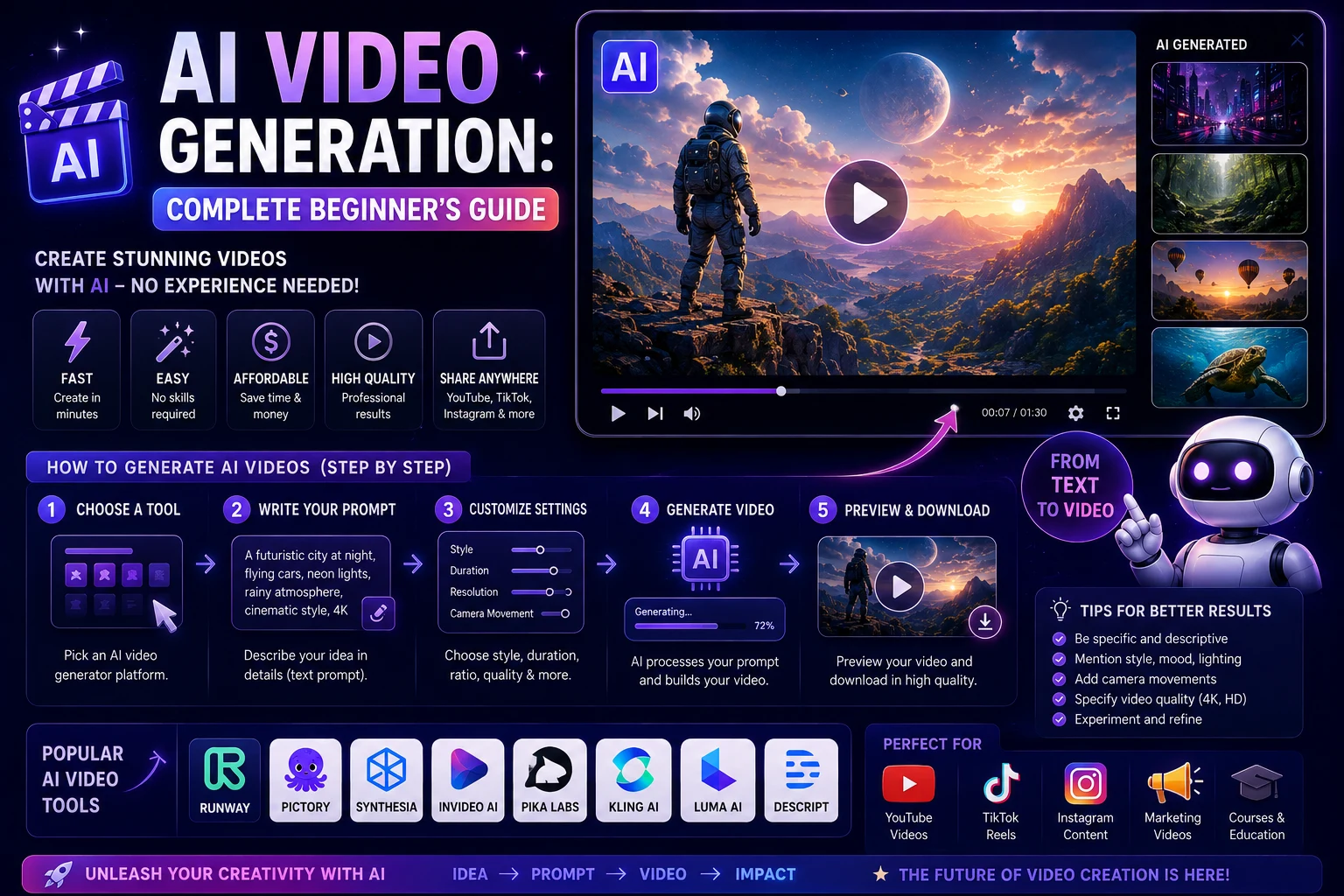
How to Create an AI Video Step by Step
Step 1: Decide What You Want to Create
Before opening an AI video generator, define the purpose of your video.
For example, you might want to create:
- A 10-second TikTok video
- A YouTube introduction
- A product advertisement
- An educational animation
- A cinematic scene
- A short story
Knowing your goal makes it much easier to choose the right tool and write an effective prompt.
Step 2: Choose an AI Video Generator
There are many AI video generators available, and each has different strengths.
Popular options include:
- Runway: Useful for creative and cinematic video generation.
- Google Veo: Designed for high-quality generative video.
- Kling: Known for realistic motion and image-to-video generation.
- Adobe Firefly: Useful for AI-powered creative workflows.
- Pika: Beginner-friendly creative video generation.
- Luma: Useful for cinematic and creative video concepts.
The best tool depends on the type of video you want to create and the features available in your plan.
Step 3: Write Your Video Prompt
The prompt is one of the most important parts of AI video generation.
A weak prompt might say:
"A woman walking in a city."
A more detailed prompt could be:
"A cinematic medium shot of a young woman walking through a modern downtown street at sunset, warm golden-hour lighting, gentle wind moving her hair, realistic pedestrians in the background, natural movement, shallow depth of field, handheld camera motion, realistic cinematic photography."
The second prompt gives the AI much more information about the subject, environment, movement, lighting, and camera.
Step 4: Generate the Video
Enter your prompt into the AI video generator and choose the available settings.
Depending on the platform, you may be able to select:
- Video duration
- Aspect ratio
- Resolution
- Camera movement
- Visual style
- Reference image
- Motion strength
Generate several versions if the tool allows it. The first result isn't always the best one.
Step 5: Review the Result
Watch the generated video carefully.
Look for problems such as:
- Unnatural movement
- Distorted faces
- Incorrect hands
- Objects changing shape
- Unwanted camera movement
- Inconsistent characters
- Unrealistic physics
If something doesn't look right, improve your prompt and generate another version.
Step 6: Add Voice and Music
AI video generation is only one part of the production process. You can make your video more engaging by adding narration, sound effects, and background music.
AI voice-generation tools can also help you create narration without recording your own voice.
When using music or sound effects, make sure you have the appropriate rights to use them, especially for commercial content.
Step 7: Edit Your Video
After generating your clips, you can assemble them in a video editor.
Popular editing tools include desktop and browser-based applications that let you:
- Trim clips
- Add subtitles
- Add transitions
- Adjust audio
- Add logos
- Add visual effects
- Change the aspect ratio
You don't need complicated editing software for simple social media videos.
Step 8: Export and Publish
When your video is ready, export it in the appropriate format for your platform.
For short-form platforms such as TikTok, Instagram Reels, and YouTube Shorts, a vertical format is usually the most appropriate.
For traditional YouTube videos, a horizontal format is generally preferred.
Text-to-Video vs Image-to-Video
There are two common approaches to AI video generation.
Text-to-Video
With text-to-video, you describe the entire scene using a prompt and the AI generates the video from your description.
This is useful when you don't already have an image or visual reference.
Image-to-Video
With image-to-video, you provide an existing image and instruct the AI how you want it to move.
For example:
"Animate this image with subtle camera movement. The character slowly turns toward the camera while her hair moves naturally in the wind. Keep the face and clothing consistent."
This approach can provide greater control over the starting appearance of a character or scene.
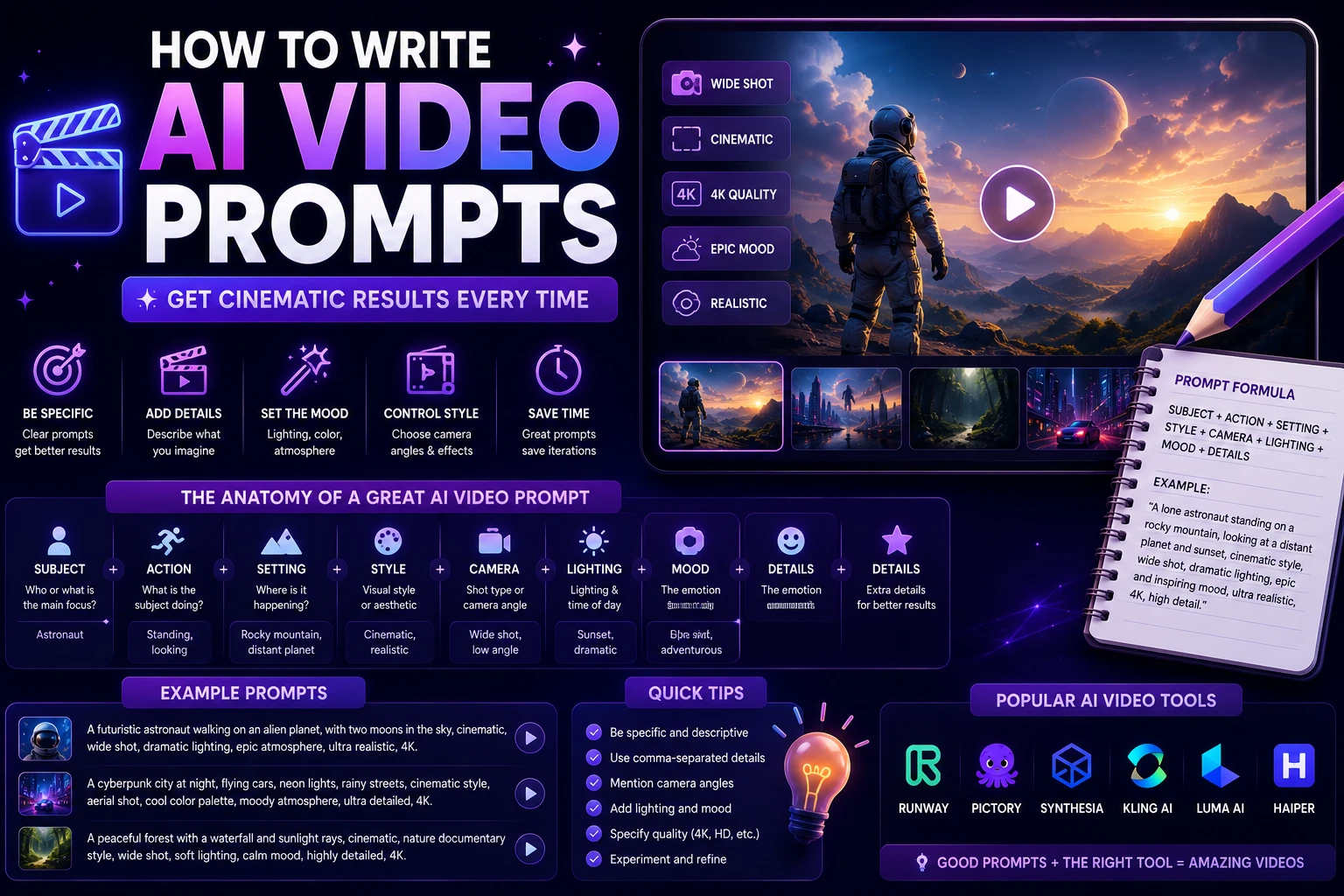
How to Write Better AI Video Prompts
A useful AI video prompt can be divided into several parts.
Subject + Action + Environment + Camera + Lighting + Style + Motion
For example:
"A futuristic humanoid robot walking through a neon-lit city at night, light rain falling, reflections on the wet street, slow tracking camera movement, cinematic lighting, realistic materials, detailed environment, subtle atmospheric fog."
Describe the Action
Don't only describe what the subject looks like. Explain what it is doing.
Examples include:
- Walking slowly
- Turning toward the camera
- Opening a door
- Drinking coffee
- Looking at a smartphone
- Running through a city
Describe Camera Movement
Camera instructions can make generated videos feel more cinematic.
You can use phrases such as:
- Slow dolly forward
- Tracking shot
- Camera pans left
- Close-up shot
- Wide establishing shot
- Low-angle shot
- Slow zoom
Describe Lighting
Lighting can dramatically change the appearance of a generated video.
Try describing lighting as:
- Soft natural daylight
- Golden-hour sunlight
- Neon lighting
- Studio lighting
- Dramatic cinematic lighting
- Moody low-key lighting
Example AI Video Prompts
Social Media Video
"A young entrepreneur working on a laptop in a stylish modern office, energetic morning atmosphere, natural window light, subtle camera push-in, realistic movements, premium social media advertisement style, vertical composition."
Product Advertisement
"Premium wireless headphones rotating slowly on a minimalist black pedestal, dramatic studio lighting, realistic reflections on the metallic surface, cinematic camera movement, luxury product advertisement, clean background."
Travel Video
"Cinematic aerial view of a beautiful Mediterranean coastline at sunset, turquoise water, small boats moving naturally across the sea, warm golden light, smooth drone camera movement, realistic travel documentary style."
Educational Video
"Clean 3D educational animation showing how artificial intelligence processes information, glowing data streams moving through a neural network, smooth camera movement, modern technology aesthetic, dark background, professional educational presentation."
How to Create AI Videos for TikTok and Reels
Short-form video is one of the most practical applications of AI video generation.
A simple workflow is:
- Choose one clear idea.
- Write a short script.
- Generate several short AI clips.
- Add narration or captions.
- Add music and sound effects.
- Edit the clips together.
- Export in vertical format.
Instead of generating one long video, creating several short clips can give you more control over pacing and editing.
How to Create AI Videos for YouTube
You can use AI throughout the YouTube production process.
For example:
- Use AI to brainstorm video ideas.
- Generate a script.
- Create AI visuals.
- Generate voice narration.
- Create subtitles.
- Edit the final video.
- Create a thumbnail.
However, adding your own perspective, research, commentary, and original value is important if you want to build a high-quality channel.
Common Mistakes Beginners Should Avoid
Using Very Short Prompts
Extremely simple prompts often give you less control over the final result. Include the subject, action, environment, camera, and lighting when those details matter.
Trying to Generate a Long Video in One Step
Short clips are often easier to control. You can create several scenes and combine them during editing.
Ignoring Consistency
If your video contains the same character across multiple scenes, use reference images or consistency features when available.
Adding Too Many Instructions
More detail isn't always better. Focus on the elements that are important to the scene and avoid creating contradictory instructions.
Not Reviewing AI Output
Always watch the final video carefully. AI-generated content can contain visual mistakes that aren't immediately obvious from a single frame.
How Much Does It Cost to Create AI Videos?
The cost depends on the platform, model, resolution, duration, and subscription plan.
Some AI video tools offer free credits or limited free generations, while advanced models may require a paid subscription or usage-based pricing.
If you're a beginner, start with a free or inexpensive option and learn the workflow before paying for a more advanced service.
Can AI Videos Be Used Commercially?
AI-generated videos can potentially be used for marketing, advertising, social media, and other commercial projects, but the exact rights depend on the AI service, model, subscription plan, and content involved.
Before using an AI-generated video commercially, review the current terms and licensing conditions of the platform you used.
Best AI Video Workflow for Beginners
If you're completely new to AI video generation, don't try to learn everything at once.
A simple workflow is:
- Idea: Decide what you want to communicate.
- Script: Write a short script or scene description.
- Prompt: Describe each visual scene.
- Generate: Create several short clips.
- Select: Keep the best results.
- Edit: Combine your clips.
- Audio: Add narration and music.
- Publish: Export and upload the final video.
Final Thoughts
Creating AI videos is becoming much easier for beginners. You no longer need advanced filmmaking or animation skills to experiment with professional-looking video content.
The most important skills are learning how to describe your ideas clearly, choosing the right AI video generator, and understanding how to edit the generated clips into a coherent story.
Start with short videos and simple scenes. As you become more comfortable with prompts, camera movements, image references, and editing, you can move on to more ambitious projects.
AI won't automatically create a great video from a single prompt every time. But with experimentation and a good workflow, it can become a powerful tool for creating content faster and exploring ideas that would otherwise require significant time and resources.
Frequently Asked Questions
Can beginners create AI videos?
Yes. Many modern AI video generators are designed to be accessible to beginners. You can start by describing a scene with a simple text prompt and generating a short clip.
What is the easiest way to create an AI video?
The easiest approach is usually to choose a beginner-friendly text-to-video tool, write a clear prompt, generate a short clip, and then edit the result with simple video-editing software.
Can I create AI videos for TikTok?
Yes. AI video generators can be used to create short clips for TikTok, Instagram Reels, and YouTube Shorts. Use a vertical format and focus on a clear idea that can be understood quickly.
Can AI generate a complete YouTube video?
AI can help with many parts of YouTube production, including scripts, visuals, narration, subtitles, thumbnails, and editing. However, producing a high-quality video usually requires combining several tools and reviewing the output.
What is the best AI video generator for beginners?
There is no single best option for everyone. Beginner-friendly tools include platforms such as Runway, Pika, Kling, Google Veo, Adobe Firefly, and Luma. Your best choice depends on the type of video you want to create, available features, and budget.
How long can AI-generated videos be?
Video duration varies by platform and model. Many AI video generators focus on short clips that can be combined into longer videos during editing.