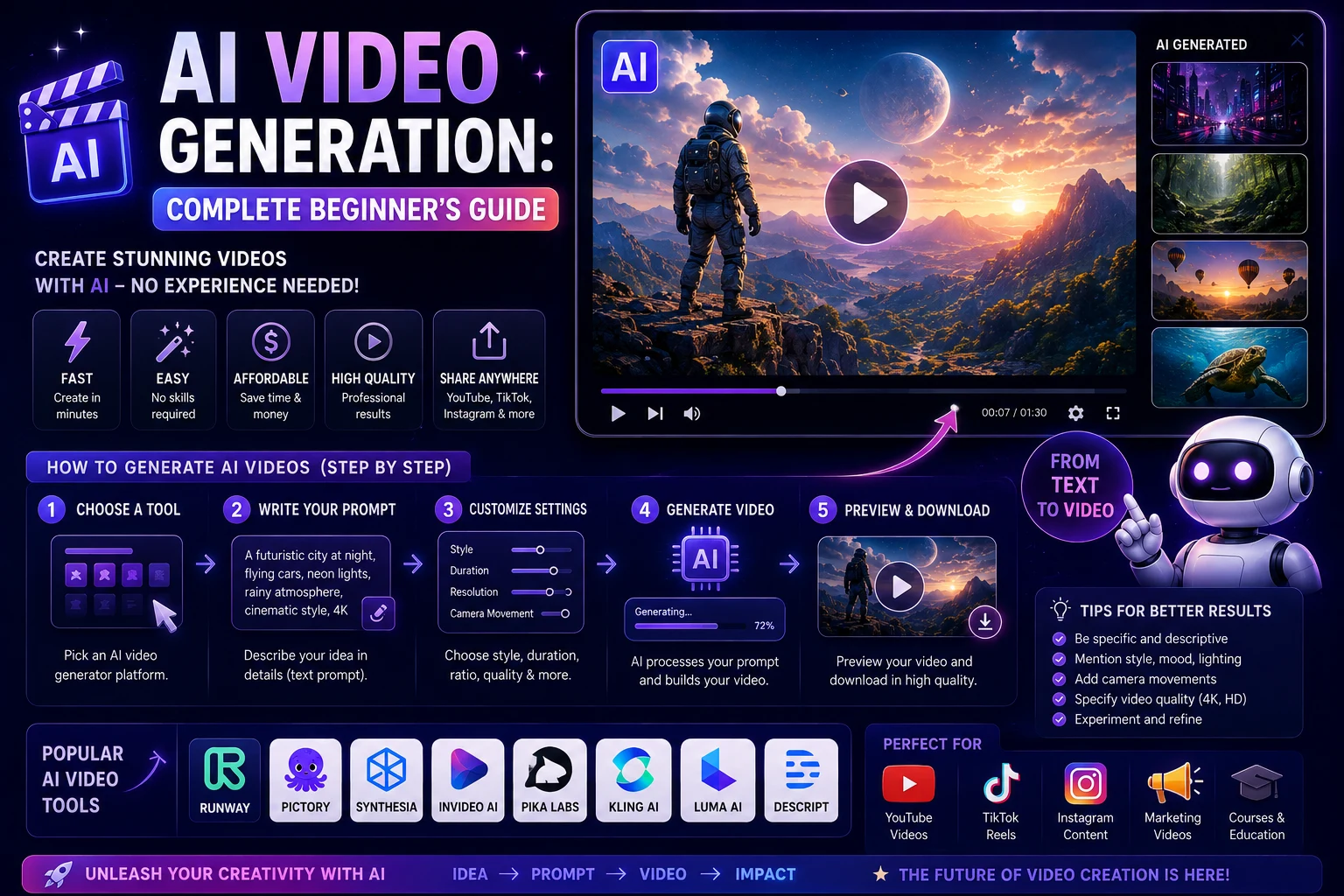

AI video generation has quickly become one of the most accessible applications of artificial intelligence. What once required cameras, actors, editing software, animation skills, and hours of production work can now be started with a simple text prompt or an existing image.
Modern AI video generators can create short cinematic scenes, animate images, generate product videos, produce social media content, and help creators visualize ideas that would otherwise be expensive or difficult to film.
For beginners, however, the technology can seem confusing. There are many different AI video tools, generation methods, settings, and prompting techniques to learn.
This complete beginner's guide explains the basics of AI video generation, how it works, how to create your first video, and how to improve your results.
What Is AI Video Generation?
AI video generation is the process of using artificial intelligence models to create or modify video content based on instructions or reference material.
Depending on the tool, you might provide a written description, an image, an existing video, or a combination of these inputs.
The AI model then generates frames that attempt to follow the requested subject, movement, environment, style, and other characteristics.
For example, you could provide a prompt such as:
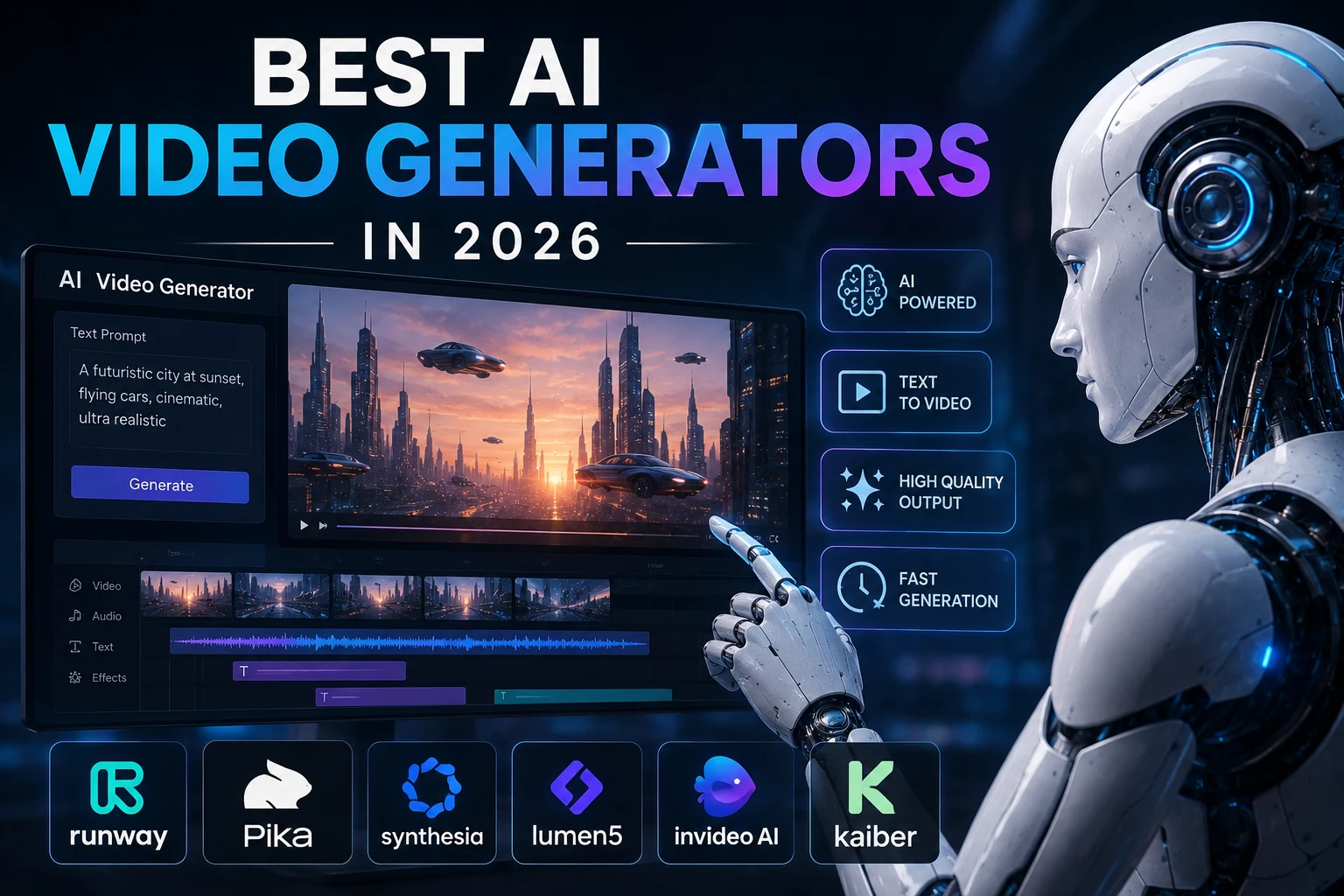
A cinematic aerial shot of a futuristic city at sunset, flying vehicles moving between skyscrapers, realistic lighting, dramatic clouds, slow camera movement.
The AI video generator attempts to transform that description into a moving visual sequence.
How Does AI Video Generation Work?
Modern AI video generation relies on machine-learning models trained on large amounts of visual and, depending on the system, audio or language data.
At a high level, the model learns patterns associated with images, video frames, language, objects, movement, and visual relationships.
When you provide an instruction, the model uses those learned patterns to generate a new sequence that attempts to match your request.
The exact technology differs between AI video platforms, but the basic workflow can be understood in a few steps:
- You provide a prompt, image, or other input.
- The AI interprets the requested visual content.
- The model generates a sequence of video frames.
- The frames are designed to maintain visual and temporal consistency.
- The final sequence is processed into a video file.
The result is not simply a collection of unrelated images. Modern systems attempt to understand how objects and scenes should change over time.
Text-to-Video AI
Text-to-video is one of the easiest ways for beginners to experiment with AI video generation.
You describe the scene using natural language, and the AI creates a video based on your description.
For example:
A golden retriever running along a beach during sunset, ocean waves in the background, warm golden light, cinematic camera movement, realistic motion.
The advantage of text-to-video is that you can create a scene without first having an image or video to work from.
When should you use text-to-video?
- Creating fictional scenes
- Visualizing ideas
- Creating cinematic clips
- Generating social media content
- Creating concept videos
- Experimenting with creative ideas
Image-to-Video AI
Image-to-video generation starts with an existing image and uses AI to add movement.
For example, you could upload a photograph of a landscape and ask the AI to create gentle camera movement while trees move in the wind.
A simple image-to-video prompt might be:
Slowly push the camera toward the landscape while the trees move gently in the wind. Keep the original composition and visual style consistent.
Image-to-video can be especially useful when you already have a specific visual style or character that you want to preserve.
Text-to-Video vs. Image-to-Video
| Feature | Text-to-Video | Image-to-Video |
|---|---|---|
| Starting point | Text prompt | Existing image |
| Creative freedom | Very high | More visually constrained |
| Character consistency | Can be challenging | Reference image can help |
| Best for | Creating new scenes | Animating existing visuals |
What Can You Create With AI Video?
AI video generation can be used for many different types of content.
- Social media videos
- YouTube content
- Instagram Reels
- TikTok videos
- Product advertisements
- Marketing videos
- Educational content
- Explainer videos
- Concept videos
- Short cinematic scenes
- Animated images
- Product demonstrations
- Visual effects
- Storytelling sequences
- Creative experiments
The best use case depends on the capabilities of the AI video platform and the type of content you want to produce.
Popular Types of AI Video Generators
Not every AI video generator works in the same way. Different platforms focus on different workflows.
Cinematic video generators
These tools focus on generating realistic or stylized scenes from text and images. They can be useful for filmmakers, designers, marketers, and creators.
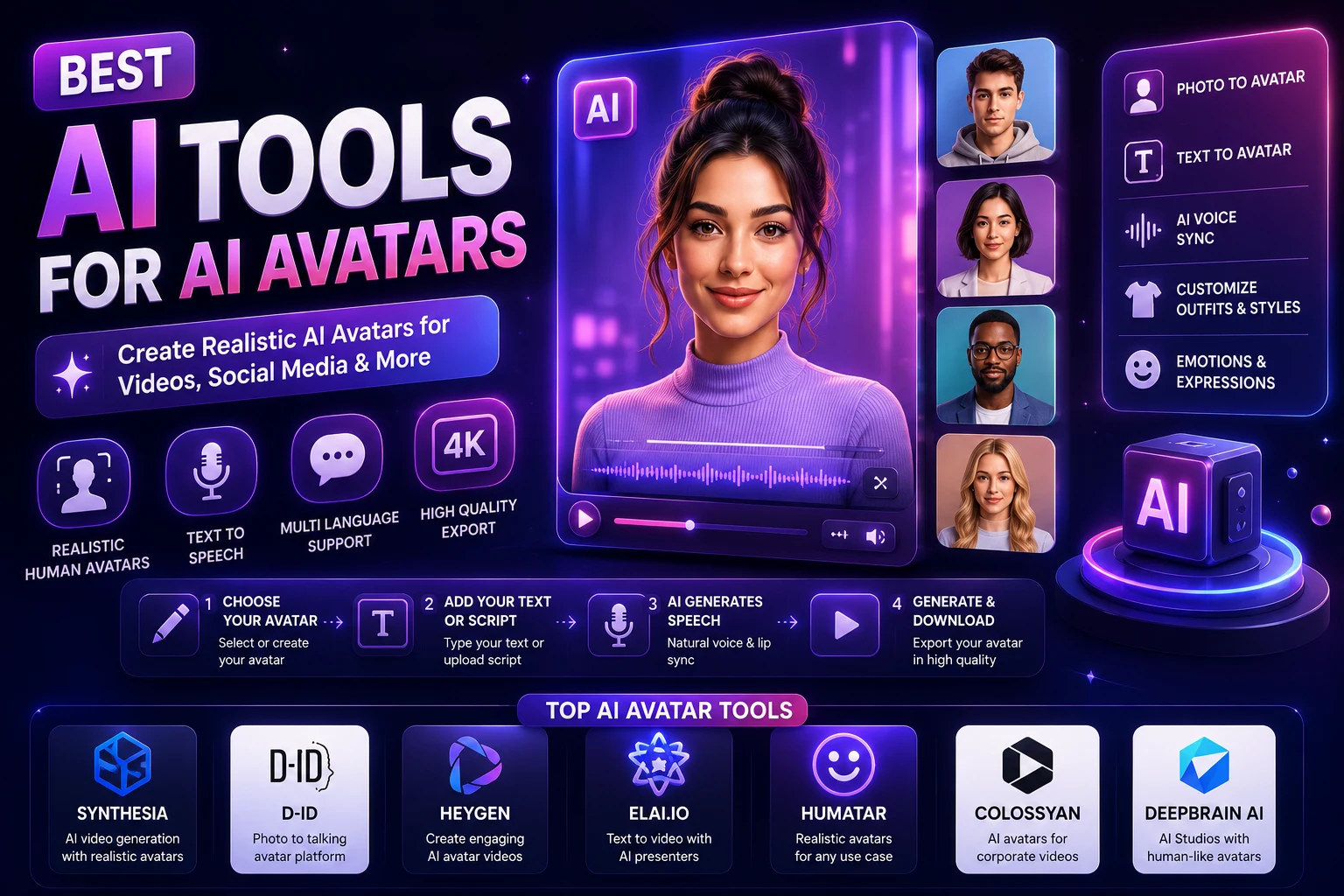
AI avatar generators
AI avatar platforms create videos featuring digital presenters. They are useful for educational videos, training, marketing, presentations, and business communication.
Image animation tools
These tools focus on turning still images into moving scenes. They can be useful for photographers, artists, designers, and social media creators.
AI video editors
Some platforms combine generation with editing features, allowing creators to generate, edit, caption, resize, and prepare content for publication within one workflow.
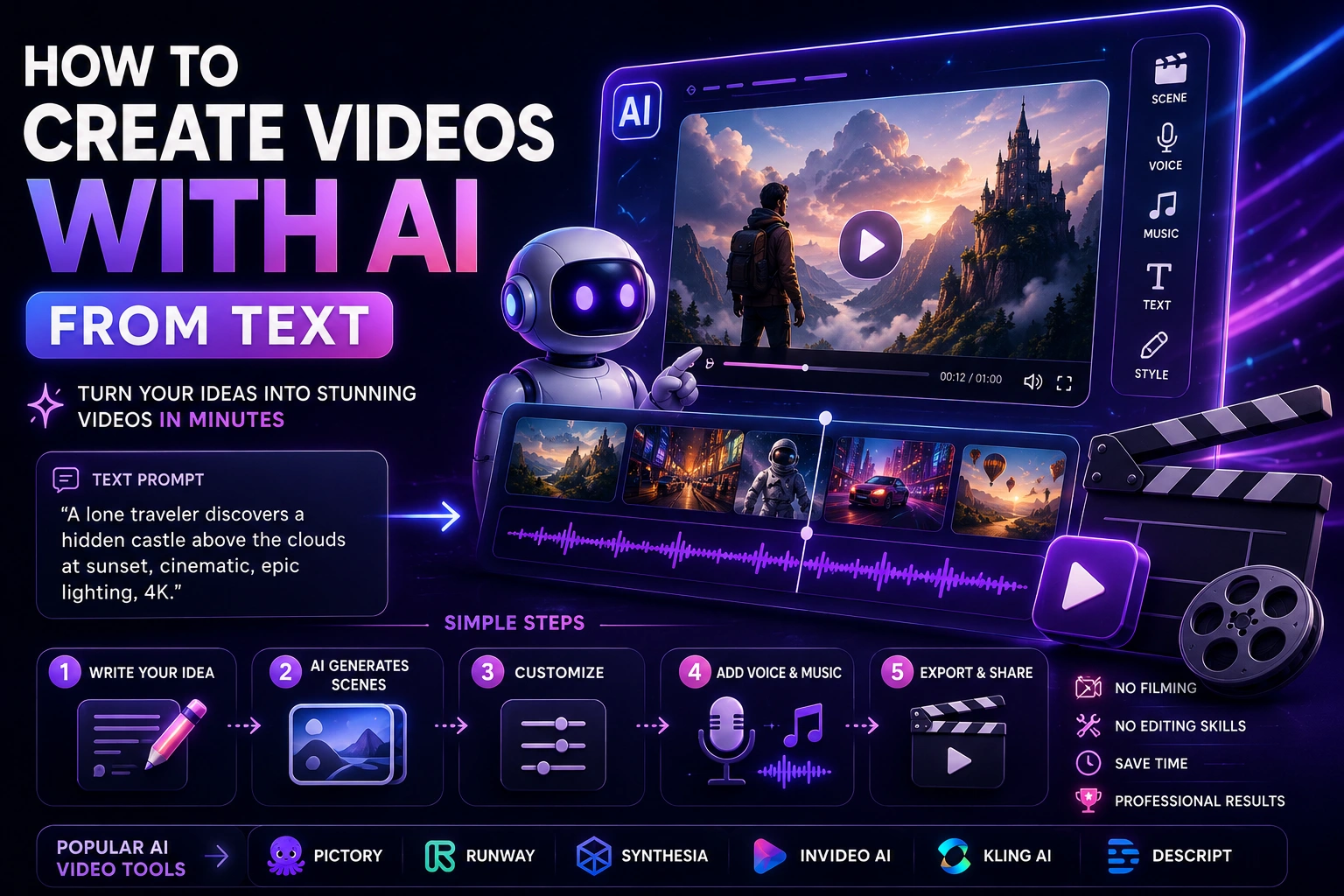
How to Create Your First AI Video
Creating your first AI-generated video does not need to be complicated.
Step 1: Choose an AI Video Generator
Start with a platform that matches your goal.
If you want cinematic scenes, look for a tool focused on text-to-video or image-to-video generation. If you want presenter videos, choose an AI avatar platform instead.
Step 2: Decide What You Want to Create
Before opening the AI tool, decide what the video should accomplish.
For example:
- Teach something
- Promote a product
- Tell a story
- Create a social media Reel
- Visualize an idea
- Create an advertisement
Having a clear objective makes it easier to choose the right format and prompt.
Step 3: Write a Simple Prompt
Do not worry about creating the perfect prompt on your first attempt.
Start with the basic idea and gradually add useful details.
For example:
A futuristic city at night.
Then improve it:
Cinematic aerial shot of a futuristic city at night, illuminated skyscrapers, flying vehicles moving between buildings, wet streets reflecting neon lights, slow camera movement, realistic lighting, photorealistic science-fiction style.
Step 4: Generate the Video
Submit your prompt and wait for the AI to generate the clip.
The generation time can vary depending on the platform, model, video duration, resolution, and current demand.
Step 5: Review the Result
Do not immediately publish the first generation.
Look for problems such as:
- Unnatural movement
- Incorrect objects
- Inconsistent characters
- Distorted hands or faces
- Unwanted camera movement
- Incorrect composition
- Unrealistic physics
Step 6: Improve the Prompt
If the result is not what you wanted, change the prompt instead of simply generating the same prompt repeatedly.
Add or remove details, clarify the action, change the camera movement, or simplify the scene.
Step 7: Edit the Final Clips
AI-generated clips are often short. You can combine several clips using a video editor to create a longer sequence.
Add music, narration, captions, transitions, graphics, or other elements when appropriate.
How to Write an AI Video Prompt
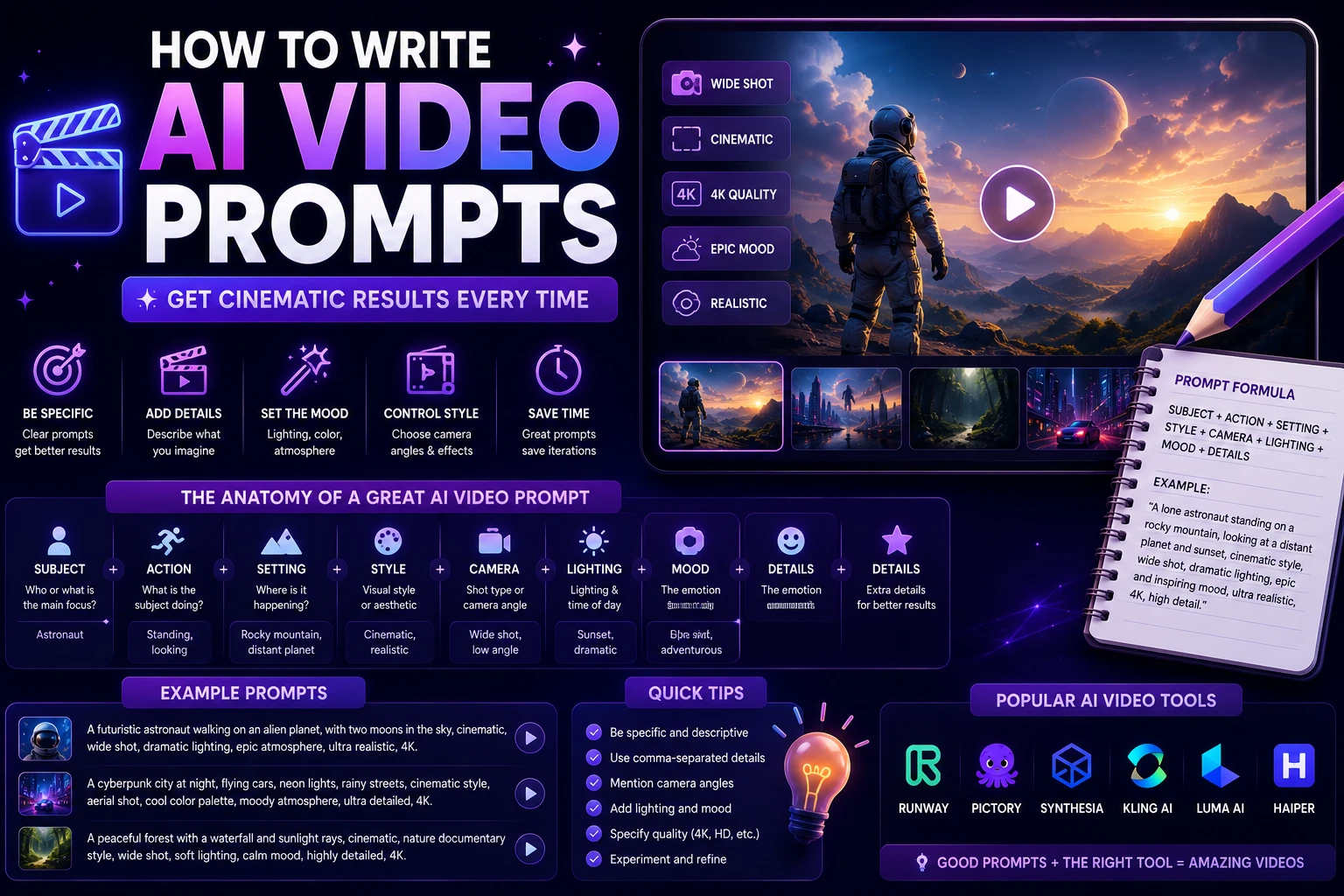
A useful prompt usually describes several important elements of the shot.
A simple structure is:
Subject + Action + Environment + Camera + Lighting + Style + Mood
For example:
A young entrepreneur walking through a modern downtown street, speaking to the camera, glass skyscrapers in the background, smooth tracking shot, natural afternoon lighting, photorealistic cinematic style, confident and energetic mood.
Subject
Describe the main person, object, animal, or character.
Action
Explain what the subject is doing.
Environment
Describe the location and important background elements.
Camera
Explain how the camera should capture the scene.
Lighting
Describe the type of lighting and atmosphere.
Style
Specify whether you want a realistic, cinematic, animated, documentary, futuristic, or other visual style.
Mood
Describe the emotional atmosphere you want to communicate.
Common AI Video Camera Terms
Understanding basic camera terminology can make your prompts more effective.
- Close-up: Focuses tightly on the subject.
- Medium shot: Shows the subject and part of the environment.
- Wide shot: Shows more of the environment.
- Tracking shot: Camera follows a moving subject.
- Dolly in: Camera moves toward the subject.
- Dolly out: Camera moves away from the subject.
- Pan: Camera rotates horizontally.
- Tilt: Camera rotates vertically.
- Orbit: Camera moves around the subject.
- Aerial shot: Camera captures the scene from above.
AI Video Prompt Examples for Beginners
Nature Video
Wide cinematic shot of a peaceful mountain lake at sunrise, light fog floating above the water, trees moving gently in the wind, slow camera push forward, warm natural sunlight, photorealistic nature documentary style.
Product Video
Premium wireless headphones rotating slowly on a reflective black surface, dark studio background, soft dramatic lighting, subtle reflections, smooth camera orbit, luxury product advertisement style, highly realistic details.
Travel Video
Cinematic drone shot flying above a beautiful coastal village, turquoise water surrounding the village, small boats moving across the sea, warm golden-hour sunlight, slow smooth camera movement, realistic travel documentary style.
Social Media Video
Vertical 9:16 video of a young creator walking through a modern city while speaking directly to the camera, energetic natural movement, bright daytime lighting, smooth handheld camera movement, realistic background, modern social media style.
Futuristic Video
Cinematic shot of a futuristic electric vehicle driving through a neon-lit city at night, rain falling on the streets, colorful reflections on wet pavement, low-angle tracking shot, dramatic lighting, realistic motion, high-end science-fiction movie style.
How to Get Better AI Video Results
Keep the Main Action Simple
AI video models can struggle when too many complicated actions happen simultaneously.
For a short clip, focus on one main action whenever possible.
Be Specific About Important Details
If a particular object, character, or movement is important, describe it clearly.
Do Not Overload the Prompt
Adding more words does not automatically produce better results.
Remove unnecessary details and keep the prompt focused on the elements that matter.
Use Reference Images When Available
If maintaining a particular character, product, or visual design is important, image-to-video workflows can provide a useful visual reference.
Generate Multiple Versions
AI generation is partly experimental. Creating several variations can help you find a version that better matches your idea.
How to Create Longer AI Videos
Most AI video generators are particularly useful for creating short clips rather than complete long-form productions from a single prompt.
If you want to create a longer video, divide it into individual shots.
For example, a one-minute advertisement might contain:
- Opening establishing shot
- Product introduction
- Close-up product shot
- Person using the product
- Product detail shot
- Final promotional scene
Generate each shot separately and combine them during editing.
This gives you much more control over pacing, storytelling, and visual consistency.
AI Video Generation for Social Media
Social media is one of the most accessible use cases for AI-generated video.
Creators can use AI to produce:
- Instagram Reels
- TikTok videos
- YouTube Shorts
- Educational clips
- Product promotions
- Visual storytelling
- Short tutorials
For vertical platforms, consider designing your prompts and compositions around a 9:16 format when supported by your chosen tool.
AI Video Generation for Marketing
Businesses can use AI video generation to produce marketing content more quickly.
Possible applications include:
- Product advertisements
- Social media campaigns
- Product demonstrations
- Explainer videos
- Promotional clips
- Website content
- Concept advertisements
AI can reduce the amount of traditional production work required for some types of content, although human review and editing remain important.
AI Video Generation for Education
Teachers and educators can use AI video tools to create visual explanations, lessons, demonstrations, and supporting materials.
For example, an educator could generate a short animation showing how a scientific process works or create a visual introduction for an online lesson.
AI avatars can also be combined with generated visuals when a presenter is useful.
AI Video Generation for YouTube
AI-generated video can be used as one component of YouTube content.
Creators can use AI for:
- Introductory scenes
- Visual explanations
- B-roll-style clips
- Animated concepts
- Storytelling sequences
- Educational visuals
For a successful YouTube video, focus on the overall value of the content rather than relying on AI generation alone.
Are AI Video Generators Free?
Some AI video platforms offer free trials, limited credits, or free generation with restrictions.
Paid plans usually provide higher generation limits, additional models, higher resolutions, longer videos, or other advanced features.
Before choosing a subscription, compare:
- Generation credits
- Video duration limits
- Resolution
- Watermarks
- Available models
- Commercial-use rights
- Storage and export options
Pricing and available features can change frequently, so check the provider's current plan information before subscribing.
Are AI-Generated Videos Copyrighted?
The legal status of AI-generated content can depend on the jurisdiction, how the content was created, and the amount of human creative contribution involved.
You should also consider the terms of the AI platform you use and the rights associated with any images, voices, characters, music, or other assets included in your video.
If you are creating commercial content, review the provider's current licensing and commercial-use terms before publishing.
Responsible AI Video Creation
AI video technology can be powerful, but it should be used responsibly.
Avoid creating misleading videos that present fabricated events or people as real, especially when doing so could cause harm.
You should also obtain appropriate permission before using someone's likeness, voice, or copyrighted material.
When publishing AI-generated content, transparency may also be appropriate depending on the context and platform requirements.
Common Beginner Mistakes
Trying to Create Everything in One Prompt
Break complex projects into smaller shots rather than asking the AI to create an entire film in one generation.
Ignoring Camera Movement
Video needs movement. Include camera and subject movement when it matters.
Using Conflicting Instructions
Avoid descriptions that ask for contradictory camera positions, styles, or movements.
Publishing the First Result
Always review your generated video before publishing it.
Ignoring Audio
Depending on the tool, audio may need to be generated or added separately. Music, narration, sound effects, and dialogue can significantly affect the final result.
AI Video Generation Workflow for Beginners
A simple beginner workflow looks like this:
- Choose an idea. Decide what you want the video to communicate.
- Plan the shots. Break the idea into short scenes.
- Write prompts. Describe each scene clearly.
- Generate clips. Create several versions when necessary.
- Review the results. Check movement, consistency, and quality.
- Edit the clips. Arrange the best shots into a sequence.
- Add audio. Include narration, music, and sound effects where appropriate.
- Export the video. Choose the format and resolution appropriate for your destination.
Tips for Your First AI Video
- Start with a short project.
- Use one clear idea.
- Keep the main action simple.
- Experiment with different prompts.
- Use reference images when appropriate.
- Generate several variations.
- Review every clip before publishing.
- Learn basic video editing.
- Keep important character and product details consistent.
- Focus on storytelling rather than generation alone.
Final Verdict
AI video generation has made video creation much more accessible. Beginners can now experiment with cinematic scenes, animated images, marketing clips, educational videos, and social media content without having to master traditional filmmaking techniques first.
The easiest way to get started is to choose one simple idea, select an AI video generator, write a clear prompt, generate a short clip, and improve it through experimentation.
The most important skill is not simply knowing which AI tool to use. It is learning how to communicate your visual idea clearly through prompts and how to combine generated clips into a useful final video.
As you gain experience, experiment with camera movement, lighting, composition, image-to-video workflows, character consistency, and multi-shot storytelling. These techniques can help you move from simple AI experiments to more polished video projects.
Frequently Asked Questions
What is AI video generation?
AI video generation is the use of artificial intelligence to create or modify video content from text prompts, images, videos, or other inputs.
Can beginners create videos with AI?
Yes. Many AI video platforms are designed to be accessible to beginners. You can start with a simple text prompt or an existing image and gradually learn more advanced techniques.
What is text-to-video AI?
Text-to-video AI generates video clips based on a written description. You describe the scene, subject, action, camera, lighting, and style, and the AI attempts to create a corresponding video.
What is image-to-video AI?
Image-to-video AI uses an existing image as a starting point and generates movement around it. This can be useful for animating photographs, illustrations, product images, and AI-generated artwork.
How do I make AI-generated videos look better?
Use clear prompts, describe the main action, specify useful camera movement and lighting, keep scenes relatively simple, use reference images when appropriate, and generate multiple versions before choosing the best result.
Can AI generate long videos?
AI video generators are often better suited to short clips. For longer videos, create multiple shots and combine them using a video editor.
Can AI-generated videos be used commercially?
Commercial use depends on the AI provider's terms, the plan you use, and the assets included in the video. Always review the current licensing and commercial-use terms before using generated content commercially.
Is AI video generation difficult to learn?
The basics are relatively easy to learn. The more advanced skills, such as maintaining character consistency, directing camera movement, creating multi-shot stories, and refining prompts, require more experimentation and practice.