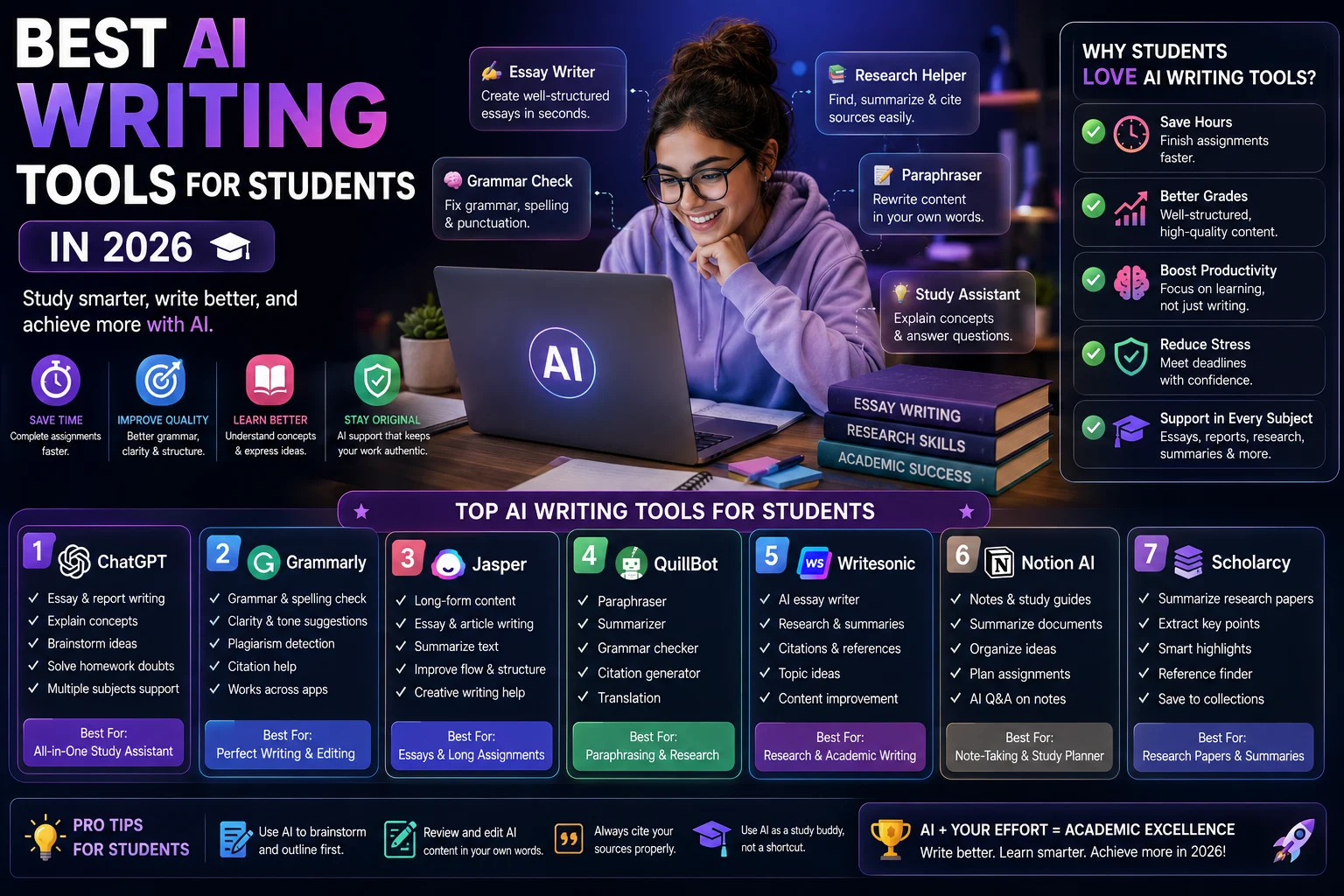

Writing assignments, essays, research papers, and reports can take a lot of time. Students often need to research a topic, organize ideas, create an outline, write a first draft, check grammar, improve clarity, and verify sources.
AI writing tools can make many of these tasks easier and faster. In 2026, students can choose from general AI assistants, grammar checkers, research tools, paraphrasing tools, and academic writing platforms.
However, the best way to use AI for school or university work is as a learning and writing assistant, not as a replacement for your own thinking. Current student-focused comparisons increasingly emphasize using AI for brainstorming, feedback, research, editing, and learning rather than simply submitting AI-generated assignments.
In this guide, we'll explore the best AI writing tools for students in 2026 and explain what each tool is best at.
What Are AI Writing Tools for Students?
AI writing tools are applications that use artificial intelligence to help students create, improve, organize, or understand written content.
Students can use these tools for:
- Brainstorming essay ideas
- Creating outlines
- Improving grammar
- Rewriting unclear sentences
- Summarizing notes
- Understanding difficult topics
- Researching subjects
- Finding and organizing sources
- Improving readability
- Preparing presentations
Different tools are designed for different parts of the writing process, so you don't necessarily need a large collection of AI applications.
Best AI Writing Tools for Students in 2026
1. ChatGPT
Best for: Overall student writing and learning
ChatGPT is one of the most versatile AI tools available to students. It can help with brainstorming, outlining, explaining concepts, reviewing drafts, creating practice questions, and improving writing.
Its Study Mode is particularly useful for students because it is designed to guide learners through problems instead of simply providing an answer. Current student-focused guides also highlight its document interaction and broad study capabilities.
Best features:
- Essay brainstorming
- Article and essay outlines
- Writing feedback
- Grammar and clarity assistance
- Study assistance
- Document analysis
- Practice questions and quizzes
- Research brainstorming
Best for: Students who want one flexible AI assistant for writing and studying.
2. Claude
Best for: Essay feedback and long-form writing
Claude is particularly useful for students working with long documents, essays, research materials, and detailed writing projects.
Rather than asking Claude to write an entire assignment, students can use it to review their own drafts, identify weak arguments, improve structure, and suggest ways to make an argument clearer.
Recent student comparisons consistently highlight Claude as a strong option for long-form writing and reading-heavy academic work.
Best features:
- Long-form writing feedback
- Essay editing
- Document analysis
- Brainstorming
- Argument analysis
- Clarity improvements
Best for: Students who write essays and work with long academic documents.
3. Grammarly
Best for: Grammar and proofreading
Grammarly is one of the most useful tools for students who want to improve the quality of their writing without completely rewriting it.
It can identify grammar, spelling, punctuation, clarity, and style issues and provide suggestions for improving your text.
Recent student-focused comparisons continue to rank Grammarly highly for grammar and editing.
Best features:
- Grammar checking
- Spelling correction
- Clarity suggestions
- Writing style improvements
- Tone suggestions
- Sentence rewriting
Best for: Students who want to polish essays, reports, applications, and other written work.
4. Google Gemini
Best for: Students using Google Workspace
Google Gemini can be particularly convenient for students who already use Google Docs, Drive, Gmail, and other Google services.
It can help brainstorm ideas, summarize information, improve drafts, generate questions, and support learning. Its Google ecosystem integration is one of its biggest advantages for students.
Recent 2026 comparisons also highlight Gemini's usefulness for Google-centered student workflows and guided learning.
Best features:
- Brainstorming
- Writing assistance
- Google Workspace integration
- Summarization
- Study assistance
- Quiz generation
Best for: Students who use Google Docs and Google Drive heavily.
5. QuillBot
Best for: Paraphrasing and rewriting
QuillBot is designed around rewriting and paraphrasing. It can be useful when you want to make your own writing clearer or express an idea in a different way.
Students should use paraphrasing tools carefully. Rewriting a source does not remove the need to cite the original source, and changing a few words is not a substitute for proper academic writing.
Student-focused comparisons continue to include QuillBot as a useful budget-friendly option for paraphrasing and basic writing assistance.
Best features:
- Paraphrasing
- Sentence rewriting
- Grammar assistance
- Summarization
- Vocabulary alternatives
Best for: Students who need help improving the wording of their own drafts.
6. Perplexity
Best for: Research and source discovery
Perplexity is especially useful when you need to research a topic and want answers accompanied by sources that you can investigate further.
For academic work, students should still open the cited sources, check their credibility, and read the original material rather than relying entirely on an AI-generated summary.
Recent student comparisons identify Perplexity as a strong option for research where verifiable citations are important.
Best features:
- Research assistance
- Source discovery
- Cited answers
- Topic exploration
- Follow-up questions
Best for: Students researching topics for essays, presentations, and projects.
7. NotebookLM
Best for: Studying from your own sources
NotebookLM is useful when you already have lecture notes, PDFs, documents, or other study materials and want an AI assistant that works from those sources.
This makes it particularly useful for reviewing course materials, understanding difficult sections, creating study questions, and organizing information from your own documents.
Student-focused comparisons in 2026 frequently highlight NotebookLM as a strong choice for source-grounded studying.
Best features:
- Source-based summaries
- Study assistance
- Question generation
- Document analysis
- Lecture-note review
Best for: Students who want to study directly from their own course materials.
8. Jenni AI
Best for: Academic writing and research papers
Jenni AI is designed specifically around academic writing workflows. It can help students organize research, draft sections, manage citations, and work on longer academic documents.
This type of specialized tool can be useful for students writing research-heavy assignments, dissertations, or academic papers.
Recent 2026 comparisons identify Jenni AI as a specialized option for academic writing and citation-heavy workflows.
Best features:
- Academic writing assistance
- Citation support
- Research organization
- Document drafting
- Academic templates
Best for: University students working on research-heavy assignments.
Quick Comparison of the Best AI Writing Tools for Students
| Tool | Best For | Writing | Editing | Research | Study Help |
|---|---|---|---|---|---|
| ChatGPT | Overall | Excellent | Excellent | Very Good | Excellent |
| Claude | Essays & long documents | Excellent | Excellent | Very Good | Very Good |
| Grammarly | Grammar & editing | Good | Excellent | Limited | Good |
| Gemini | Google users | Very Good | Very Good | Very Good | Excellent |
| QuillBot | Paraphrasing | Good | Very Good | Limited | Good |
| Perplexity | Research | Good | Good | Excellent | Very Good |
| NotebookLM | Study materials | Good | Good | Excellent | Excellent |
| Jenni AI | Academic writing | Excellent | Very Good | Excellent | Good |
Which AI Writing Tool Is Best for Students?
The best tool depends on what you need to accomplish.
- Best overall: ChatGPT
- Best for essays: Claude
- Best for grammar: Grammarly
- Best for Google users: Google Gemini
- Best for paraphrasing: QuillBot
- Best for research: Perplexity
- Best for studying from notes: NotebookLM
- Best for academic writing: Jenni AI
How Students Should Use AI Writing Tools
The smartest way to use AI is to make your own learning process more efficient rather than avoiding the learning process entirely.
Use AI to Brainstorm
Ask AI to generate possible topics, questions, arguments, or approaches to a subject. Then choose and develop the ideas yourself.
Use AI to Create an Outline
An outline can help you organize your thoughts before you begin writing.
For example, you could ask:
"Help me create an outline for an argumentative essay about the impact of social media on university students. Give me possible arguments and counterarguments, but don't write the essay."
Use AI to Review Your Draft
Instead of asking AI to write your entire assignment, give it your own draft and ask for feedback.
For example:
"Review my essay and identify the three weakest arguments. Explain why they are weak and suggest questions I should consider to strengthen them. Don't rewrite the essay for me."
This approach keeps you involved in the writing and reasoning process.
Use AI to Improve Grammar
Grammar and editing tools can help identify mistakes that you may miss when reviewing your own work.
After making corrections, make sure you understand why the changes were necessary.
Use AI as a Tutor
AI can explain difficult concepts using simpler language, provide examples, ask practice questions, and help you identify gaps in your understanding.
This is one of the most valuable uses of AI for students because it focuses on learning rather than simply producing an answer.
AI Writing Tools and Academic Integrity
Students should always check their school's or university's policies before using AI for assignments.
Different institutions and instructors may have different rules about acceptable AI assistance. Some may allow grammar correction or brainstorming while restricting AI-generated text in submitted assignments.
Using AI to generate an entire essay and submitting it as your own work can create academic-integrity problems. AI tools can also produce incorrect information or fabricated references.
A safer approach is to use AI for brainstorming, tutoring, feedback, editing, organization, and research assistance while doing the actual thinking and final writing yourself.
How to Get Better Results From AI Writing Tools
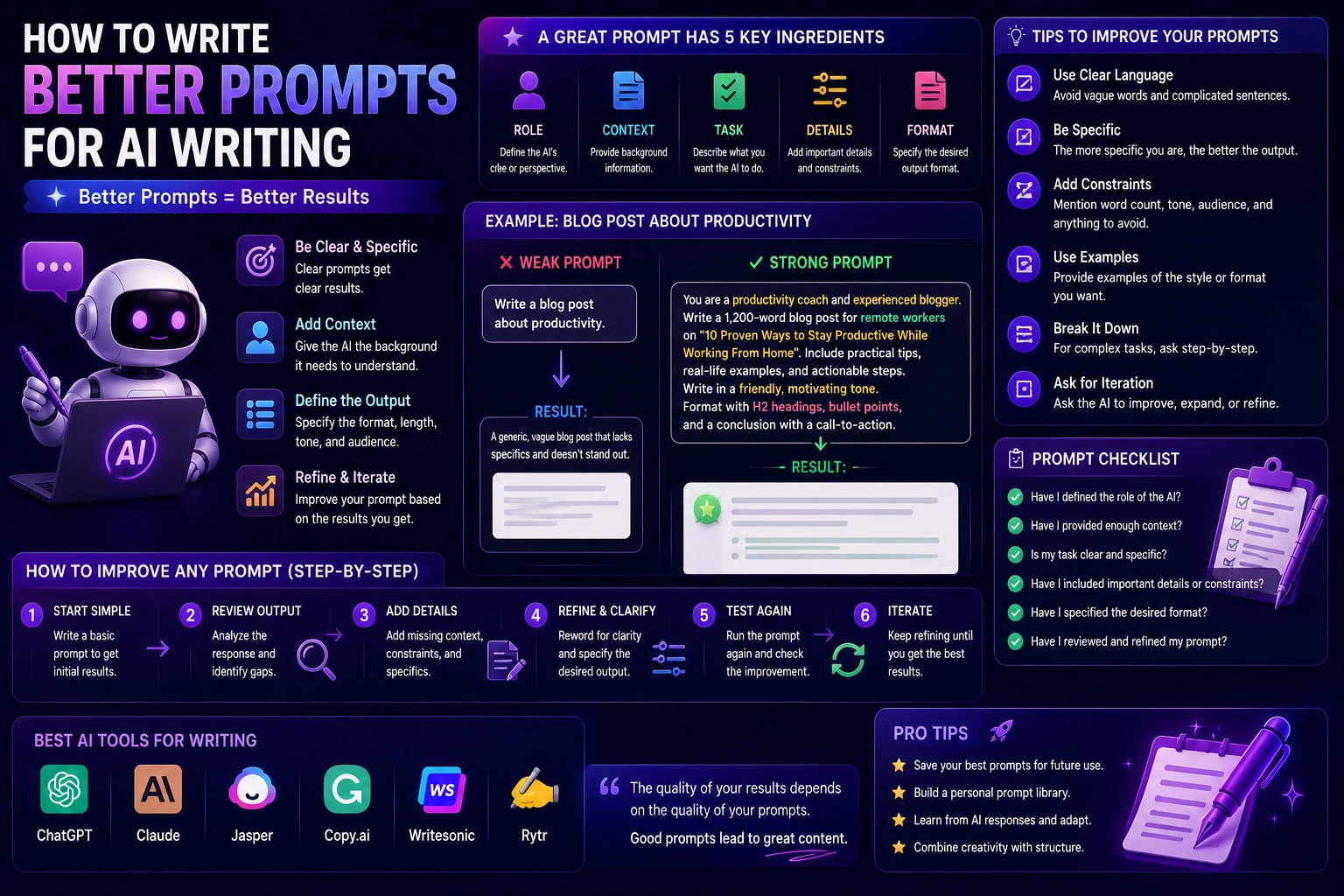
Give Clear Instructions
Instead of saying:
"Help me with my essay."
Give the AI more context:
"I'm writing a 1,500-word university essay about renewable energy. Help me identify three strong arguments and possible counterarguments. I will write the essay myself. Ask me questions that help me develop my position."
Provide Your Own Materials
When appropriate, provide your lecture notes, assignment requirements, outline, or draft. This gives the AI more relevant context and reduces the chance of receiving generic advice.
Ask for Feedback Instead of a Finished Answer
AI becomes much more useful as a learning tool when you ask it to explain, question, critique, and guide you rather than simply complete the task.
Common Mistakes Students Make With AI
1. Asking AI to Do Everything
If AI does all of your thinking, you may finish the assignment faster but learn less.
2. Trusting AI Without Checking Facts
AI systems can make factual mistakes. Always verify important information, especially statistics, quotations, academic claims, and references.
3. Using AI-Generated Citations Without Verification
Never assume that a citation is real simply because an AI tool provides it. Search for the original source and verify the author, title, publication, and relevant information.
4. Using Paraphrasing as a Substitute for Citation
Rewriting someone else's idea still requires attribution when the idea comes from a source.
5. Ignoring School Policies
Always follow the AI-use rules provided by your instructor or institution.
Best AI Tool Combination for Students
You don't need to subscribe to every AI tool available.
A simple student workflow could use:
- ChatGPT: Brainstorming, explanations, outlines, and study help
- Perplexity: Research and source discovery
- Grammarly: Grammar and final editing
- NotebookLM: Studying from lecture notes and PDFs
Students who write many academic papers may also consider a specialized academic writing tool such as Jenni AI.
Are AI Writing Tools Free for Students?
Many popular AI writing tools offer free plans or limited free access. However, available features, usage limits, and student offers can change over time.
Current 2026 comparisons show usable free tiers for several major tools, including ChatGPT, Claude, Gemini, Grammarly, QuillBot, Perplexity, and NotebookLM.
Before paying for a subscription, check whether your school or university provides access to an AI service.
Final Thoughts
The best AI writing tools for students in 2026 are not necessarily the tools that can write the most convincing essay automatically.
The most valuable tools are those that help students think, research, learn, write, and improve.
ChatGPT is a strong overall choice, while Claude is excellent for long-form writing and feedback. Grammarly is ideal for polishing grammar and clarity, while Gemini is particularly useful for students who work heavily within Google's ecosystem.
For research, Perplexity can help discover sources, while NotebookLM is useful for working with your own study materials. QuillBot can assist with paraphrasing, and specialized tools such as Jenni AI can support academic writing workflows.
The key is simple: use AI to become a better student, not to avoid being a student.
Frequently Asked Questions
What is the best AI writing tool for students?
ChatGPT is one of the best overall options because it combines writing assistance, brainstorming, explanations, document analysis, and study features. However, Claude, Grammarly, Gemini, and other tools may be better for specific tasks.
What is the best AI tool for writing essays?
Claude and ChatGPT are strong general-purpose options for essay planning, feedback, and editing. Students should use them to improve their own writing rather than submit AI-generated essays as their own work.
What is the best free AI writing tool for students?
There is no single winner for every student. ChatGPT, Claude, Gemini, and Grammarly all offer useful free access, while the best choice depends on whether you need brainstorming, editing, research, or study help.
Can students use AI for academic writing?
Yes, but acceptable use depends on the rules of your school or university. Always check your instructor's requirements and disclose AI use when required.
Is Grammarly useful for students?
Yes. Grammarly can help students identify grammar, spelling, clarity, and style problems in essays, reports, applications, and other writing.
Can AI help students with research?
Yes. Tools such as Perplexity and NotebookLM can help students explore topics, find sources, summarize materials, and understand information. Important claims and sources should always be verified.
Should students use AI to write their entire essays?
Generally, students should not rely on AI to produce an entire assignment for submission. AI is more useful as a brainstorming, tutoring, editing, and feedback tool, while the student's own reasoning and writing remain central.