 ```html
Artificial intelligence is becoming part of everyday life, and Google Gemini is one of the most important AI assistants available today. Whether you want help writing an email, understanding a difficult topic, brainstorming ideas, analyzing an image, or learning something new, Gemini can assist you using natural language.
But what exactly is Google Gemini, how does it work, and what can beginners actually do with it? In this guide, we'll explain Google Gemini in simple terms and show you how to get started.
What Is Google Gemini?
Google Gemini is Google's family of artificial intelligence models and its AI assistant experience. It is designed to understand and generate different types of information, including text, images, and other forms of content.
Instead of searching for information using traditional keywords, you can communicate with Gemini using natural language. You can ask a question, describe a problem, provide an image, upload a file, or give Gemini instructions for a specific task.
For example, instead of searching for "beginner Python loops," you could ask:
Explain Python loops to me like I'm a complete beginner and give me three simple examples.
Gemini can then generate an explanation tailored to your request.
How Does Google Gemini Work?
Gemini is powered by Google's AI models. These models are trained to recognize patterns in large amounts of data and generate useful responses based on the instructions they receive.
When you send Gemini a prompt, the system analyzes your request and generates a response based on the context of the conversation and the capabilities available to your account and device.
This allows Gemini to handle much more than simple questions. You can have a conversation with it, ask follow-up questions, request changes, provide additional information, and refine the result.
What Can You Do With Google Gemini?
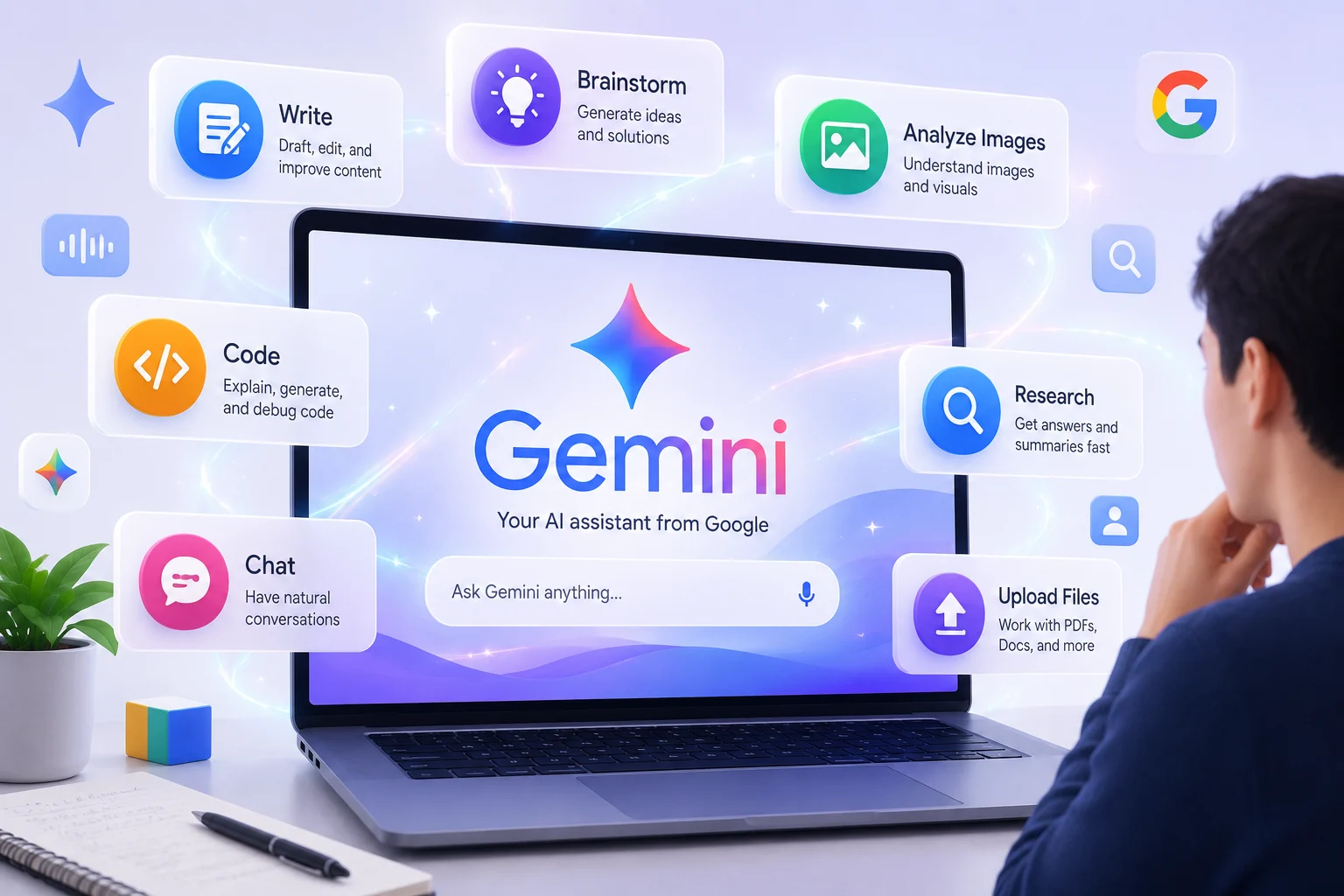
Gemini can be useful for many everyday tasks. Some features and capabilities can vary by device, account, location, and subscription, but the platform can help with a wide range of activities.
1. Ask Questions
One of the simplest ways to use Gemini is to ask questions. You can ask it to explain concepts, compare ideas, summarize information, or help you understand unfamiliar subjects.
For example:
What is machine learning? Explain it using a simple real-world example.
You can then continue the conversation and ask Gemini to make the explanation easier or more detailed.
2. Write and Rewrite Content
Gemini can help with many writing tasks. You can use it to create drafts, improve existing text, brainstorm ideas, or change the tone of your writing.
For example, you could ask:
Write a professional email asking for a meeting next week.
You can also provide your own text and ask Gemini to make it clearer, shorter, more professional, or easier to understand.
3. Learn New Subjects
Gemini can act as a learning assistant. Students and beginners can use it to break complicated subjects into smaller explanations.
For example:
Teach me the basics of artificial intelligence in five simple lessons.
You can also ask for examples, quizzes, practice questions, or explanations at different difficulty levels.
4. Analyze Images
Gemini can work with images in supported experiences. You can provide an image and ask questions about what it contains or ask for help understanding visual information.
For example, you could upload a photograph of a chart and ask Gemini to explain the main information shown in it.
5. Work With Files
Depending on the Gemini experience and your account, you can upload files and ask questions about their contents.
This can be useful when working with documents, research material, spreadsheets, or other supported files.
Instead of reading a long document manually, you might ask:
Summarize this document and give me the five most important points.
6. Brainstorm Ideas
Gemini can also be useful when you need ideas. You can use it for business ideas, blog topics, social media content, project planning, study plans, and more.
For example:
Give me 20 blog ideas about artificial intelligence for beginners.
7. Help With Coding
Gemini can assist developers with programming tasks such as explaining code, identifying possible problems, generating examples, and suggesting approaches to a programming problem.
For example:
Explain this PHP function line by line and show me how I could improve it.
AI-generated code should always be reviewed and tested before being used in a real application.
What Are Gemini Apps?
Gemini is available through Google's Gemini apps and web experience. Users can interact with Gemini through supported devices and browsers.
Depending on the platform and account, you may be able to communicate with Gemini using text, voice, images, or other supported inputs.
Google also provides additional Gemini capabilities that can connect with selected applications and services. For example, supported connected apps can allow Gemini to work with information from services such as Gmail, Google Calendar, Google Drive, and other integrations.
What Are Gemini Gems?
Gemini also includes a feature called Gems. Gems are customized versions of Gemini that can follow specific instructions for repeatable tasks.
For example, you could create a Gem designed to help you study English, brainstorm blog topics, or review your writing according to a particular set of instructions.
The idea is simple: instead of giving Gemini the same instructions every time, you can create a customized experience that follows your preferred guidelines.
How to Start Using Google Gemini
Getting started with Gemini is relatively simple.
- Open the Gemini web experience or the Gemini app on a supported device.
- Sign in with a Google Account when required.
- Enter a question or instruction in the chat box.
- Review Gemini's response.
- Ask follow-up questions to improve or clarify the answer.
Some Gemini features may be available without signing in, while additional features can require a Google Account. Availability can also vary depending on your location, device, and account type.
How to Write Better Gemini Prompts
The quality of your instructions can have a major impact on the usefulness of an AI response.
Instead of writing:
Write about AI.
Try giving Gemini more context:
Write a beginner-friendly 800-word explanation of artificial intelligence. Use simple English, short paragraphs, practical examples, and clear headings.
A useful prompt usually includes four important elements:
- Task: Tell Gemini what you want it to do.
- Context: Explain the situation or provide background information.
- Format: Tell it how you want the answer structured.
- Audience: Explain who the content is intended for.
Google Gemini vs Traditional Google Search
Google Search and Gemini serve different purposes.
Traditional search is primarily designed to help you discover webpages, websites, news, images, products, and other information across the web.
Gemini is designed around conversational interaction. Instead of entering several searches, you can ask a question and continue the conversation with follow-up instructions.
In many situations, the two approaches can complement each other. Gemini can help you understand or organize information, while traditional search can help you explore original sources and verify important claims.
Is Google Gemini Free?
Gemini offers access to AI capabilities through Google's Gemini products, but the exact features, limits, and subscription options can change over time.
Some features may be available to users without a paid subscription, while other capabilities can depend on an eligible Google AI plan or account type.
Because Google's plans and feature availability can change, it is a good idea to check the current Gemini options before choosing a plan.
Can Gemini Make Mistakes?
Yes. Like other generative AI systems, Gemini can sometimes produce inaccurate, incomplete, or misleading information.
This is especially important when dealing with medical, legal, financial, academic, or other high-stakes information.
Google itself advises users to double-check Gemini's responses and not rely on them as professional advice.
A good habit is to treat AI-generated information as a starting point and verify important claims using reliable sources.
Who Should Use Google Gemini?
Gemini can be useful for a wide range of people, including:
- Students who want help understanding difficult subjects.
- Writers who need brainstorming and editing assistance.
- Developers who want help understanding or working with code.
- Professionals who want to organize ideas and improve productivity.
- Researchers who want help summarizing and exploring information.
- Beginners who want an accessible introduction to artificial intelligence.
- Content creators who need ideas, outlines, and drafts.
Tips for Using Gemini Effectively
If you are new to Gemini, start with simple tasks and gradually learn how to write better prompts.
- Be specific about what you want.
- Give Gemini enough context.
- Tell it who the audience is.
- Specify the desired format.
- Ask follow-up questions.
- Ask Gemini to simplify complicated explanations.
- Verify important information before relying on it.
- Never share sensitive personal information unnecessarily.
Final Thoughts
Google Gemini is a powerful AI assistant that can help with learning, writing, brainstorming, coding, image analysis, file-based tasks, and many other activities.
The biggest advantage for beginners is that you don't need to learn complicated commands to start. You can simply communicate with Gemini using natural language and refine your request as the conversation develops.
However, Gemini should be treated as an AI assistant rather than an infallible source of truth. Its responses can contain mistakes, so important information should always be checked against reliable sources.
If you're new to artificial intelligence, learning how to communicate effectively with tools such as Gemini is one of the easiest ways to start understanding what modern AI can do.
Frequently Asked Questions
What is Google Gemini?
Google Gemini is Google's family of AI models and AI assistant experience. It can help users with tasks such as writing, learning, brainstorming, analyzing supported inputs, and working with connected services.
Is Google Gemini the same as Google Search?
No. Google Search is primarily a search engine, while Gemini provides a conversational AI experience. They can be useful for different tasks.
Can beginners use Google Gemini?
Yes. Gemini is designed for natural-language interaction, so beginners can start by asking simple questions and gradually learn how to create more specific prompts.
Can Google Gemini write articles?
Gemini can help generate drafts, outlines, ideas, and other forms of writing. However, AI-generated content should be reviewed, edited, fact-checked, and improved by a human before publication.
Can Gemini analyze images?
Supported Gemini experiences can accept images and use them as part of a conversation. Available capabilities depend on the specific product, account, device, and region.
Can Gemini make mistakes?
Yes. Gemini can sometimes generate incorrect information, so important claims should be independently verified.
```