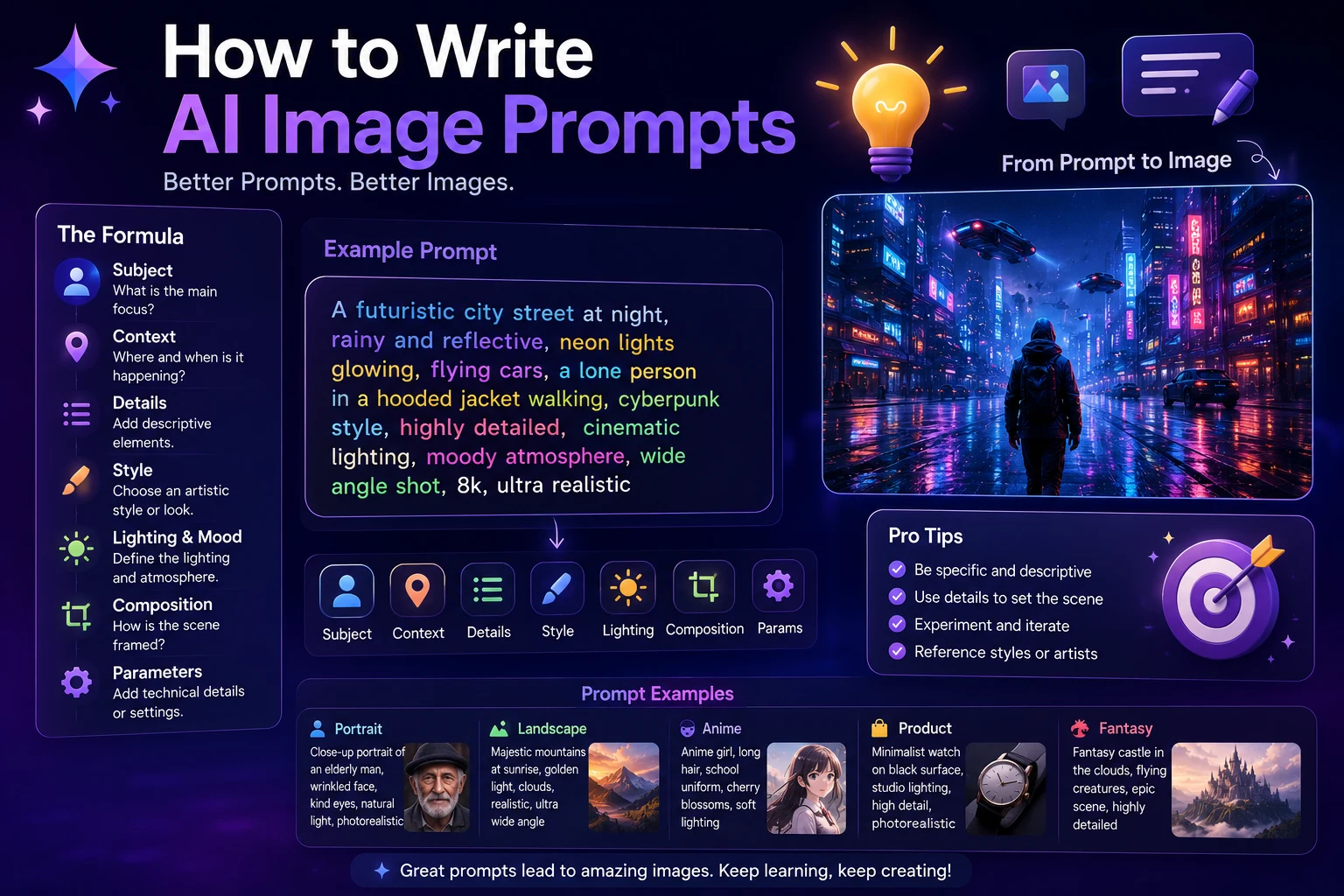

AI image generators can create impressive visuals from simple text descriptions, but the quality of the result often depends on how you describe what you want.
A short prompt such as "a beautiful city" may produce an interesting image, but a more specific prompt can give you much greater control over the subject, environment, lighting, composition, camera angle, and visual style.
Learning how to write effective AI image prompts is therefore one of the most useful skills for anyone using AI image generators for social media, marketing, websites, blogs, presentations, or creative projects.
In this guide, you'll learn how to write better AI image prompts, what information to include, common mistakes to avoid, and practical prompt examples you can adapt to your own projects.
What Is an AI Image Prompt?
An AI image prompt is a written description that tells an AI image generator what kind of image you want it to create.
The prompt can describe almost anything about the image, including the subject, environment, action, composition, lighting, colors, style, mood, and level of realism.
For example, instead of writing:
A dog in a park.
You could write:
A golden retriever running through a sunny green park during early morning, realistic photography, soft natural light, shallow depth of field, detailed fur, cinematic composition.
The second prompt gives the image generator much more information to work with.
Why Do AI Image Prompts Matter?
AI image generators are powerful, but they still need clear instructions. A well-written prompt can make it easier to achieve the visual result you have in mind.
Good prompts can help you control:
- The main subject
- The environment
- The action
- The visual style
- The lighting
- The colors
- The camera angle
- The composition
- The mood
- The level of realism
However, more words do not automatically mean a better prompt. The goal is to provide useful information rather than adding unnecessary descriptions.
The Basic Structure of an AI Image Prompt
A simple AI image prompt can follow this structure:
Subject + Action + Environment + Style + Composition + Lighting + Details
For example:
A young woman working on a laptop, sitting in a modern coffee shop, realistic photography, medium shot, warm natural lighting, soft background blur, professional and cozy atmosphere.
You don't always need every element. The best structure depends on the type of image you are trying to create.
1. Describe the Main Subject
Start by explaining what should appear in the image.
The subject could be a person, animal, product, building, landscape, vehicle, character, object, or abstract concept.
Instead of:
A car.
Try:
A modern black electric sports car with a sleek aerodynamic design.
If the subject is a person, you can describe relevant characteristics such as clothing, pose, expression, or general appearance.
2. Describe the Action
If your subject is doing something, explain the action clearly.
For example:
- A woman reading a book
- A businessman presenting to a team
- A runner crossing a finish line
- A child riding a bicycle
- A robot analyzing a digital interface
Adding an action can make the scene more dynamic and easier for the image generator to understand.
3. Describe the Environment
Explain where the scene takes place.
The environment can dramatically change the appearance and mood of the image.
For example:
A professional AI researcher working in a futuristic technology laboratory.
You can make the environment more specific:
A professional AI researcher working in a futuristic technology laboratory, surrounded by large transparent screens, modern computers, glowing interface elements, and sophisticated equipment.
4. Choose a Visual Style
The visual style tells the AI how you want the image to look.
Common styles include:
- Photorealistic
- Cinematic
- 3D render
- Digital illustration
- Watercolor
- Oil painting
- Minimalist
- Cartoon
- Anime-inspired
- Editorial photography
- Commercial photography
- Futuristic
For example:
A futuristic city, photorealistic cinematic style, dramatic atmosphere.
Or:
A futuristic city, premium 3D illustration, clean modern design, soft lighting.
5. Add Lighting
Lighting is one of the most useful elements in an AI image prompt because it can dramatically affect the atmosphere of a scene.
You can describe lighting as:
- Soft natural light
- Golden-hour lighting
- Studio lighting
- Dramatic lighting
- Neon lighting
- Warm lighting
- Cool blue lighting
- Low-key lighting
- Bright daylight
- Backlighting
For example:
A luxury watch on a dark surface, premium product photography, dramatic studio lighting, subtle reflections, high detail.
6. Describe the Composition
Composition describes how the elements should be arranged within the image.
Useful composition terms include:
- Close-up
- Medium shot
- Wide shot
- Aerial view
- Centered composition
- Symmetrical composition
- Rule of thirds
- Portrait composition
- Landscape composition
- Minimal composition
For example:
A professional woman holding a laptop, centered composition, medium shot, clean modern office in the background.
7. Specify the Camera Angle
When generating realistic or cinematic images, camera direction can help influence the final result.
You can use phrases such as:
- Eye-level camera
- Low-angle shot
- High-angle shot
- Overhead view
- Front-facing view
- Side profile
- Close-up portrait
- Wide-angle view
For example:
A futuristic sports car driving through a modern city, low-angle cinematic shot, dramatic evening lighting, realistic photography.
8. Use Colors Intentionally
Colors can help establish a visual identity and make images more suitable for branding.
You can mention specific colors or color combinations.
For example:
Modern AI technology illustration, purple and blue color palette, dark futuristic background, glowing interface elements.
If you're creating content for a brand, using consistent colors across your prompts can help create a more recognizable visual style.
9. Describe the Mood
The mood explains how the image should feel.
Common mood descriptions include:
- Professional
- Energetic
- Relaxing
- Elegant
- Dramatic
- Inspirational
- Mysterious
- Futuristic
- Friendly
- Playful
For example:
A modern entrepreneur working in a bright office, professional and inspirational mood, clean composition, natural lighting.
10. Include Important Details
Specific details can make your generated image more useful and distinctive.
You might describe:
- Clothing
- Materials
- Textures
- Background elements
- Architecture
- Weather
- Objects
- Expressions
- Props
For example:
A professional software developer working at a desk, wearing a dark casual shirt, multiple monitors displaying abstract code interfaces, modern home office, coffee cup on the desk, evening atmosphere.
Simple AI Image Prompt vs Detailed Prompt
One of the easiest ways to understand prompting is to compare a basic prompt with a more detailed one.
Basic prompt
A futuristic city.
Improved prompt
A futuristic city at night with towering glass skyscrapers, autonomous flying vehicles moving between buildings, glowing blue and purple lights, wet streets reflecting neon signs, cinematic photorealistic style, wide-angle composition, atmospheric fog, dramatic lighting.
The second prompt gives the image generator more visual information and direction.
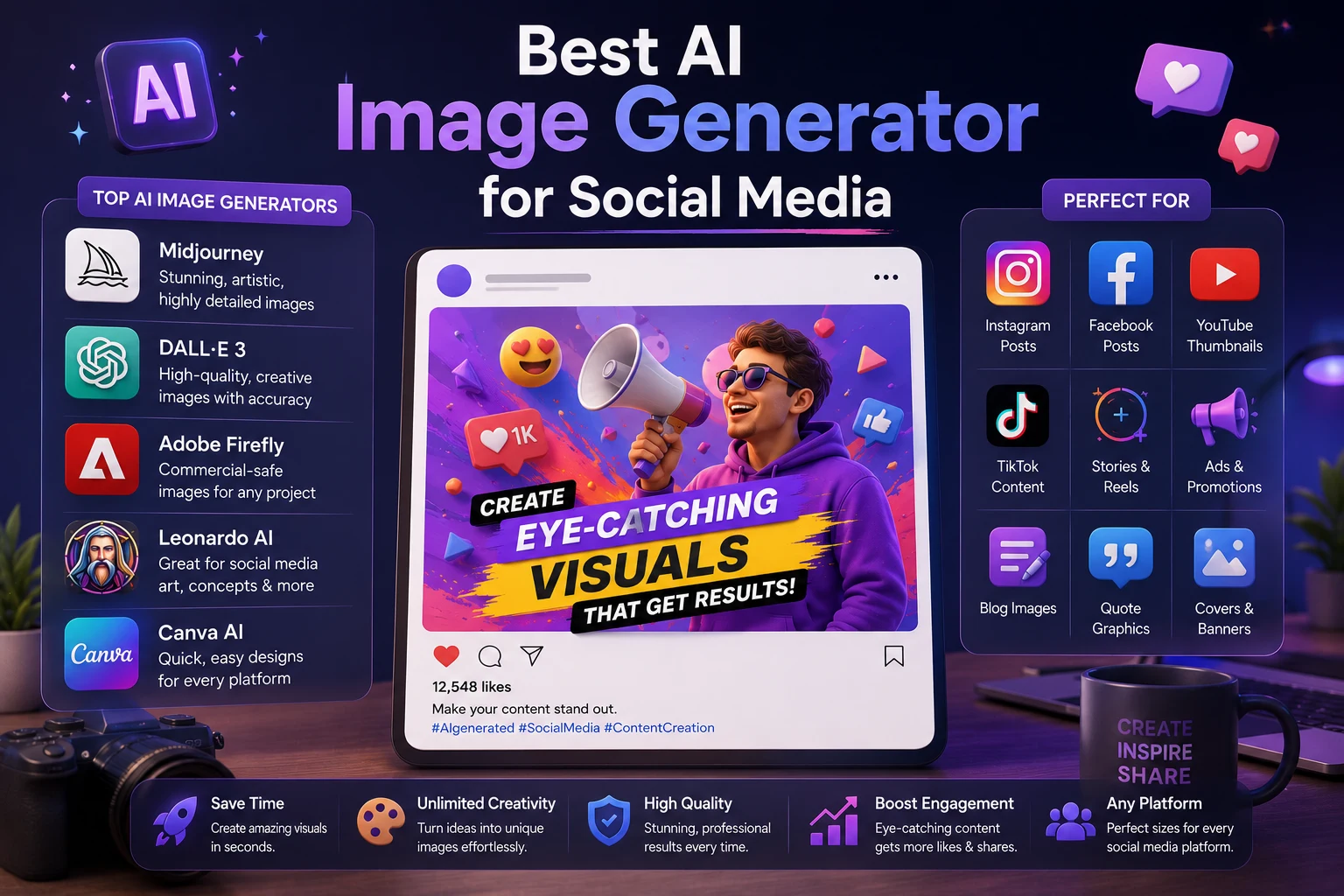
How to Write Prompts for Social Media
Social media images often need to attract attention quickly. Your prompt should therefore consider the platform and the intended use.
For example, if you're creating an Instagram post:
Premium social media visual for an AI technology brand, futuristic workspace, glowing artificial intelligence interface, modern laptop, purple and blue lighting, realistic 3D style, clean composition, polished commercial design, visually striking.
For a YouTube thumbnail:
Dramatic YouTube thumbnail concept about artificial intelligence, futuristic AI robot on one side, glowing digital interface, high contrast lighting, expressive visual composition, clean background, bold visual hierarchy, professional technology aesthetic.
How to Write Prompts for Product Images
AI can also help create product concepts and marketing visuals.
A product prompt could look like this:
Premium wireless headphones placed on a minimalist white table, luxury product photography, soft studio lighting, realistic materials, subtle shadows, clean background, high-end commercial advertising style.
For product images, focus on the product itself, materials, lighting, background, and composition.
How to Write Prompts for Blog Images
Blog articles often need a featured image that visually represents the topic without becoming too complicated.
For example, for an article about machine learning:
Modern artificial intelligence concept showing a neural network analyzing data, glowing digital connections, futuristic computer interface, dark blue and purple environment, premium 3D illustration, clean professional composition, suitable for a technology blog featured image.
For website blog images, it's often useful to keep the composition clean and avoid unnecessary visual clutter.
How to Create AI Images Without Readable Text
If you want an image for a website article or blog featured image, you may not want random AI-generated words appearing inside the image.
You can explicitly ask for:
No readable text, no words, no letters, no logos, clean visual composition.
This can be particularly useful for article thumbnails and website illustrations where the title is already displayed separately on the page.
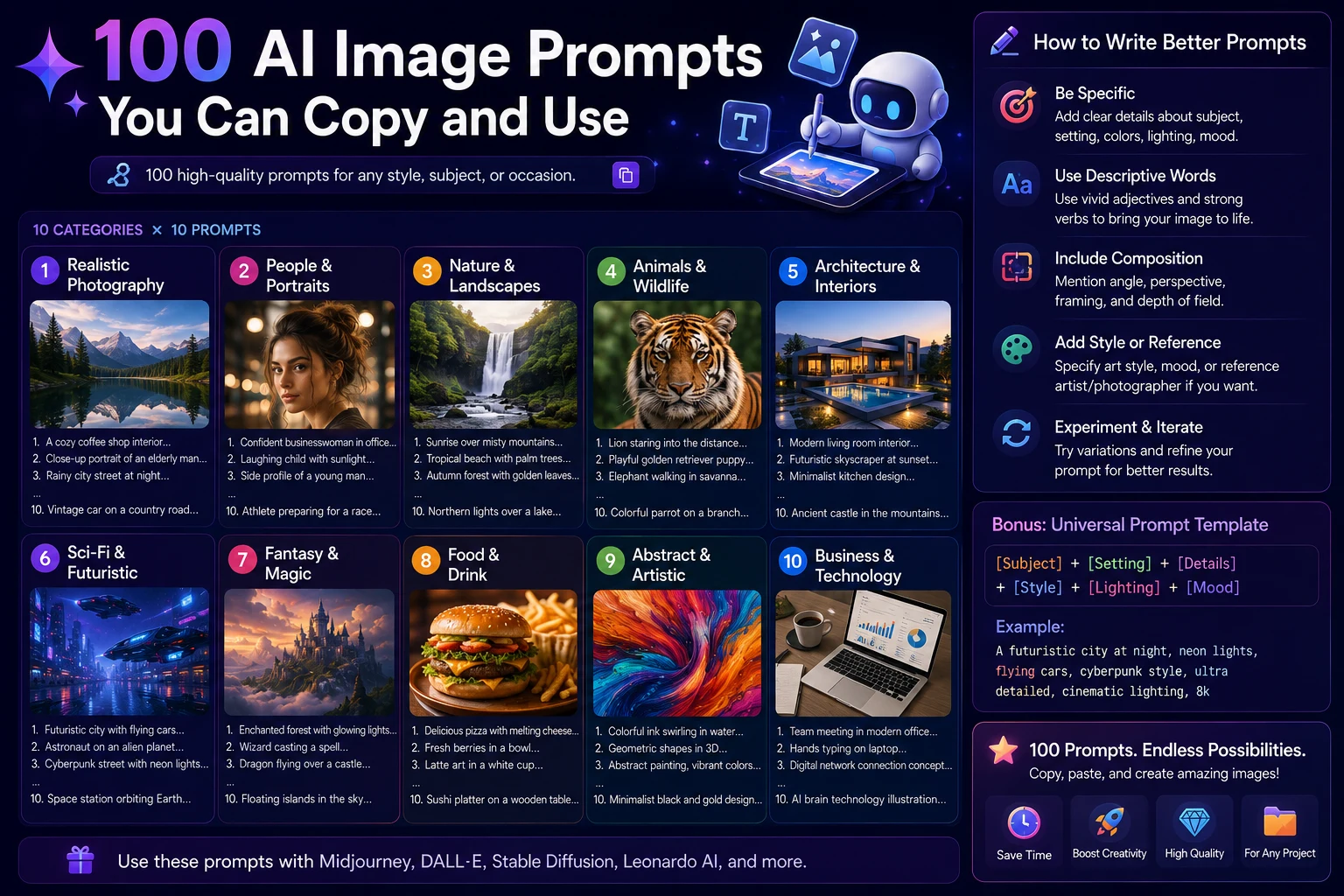
Prompt Formula You Can Reuse
A simple formula can make prompt writing much easier:
[Subject] + [Action] + [Environment] + [Style] + [Composition] + [Lighting] + [Color] + [Mood] + [Important Details]
For example:
A young entrepreneur presenting an AI product, modern technology conference, cinematic photorealistic style, medium-wide composition, dramatic stage lighting, purple and blue color palette, confident and inspirational mood, futuristic screens in the background, no readable text.
Common AI Image Prompt Mistakes
1. Being too vague
A prompt such as "make a nice AI image" gives the generator very little useful information.
Instead, describe the subject, environment, style, and visual direction.
2. Adding too many conflicting instructions
Trying to combine several unrelated styles can produce an inconsistent result.
Keep your instructions focused on the visual result you actually want.
3. Ignoring composition
If you don't describe the composition, the important elements may not appear where you expect them.
4. Forgetting the intended platform
An image created for a website banner may need a very different composition from an Instagram post or YouTube thumbnail.
5. Expecting the first result to be perfect
AI image generation is often an iterative process. Generate an image, identify what needs to change, and refine the prompt.
How to Improve an AI Image Prompt
If the first result isn't what you wanted, don't completely rewrite the prompt immediately.
Instead, identify the specific problem.
- The subject is wrong → describe the subject more precisely.
- The background is too busy → request a clean or minimal background.
- The lighting is wrong → specify the lighting more clearly.
- The composition is wrong → describe the camera angle and framing.
- The image looks unrealistic → request photorealistic or realistic photography.
- The colors are wrong → specify the desired color palette.
This makes it easier to improve results without starting from scratch.
100 AI Image Prompt Ideas
Once you understand the basic structure, you can create prompts for almost any type of visual content.
- Futuristic city at sunset
- Professional AI researcher
- Modern technology office
- AI robot working at a computer
- Luxury product photography
- Minimalist workspace
- Futuristic smartphone concept
- Modern business team
- Creative designer working on a project
- Digital marketing concept
- Artificial intelligence neural network
- Cybersecurity technology concept
- Cloud computing illustration
- Modern data center
- AI-powered business dashboard
- Futuristic classroom
- Student using AI for studying
- Digital education concept
- Modern online learning environment
- Virtual reality workspace
You can expand these ideas by adding a subject, environment, style, composition, lighting, color palette, and mood.
Final Tips for Better AI Image Prompts
- Start with the main subject.
- Describe the environment clearly.
- Use specific visual language.
- Choose a consistent style.
- Describe lighting when it matters.
- Specify composition for important subjects.
- Use colors intentionally.
- Describe the desired mood.
- Remove unnecessary instructions.
- Experiment and refine your prompts.
Final Verdict
Writing AI image prompts is less about using complicated words and more about communicating a clear visual idea.
A strong prompt usually explains what should appear, where it should appear, how it should look, and what mood the image should communicate.
Once you understand these basic principles, you can create better prompts for social media posts, blog images, advertisements, product photography, presentations, websites, and creative projects.
The most important skill is experimentation. Start with a clear prompt, generate an image, identify what needs improvement, and refine the instructions until you achieve the result you want.
Frequently Asked Questions
What is the best way to write an AI image prompt?
Start by describing the subject, then add the environment, action, visual style, composition, lighting, colors, and mood. Include only details that are relevant to the image you want.
How long should an AI image prompt be?
There is no universal ideal length. A short prompt can work well for simple images, while more detailed prompts are useful when you need greater control over the visual result.
How can I make AI-generated images look more realistic?
Use clear descriptions such as realistic photography, natural lighting, realistic materials, detailed textures, natural proportions, and cinematic composition when appropriate.
How do I create AI images for social media?
Describe the visual concept and mention the intended platform or format. Also consider composition, branding, colors, and whether the image needs space for additional text or design elements.
Can I use the same prompt in different AI image generators?
Yes. You can generally adapt the same basic prompt structure across different image generators, although each platform may interpret certain styles and instructions differently.
Should AI image prompts include negative prompts?
Some AI image generators support negative prompts or instructions describing what should be avoided. When supported, they can be useful for removing unwanted elements, but the exact approach varies between platforms.