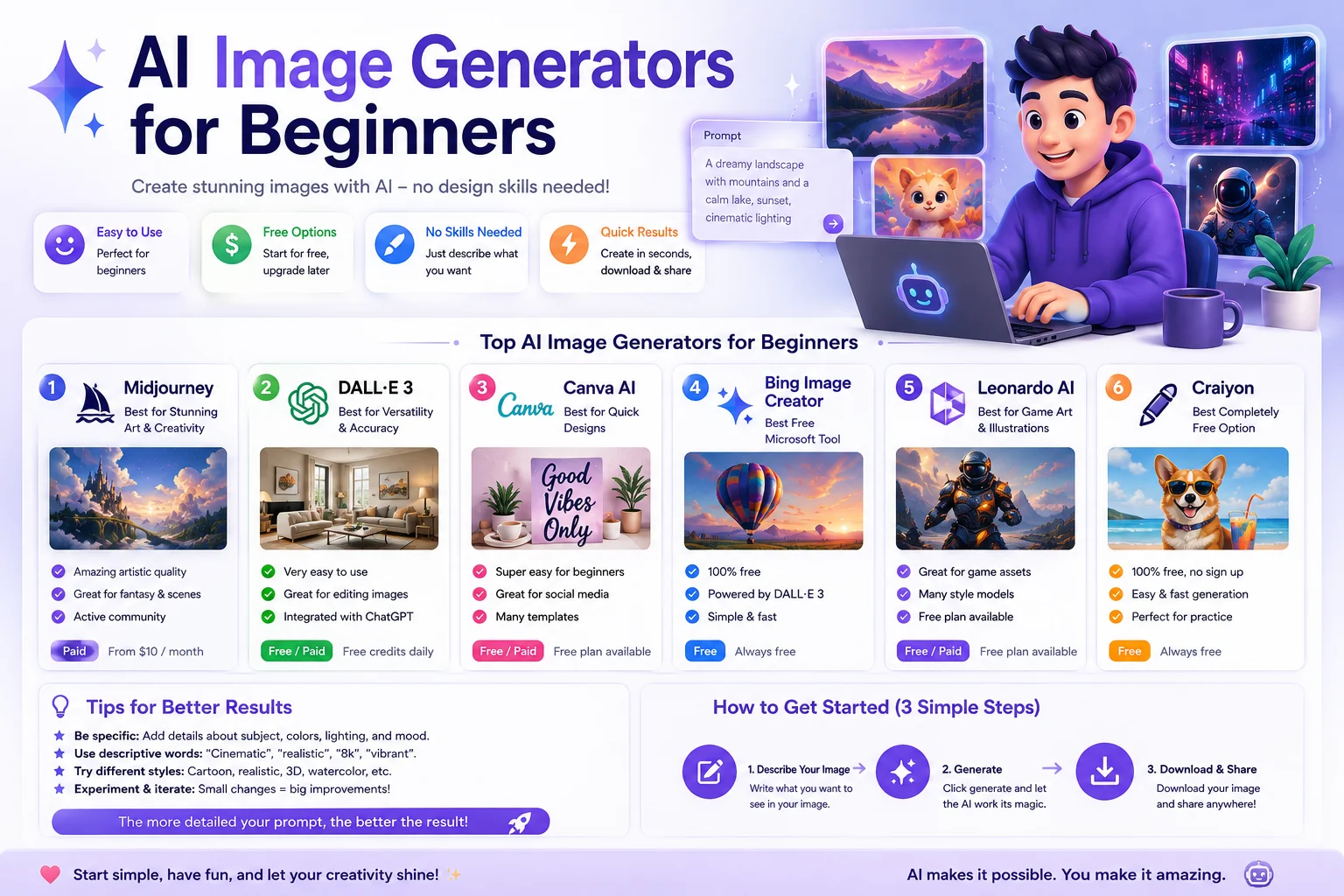

AI image generators have made it possible for almost anyone to create illustrations, product images, social media graphics, portraits, backgrounds, and other visuals using simple text descriptions.
You don't need to be a professional designer or know how to use complicated graphics software. Modern AI image tools are designed to turn natural-language instructions into images, making them a useful starting point for beginners.
In this guide, we'll explain how AI image generators work, what tools beginners can consider, how to write your first prompt, and how to improve your results.
What Is an AI Image Generator?
An AI image generator is a tool that uses artificial intelligence to create or modify images based on instructions. You can describe what you want in ordinary language, and the system generates an image based on that description.
For example, you could write:
A cozy modern office with a laptop, plants, a wooden desk, and warm sunlight coming through a large window.
The AI interprets the description and generates a visual representation of the scene.
Modern image generators can also support editing, image-to-image generation, reference images, background changes, and other creative workflows.
How Do AI Image Generators Work?
At a basic level, an AI image generator takes your text prompt and uses a trained model to produce an image that matches the concepts described in your request.
You don't need to understand the technical details to use these tools. For a beginner, the important thing is learning how to describe the desired result clearly.
Different models can interpret the same prompt differently. Some are particularly strong at photorealism, some at artistic images, while others are better at generating readable text inside images or providing editing controls.
Why Are AI Image Generators Useful for Beginners?
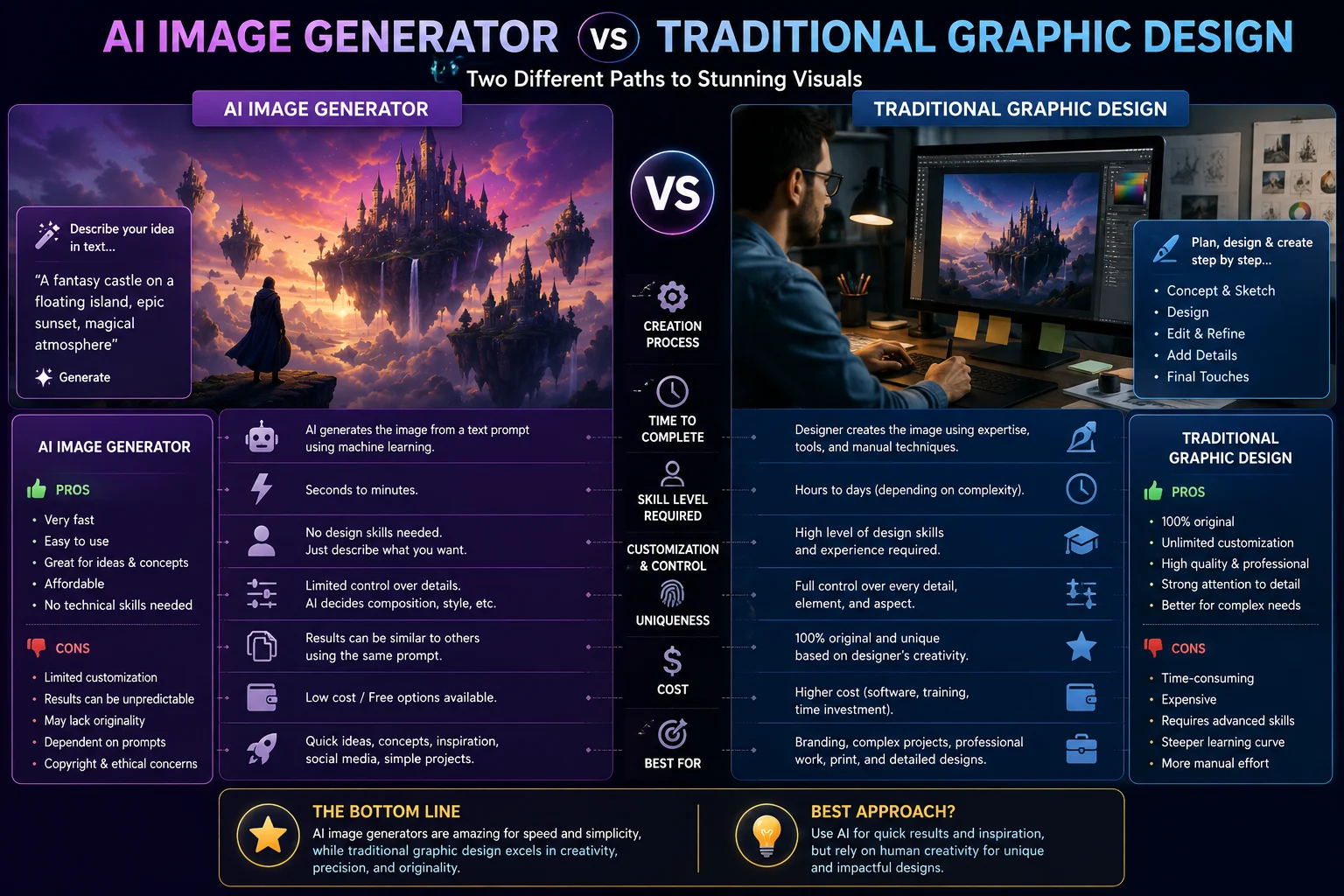
Traditional graphic design can require years of practice and knowledge of tools such as Photoshop, Illustrator, or other design software.
AI image generators provide a simpler starting point. Instead of manually drawing every element, you can describe the image you want and then refine the result.
Beginners can use AI image generators to create:
- Blog featured images
- Social media graphics
- YouTube thumbnails
- Website illustrations
- Marketing visuals
- Product concepts
- Portraits
- Backgrounds
- Educational illustrations
- Creative artwork
Best AI Image Generators for Beginners
There is no single tool that is perfect for every beginner. The best choice depends on how much control you want, whether you need editing features, and whether you want free or paid access.
1. ChatGPT
ChatGPT is one of the easiest options for beginners because you can describe the image conversationally instead of learning a complicated interface or prompt syntax.
You can start with a simple idea and then ask for changes such as a different composition, color palette, background, lighting style, or aspect ratio.
This conversational approach makes image generation particularly approachable for people who are new to AI image creation. Current 2026 comparisons also highlight ChatGPT for ease of use and conversational image workflows.
Best for: Beginners who want a simple conversational workflow.
2. Google Gemini
Google Gemini is another accessible option for beginners who want to create images using natural-language instructions.
Its image-generation capabilities can be useful when you want to create an image and then continue refining the result through a conversational interface.
Current 2026 comparisons identify Google's image generation as a strong option for general users and highlight its low setup effort.
Best for: Beginners who already use Google's ecosystem and want a straightforward browser-based workflow.
3. Canva
Canva is especially useful for beginners who want to generate an image and then place it directly into a social media post, presentation, poster, thumbnail, or other design.
Instead of treating AI image generation as a separate process, Canva combines image creation with familiar graphic-design tools.
This makes it useful for users who want both AI-generated visuals and simple design editing in the same workflow.
Best for: Social media creators, bloggers, marketers, and beginners creating complete designs.
4. Adobe Firefly
Adobe Firefly is designed around AI-assisted creative workflows and integrates with Adobe's broader design ecosystem.
It can be useful if you want to generate images and combine them with traditional editing workflows. Firefly also supports features such as generative editing and image modification.
Best for: Beginners who want to eventually combine AI generation with professional design tools.
5. Ideogram
Ideogram is worth considering when your image needs to contain readable text. Text rendering has traditionally been one of the more difficult challenges for AI image generators, and current comparisons continue to highlight Ideogram for this use case.
For example, it can be useful for posters, promotional graphics, quote designs, and other visuals where typography is part of the image.
Best for: Beginners who need text inside generated images.
6. Midjourney
Midjourney is known for producing highly artistic and visually polished images. It can be a great option when visual quality and artistic style are more important than having the simplest possible workflow.
However, beginners may need more time to become comfortable with its workflow and controls compared with conversational image generators.
Current 2026 comparisons continue to rank Midjourney highly for artistic quality.
Best for: Beginners who want to explore artistic and cinematic image generation.
AI Image Generators Compared for Beginners
| Tool | Best For | Beginner Experience |
|---|---|---|
| ChatGPT | Simple conversational generation | Very easy |
| Google Gemini | Easy browser-based generation | Very easy |
| Canva | Social media and design | Very easy |
| Adobe Firefly | AI generation and editing | Easy |
| Ideogram | Text inside images | Easy |
| Midjourney | Artistic images | Moderate |
How to Create Your First AI Image
Creating your first AI image is much easier than it may seem. You can follow a simple five-step process.
Step 1: Decide What You Want to Create
Before writing a prompt, decide what the image is for.
For example, you might want:
- A blog featured image
- An Instagram post
- A product image
- A website background
- A realistic portrait
- A fantasy illustration
Having a clear goal makes it easier to describe the desired image.
Step 2: Describe the Main Subject
Start by explaining what should appear in the image.
For example:
A modern laptop on a wooden desk.
This is enough to begin, but you can add more information to improve the result.
Step 3: Add the Environment
Explain where the subject should appear.
A modern laptop on a wooden desk in a bright minimalist home office.
Now the AI has more information about the setting.
Step 4: Add Style and Lighting
You can describe how you want the image to look.
A modern laptop on a wooden desk in a bright minimalist home office, realistic photography, soft morning sunlight, clean professional composition.
Adding style and lighting can significantly change the appearance of the final image.
Step 5: Refine the Result
Your first generation doesn't have to be perfect. One of the advantages of modern AI image tools is that you can iterate.
Try changing one element at a time instead of completely rewriting the prompt every time.
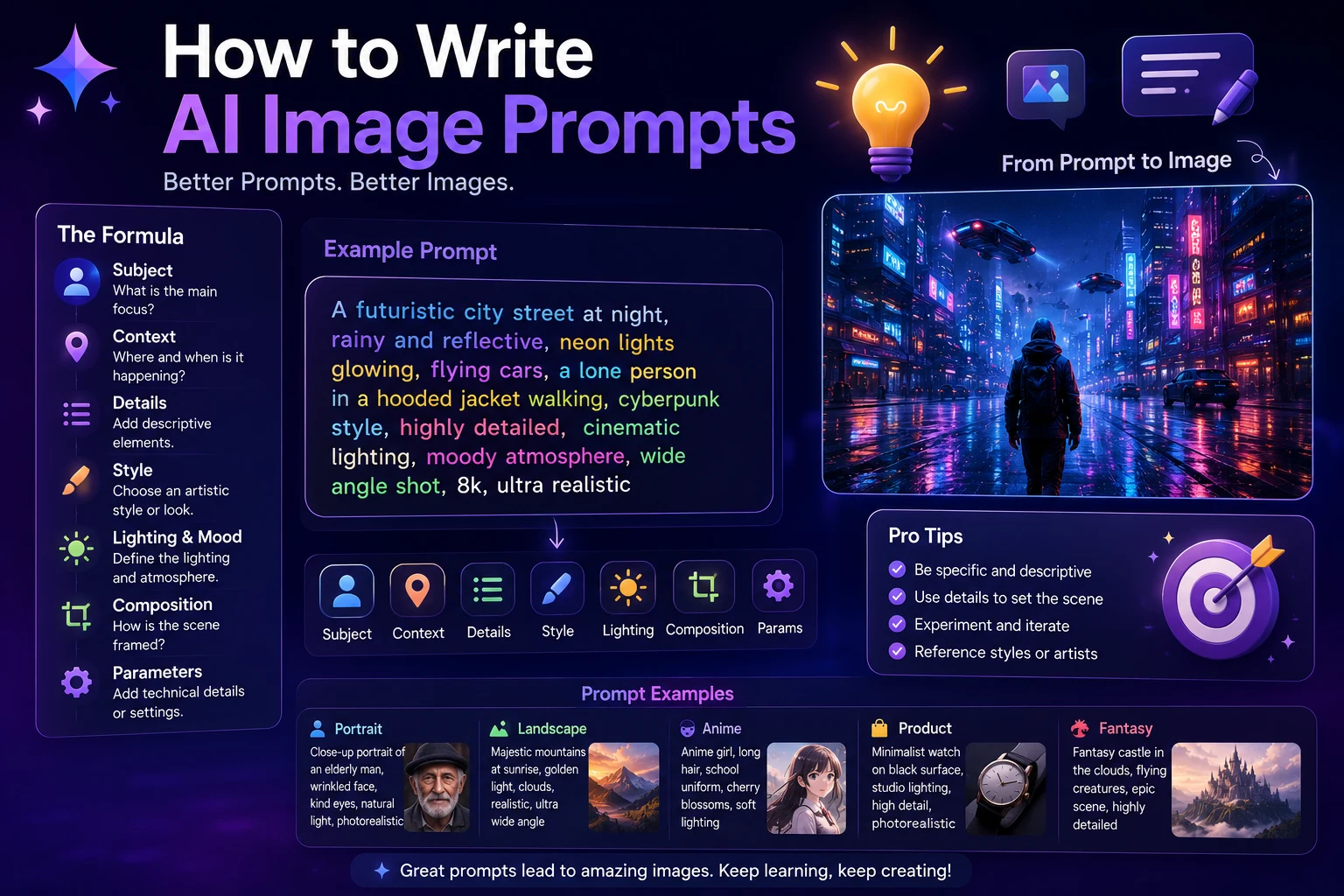
A Simple AI Image Prompt Formula
A useful beginner-friendly structure is:
Subject + Environment + Style + Lighting + Composition + Mood
For example:
A professional woman working on a laptop, modern technology office, realistic photography, soft natural window light, medium shot, focused and professional atmosphere.
This structure gives you enough control without requiring complicated prompt engineering.
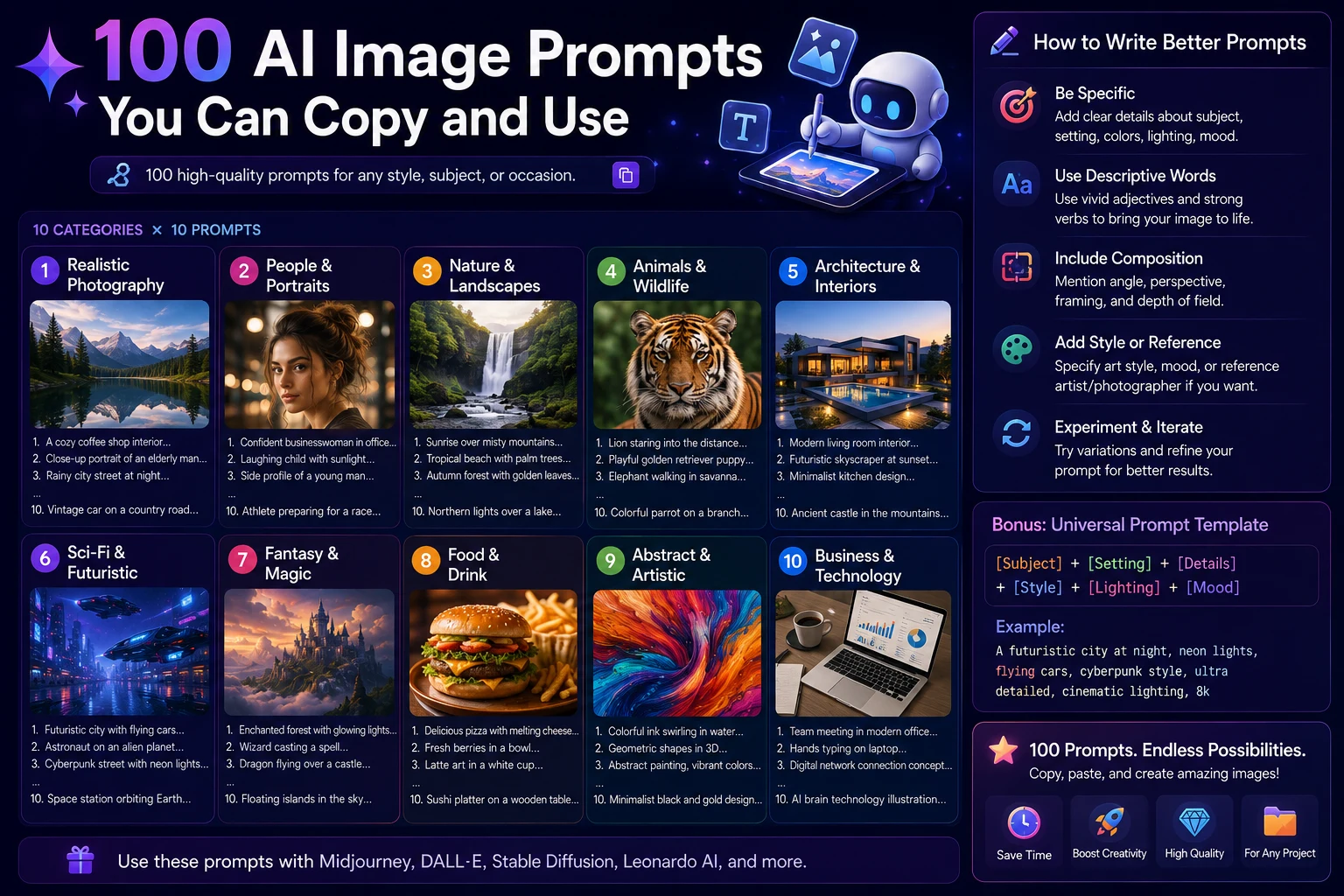
10 Beginner AI Image Prompts
1. Blog Image
Modern AI technology workspace with laptop, glowing digital interfaces, blue and purple lighting, premium 3D illustration, clean composition, no readable text.
2. Social Media Image
Stylish young content creator working in a modern home studio, camera and laptop on desk, soft natural lighting, realistic lifestyle photography, vibrant professional atmosphere.
3. Product Image
Premium wireless headphones displayed on a minimalist reflective surface, soft studio lighting, realistic commercial product photography, elegant composition.
4. Travel Image
Beautiful tropical beach with turquoise water, palm trees, white sand, golden sunset, cinematic travel photography, realistic natural colors.
5. Business Image
Professional business team collaborating in a modern office, laptops on a conference table, natural window lighting, realistic corporate photography, energetic atmosphere.
6. Technology Image
Futuristic artificial intelligence concept with glowing neural network and digital connections, dark background, blue and purple lighting, premium 3D render.
7. Food Image
Gourmet pasta dish served on an elegant ceramic plate, warm restaurant lighting, realistic food photography, detailed textures, premium commercial composition.
8. Portrait
Professional portrait of a confident young entrepreneur, modern office background, soft natural lighting, shallow depth of field, realistic photography.
9. Education Image
Student studying with laptop and books in a modern library, soft natural window light, realistic photography, calm academic atmosphere.
10. Creative Artwork
Futuristic city at night with glowing skyscrapers, flying vehicles, neon lights, wet streets, cinematic science fiction artwork, highly detailed environment.
Common Mistakes Beginners Should Avoid
1. Making the Prompt Too Vague
A prompt such as "make a nice AI picture" gives the generator very little useful information.
Instead, describe the subject, environment, style, and mood.
2. Adding Too Many Unnecessary Details
More words do not automatically produce better images. Focus on the details that actually matter for the visual result.
3. Expecting the First Result to Be Perfect
AI image generation is often an iterative process. Generate a first version, identify what needs improvement, and then refine your instructions.
4. Ignoring Aspect Ratio
The ideal image dimensions depend on where you plan to use the image.
- 1:1: Square social media posts
- 16:9: Blog banners, presentations, and YouTube thumbnails
- 9:16: TikTok, Reels, and Shorts
- 4:5: Portrait-oriented social media posts
5. Forgetting to Check the Final Image
Always inspect the generated image before publishing it. Look for incorrect objects, strange hands, distorted faces, unwanted text, inconsistent shadows, or other visual problems.
How to Get Better AI Images
Once you're comfortable with basic prompts, you can improve your results by adding more specific visual information.
Be Specific About the Subject
Instead of:
A car.
Try:
A modern electric sports car parked on a wet city street at night.
Describe the Camera
For realistic photography, camera language can help communicate the desired composition.
You can mention terms such as:
- Close-up portrait
- Wide-angle shot
- Aerial view
- Medium shot
- Low-angle shot
- Shallow depth of field
Describe the Lighting
Lighting can dramatically change the mood of an image.
- Soft natural light
- Golden-hour lighting
- Dramatic studio lighting
- Neon lighting
- Warm evening light
- Moody cinematic lighting
Use a Consistent Visual Style
If you're creating several images for the same website or brand, try to keep the visual style consistent.
You might use the same color palette, lighting style, composition, and level of realism across the entire collection.
Can Beginners Create Professional AI Images?
Yes. You don't need professional design experience to start creating high-quality AI visuals.
However, producing consistently strong results takes practice. The biggest improvement usually comes from learning how to describe what you want and how to refine the result after each generation.
The best AI image generator for you may also depend on your specific goal. Current comparisons show that different tools specialize in different areas, including ease of use, artistic quality, text rendering, editing, and commercial workflows.
Are AI Image Generators Free?
Many AI image platforms offer some form of free access, credits, trials, or limited daily generations. However, the exact limits and features vary between services and plans.
Some tools provide a free allowance while paid plans increase generation limits or unlock additional models and features. Current 2026 comparisons show significant differences between platforms in free access and pricing.
Before choosing a tool, check its current pricing and usage limits because these can change over time.
Can AI-Generated Images Be Used Commercially?
Commercial use depends on the specific AI service, model, and plan you are using.
If you plan to use an AI-generated image for a business, advertisement, website, product, or client project, review the provider's current terms and licensing conditions before publishing it.
Commercial-use rights can differ significantly between platforms and plans, so don't assume that every generated image has identical usage rights.
What Is the Best AI Image Generator for Beginners?
There isn't one universal answer.
If your priority is the simplest conversational experience, ChatGPT and Google Gemini are strong starting points. If you want to create complete social media designs, Canva can be particularly convenient. If your images need accurate text, Ideogram is worth considering. If artistic quality is your main priority, Midjourney is a popular choice.
The best approach is to try one or two tools and learn how they respond to your prompts before paying for multiple subscriptions.
Final Verdict
AI image generators have made image creation much more accessible. Beginners can now create useful visuals without years of design experience or complicated software.
Start with a simple tool, describe your idea clearly, generate an image, and refine it. You don't need to master advanced prompt engineering before creating your first useful image.
As you gain experience, experiment with different styles, aspect ratios, lighting techniques, and composition instructions. Over time, you'll develop a prompting style that works well for your projects.
The most important thing is to start experimenting. The best AI image generator is ultimately the one that fits your workflow, produces the type of images you need, and is easy enough for you to use consistently.
Frequently Asked Questions
What is the easiest AI image generator for beginners?
Conversational tools such as ChatGPT and Google Gemini are among the easiest starting points because you can describe what you want using natural language. Canva is also useful when you want to combine AI-generated images with simple graphic design.
Can I create AI images without design experience?
Yes. AI image generators are designed to create images from natural-language instructions, so you can start without professional design experience.
Do I need to know prompt engineering?
No. Beginners can start with simple descriptions. As you gain experience, adding details about the subject, environment, style, lighting, and composition can help you achieve more consistent results.
What should my first AI image prompt look like?
Start by describing the subject and environment, then add the visual style and lighting. For example: "A modern laptop on a wooden desk in a bright home office, realistic photography, soft morning light."
Can AI generate realistic photos?
Yes. Modern AI image generators can produce highly realistic-looking images, although results vary between models and prompts. Current testing shows that photorealism has improved significantly, but AI-generated images can still contain visual errors that should be checked before publication.
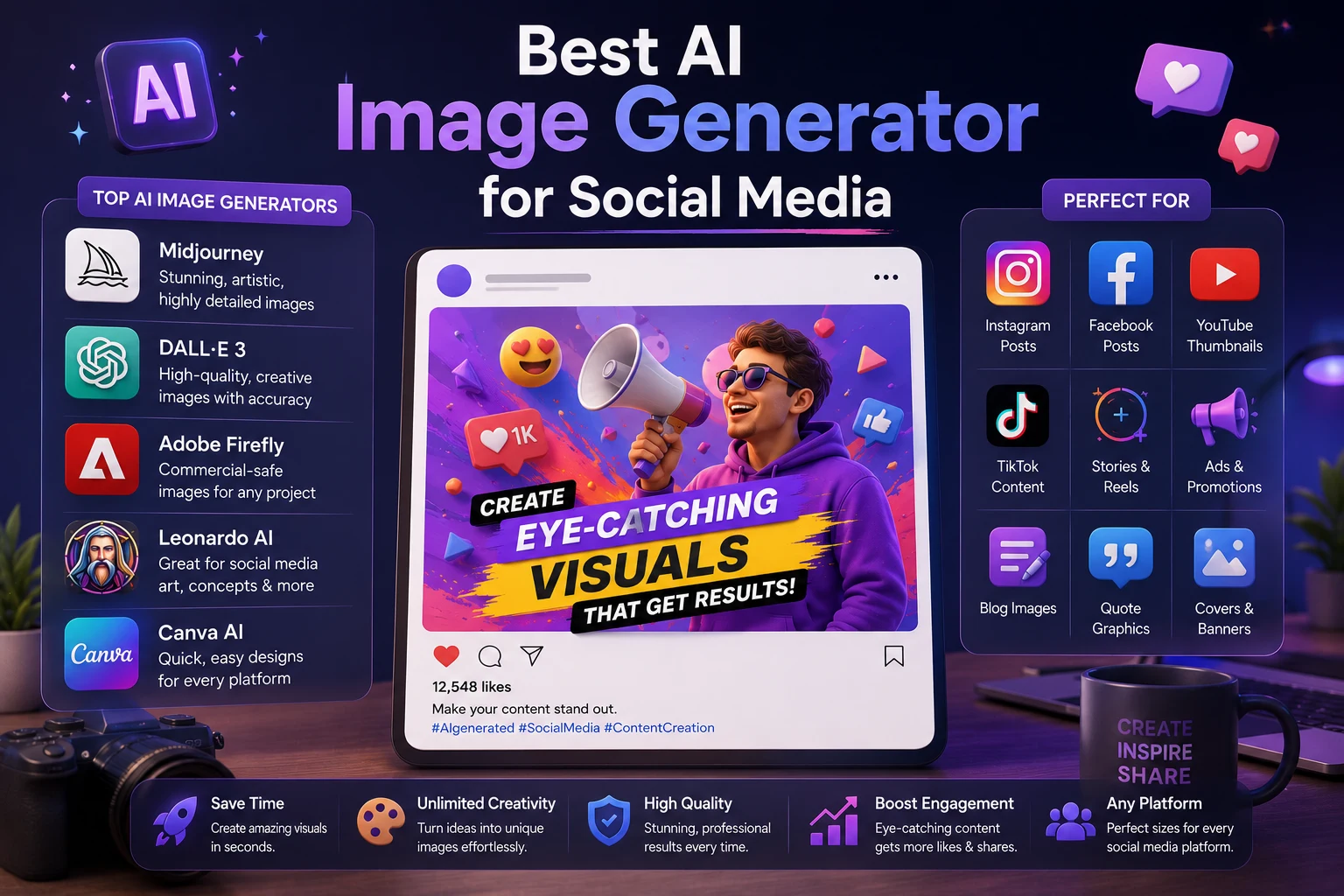
Which AI image generator is best for social media?
Canva is particularly convenient when you want to generate an image and immediately turn it into a social media design. Other generators can also produce strong social visuals, especially when you specify the desired aspect ratio and composition.
How many AI image generators should a beginner try?
Start with one or two. Learning how to write and refine prompts is generally more useful than subscribing to many different platforms at once.