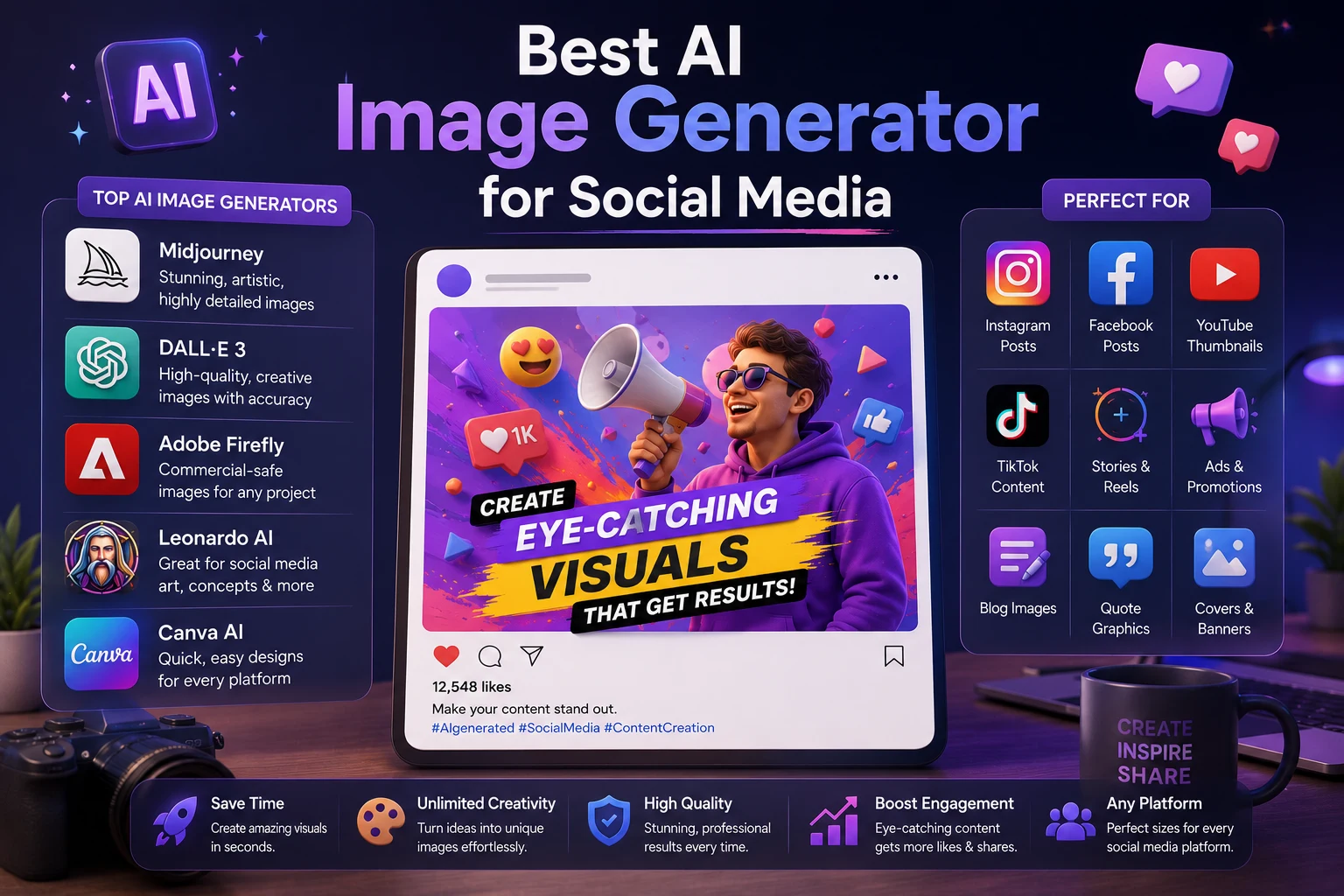

Creating eye-catching images for social media can take a lot of time. You need attractive visuals, the right dimensions, engaging designs, and content that matches your brand.
AI image generators have made this process much easier. Instead of creating every image manually, you can describe what you want and generate visual content in seconds.
In 2026, there are many AI image tools available, but they are not all designed for the same purpose. Some are better for realistic images, while others are better for social media designs, text, branding, or creative experimentation.
In this guide, we'll look at the best AI image generators for social media in 2026 and explain which tool is best for Instagram, TikTok, Facebook, YouTube, and other platforms.
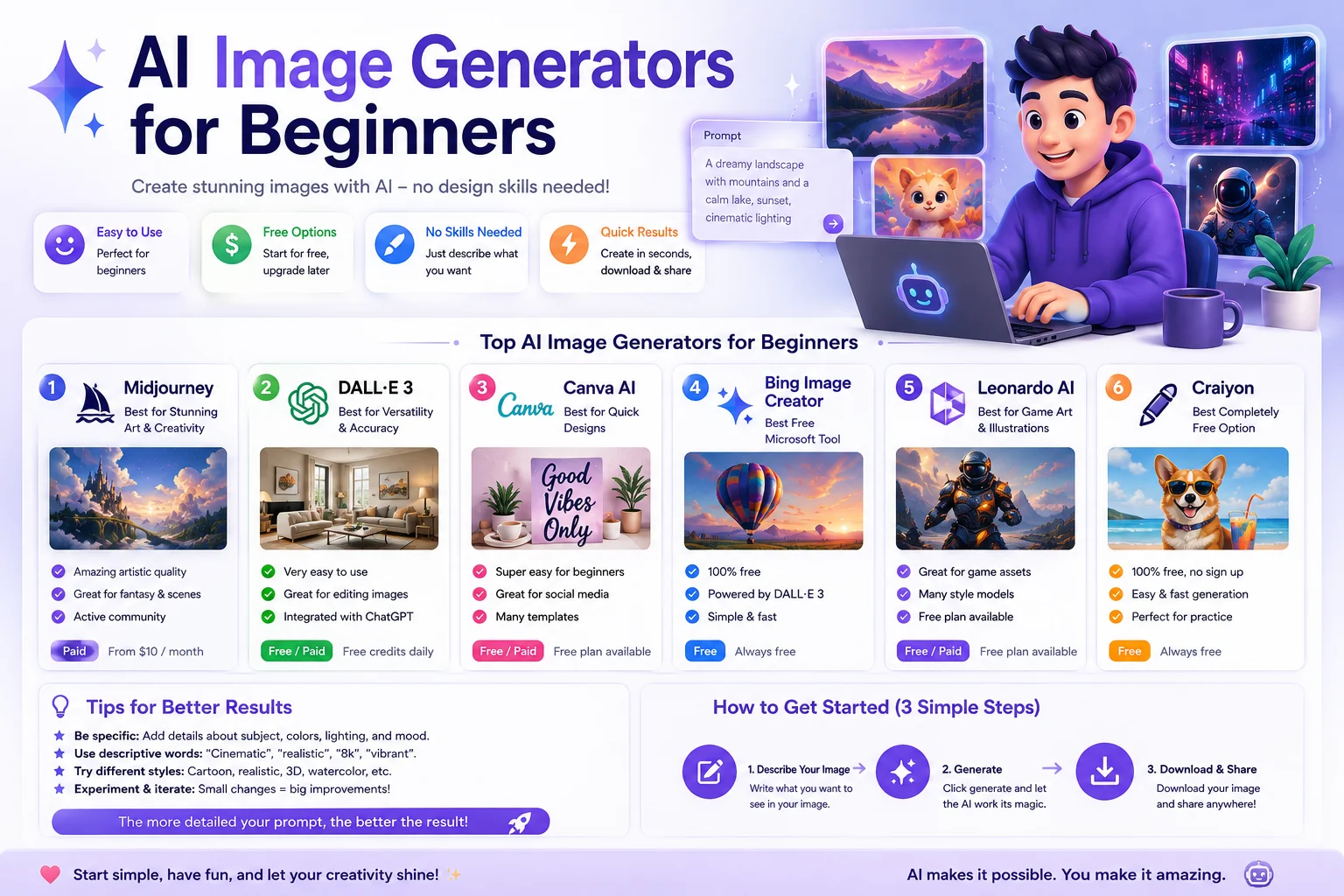
Best AI Image Generators for Social Media
| AI Tool | Best For | Main Strength |
|---|---|---|
| ChatGPT | Social media visuals | Easy image creation and editing |
| Midjourney | Creative visuals | Artistic and highly detailed images |
| Adobe Firefly | Marketing and design | Creative workflows and Adobe integration |
| Canva | Social media designs | Templates, layouts, and AI tools |
| Ideogram | Images with text | Strong typography generation |
| Google Gemini | Quick AI visuals | Easy multimodal workflows |
1. ChatGPT
ChatGPT is one of the most convenient options for creating social media images because you can describe the visual you want using natural language and refine the result through conversation.
Instead of learning complicated image-generation settings, you can simply explain your idea, ask for changes, and iterate until the image matches your needs.
Why use ChatGPT for social media?
- Simple natural-language image prompts
- Useful for brainstorming visual concepts
- Can help create different visual styles
- Useful for editing and improving images
- Works well for content creators
Best for: Creators who want an easy AI image workflow without complicated tools.
2. Midjourney
Midjourney is well known for producing highly detailed and visually distinctive AI-generated images. It is particularly attractive to creators who care about artistic quality and creative styles.
You can use it to create backgrounds, characters, product concepts, cinematic scenes, illustrations, and other visuals for social media.
Why use Midjourney?
- Highly detailed images
- Strong artistic styles
- Cinematic visuals
- Creative concept generation
- Useful for branded visual content
Best for: Creators who want distinctive and visually impressive social media artwork.
3. Adobe Firefly
Adobe Firefly is designed for creators and designers who want AI-powered image generation within a broader creative workflow.
It can be useful for marketing graphics, advertisements, social media visuals, product concepts, and creative design tasks.
Why use Adobe Firefly?
- AI image generation
- Creative editing tools
- Useful for marketing designs
- Adobe ecosystem integration
- Professional design workflows
Best for: Designers, marketers, and businesses already using Adobe tools.
4. Canva
Canva is particularly useful when you need more than just an AI-generated image. Social media content often requires a complete design containing images, layouts, branding elements, graphics, and sometimes text.
Canva combines AI-powered features with templates and a visual editor, making it convenient for creating finished social media posts.
Why use Canva?
- Social media templates
- AI-powered design features
- Easy drag-and-drop editing
- Branding tools
- Multiple social media formats
Best for: Beginners, marketers, businesses, and creators who want complete social media designs.
5. Ideogram
Ideogram is particularly interesting for social media creators who need images that include readable text, typography, logos, headlines, or poster-style designs.
Text generation inside AI images has historically been challenging, so tools that focus on typography can be useful for certain social media workflows.
Why use Ideogram?
- Strong typography-focused generation
- Poster-style designs
- Social media graphics
- Creative advertisements
- Useful for text-heavy visuals
Best for: Creators who need text and typography to be an important part of the image.
6. Google Gemini
Google Gemini can also be useful for creating and working with images in supported experiences. Its conversational interface makes it convenient for users who want to describe an idea and refine it through follow-up instructions.
Gemini can be particularly useful when image generation is part of a broader workflow involving research, writing, brainstorming, and content planning.
Best for: Users who want AI image generation alongside Google's broader AI ecosystem.
Which AI Image Generator Is Best for Instagram?
Instagram relies heavily on visual content, so image quality and composition are especially important.
For artistic and highly visual posts, Midjourney can be a strong option.
For complete posts combining images, text, layouts, and branding, Canva is often more convenient.
For quick conversational image creation and editing, ChatGPT is a strong choice.
Best options for Instagram: ChatGPT, Midjourney, and Canva.
Which AI Image Generator Is Best for TikTok?
TikTok is primarily a video platform, but images are still useful for thumbnails, slideshows, carousel-style content, backgrounds, and promotional graphics.
Canva is useful for quickly creating correctly formatted social graphics, while ChatGPT and Midjourney can help generate original visual concepts.
Best options for TikTok: Canva for designs, ChatGPT for easy generation, and Midjourney for creative visuals.
Which AI Image Generator Is Best for Facebook?
Facebook supports many different types of visual content, including posts, advertisements, promotional graphics, event images, and branded content.
Canva is particularly useful for businesses that need complete designs, while Adobe Firefly can be a strong choice for professional marketing workflows.
Best options for Facebook: Canva and Adobe Firefly.
Which AI Image Generator Is Best for YouTube?
YouTube creators frequently need thumbnails, channel graphics, promotional images, and backgrounds.
Ideogram can be useful when a thumbnail depends heavily on typography, while Midjourney can help create dramatic visual concepts.
Canva is useful when you need to combine generated images with text, logos, and other thumbnail elements.
Best options for YouTube: Canva, Midjourney, Ideogram, and ChatGPT.
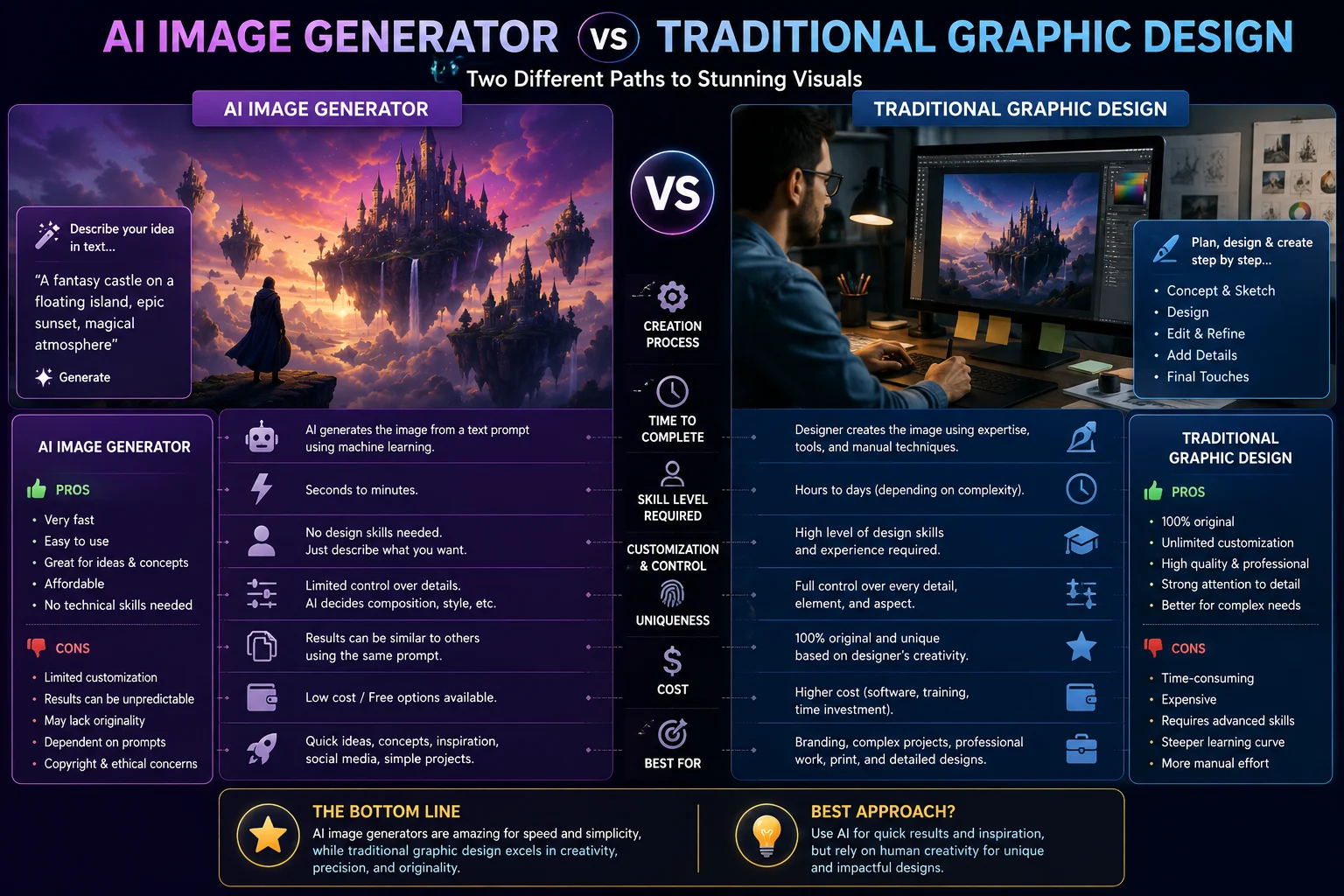
AI Image Generator vs Traditional Graphic Design
AI image generators are not necessarily replacements for traditional graphic design. Instead, they can make the creative process faster.
A creator can generate a background with AI, edit it in a design tool, add branding, resize it for different platforms, and publish the final result.
This hybrid workflow can be more practical than relying entirely on either AI or manual design.
How to Create Better Social Media Images With AI
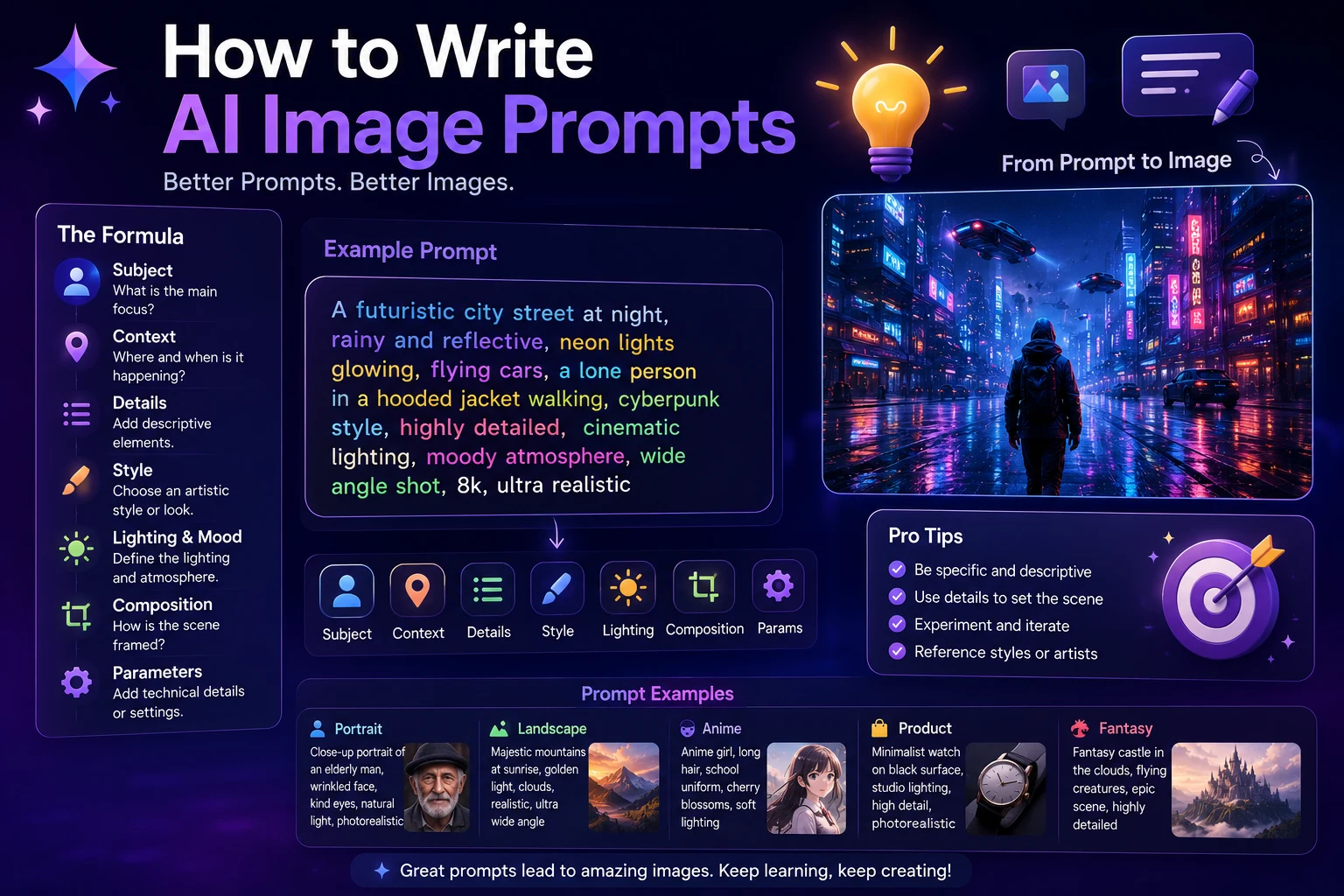
The quality of the final image depends heavily on how clearly you describe your idea.
A useful social media prompt can include the following elements:
- Subject: What should appear in the image?
- Style: Realistic, cinematic, 3D, illustrated, minimal, or another style.
- Composition: Describe the position and framing of important elements.
- Lighting: Specify natural, studio, dramatic, soft, or colorful lighting.
- Colors: Include your brand colors when appropriate.
- Mood: Professional, energetic, elegant, playful, or emotional.
- Platform: Explain whether the image is for Instagram, TikTok, Facebook, or YouTube.
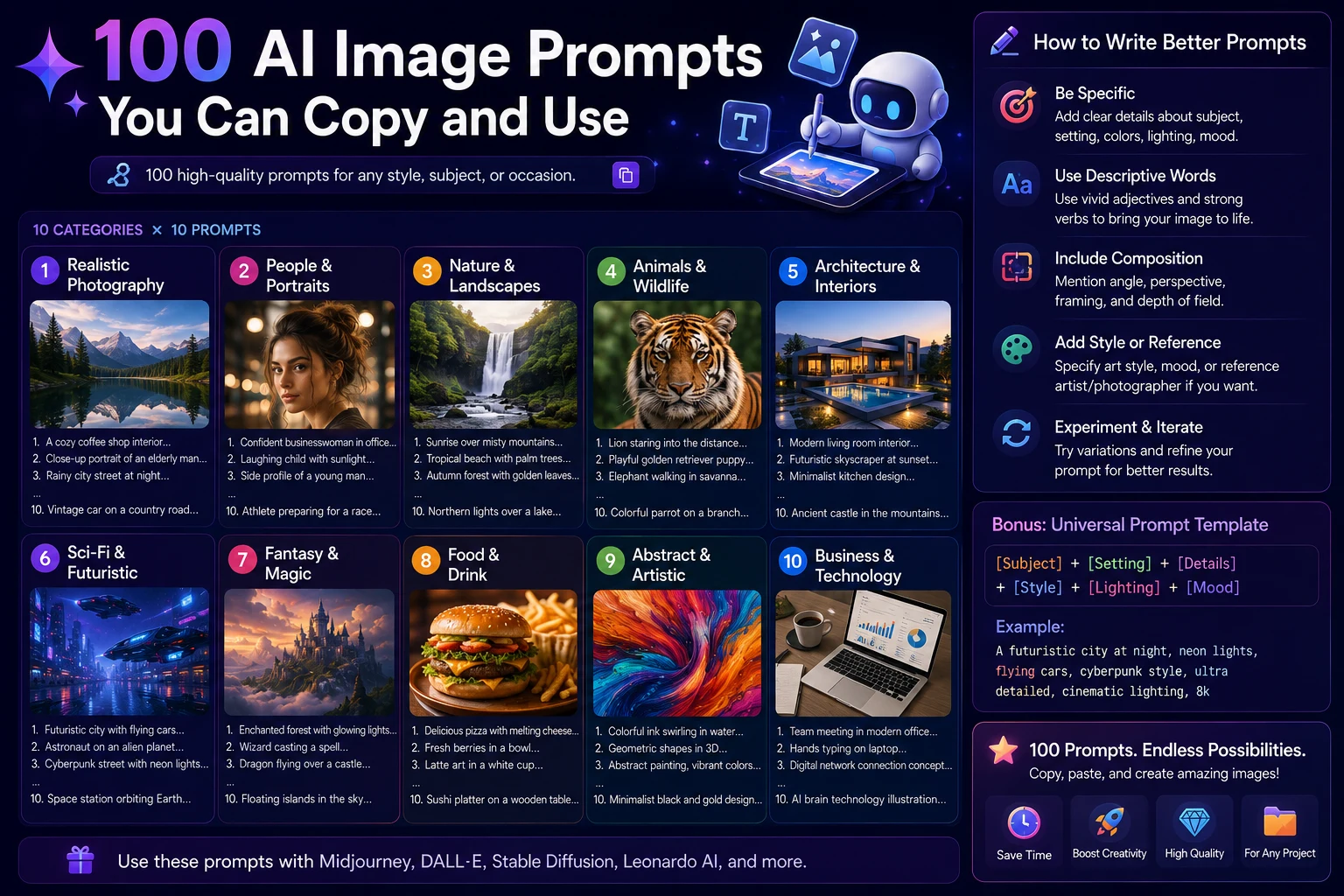
Example AI image prompt
A premium social media marketing image for an AI technology brand, modern futuristic workspace, glowing AI interface elements, professional composition, purple and blue lighting, realistic 3D style, clean background, high-end commercial photography, optimized for a social media post.
Best AI Image Generator for Social Media Marketing
If you're creating social media content for a business, the best tool depends on your workflow.
- ChatGPT: Great for generating and refining visual concepts.
- Canva: Great for complete branded social media designs.
- Adobe Firefly: Great for professional creative workflows.
- Midjourney: Great for highly creative visual campaigns.
- Ideogram: Great for graphics where typography is important.
How to Choose the Right AI Image Generator
Before choosing an AI image generator, think about what you actually need.
- Decide which social media platforms you use.
- Determine whether you need images or complete designs.
- Consider whether text needs to appear inside the image.
- Think about your preferred visual style.
- Check whether you need brand templates and editing tools.
- Compare free and paid plans.
- Review commercial-use and licensing terms.
Final Verdict
The best AI image generator for social media depends on the type of content you create.
ChatGPT is a strong all-around option for creators who want simple conversational image generation and editing.
Midjourney is a great choice for highly creative and visually impressive artwork.
Adobe Firefly is well suited to professional creative and marketing workflows.
Canva is one of the most practical choices for creators who want to turn AI-generated visuals into complete social media designs.
Ideogram is worth considering when text and typography are central to the image.
There is no single AI image generator that is perfect for everyone. The right choice depends on whether your priority is visual quality, branding, typography, editing, simplicity, or speed.
Frequently Asked Questions
What is the best AI image generator for social media?
ChatGPT, Midjourney, Canva, Adobe Firefly, and Ideogram are all useful options. The best choice depends on whether you need image generation, complete designs, typography, or professional editing.
What is the best AI image generator for Instagram?
Midjourney can be useful for creative visuals, while Canva is convenient for complete Instagram designs. ChatGPT is also useful for quickly generating and refining visual concepts.
Can AI create social media posts?
Yes. AI tools can help generate images, captions, design ideas, backgrounds, advertisements, and other social media content. Some platforms also combine AI generation with templates and editing tools.
Can I use AI-generated images commercially?
Commercial usage depends on the specific platform, model, and plan. Always review the provider's current licensing and commercial-use terms before using AI-generated images in advertisements, client work, or business campaigns.
Can AI create images with text?
Yes. Modern AI image generators have improved significantly at generating text, although results can still vary depending on the tool and the complexity of the design. Ideogram is particularly focused on text-oriented image generation.
Should I use AI or Canva for social media?
You don't necessarily have to choose one. A useful workflow is to generate an original visual with an AI image generator and then use Canva or another design tool to add branding, layouts, and platform-specific elements.