Google Gemini has evolved from a simple AI chatbot into a broader assistant that can help with research, writing, learning, coding, image generation, planning, and everyday productivity.
The Gemini ecosystem now includes features such as Deep Research, Gemini Live, image generation and editing, connected Google apps, Gems, Canvas, file analysis, learning tools, and more. The exact features available can depend on your account, device, plan, language, and location.
In this guide, we'll explore some of the most useful Google Gemini features you should know and explain how they can fit into your daily workflow.
Google Gemini Features at a Glance
| Feature | Best For | What It Does |
|---|---|---|
| Gemini Chat | Questions and ideas | Answers questions and helps with conversations, writing, and brainstorming |
| Gemini Live | Natural conversations | Lets you interact with Gemini through more natural voice conversations |
| Deep Research | Research | Helps investigate complex topics and organize research |
| Image Generation | Creative work | Creates and edits AI-generated images |
| File Analysis | Documents and data | Lets you upload and analyze supported files |
| Gems | Repeated tasks | Creates customized versions of Gemini for specific workflows |
| Canvas | Projects | Helps create and work on documents, apps, and other content |
| Connected Apps | Productivity | Works with supported Google services and connected applications |
1. Ask Gemini Questions and Have Conversations
The basic Gemini experience lets you interact with the AI through natural-language conversations. You can ask questions, brainstorm ideas, learn concepts, summarize information, write content, and continue a conversation with follow-up questions.
Gemini also supports different input methods, including text, voice, photos, and camera-based interactions on supported devices.
For example, you could ask:
Explain machine learning to me as if I'm a complete beginner. Then give me three simple examples from everyday life.
You can then continue asking questions without having to repeat the entire context.
2. Gemini Live
Gemini Live is designed for more natural, conversational interactions. Instead of treating the AI like a traditional text chatbot, you can have a more fluid conversation using your voice.
This can be useful when you're brainstorming, practicing a language, asking questions while moving around, or simply prefer speaking instead of typing. Google currently lists Gemini Live among the Gemini mobile app capabilities.
Example Uses
- Practice conversations in another language.
- Brainstorm ideas by voice.
- Ask questions while working on another task.
- Talk through a problem step by step.
- Get explanations without typing long prompts.
3. Deep Research
Deep Research is designed for more complex research tasks. Instead of asking a simple question and receiving a short answer, you can use it when you need to investigate a topic more thoroughly.
Google's Gemini help documentation currently lists Deep Research as one of the research capabilities available in Gemini Apps.
For example:
Research the current state of AI coding assistants. Compare their major features, strengths, limitations, and use cases, and organize the findings into a structured report.
Deep Research can be particularly useful for students, writers, marketers, researchers, and professionals who need to explore a topic before making a decision.
4. Generate and Edit Images
Gemini can also be used for AI image generation and image-related tasks. Google lists image generation and editing among the creative capabilities available in Gemini Apps.
You can describe the image you want using a natural-language prompt.
Create a realistic professional image of a modern AI workspace with a laptop, futuristic interface, soft studio lighting, and a clean technology aesthetic.
You can also provide an image and ask Gemini to analyze or work with it where supported.
5. Understand Images With Gemini
Gemini is not limited to generating images. You can also use photos or camera input to ask questions about what you see.
Google's documentation explains that users can take or upload a photo and ask Gemini questions about it. On supported Android experiences, Gemini can also work with content shown on the screen.
Examples
- Ask what an object in a photo is.
- Ask Gemini to explain a diagram.
- Analyze a screenshot.
- Ask questions about a document image.
- Get help understanding visual information.
6. Use Gemini for Writing
Gemini can help with many writing tasks, including brainstorming, rewriting, grammar correction, translation, summarization, and drafting.
Google specifically lists writing, grammar correction, and translation among Gemini's capabilities.
For example:
Rewrite this paragraph to make it clearer and more professional while keeping the original meaning.
You can also ask Gemini to change the tone, shorten a passage, create an outline, or turn notes into a structured article.
7. Use Gemini for Learning
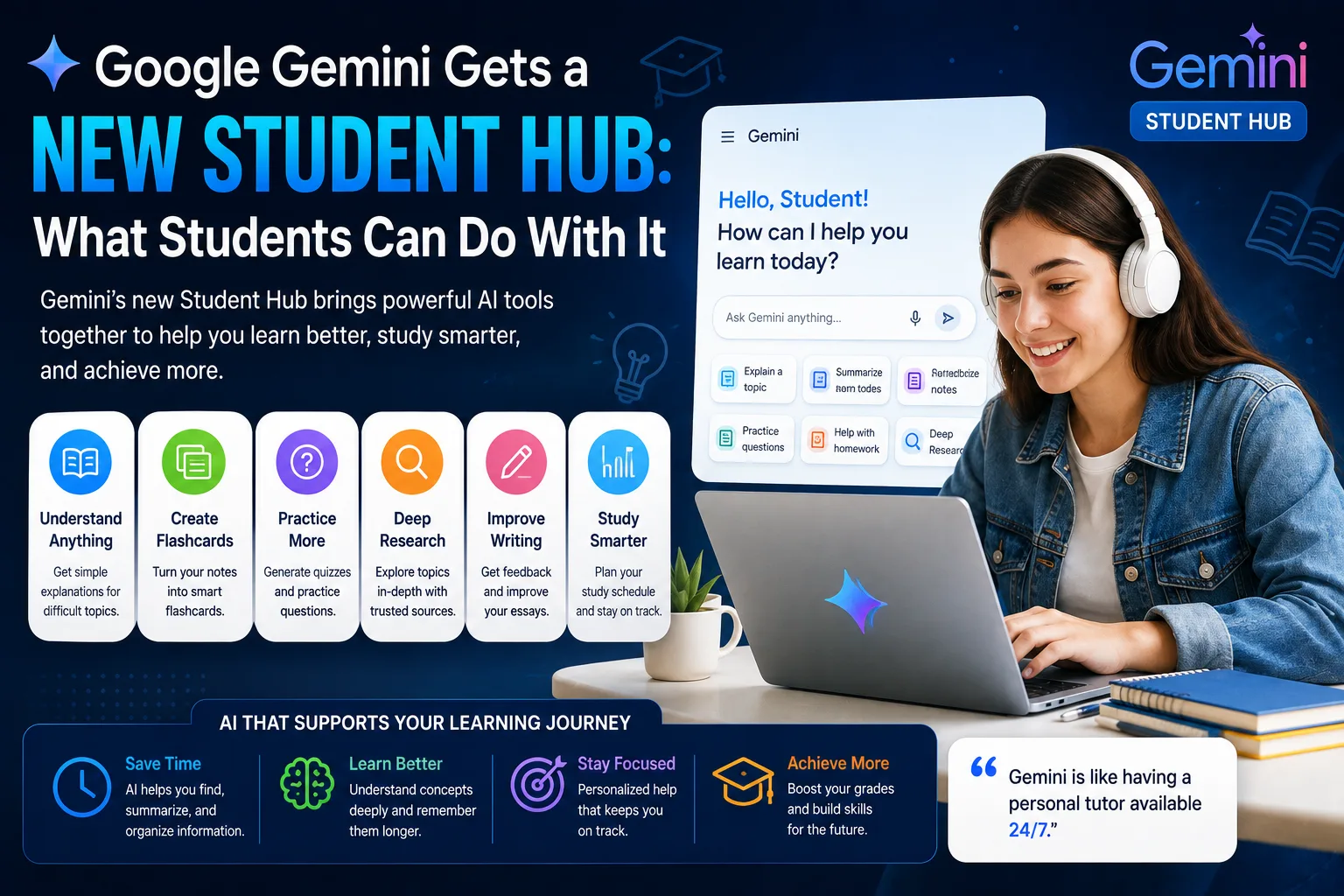
Gemini can act as an interactive learning assistant. Instead of simply asking for an answer, you can ask it to explain a topic, provide examples, create questions, or guide you through a concept step by step.
Google's Gemini documentation highlights learning as one of the core uses of the Gemini mobile app and also lists dedicated learning tools in Gemini Apps.
Teach me the basics of Python. Start with variables and give me a simple exercise. Don't move to the next topic until I understand the current one.
8. Analyze Files
Gemini can work with supported uploaded files, making it useful when you need to summarize or analyze information contained in documents and other files.
Google currently lists file upload and analysis as one of the Gemini Apps capabilities.
This can be useful for:
- Summarizing documents.
- Extracting important information.
- Analyzing reports.
- Understanding study materials.
- Reviewing structured information.
9. Connect Gemini With Google Apps
One of Gemini's useful advantages is its ability to work with supported connected apps and Google services.
Google documents support for connected services such as Gmail, Docs, and Drive, although availability depends on the account and feature.
For example, Gemini can help you find or summarize information from supported Google services instead of requiring you to manually copy everything into a prompt.
Examples
- Summarize information from Gmail.
- Find information in Google Drive.
- Work with supported Google Workspace content.
- Use connected services as part of a workflow.
10. Create Custom Gems
Gems are customized versions of Gemini designed to help with repeated tasks or specialized workflows.
Google describes Gems as customized versions of Gemini that can follow specific instructions and help with recurring goals. You can use premade Gems or create customized instructions for your own use.
Example Gem Ideas
- English language tutor.
- Blog writing assistant.
- Programming tutor.
- SEO content assistant.
- Study planner.
- Business brainstorming assistant.
For example, you could create a Gem with instructions such as:
Act as my English tutor. Correct my grammar, explain my mistakes in simple English, and give me a short exercise after every correction.
11. Canvas for Creating Projects
Canvas provides a workspace for creating and working with content and projects. Google currently lists Canvas among the Gemini Apps capabilities for creating documents, apps, and more.
This can be useful when a normal chat response isn't enough and you want to work on a larger piece of content or project.
Potential Uses
- Create documents.
- Develop content.
- Work on app ideas.
- Organize larger projects.
- Iterate on generated content.
12. Use Gemini for Coding
Gemini can help developers generate code, explain programming concepts, debug errors, review code, and work through technical problems.
You can provide an error message and relevant code and ask Gemini to identify the likely cause.
I'm using PHP and MySQL. This query returns an empty result even though the database contains the expected record. Analyze the query and explain the possible causes.
For better results, provide your programming language, framework, relevant code, error message, and expected behavior.
13. Summarize Information in Different Formats
Gemini can summarize information in formats such as lists, tables, and charts where supported. Google's documentation specifically mentions being able to request an overview in formats including lists, tables, or charts.
For example:
Summarize the following article in a table with three columns: main idea, important details, and practical takeaway.
This is useful when you want to transform a long piece of information into something easier to scan.
14. Use Gemini With Google Maps and Flights
Gemini can also help with planning activities and trips using supported Google services.
Google currently documents capabilities involving Google Maps and Google Flights, including help with planning and creating travel itineraries.
For example, you could ask for a travel plan based on a destination, duration, interests, and budget preferences.
15. Use Gemini on Your Screen
On supported Android experiences, Gemini can be invoked over other apps and asked questions about what is displayed on the screen. Google gives examples such as asking Gemini to summarize a webpage or provide more information about something in a picture.
This can make Gemini useful when you don't want to manually copy information from another application.
16. Voice Commands and Mobile Assistance
On supported Android devices, Gemini can work as a mobile assistant and can respond to voice interactions. Some assistant-related capabilities vary by language, country, account, and device.
You can use voice interaction for tasks such as asking questions, getting information, or interacting with supported features.
17. Create Quizzes and Study Materials
Gemini's learning capabilities can also be useful for students. Google currently lists tools for creating quizzes, flashcards, and other learning materials among Gemini Apps features.
For example:
Create a 15-question quiz about the causes of World War I. Start with basic questions and gradually increase the difficulty. Don't show the answers until I finish.
This turns Gemini from a simple answer engine into a more interactive study assistant.
18. Personalize Gemini's Responses
Gemini includes personalization capabilities that can help tailor responses to your preferences and recurring needs. Google's current Gemini help resources include personalization and memory-related settings.
When available for your account, personalization can make repeated interactions more useful because you don't always have to explain the same preferences from scratch.
19. Import and Work With Other Content
Google's current Gemini Apps help center also lists capabilities for importing content from other AI platforms and working with connected services. Availability can vary by account and region.
This can be useful if you're moving an existing workflow into Gemini or want to continue working with content created elsewhere.
20. Gemini Across Devices and Services
Gemini is no longer limited to a single chatbot interface. Google's current documentation covers Gemini on the web, Android, iOS, Mac, Chrome, Google Messages, Maps, Android Auto, and other supported experiences.
The exact experience differs depending on the device and account, but the broader ecosystem makes Gemini useful across different parts of your digital workflow.
How to Get the Most From Gemini
Having many features is useful, but the quality of your results still depends heavily on how you interact with Gemini.
Give Gemini Context
Instead of asking vague questions, explain your goal, audience, preferred format, and relevant background.
Use Follow-Up Questions
You don't need to create a perfect prompt every time. Start with a useful request and refine the result through follow-up questions.
Ask for Specific Formats
If you want a table, checklist, summary, outline, examples, or step-by-step instructions, say so explicitly.
Verify Important Information
AI systems can make mistakes. Google itself warns that Gemini may provide inaccurate or inappropriate information and recommends double-checking responses.
Who Should Use Google Gemini?
| User | Useful Gemini Features |
|---|---|
| Students | Learning, quizzes, summaries, research, and explanations |
| Writers | Brainstorming, rewriting, research, and content creation |
| Developers | Coding, debugging, explanations, and technical research |
| Researchers | Deep Research, summaries, and file analysis |
| Creators | Image generation, brainstorming, and creative workflows |
| Professionals | Productivity, connected apps, planning, and document work |
Final Thoughts
Google Gemini has grown into a broad AI ecosystem rather than simply a chatbot. Its features can support research, writing, studying, coding, image creation, file analysis, planning, and everyday productivity.
Some of the most useful features to explore include Deep Research, Gemini Live, image generation, file analysis, Gems, Canvas, and connected Google apps.
The most important thing to remember is that not every feature is available to every user. Availability can depend on your Google account, subscription, device, language, country, and other eligibility requirements.
Rather than trying to use every feature at once, start with the capabilities that match your needs. If you study, explore Gemini's learning tools. If you research, try Deep Research. If you create content, experiment with writing and image generation. If you work with Google services, explore connected apps.
Frequently Asked Questions
What is Google Gemini?
Google Gemini is Google's family of AI-powered applications and models that can assist with conversations, writing, learning, research, coding, image generation, and other tasks.
What are the best Google Gemini features?
Some of the most useful features include Deep Research, Gemini Live, image generation, file analysis, Gems, Canvas, learning tools, and integrations with supported Google services.
Can Gemini generate images?
Yes. Google currently lists AI image generation and image editing among Gemini Apps capabilities, although availability can vary by account and location.
Can Gemini help with coding?
Yes. Gemini can be used as a coding assistant for generating, explaining, debugging, and reviewing code. You should always test and review AI-generated code before using it in production.
Can Gemini analyze files?
Yes. Google currently lists file upload and analysis among Gemini Apps capabilities. The supported file types and limits can vary depending on the current product and account.
What are Gemini Gems?
Gems are customized versions of Gemini designed to help with recurring tasks or specialized workflows. You can use premade Gems or create custom instructions for your own needs.
Is every Gemini feature available for free?
Not necessarily. Feature availability and limits can depend on your account, Google AI plan, device, location, and other eligibility requirements. Check Google's current Gemini documentation for the features available to your account.