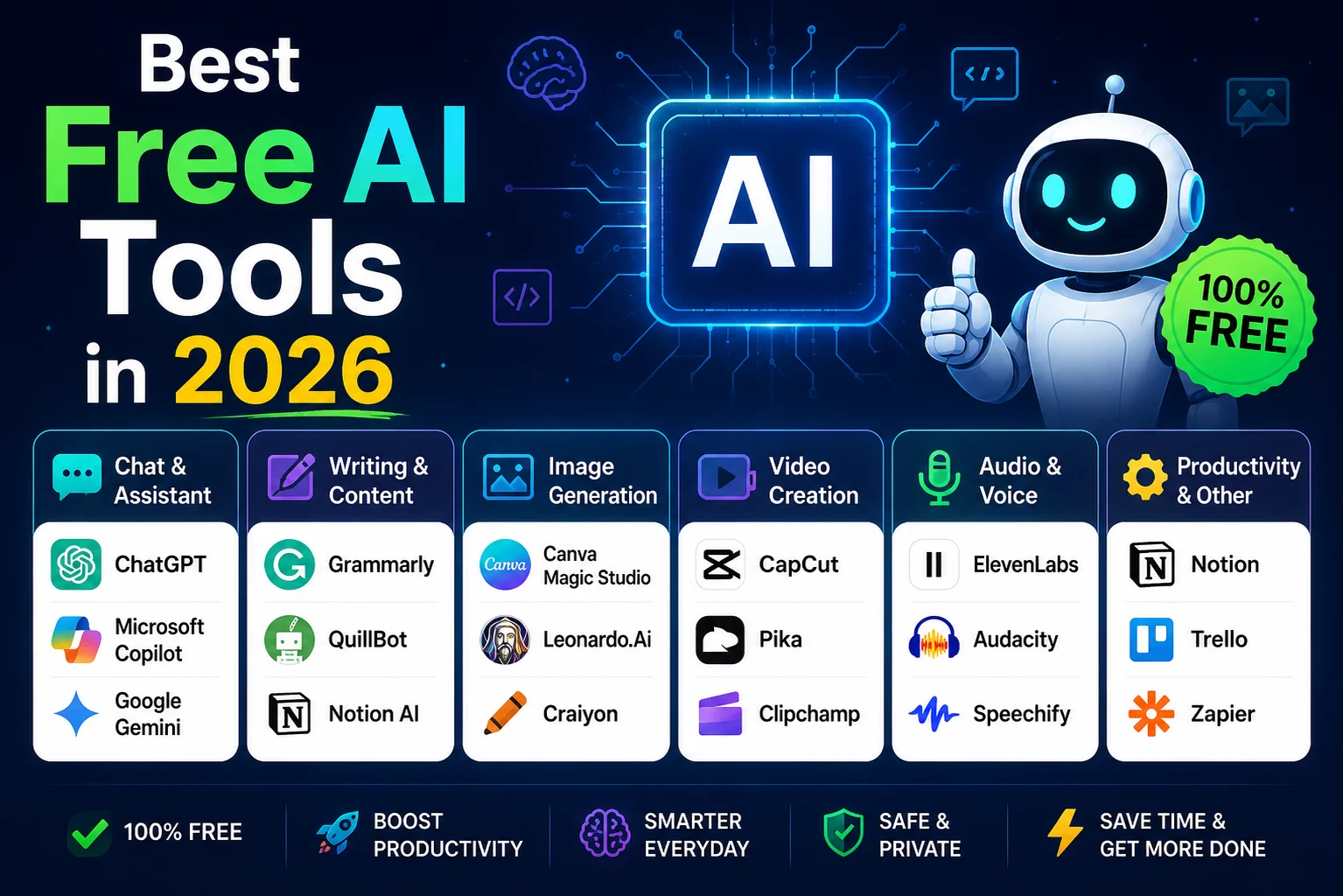

You no longer need an expensive AI subscription to take advantage of powerful artificial intelligence tools. In 2026, many leading AI platforms offer useful free plans for writing, research, coding, image creation, productivity, education, and everyday tasks.
The important thing to remember is that "free" usually means a free tier rather than unlimited access. Usage limits, available models, features, and daily quotas can vary between services and can change over time.
In this guide, we'll explore some of the best free AI tools in 2026, what they are useful for, and which type of user should consider each one.
What Are Free AI Tools?
Free AI tools are applications or online services that provide access to artificial intelligence features without requiring a paid subscription for their basic use.
These tools can help you generate text, answer questions, research topics, create images, write code, summarize documents, learn new subjects, and automate repetitive tasks.
Some services are completely free and open source, while others use a freemium model where basic features are free and advanced capabilities require payment.
Best Free AI Tools in 2026
Here are some of the most useful free AI platforms to consider in 2026.
1. ChatGPT
Best for: General-purpose AI assistance
ChatGPT is one of the most versatile AI assistants available. It can help with writing, brainstorming, explanations, coding, summarization, learning, planning, and many other everyday tasks.
Its free tier makes it a useful starting point for people who are new to AI. However, free access can have usage limits and may not include every advanced feature available to subscribers.
Best for: Students, writers, professionals, creators, and beginners who want one general-purpose AI assistant.
2. Google Gemini
Best for: Research, everyday assistance, and Google ecosystem users
Google Gemini is Google's AI assistant and is particularly useful for people who already use Google's ecosystem.
Gemini can help answer questions, summarize information, brainstorm ideas, analyze content, and assist with everyday tasks. Its integration with Google's broader ecosystem can make it especially convenient for users who rely heavily on Google services.
Gemini also supports specialized features such as Gems, which can be configured for recurring tasks and specific roles.
Best for: Google users, researchers, students, and people who want an AI assistant connected to Google's ecosystem.
3. Claude
Best for: Writing, reasoning, and long-form work
Claude is an AI assistant developed by Anthropic. It is popular for writing, analysis, brainstorming, summarization, and coding.
Claude's free plan provides access to useful AI capabilities, although free usage is subject to limits. Its strengths make it particularly interesting for people who frequently work with long documents or need help improving written content.
Best for: Writers, developers, researchers, and professionals working with large amounts of text.
4. Perplexity
Best for: AI-powered research
Perplexity combines conversational AI with web search. Instead of simply giving an answer, it is designed around researching questions and providing sources that users can follow.
This makes it particularly useful when you need to investigate a topic, compare information, find recent developments, or quickly understand a subject.
Perplexity has also been highlighted for research workflows where users want answers supported by web sources.
Best for: Researchers, students, journalists, bloggers, and anyone who frequently needs web-based information.
5. Microsoft Copilot
Best for: Microsoft and Windows users
Microsoft Copilot is another useful AI assistant for everyday questions, writing, brainstorming, and productivity.
Its connection to Microsoft's ecosystem makes it particularly relevant for people who already use Windows and Microsoft services.
However, Microsoft's free AI features can change over time. For example, Microsoft has announced changes to some free research capabilities, showing why users should always check the current plan before relying on a specific feature.
Best for: Windows users, Microsoft 365 users, and professionals working in Microsoft's ecosystem.
6. NotebookLM
Best for: Studying and working with your own documents
NotebookLM is designed around source-grounded research and learning. Instead of asking an AI about a completely open-ended topic, you can provide source material and use AI to understand and explore it.
This makes it particularly useful for students, researchers, writers, and anyone who needs to work through lengthy documents.
Best for: Students, researchers, document analysis, and learning.
7. Canva AI
Best for: AI-assisted graphic design
Canva combines traditional design tools with AI-powered features. It can help users create graphics, presentations, social media content, and other visual materials.
Canva's AI capabilities have helped make the platform useful beyond traditional graphic design, particularly for creators and small businesses.
Best for: Content creators, marketers, bloggers, students, and small businesses.
8. GitHub Copilot
Best for: AI-assisted coding
Developers can use AI coding assistants to generate code, explain existing code, suggest improvements, and speed up repetitive programming tasks.
GitHub Copilot is one of the most recognizable tools in this category. Depending on the current plan and eligibility requirements, free access may be available with usage limits.
Best for: Developers, students learning programming, and software teams experimenting with AI-assisted development.
9. CapCut AI
Best for: AI-assisted video creation and editing
CapCut combines video editing with AI-powered features that can help creators produce and edit short-form video content more efficiently.
It can be especially useful for TikTok, YouTube Shorts, Instagram Reels, and other social media formats.
Best for: Social media creators, video editors, marketers, and beginners.
10. Hugging Face
Best for: Exploring open AI models and experiments
Hugging Face provides access to a large ecosystem of machine-learning models, datasets, and community-built applications.
It is particularly interesting for developers, AI enthusiasts, students, and technical users who want to experiment with different models and open-source AI projects.
Best for: Developers, researchers, students, and AI enthusiasts.
Free AI Tools by Category
You do not necessarily need the most popular AI tool. The best option depends on what you want to accomplish.
Best Free AI Tools for Writing
- ChatGPT — general writing and brainstorming.
- Claude — long-form writing and editing.
- Gemini — drafting and rewriting.
- Grammarly — writing assistance and grammar improvement.
Best Free AI Tools for Research
- Perplexity — web research with sources.
- Gemini — research and information discovery.
- NotebookLM — working with your own sources.
- ChatGPT — research, explanations, and structured analysis.
Best Free AI Tools for Images
- Canva AI — design and AI-assisted visual creation.
- Microsoft Designer — AI-assisted graphic creation.
- Other image generators may offer limited free credits or daily usage.
Best Free AI Tools for Coding
- GitHub Copilot — AI-assisted programming.
- Claude — code explanation and problem solving.
- ChatGPT — debugging, learning, and code generation.
- Hugging Face — experimenting with open AI models.
Best Free AI Tools for Students
- ChatGPT — explanations and study assistance.
- Gemini — research and learning.
- NotebookLM — studying from personal documents.
- Perplexity — research and source discovery.
How to Choose the Best Free AI Tool
With so many AI platforms available, choosing one can feel overwhelming. Start by identifying the task you want to solve.
For General AI Assistance
Start with ChatGPT, Gemini, or Claude. These platforms can handle a wide variety of everyday tasks.
For Research
Consider Perplexity when finding current web information and sources is important. NotebookLM is especially useful when your research is based on documents you provide yourself.
For Design
Canva AI is a practical choice for users who want AI features combined with an accessible visual design platform.
For Coding
Developers can experiment with AI coding assistants such as GitHub Copilot, while general AI assistants such as Claude and ChatGPT can also help with debugging and learning.
Are Free AI Tools Really Free?
Usually, yes—but there is an important distinction between "free" and "unlimited."
Many AI companies provide a free tier that includes access to core functionality but limits the number of messages, generations, uploads, or advanced model usage. Industry comparisons of free AI plans show that these restrictions vary considerably between providers.
Free plans can also change. A feature that is available today may later receive stricter limits or become part of a paid plan. Therefore, check the provider's current pricing and feature pages before making a tool part of an important workflow.
Tips for Getting Better Results From Free AI Tools
You can often get significantly better results without paying for a premium plan simply by improving how you use the tool.
- Give the AI clear instructions.
- Provide relevant context.
- Explain your desired output format.
- Break complicated tasks into smaller steps.
- Ask the AI to explain its reasoning or assumptions when appropriate.
- Verify important facts before using them.
- Compare answers from multiple AI systems for important decisions.
Don't Put Sensitive Information Into AI Tools
Free access does not mean you should upload everything to an AI service. Avoid sharing passwords, private customer information, confidential business documents, financial credentials, or other sensitive data unless you have reviewed the provider's privacy and data-handling policies.
Best Free AI Tools: Quick Comparison
| Tool | Best For | Free Access |
|---|---|---|
| ChatGPT | General AI assistance | Yes, with limits |
| Gemini | Research and Google users | Yes, with limits |
| Claude | Writing and reasoning | Yes, with limits |
| Perplexity | Web research | Yes, with limits |
| NotebookLM | Document-based learning | Yes, with limits |
| Canva AI | Design and content creation | Free tier |
| GitHub Copilot | Coding assistance | Free access may have limits |
| CapCut | Video creation | Free tier |
| Hugging Face | Open AI models | Many free resources |
Frequently Asked Questions
What is the best free AI tool in 2026?
There is no single best tool for everyone. ChatGPT, Gemini, Claude, and Perplexity are strong general choices, while specialized tools can be better for coding, design, research, or video creation.
Are free AI tools good enough?
For many everyday tasks, yes. Free tiers can be surprisingly capable, although they generally impose limits on usage or advanced features.
What is the best free AI tool for students?
ChatGPT, Gemini, Perplexity, and NotebookLM are useful options for students. NotebookLM is particularly helpful when studying from specific documents and sources.
What is the best free AI tool for research?
Perplexity is a strong choice for web research because it focuses on search and source-backed answers. NotebookLM is useful when your research material consists primarily of documents you provide yourself.
Can I use free AI tools for business?
You can use many free AI tools for business tasks, but be careful with confidential information and check each provider's terms, privacy policies, and current free plan limitations before using them for sensitive workflows.
Final Thoughts
The best free AI tools in 2026 are no longer limited to simple chatbots. You can use free AI services to research information, write content, learn new skills, create designs, edit videos, analyze documents, and write code.
For most beginners, a combination of a general AI assistant such as ChatGPT, Gemini, or Claude and a research-focused tool such as Perplexity is a good place to start. Add specialized tools such as Canva, NotebookLM, or a coding assistant when your needs become more specific.
Most importantly, don't feel that you need dozens of AI subscriptions. Start with a few free tools, learn what each one does well, and build a workflow around the tools that genuinely save you time.