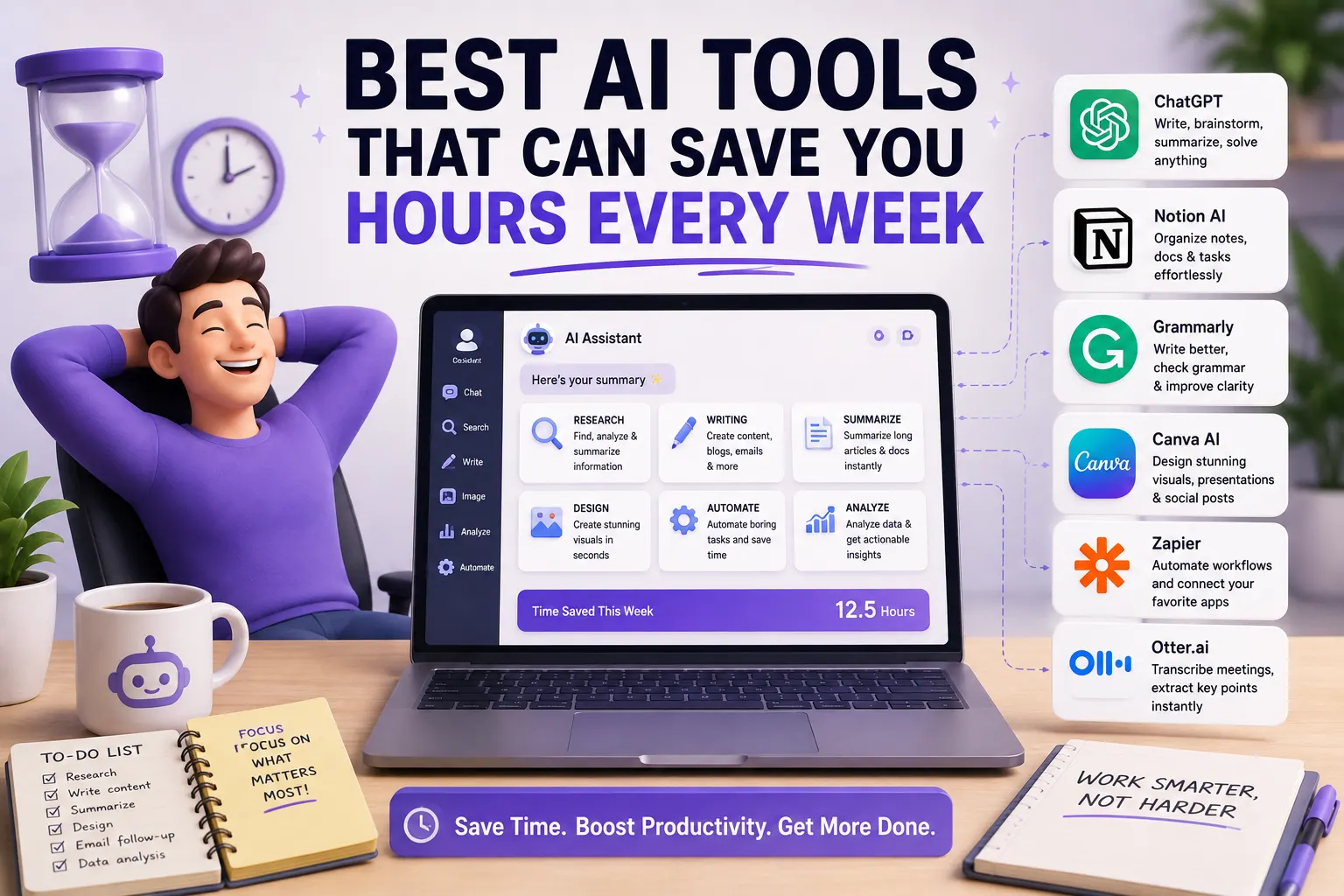

Time is one of the most valuable resources you have. Yet many people spend hours every week on repetitive tasks such as writing emails, taking meeting notes, organizing schedules, searching for information, updating documents, and moving information between different applications.
AI can help reduce much of this repetitive work. The goal isn't to automate everything you do. Instead, the best AI productivity tools remove small time-consuming tasks so you can focus on work that actually requires your attention.
In this guide, we'll look at the best AI tools that can save you hours every week in 2026, what each tool is best at, and how to build a practical AI productivity workflow.
Best AI Tools for Saving Time at a Glance
| AI Tool | Best For | Time-Saving Task | Free Option |
|---|---|---|---|
| ChatGPT | General productivity | Writing, research, brainstorming | Yes |
| Claude | Writing and analysis | Documents and long-form work | Yes |
| Notion AI | Notes and knowledge | Summaries and organization | Limited |
| Perplexity | Research | Finding information and sources | Yes |
| Grammarly | Writing | Emails and editing | Yes |
| Otter.ai | Meetings | Transcription and summaries | Yes |
| Motion | Scheduling | Calendar and task planning | Limited |
| Reclaim AI | Calendar management | Protecting focus time | Yes |
| Zapier | Automation | Connecting applications | Yes |
| Canva | Visual content | Design creation | Yes |
Recent 2026 productivity-tool comparisons show that the biggest time savings tend to come from different categories: writing, research, meetings, scheduling, notes, email, and cross-app automation. In other words, the best tool depends on where you currently lose the most time.
1. ChatGPT — Best Overall AI Productivity Tool
ChatGPT is one of the most versatile ways to use AI for saving time. Instead of switching between different tools for writing, brainstorming, explanations, summaries, and research planning, you can use one assistant for many of these tasks.
How ChatGPT Can Save You Time
- Draft emails
- Summarize long text
- Create outlines
- Brainstorm ideas
- Explain difficult concepts
- Rewrite documents
- Create checklists
- Analyze information
- Generate first drafts
- Help plan projects
Best for: Anyone who wants one general-purpose AI assistant for a wide range of tasks.
Recent productivity comparisons continue to position ChatGPT as one of the most versatile tools because it can support writing, research, analysis, brainstorming, and many other workflows from one interface.
2. Claude — Best for Long Documents and Deep Work
Claude is particularly useful when your work involves large documents, detailed writing, or complex analysis.
Instead of spending a long time reading and manually organizing large amounts of text, you can use AI to create summaries, identify key themes, compare information, and produce a structured first draft.
Ways Claude Can Save Time
- Summarizing reports
- Analyzing long documents
- Rewriting professional content
- Creating structured documents
- Comparing information
- Brainstorming ideas
- Extracting important points
Best for: Writers, researchers, professionals, and anyone who regularly works with long documents.
Current productivity comparisons commonly highlight Claude for long-document reasoning and writing-heavy workflows.
3. Notion AI — Best for Notes and Knowledge Management
If you already use Notion for notes, projects, documents, or knowledge management, its AI features can reduce the amount of manual organization you need to do.
How Notion AI Saves Time
- Summarizing notes
- Extracting action items
- Rewriting documents
- Organizing information
- Searching your workspace
- Creating first drafts
- Turning notes into structured content
Best for: People who keep projects, notes, and documentation in one workspace.
Recent 2026 comparisons place Notion AI among the leading productivity tools for workspace-wide search, documentation, and knowledge management.
4. Perplexity — Best for Faster Research
Research can consume a surprising amount of time. You might open dozens of tabs, read multiple articles, compare sources, and try to determine which information is reliable.
Perplexity can speed up the initial research process by combining search with AI-generated answers and source references.
How Perplexity Can Save Time
- Finding information quickly
- Researching unfamiliar topics
- Comparing products
- Finding sources
- Fact-checking
- Summarizing web information
- Exploring current topics
Best for: Researchers, students, writers, marketers, and professionals who spend significant time searching the web.
A recent real-world productivity report described using Perplexity for quick research and fact-checking as a way to reduce time spent browsing multiple tabs.
5. Grammarly — Best for Saving Time on Writing
Writing an email can take five minutes. Writing dozens of emails every week can consume hours.
Grammarly can help speed up everyday writing by correcting grammar, improving clarity, and helping adjust tone.
What Grammarly Can Help With
- Emails
- Messages
- Reports
- Professional documents
- Grammar correction
- Spelling
- Clarity
- Tone
Best for: Professionals, students, freelancers, and anyone who writes frequently.
Recent productivity-tool comparisons identify Grammarly as a useful time-saving tool for written communication and editing.
6. Otter.ai — Best for Meeting Notes
Taking meeting notes manually can mean trying to listen, remember important points, and write at the same time.
AI transcription tools can automatically turn conversations into searchable text and create summaries or action items.
How Otter.ai Can Save Time
- Transcribing meetings
- Creating meeting summaries
- Finding important points
- Recording action items
- Reviewing conversations
- Searching previous meetings
Best for: Teams, managers, students, consultants, journalists, and professionals who attend frequent meetings.
AI productivity comparisons consistently include Otter.ai and similar meeting assistants among tools that reduce the manual work involved in transcription and meeting documentation.
7. Motion — Best for AI Scheduling
Calendar management can become complicated when you have meetings, deadlines, tasks, and changing priorities.
Motion focuses on combining tasks and scheduling so that your work can be automatically organized around your available time.
Motion Can Help You
- Plan your day
- Schedule tasks
- Manage deadlines
- Rearrange tasks when plans change
- Organize projects
- Protect time for important work
Best for: Professionals with busy calendars and constantly changing schedules.
Recent 2026 comparisons identify Motion as a strong option for automated calendar and task planning, particularly for users who want AI to actively organize their schedules.
8. Reclaim AI — Best for Protecting Focus Time
One of the biggest productivity problems isn't a lack of available time. It's having your available time fragmented by meetings and interruptions.
Reclaim AI focuses on protecting time for tasks, habits, and focused work by automatically managing calendar space.
How Reclaim Can Save Time
- Automatically schedule tasks
- Protect focus blocks
- Manage recurring habits
- Adjust schedules around meetings
- Reduce manual calendar management
Best for: People who want more control over their calendar without manually moving tasks around throughout the day.
Current productivity comparisons distinguish Reclaim from Motion by emphasizing its lighter-touch approach to calendar protection and focus-time management.
9. Zapier — Best for Automating Repetitive Tasks
Some tasks shouldn't require your attention at all.
If you repeatedly copy information from one application to another, send routine notifications, create records, or trigger the same sequence of actions, automation can eliminate the manual work.
Examples of AI Automation
- Save form responses automatically
- Create tasks from incoming information
- Send automatic notifications
- Move information between applications
- Generate follow-up tasks
- Connect AI with other applications
Best for: Freelancers, marketers, business owners, and professionals with repetitive digital workflows.
Recent productivity guides identify Zapier as a leading option for connecting applications and automating multi-step workflows.
10. Canva — Best for Faster Visual Content
Creating a simple presentation, social media graphic, thumbnail, or marketing image can take much longer than expected if you start from scratch.
Canva's AI-powered design features can help generate starting points and speed up the design process.
How Canva Can Save Time
- Create social media graphics
- Design presentations
- Create thumbnails
- Generate design ideas
- Create marketing visuals
- Adapt designs for different formats
Best for: Content creators, marketers, freelancers, and small businesses.
Where AI Saves the Most Time
The biggest productivity gains usually come from repetitive tasks that happen again and again.
| Time-Consuming Task | AI Tool | Potential Benefit |
|---|---|---|
| Email writing | ChatGPT / Grammarly | Faster drafting and editing |
| Research | Perplexity | Faster information discovery |
| Meeting notes | Otter.ai | Automatic transcription and summaries |
| Calendar planning | Motion / Reclaim | Less manual scheduling |
| Document organization | Notion AI | Faster summaries and organization |
| Visual design | Canva | Faster first drafts |
| Repetitive workflows | Zapier | Automated actions |
How Many Hours Can AI Actually Save?
There is no universal number because time savings depend on your job, workflow, and how often you perform repetitive tasks.
Some 2026 productivity comparisons report several hours of weekly savings for particular tools and workflows, but these figures should be treated as estimates rather than guarantees. For example, one recent comparison reported roughly 2–4 hours per week for research-focused use of Perplexity and 2–3 hours for some note, meeting, and scheduling workflows.
The most useful approach is to measure your own results rather than relying on a headline number.
How to Measure Your AI Time Savings
Step 1: Choose One Repetitive Task
Start with something you perform several times every week.
For example:
- Writing emails
- Taking meeting notes
- Researching topics
- Creating reports
- Scheduling tasks
- Creating social media graphics
Step 2: Measure the Current Time
Track how long the task takes without AI.
Step 3: Add One AI Tool
Use an appropriate AI tool for that specific task.
Step 4: Measure Again
Compare the time required with and without AI.
Step 5: Calculate Weekly Savings
If a task takes 20 minutes and you perform it 10 times per week, that's more than three hours of work. Cutting that time in half would save roughly 100 minutes every week.
How to Build an AI Productivity Stack
You don't need ten AI subscriptions.
In fact, using too many tools can create another productivity problem: switching between applications.
A simple AI productivity stack could look like this:
| Need | Tool |
|---|---|
| General assistance | ChatGPT |
| Research | Perplexity |
| Writing | Grammarly or Claude |
| Meetings | Otter.ai |
| Scheduling | Motion or Reclaim |
| Automation | Zapier |
This covers many of the most common sources of wasted time without requiring a complicated setup.
Best Free AI Tools That Save Time
You don't have to spend money to start using AI for productivity.
A practical free starting stack includes:
- ChatGPT: General productivity and writing.
- Perplexity: Research and source discovery.
- Grammarly: Basic writing assistance.
- Otter.ai: Limited transcription.
- Canva: Basic AI-powered design features.
- Zapier: Limited workflow automation.
Free plans, limits, and included features can change, so check the current plan before building an important workflow around a free feature.
AI Tools for Saving Time at Work
For office and professional work, the biggest opportunities often involve communication, meetings, documents, scheduling, and repetitive administrative tasks.
A simple workflow might be:
- Use an AI assistant to prepare or organize information.
- Use a writing assistant to improve communication.
- Use an AI meeting tool to capture discussions.
- Use an AI calendar tool to organize tasks.
- Use automation to remove repetitive steps.
Modern AI agents are also moving toward handling multi-step workplace tasks rather than simply answering individual questions, which could make automation even more useful as these systems mature.
AI Tools for Freelancers
Freelancers often have to handle many different jobs themselves: finding information, communicating with clients, creating content, managing schedules, preparing invoices, and organizing projects.
AI can reduce the administrative burden.
- ChatGPT: Proposals, brainstorming, research, and drafting.
- Perplexity: Client and market research.
- Grammarly: Client communication.
- Canva: Visual content.
- Notion AI: Project documentation.
- Zapier: Repetitive workflow automation.
AI Tools for Content Creators
Content creators can save time across almost every stage of the content workflow.
- Research topics with Perplexity.
- Brainstorm ideas with ChatGPT or Claude.
- Create outlines with AI.
- Improve scripts with writing assistants.
- Create visuals with Canva.
- Transcribe interviews with Otter.ai.
- Automate repetitive publishing workflows with Zapier.
The important part is not generating everything with AI. It is using AI to remove repetitive work so you can spend more time on creativity and quality.
Common Mistakes That Reduce AI Productivity
1. Using Too Many AI Tools
Having a different AI application for every small task can actually make you slower.
2. Automating a Bad Workflow
Before automating something, make sure the process itself makes sense.
3. Not Providing Enough Context
AI usually produces better results when you provide the goal, audience, relevant information, constraints, and desired output.
Recent productivity advice also emphasizes reusable context prompts as a practical way to reduce repetitive prompting and get more consistent results from tools such as ChatGPT, Claude, and NotebookLM.
4. Accepting AI Output Without Checking It
AI can make factual or contextual mistakes. Review important information before using it.
5. Measuring the Wrong Thing
Don't measure productivity by how much AI-generated content you produce. Measure whether you actually spend less time completing useful work.
How to Save More Time With Better Prompts
One of the easiest ways to improve AI productivity is to create reusable prompts for tasks you perform regularly.
For example, instead of repeatedly explaining how you want your emails written, create a reusable prompt that includes your preferred tone, audience, structure, and length.
You can create reusable prompts for:
- Email writing
- Research
- Meeting summaries
- Content outlines
- Project planning
- Brainstorming
- Document analysis
Once you have a small library of useful prompts, you spend less time explaining the same requirements every time.
Which AI Tool Should You Try First?
| If You Want To... | Start With |
|---|---|
| Save time on many different tasks | ChatGPT |
| Research faster | Perplexity |
| Write and edit faster | Claude or Grammarly |
| Save time on meetings | Otter.ai |
| Manage your calendar | Motion or Reclaim |
| Organize notes | Notion AI |
| Automate repetitive tasks | Zapier |
| Create visuals faster | Canva |
Final Thoughts
The best AI tools aren't necessarily the ones with the most features. They're the ones that remove tasks you don't need to spend your valuable time doing manually.
Start by identifying where you lose the most time every week. If email is the problem, improve your writing workflow. If research takes too long, use a research assistant. If meetings consume your schedule, automate transcription and summaries. If your calendar is constantly changing, try AI scheduling. If you're copying information between applications, automate the workflow.
You don't need a huge collection of AI tools. A carefully chosen combination of ChatGPT, Perplexity, Grammarly, Otter.ai, Notion AI, and one automation or scheduling tool can cover a large part of everyday productivity.
The real goal is simple: use AI to spend less time on repetitive work and more time on work that actually matters.
Frequently Asked Questions
What AI tool can save the most time?
It depends on your workflow. General-purpose assistants such as ChatGPT can save time across many tasks, while specialized tools such as Motion, Otter.ai, Perplexity, or Zapier can provide larger benefits for specific repetitive workflows.
Can AI really save hours every week?
Yes, but there is no guaranteed number. The biggest savings usually happen when AI is applied to tasks that are repeated frequently. Your actual savings depend on your work and how effectively the tool is integrated into your workflow.
What is the best free AI productivity tool?
ChatGPT and Perplexity are strong starting points for general productivity and research. Grammarly, Canva, Otter.ai, and Zapier also offer free options with varying limits.
How can AI save me time at work?
AI can help draft emails, summarize documents, research topics, transcribe meetings, organize notes, manage schedules, and automate repetitive digital workflows.
Should I use multiple AI productivity tools?
Only when each tool solves a real problem. Start with one general-purpose AI assistant and add specialized tools when they clearly save more time than they cost in money or complexity.
How do I know if an AI tool is actually saving me time?
Measure how long a repetitive task takes before and after using the tool. Track the difference over several weeks and keep the tools that produce meaningful savings.