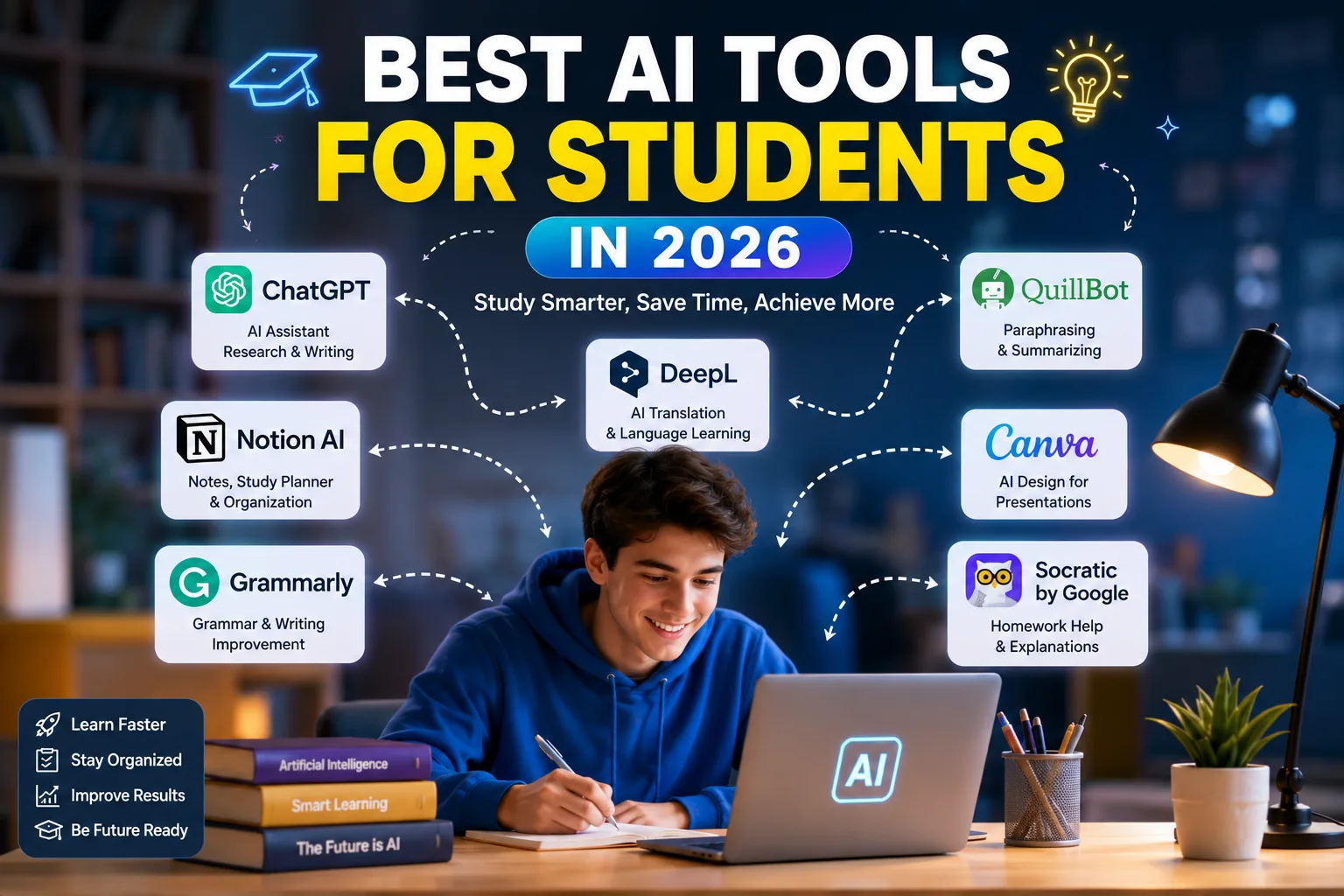

Artificial intelligence is changing the way students study, research, write, organize their notes, and prepare for exams. In 2026, students have access to AI tools that can explain difficult concepts, summarize course materials, generate practice questions, help with research, improve writing, and even assist with coding.
However, the best AI tool for students is not necessarily the one that can produce the fastest answer. The most useful tools are the ones that help students understand concepts, practice skills, organize information, and become better learners.
In this guide, we'll explore the best AI tools for students in 2026, what each tool is best for, and how you can use AI responsibly in your studies.
Why Should Students Use AI Tools?
Students often spend hours searching for information, organizing notes, reviewing chapters, preparing presentations, and trying to understand difficult subjects.
AI can help reduce some of this workload while giving students more time to focus on understanding and practicing what they are learning.
- Explain difficult concepts in simple language
- Create personalized study plans
- Summarize notes and documents
- Generate practice questions
- Help with research
- Improve grammar and writing
- Organize study materials
- Prepare presentations
- Help with mathematics and science
- Assist with programming and coding
1. ChatGPT — Best All-Around AI Tool for Students
ChatGPT is one of the most versatile AI tools students can use. It can function as a study assistant, brainstorming partner, writing helper, coding tutor, and research assistant.
Instead of simply asking ChatGPT for an answer, students can use it as a personal tutor. For example, you can ask it to explain a difficult concept step by step, give you examples, test your knowledge, or identify gaps in your understanding.
Best for:
- Studying
- Explaining difficult concepts
- Brainstorming
- Writing assistance
- Research planning
- Creating quizzes
- Study plans
- Coding help
Best choice for: Students who want one flexible AI assistant for many different academic tasks.
2. Google Gemini — Best for Google Users
Google Gemini is a powerful general-purpose AI assistant that can be useful for students who already use Google's ecosystem.
Students can use Gemini for explanations, brainstorming, summaries, research, writing assistance, and other learning tasks. Its connection with Google's ecosystem can also make it convenient for students who regularly work with Google services.
Best for:
- Research
- Writing
- Brainstorming
- Summarization
- Google Workspace users
- General study assistance
Best choice for: Students who already rely heavily on Google's productivity and education tools.
3. NotebookLM — Best for Studying Your Own Materials
NotebookLM is particularly useful when you already have study materials such as PDFs, lecture notes, documents, or other sources.
Instead of starting with a blank chatbot conversation, you can provide your learning materials and use AI to understand and review them.
This makes NotebookLM especially useful for turning large amounts of course material into more manageable study resources.
Best for:
- Lecture notes
- PDFs
- Study guides
- Summaries
- Questions and answers
- Reviewing course material
Best choice for: Students who want to study directly from their own notes and course materials.
4. Claude — Best for Long Documents and Detailed Explanations
Claude is another strong AI assistant for students, especially when they need help understanding long documents or complicated topics.
Students can use Claude to analyze readings, explain concepts, review drafts, brainstorm ideas, and work through difficult problems.
Best for:
- Long documents
- Research papers
- Detailed explanations
- Writing feedback
- Reading comprehension
- Brainstorming
Best choice for: University students, researchers, and anyone who frequently works with lengthy academic material.
5. Perplexity — Best for Research
Perplexity is designed around AI-powered search and research. It can be useful when you need to explore a topic and discover sources rather than simply receive a general explanation.
For academic research, students should still verify sources and follow their institution's requirements for citations. However, an AI research assistant can make the initial exploration of a topic much faster.
Best for:
- Research
- Finding sources
- Exploring unfamiliar topics
- Research questions
- Fact-checking
Best choice for: Students who frequently need to research topics and discover relevant sources.
6. Grammarly — Best for Writing and Grammar
Grammarly can help students improve the quality and clarity of their writing.
It can identify grammar problems, spelling mistakes, awkward wording, and other issues that can make academic writing less clear.
Best for:
- Essays
- Reports
- Grammar
- Spelling
- Clarity
- Writing revision
Best choice for: Students who want to improve their writing without replacing their own ideas and arguments.
7. Quizlet AI — Best for Flashcards and Revision
Memorization is an important part of many subjects. Quizlet's AI-powered features can help students turn learning material into study resources such as flashcards and practice activities.
This can be particularly useful when preparing for vocabulary tests, definitions, exams, and subjects that require memorization.
Best for:
- Flashcards
- Vocabulary
- Exam revision
- Memorization
- Practice questions
Best choice for: Students who learn effectively through active recall and repeated practice.
8. Wolfram Alpha — Best for Math and Calculations
Mathematics students often need more than a final answer. They need to understand how a problem is solved.
Wolfram Alpha can be useful for mathematical calculations, equations, formulas, and many scientific problems.
Best for:
- Mathematics
- Equations
- Calculations
- Statistics
- Science
Best choice for: Students studying mathematics, physics, engineering, statistics, or other quantitative subjects.
9. GitHub Copilot — Best for Coding Students
Students learning programming can use AI coding assistants to understand code, identify errors, generate examples, and explore programming concepts.
GitHub Copilot can assist with code completion and development tasks, making it useful for students learning software development.
Best for:
- Programming
- Code completion
- Debugging
- Learning programming concepts
- Software projects
Best choice for: Computer science and programming students.
10. Canva AI — Best for Presentations
Students frequently need to create presentations for classes and projects. Canva's AI-powered features can help students create visual materials more efficiently.
You can use it to develop presentation ideas, create visual layouts, and produce graphics that make academic presentations more engaging.
Best for:
- Presentations
- Class projects
- Infographics
- Visual explanations
- Posters
Best choice for: Students who regularly create presentations and visual projects.
Best AI Tools for Students Compared
| AI Tool | Best For | Main Strength |
|---|---|---|
| ChatGPT | General studying | Versatility |
| Google Gemini | Research and Google tools | Google ecosystem |
| NotebookLM | Study materials | Source-based learning |
| Claude | Long documents | Detailed explanations |
| Perplexity | Research | Source discovery |
| Grammarly | Writing | Grammar and clarity |
| Quizlet AI | Revision | Flashcards and practice |
| Wolfram Alpha | Math and science | Calculations |
| GitHub Copilot | Coding | Programming assistance |
| Canva AI | Presentations | Visual content |
Which AI Tool Should Students Use?
There is no single AI tool that is perfect for every student. Your best choice depends on what you are studying and what you need help with.
For General Studying
Start with ChatGPT. It can explain concepts, create quizzes, build study plans, and help you practice.
For Studying Your Own Notes
Try NotebookLM. It is particularly useful when you already have PDFs, lecture notes, or other course materials.
For Research
Perplexity can help you explore a subject and discover sources. Always verify important information and follow your school's citation requirements.
For Writing
Grammarly can help improve grammar, clarity, and readability while allowing you to keep control of your own ideas.
For Math and Science
Wolfram Alpha can be a useful companion for calculations, equations, and quantitative problems.
For Coding
GitHub Copilot can help programming students understand code, complete repetitive coding tasks, and investigate errors.
For Presentations
Canva AI can help students create professional-looking visual presentations and academic projects.
How to Use AI for Studying Effectively
The most important thing to remember is that AI should help you learn, rather than do all of your learning for you.
1. Ask AI to Teach You
Instead of asking for the final answer immediately, ask the AI to explain the concept step by step and then test your understanding.
2. Use the Socratic Approach
Ask the AI to give you hints and questions instead of immediately providing the solution. This forces you to think through the problem yourself.
3. Create Practice Questions
After studying a chapter, ask AI to create practice questions based on the material. Try answering them without looking at the answers.
4. Summarize Your Own Notes
AI can help turn your notes into a shorter study guide. After reviewing the summary, return to the original material whenever something is unclear.
5. Check Important Information
AI can sometimes produce incorrect or incomplete information. Always verify important facts, references, calculations, and quotations before using them in academic work.
AI and Academic Integrity
Using AI for education does not automatically mean cheating. The important question is how you use it and what your school or university allows.
A responsible approach is to use AI as a tutor, study partner, research assistant, or writing feedback tool rather than simply submitting AI-generated work as your own.
Before using AI for an assignment, check your institution's academic integrity and AI-use policies. Some courses may allow AI for brainstorming or editing while restricting its use for generating submitted work.
A Simple AI Study Stack
Students do not need dozens of AI applications. A small combination of carefully selected tools can cover most academic needs.
- Study and explanations: ChatGPT
- Your own course materials: NotebookLM
- Research: Perplexity
- Writing: Grammarly
- Flashcards: Quizlet AI
- Math and science: Wolfram Alpha
- Coding: GitHub Copilot
- Presentations: Canva AI
Final Thoughts
The best AI tools for students in 2026 can make studying faster, more organized, and more interactive when they are used correctly.
ChatGPT is an excellent all-around study assistant, NotebookLM is especially useful for working with your own course materials, Perplexity can support research, and tools such as Grammarly, Quizlet AI, Wolfram Alpha, GitHub Copilot, and Canva AI are useful for specific academic tasks.
You don't need to use every tool on this list. Start with the one that solves your biggest study problem and learn how to use it effectively.
Most importantly, don't let AI replace the learning process.
Use AI to understand more, practice more, and become a better student—not simply to finish assignments faster.