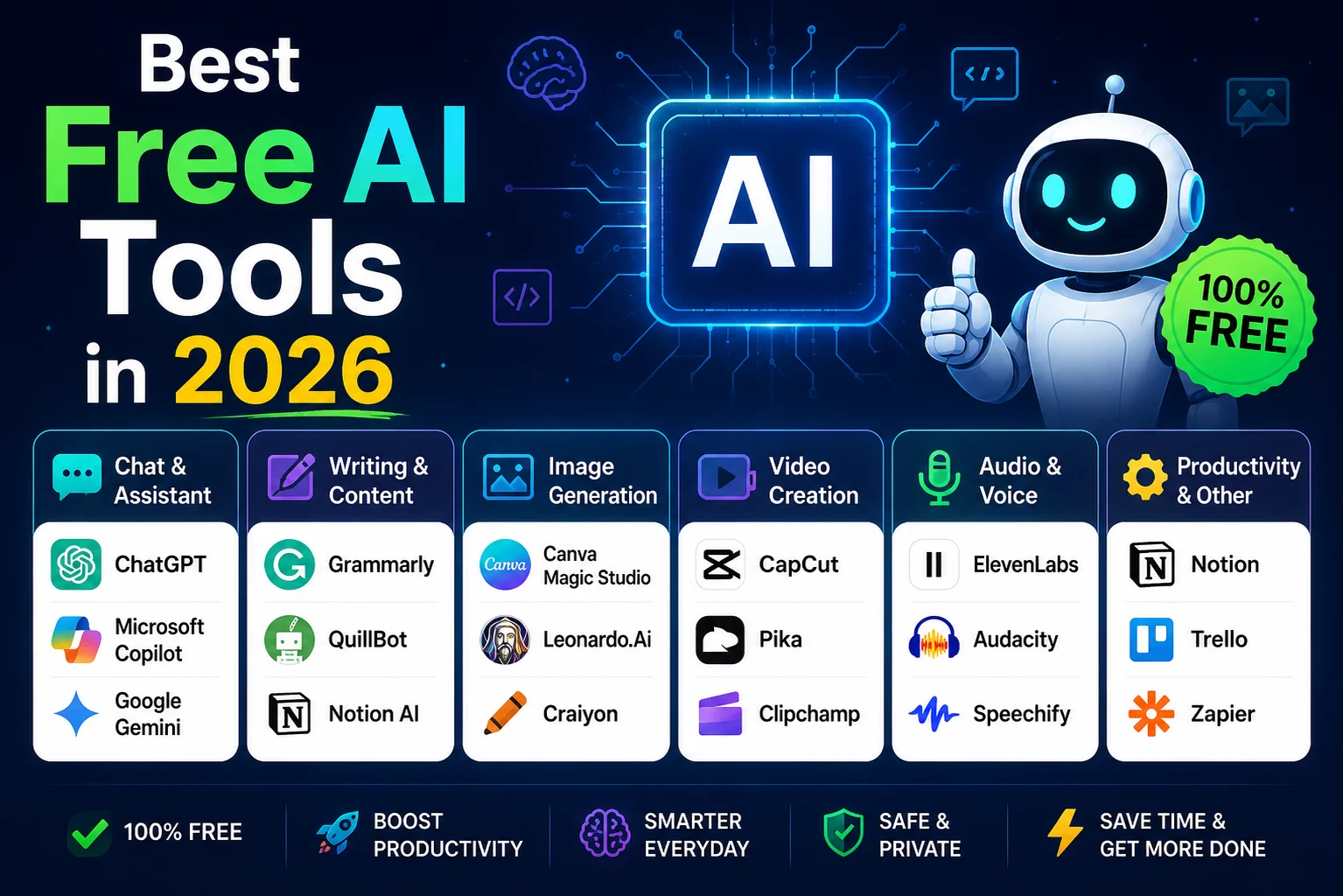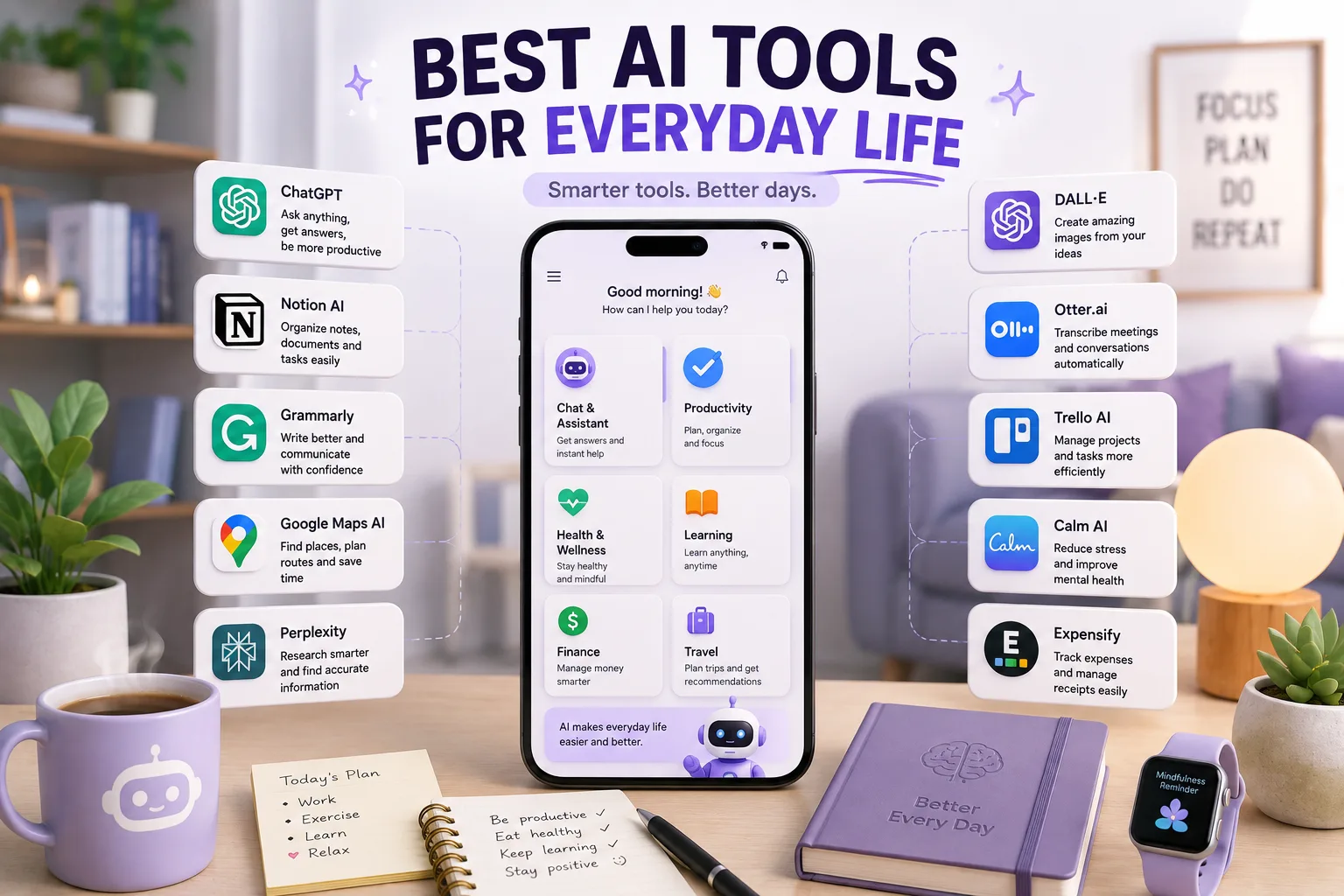

Artificial intelligence is becoming part of everyday life. You can use AI to plan your day, write an email, summarize a long document, research a topic, organize notes, create images, learn a new skill, plan a trip, or simply get help with a difficult decision.
The good news is that you don't need dozens of complicated applications. A small collection of useful AI tools can handle many common daily tasks.
In this guide, we'll look at the best AI tools for everyday life in 2026, what each tool does best, and how you can use them in practical situations.
Best AI Tools for Everyday Life at a Glance
| AI Tool | Best For | Free Option |
|---|---|---|
| ChatGPT | General everyday assistance | Yes |
| Google Gemini | Planning and Google ecosystem tasks | Yes |
| Claude | Writing and detailed planning | Yes |
| Perplexity | Research and fact-checking | Yes |
| NotebookLM | Documents and personal research | Yes |
| Grammarly | Emails and communication | Yes |
| Canva | Design and visual content | Yes |
| Notion AI | Notes and organization | Limited |
| Otter.ai | Transcription and meeting notes | Yes |
| Zapier | Automation | Yes |
Current 2026 comparisons generally point to ChatGPT, Gemini, Claude, Perplexity, NotebookLM, Canva, Grammarly, and other specialized tools as useful parts of an everyday AI toolkit. The best choice depends on the task rather than simply choosing the most powerful AI model.
1. ChatGPT — Best Overall AI Tool for Everyday Life
ChatGPT is one of the most versatile AI assistants for daily tasks. You can use it for writing, brainstorming, learning, planning, summarizing information, organizing ideas, and solving everyday problems.
For many people, it makes sense to start with one general-purpose AI assistant before adding specialized tools.
What You Can Use ChatGPT For
- Planning your day
- Writing emails and messages
- Brainstorming ideas
- Learning new subjects
- Summarizing documents
- Creating shopping lists
- Planning trips
- Explaining difficult concepts
- Creating meal ideas
- Organizing projects
Best for: People who want one AI assistant that can handle many different everyday tasks.
Recent 2026 guides continue to position ChatGPT as a strong all-purpose choice for writing, planning, brainstorming, summaries, and general problem-solving.
2. Google Gemini — Best for Google Users
Google Gemini is a strong option if you already use Google's ecosystem. It can be useful for planning, brainstorming, writing, learning, and working with information connected to Google services.
If Gmail, Google Docs, Google Calendar, and other Google products are already part of your daily routine, Gemini can fit naturally into your workflow.
What Gemini Is Best For
- Planning
- Brainstorming
- Writing
- Learning
- Google ecosystem tasks
- Summarizing information
- Creating personalized assistants with Gems
Best for: People who use Google services heavily.
Current comparisons highlight Gemini's integration with Google's ecosystem as one of its main advantages, while recent reporting also shows how personalized Gemini Gems can be configured for recurring everyday tasks.
3. Claude — Best for Writing and Planning
Claude is particularly useful when your everyday tasks involve a lot of writing or detailed analysis.
You can ask Claude to rewrite an email, organize a complicated plan, summarize a long document, improve the clarity of your writing, or help you think through a problem.
What Claude Is Best For
- Writing and rewriting
- Long documents
- Detailed planning
- Brainstorming
- Summarizing information
- Organizing complex ideas
Best for: People who frequently work with text, documents, and detailed plans.
4. Perplexity — Best for Everyday Research
Sometimes you don't want an AI to simply give you an answer. You want to know where the information came from.
Perplexity is useful for research-style questions because it combines AI answers with sources that you can investigate.
Everyday Uses for Perplexity
- Researching products before buying
- Comparing destinations
- Finding restaurants or activities
- Learning about unfamiliar topics
- Checking current information
- Researching technology
- Comparing services
Best for: Anyone who frequently searches for information and wants sources to investigate.
Recent comparisons continue to identify Perplexity as a research-focused option where source-backed answers and fact-checking are important.
5. Google NotebookLM — Best for Your Documents
NotebookLM is useful when you already have information you want to understand.
For example, you might have a PDF, book, report, notes, or collection of documents. Instead of searching the entire internet, you can use an AI assistant to work directly with your selected materials.
Everyday Uses for NotebookLM
- Summarizing PDFs
- Studying documents
- Understanding reports
- Organizing notes
- Asking questions about uploaded sources
- Reviewing research material
Best for: Students, professionals, and anyone who regularly works with documents.
Current AI-tool comparisons continue to recommend NotebookLM when users want to work from their own documents and notes rather than relying primarily on general web search.
6. Grammarly — Best for Everyday Communication
Writing messages and emails can take more time than expected. Grammarly can help improve grammar, spelling, clarity, and tone.
It can be useful when you're writing professional emails, social media posts, applications, messages, or other everyday communication.
What Grammarly Is Best For
- Emails
- Messages
- Grammar correction
- Spelling
- Tone improvement
- Writing clarity
Best for: Anyone who writes frequently and wants their communication to sound clearer and more polished.
7. Canva — Best for Everyday Visuals
You don't need to be a professional designer to create useful visuals. Canva's AI-powered features can help you create social media graphics, presentations, invitations, posters, thumbnails, and other visual content.
Everyday Uses for Canva
- Social media posts
- Birthday invitations
- Presentations
- Posters
- Thumbnails
- Simple marketing graphics
- Personal projects
Best for: People who need attractive visuals without advanced design skills.
Canva has become a major consumer AI platform, with its Magic Suite making generative AI part of a broader visual-design workflow.
8. Notion AI — Best for Notes and Organization
If you keep lots of notes, tasks, ideas, or projects in Notion, its AI features can help organize that information.
You can use AI to summarize notes, extract action items, rewrite information, and turn unstructured ideas into a more organized format.
What Notion AI Is Best For
- Personal notes
- Task organization
- Project planning
- Summaries
- Knowledge management
- Brainstorming
Best for: People who already use Notion as their main workspace.
9. Otter.ai — Best for Voice Notes and Transcription
Sometimes typing isn't convenient. AI transcription tools can turn spoken conversations, meetings, interviews, or voice notes into searchable text.
Otter.ai is designed around transcription and meeting notes, making it useful when you need to capture information without manually writing everything down.
Everyday Uses for Transcription AI
- Meeting notes
- Voice notes
- Interviews
- Lectures
- Conversations
- Action-item extraction
Best for: Students, professionals, journalists, and people who prefer speaking instead of typing.
10. Zapier — Best for Everyday Automation
Some of the biggest time savings come from eliminating repetitive tasks rather than simply completing them faster.
Zapier can connect different applications and automate workflows. For example, you could create an automation that saves information from one application into another or triggers an action when a specific event occurs.
What Zapier Is Best For
- Automating repetitive tasks
- Connecting applications
- Moving information between services
- Creating simple workflows
- Reducing manual work
Best for: People who regularly repeat the same digital tasks.
Best AI Tools for Everyday Tasks
| Everyday Task | Best AI Tool | Why |
|---|---|---|
| General questions | ChatGPT | Versatile everyday assistant |
| Planning | Gemini | Strong general planning capabilities |
| Writing emails | Claude | Natural writing and editing |
| Research | Perplexity | Source-focused research |
| Studying PDFs | NotebookLM | Works with your own documents |
| Grammar | Grammarly | Writing and communication assistance |
| Design | Canva | Easy AI-powered visual creation |
| Notes | Notion AI | Organization and knowledge management |
| Transcription | Otter.ai | Turns speech into text |
| Automation | Zapier | Connects apps and automates workflows |
How AI Can Save Time Every Day
The biggest advantage of everyday AI isn't necessarily doing something completely new. It's reducing the time spent on small tasks that you repeat every day.
For example, instead of spending 20 minutes writing an email, you can provide the important details to an AI assistant and ask it to create a clear first draft.
Instead of reading a long report immediately, you can ask an appropriate document AI tool to summarize the main points first and then read the original document for important details.
Instead of spending an hour creating a simple graphic, you can use Canva to create a starting point and then customize it.
10 Practical Ways to Use AI in Everyday Life
1. Plan Your Day
Give an AI assistant your tasks, available time, and priorities. Ask it to create a realistic schedule.
2. Write Better Emails
Give the AI the context and desired tone, then use the generated response as a draft rather than sending it blindly.
3. Learn Something New
Ask an AI assistant to explain a difficult concept at your level and then test your understanding with questions.
4. Research Before Buying
Use research-focused AI to compare products, features, reviews, and alternatives. Always verify important claims with reliable sources.
5. Plan a Trip
AI can help organize destinations, activities, schedules, packing ideas, and budgets.
6. Organize Your Notes
Use AI to turn scattered notes into summaries, categories, checklists, or action items.
7. Create Personal Documents
AI can help create templates for budgets, study plans, project plans, meal schedules, and other personal documents.
8. Improve Your Writing
Ask AI to identify unclear sentences, grammar problems, repetition, or awkward wording while keeping your original meaning.
9. Create Visual Content
Use AI-powered design tools to create invitations, social posts, presentations, and other visual materials.
10. Automate Repetitive Work
When you notice yourself repeating the same digital action every week, consider whether an automation tool can handle it automatically.
Best Free AI Tools for Everyday Life
You don't need to subscribe to several expensive AI services to start benefiting from AI.
A practical free toolkit could include:
- ChatGPT: General assistance and problem-solving.
- Gemini: General assistance and Google-related workflows.
- Perplexity: Research and source discovery.
- NotebookLM: Working with your own documents.
- Canva: Basic visual creation.
- Grammarly: Basic writing assistance.
Free plans and usage limits can change, so check the current plan details before depending on a particular feature.
Do You Need Multiple AI Tools?
Probably not.
One of the biggest mistakes beginners make is signing up for every new AI application they see.
A better approach is to start with one general-purpose assistant and add specialized tools only when you encounter a task that your main tool doesn't handle well.
A simple setup might look like this:
- ChatGPT or Gemini for everyday assistance.
- Perplexity when you need research and sources.
- NotebookLM when you need to work with your own documents.
- Canva when you need visual content.
This four-tool setup can cover a surprisingly large portion of everyday AI needs.
How to Choose the Right AI Tool
Ask yourself what you actually want AI to help with.
| Your Need | Start With |
|---|---|
| I want one AI that does many things | ChatGPT |
| I use Google services every day | Gemini |
| I write lots of documents | Claude |
| I need current information | Perplexity |
| I have lots of PDFs and notes | NotebookLM |
| I need better grammar | Grammarly |
| I need designs | Canva |
| I need organized notes | Notion AI |
| I need automatic workflows | Zapier |
Important Things to Remember When Using AI
AI can be extremely useful, but it shouldn't replace your judgment.
Check Important Information
AI can sometimes produce incorrect or outdated information. Verify important facts, especially when making financial, legal, medical, educational, or other important decisions.
Protect Your Personal Information
Avoid putting sensitive personal information, passwords, financial details, private documents, or confidential business information into an AI service unless you understand the service's privacy and data-handling settings.
Recent guidance on everyday AI use also emphasizes protecting sensitive information, checking facts, and maintaining human judgment rather than blindly following AI recommendations.
Don't Let AI Make Every Decision
AI should help you think, not prevent you from thinking. Use it to generate options and organize information, then make the final decision yourself.
Best AI Tool for Everyday Life
If you only want to try one tool, ChatGPT is a strong starting point because it can handle many different everyday tasks.
If you live inside Google's ecosystem, Gemini may be a better fit. If research is your priority, try Perplexity. If you regularly work with PDFs and personal documents, NotebookLM is worth exploring. For visual creation, Canva is a practical choice.
Final Thoughts
The best AI tools for everyday life aren't necessarily the tools with the most impressive technical features. They are the tools that solve problems you actually encounter.
Start small. Choose one AI assistant for general tasks, then add specialized tools only when they provide a clear benefit.
Whether you want to write faster, research better, organize your life, learn something new, create visuals, or automate repetitive tasks, AI can become a useful part of your daily routine.
The goal isn't to use AI for everything. The goal is to use the right AI tool for the right task and spend less time on repetitive work.
Frequently Asked Questions
What is the best AI tool for everyday life?
ChatGPT is one of the strongest all-purpose choices because it can help with writing, planning, learning, brainstorming, summaries, and many other daily tasks. However, the best tool depends on what you need to accomplish.
What are the best free AI tools for everyday use?
ChatGPT, Gemini, Perplexity, NotebookLM, Canva, and Grammarly all offer free options or free tiers, although features and usage limits vary.
Can AI really save time every day?
Yes. AI can reduce the time required for repetitive tasks such as drafting messages, summarizing documents, researching information, organizing notes, and creating simple visuals. The amount of time saved depends heavily on the tasks and how effectively you use the tools.
Should I use ChatGPT or Gemini?
Both are useful general-purpose AI assistants. ChatGPT is a strong choice for broad everyday assistance, while Gemini can be especially convenient for people who rely heavily on Google's ecosystem.
What AI tool is best for researching everyday questions?
Perplexity is a strong option when you want research-oriented answers with sources that you can investigate. For important information, always check the underlying sources.
Is it safe to use AI every day?
AI can be used safely for many everyday tasks, but you should avoid sharing sensitive information and should verify important AI-generated information before relying on it.