
ChatGPT has become one of the most popular AI tools for learning, writing, research, brainstorming, coding, and everyday productivity. If you have never used it before, getting started is much easier than you might think.
In this beginner-friendly guide, you'll learn how to use ChatGPT step by step, how to write effective prompts, what ChatGPT can do, and how to get better results from your conversations.
What Is ChatGPT?
ChatGPT is an artificial intelligence assistant that can understand natural-language instructions and generate responses based on the conversation.
You can use ChatGPT for many different tasks, including:
- Answering questions
- Learning new subjects
- Writing and editing
- Summarizing information
- Brainstorming ideas
- Translating text
- Writing and explaining code
- Creating plans and checklists
- Analyzing information
- Generating creative content
Instead of learning complicated commands, you can simply describe what you want in normal language.
How to Start Using ChatGPT
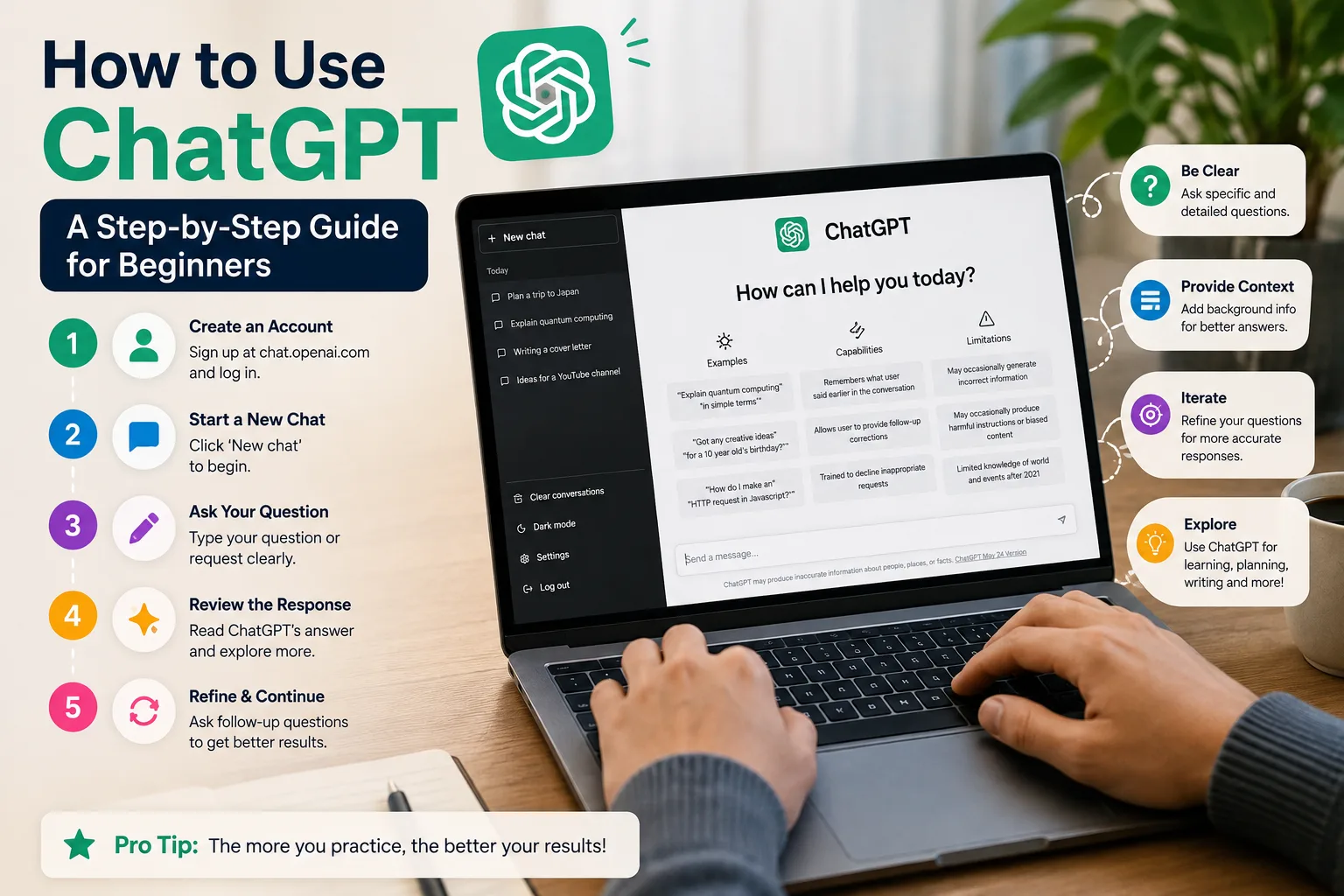
Getting started with ChatGPT only takes a few simple steps.
Step 1: Open ChatGPT
Visit the official ChatGPT website and open the ChatGPT interface. Depending on the features available to your account and region, you may be able to use ChatGPT with a free account or access additional capabilities through a paid plan.
Step 2: Start a New Conversation
When you open ChatGPT, you'll see a conversation interface where you can type your request. Think of this box as the place where you give instructions to the AI.
For example, you could ask:
Explain artificial intelligence in simple terms for a complete beginner.
ChatGPT will then generate a response based on your request.
Step 3: Ask Follow-Up Questions
One of the most useful features of ChatGPT is that you can continue the same conversation instead of starting over every time you have another question.
For example, you could first ask ChatGPT to explain machine learning and then follow up with:
Give me a simple real-world example.
You can continue asking questions, requesting examples, or asking for clarification as the conversation develops.
How to Write a Good ChatGPT Prompt
The quality of your instructions can have a major impact on the quality of the response.
A prompt is simply the question, instruction, or information you give ChatGPT.
A basic prompt might be:
Write an article about artificial intelligence.
A more detailed prompt could be:
Write a beginner-friendly 1,000-word article explaining artificial intelligence. Use simple English, include headings and practical examples, and make it suitable for someone who has never studied AI.
The second prompt provides more context and gives ChatGPT a clearer idea of the result you want.
5 Elements of a Good ChatGPT Prompt
1. Tell ChatGPT What You Want
Start with a clear task. You can use instructions such as:
- Explain...
- Write...
- Summarize...
- Compare...
- Create...
- Analyze...
2. Provide Context
Tell ChatGPT who the response is for or why you need it.
For example:
Explain this topic to a complete beginner who has no technical background.
3. Specify the Format
Tell ChatGPT how you want the answer organized.
- Use bullet points.
- Create a comparison table.
- Use headings and short paragraphs.
- Give me step-by-step instructions.
- Provide examples after each explanation.
4. Specify the Tone
You can tell ChatGPT how you want the response to sound.
- Use a professional tone.
- Make it friendly and conversational.
- Explain it like a teacher.
- Use simple English.
- Make it suitable for beginners.
5. Add Useful Constraints
If you need a particular length, structure, or number of examples, include it in your prompt.
Write approximately 800 words and include five practical examples.
Useful ChatGPT Prompts for Beginners
For Learning
Explain photosynthesis to me like I'm a beginner. Use a simple real-world analogy and give me three examples.
For Writing
Rewrite this paragraph in clear, professional English while keeping the original meaning.
For Brainstorming
Give me 20 blog ideas about artificial intelligence for beginners. Make each idea practical and useful.
For Coding
Explain this PHP code step by step and identify any potential errors. Assume I have intermediate programming knowledge.
For Research
Compare artificial intelligence and traditional software development in a simple table. Explain the main differences for a beginner.
For Productivity
Create a realistic daily schedule for someone who wants to spend two hours learning a new skill while working full-time.
How to Ask ChatGPT to Explain Something
If you don't understand the first answer, don't worry. You can ask ChatGPT to explain the same concept in a different way.
Try prompts such as:
- Explain that more simply.
- Give me a real-world example.
- Explain it step by step.
- Pretend I'm a complete beginner.
- Use an analogy.
- Can you explain this in simple English?
This makes ChatGPT useful as an interactive learning assistant rather than simply a question-and-answer tool.
How to Use ChatGPT for Writing
ChatGPT can help with many types of writing. You can use it to create a first draft, improve grammar, rewrite paragraphs, generate headlines, create outlines, simplify complicated text, or change the tone of existing content.
For example:
Write five professional headline ideas for an article about AI productivity tools.
You can then ask ChatGPT to make the headlines shorter, more engaging, or more suitable for search engines.
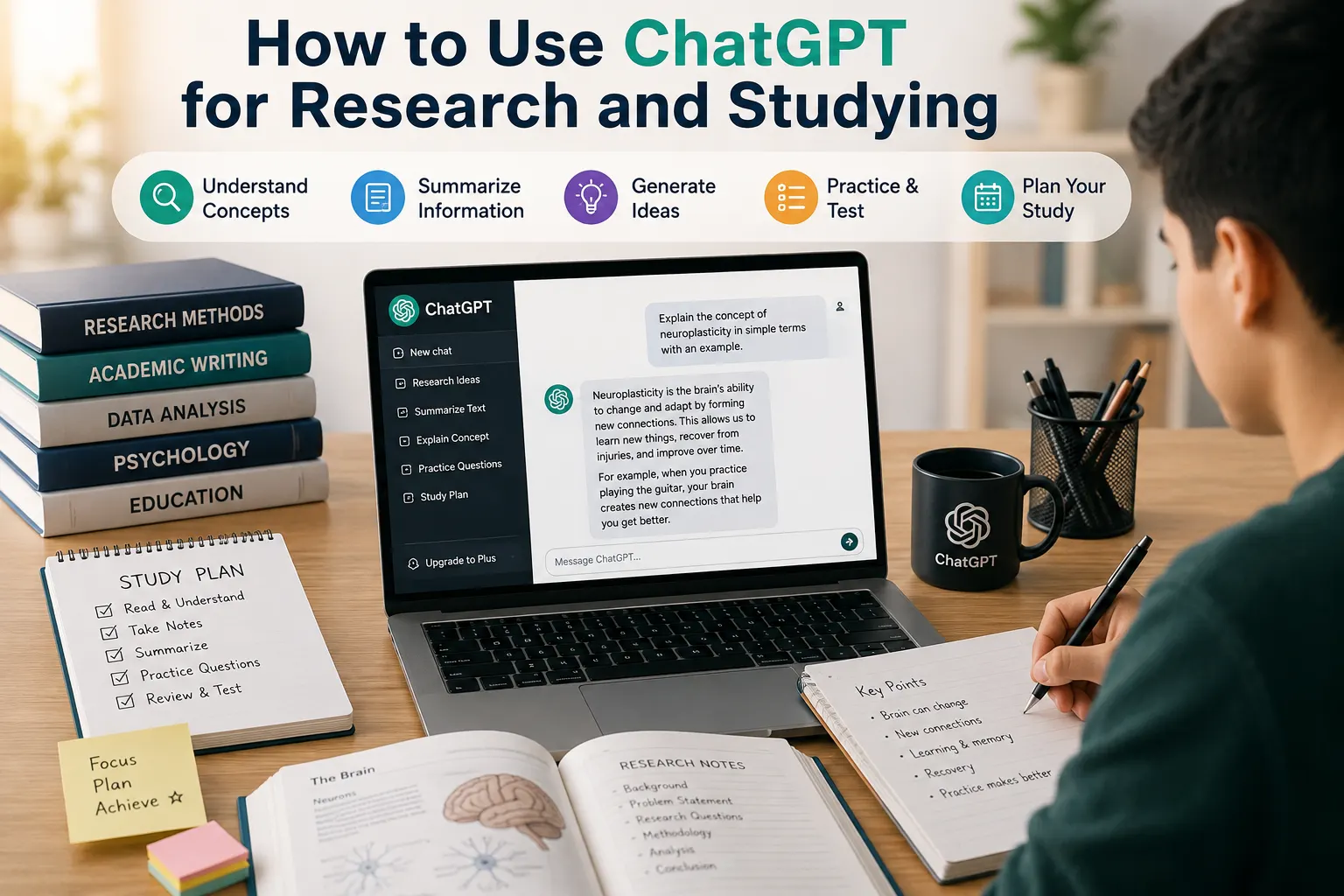
How to Use ChatGPT for Learning
ChatGPT can also act as an interactive tutor.
Instead of simply asking for an answer, ask it to teach you a subject in stages.
Teach me the basics of Python programming. Start with the fundamentals and give me a short exercise after each lesson.
You can answer the exercises and ask ChatGPT to review your answers and explain your mistakes.
How to Use ChatGPT for Coding
ChatGPT can be useful when developing websites and applications. You can ask it to explain code, identify potential bugs, generate examples, explain error messages, suggest improvements, and help you plan a project.
Instead of simply asking:
Fix my PHP code.
Provide the relevant code and explain what is happening.
This PHP page produces an undefined variable error. Explain why it happens and show me how to fix it without changing the rest of the page.
Providing context usually makes the response much more useful.
How to Get Better Answers From ChatGPT
If the first answer isn't exactly what you want, you can improve it by giving ChatGPT additional instructions.
- Make it shorter.
- Add more examples.
- Use simpler language.
- Make it more professional.
- Focus only on the most important points.
- Give me a step-by-step explanation.
- Rewrite this for beginners.
You can also provide direct feedback. For example:
This explanation is too technical. Rewrite it for someone with no programming experience.
What ChatGPT Cannot Always Do Reliably
Although ChatGPT is a powerful AI assistant, you should not assume that every response is automatically correct.
AI can sometimes:
- Make factual mistakes.
- Misunderstand instructions.
- Provide outdated information.
- Generate incorrect code.
- Misinterpret complex questions.
For important decisions, verify critical information using reliable and authoritative sources. This is especially important for medical, legal, financial, security, and other high-stakes topics.
ChatGPT Tips for Beginners
- Be specific. Explain exactly what you want.
- Provide context. Tell ChatGPT who the answer is for.
- Give examples. Show the style or format you want.
- Ask follow-up questions. You don't need to repeat everything.
- Ask for revisions. Tell ChatGPT what you want changed.
- Break complex tasks into smaller steps.
- Verify important information.
A Simple ChatGPT Prompt Formula
If you're not sure how to write a good prompt, use this simple formula:
Role + Task + Context + Format + Constraints
For example:
Act as an experienced English teacher. Explain the present perfect tense to a beginner. Use simple English, provide five examples, and finish with a short practice exercise.
This gives ChatGPT clear instructions and useful context.
Common ChatGPT Mistakes Beginners Make
Being Too Vague
A prompt such as "Tell me about AI" is extremely broad.
Instead, try:
Explain what artificial intelligence is, how it works at a high level, and give three everyday examples for a complete beginner.
Giving Too Little Context
If ChatGPT doesn't know what you're trying to accomplish, the response may not match your needs. Tell it what you're working on and what result you want.
Expecting a Perfect Answer Immediately
You don't have to accept the first response. Treat the conversation as an iterative process. Ask questions, request changes, and provide feedback.
Sharing Sensitive Information
Avoid entering passwords, private credentials, confidential business information, or other sensitive information into an AI assistant unless you understand the applicable privacy and data-handling settings.
Final Thoughts
Learning how to use ChatGPT is less about memorizing special commands and more about learning how to communicate clearly with an AI assistant.
Start with simple questions, provide useful context, experiment with different prompts, and use follow-up questions to improve the results.
Whether you want to learn something new, write an article, brainstorm ideas, analyze information, or solve a coding problem, ChatGPT can become a useful tool when you know how to give it clear instructions.
The more you practice, the better you'll become at turning your ideas into effective prompts.
Frequently Asked Questions
Is ChatGPT easy for beginners?
Yes. You can interact with ChatGPT using normal conversational language. You don't need programming knowledge to get started.
What should I ask ChatGPT?
You can ask ChatGPT questions, request explanations, generate ideas, write or rewrite content, analyze information, create plans, and perform many other tasks.
How do I get better answers from ChatGPT?
Be specific, provide context, explain your desired format, and tell ChatGPT what you want the final result to look like.
Can ChatGPT help me learn?
Yes. You can ask ChatGPT to explain concepts, create exercises, quiz you, provide examples, and adapt explanations to your level.
Can ChatGPT make mistakes?
Yes. ChatGPT can sometimes generate inaccurate or incomplete information. Important information should be independently verified.