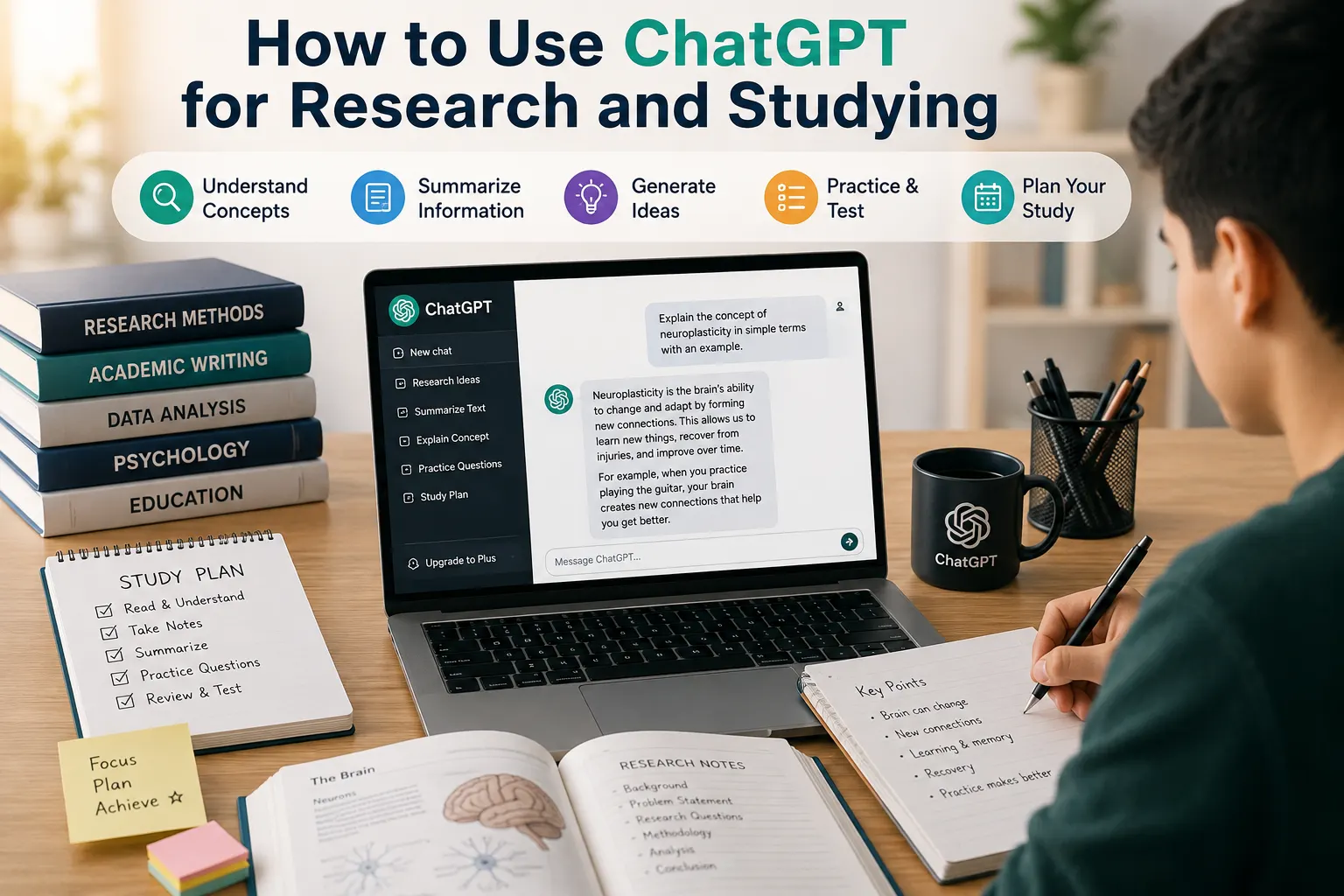

ChatGPT can be a useful assistant for students, researchers, and anyone who wants to learn more efficiently. It can explain difficult concepts, help organize research, generate study questions, summarize information, and provide feedback on your work.
However, ChatGPT should not replace critical thinking or reliable sources. AI-generated information can sometimes be incomplete or incorrect, so important facts should always be verified.
In this guide, you'll learn how to use ChatGPT effectively for research and studying, with practical examples you can start using today.
What Can ChatGPT Do for Research and Studying?
ChatGPT can help with many parts of the learning and research process.
| Task | How ChatGPT Can Help |
|---|---|
| Understanding concepts | Explain difficult topics in simple language. |
| Research planning | Help develop questions, topics, and research outlines. |
| Summarization | Turn long information into concise notes. |
| Study plans | Create personalized schedules and learning routines. |
| Exam preparation | Generate practice questions and quizzes. |
| Writing support | Help organize ideas and improve clarity. |
| Brainstorming | Generate possible topics and research directions. |
1. Use ChatGPT to Understand Difficult Topics
One of the easiest ways to use ChatGPT for studying is to ask it to explain a difficult concept.
Instead of asking a very broad question, tell ChatGPT your current level and how you want the explanation presented.
For example:
"Explain quantum computing to me as a beginner. Use simple examples and avoid advanced mathematical terminology."
You can then ask follow-up questions until the concept becomes clear.
For example:
- "Explain that in simpler terms."
- "Give me a real-world example."
- "What is the most important thing I should remember?"
- "Test me on this topic."
This creates a more interactive learning experience than simply reading a definition.
2. Ask ChatGPT to Explain a Topic at Different Levels
A useful technique is to ask ChatGPT to explain the same subject at different levels of difficulty.
You could start with:
"Explain photosynthesis to a 12-year-old."
Then ask:
"Now explain photosynthesis at high-school level."
Finally:
"Now explain it at university level and include the important biological processes."
This helps you gradually build understanding instead of jumping directly into advanced material.
3. Use ChatGPT to Create a Research Question
Choosing a good research question can be difficult, especially when you're starting with a broad topic.
ChatGPT can help you turn a general subject into more specific research questions.
For example:
"I'm researching the impact of artificial intelligence on education. Give me 10 specific research questions suitable for a university paper."
You can then ask ChatGPT to compare the questions based on scope, difficulty, available evidence, and originality.
Remember that ChatGPT should help you develop your research question, not decide the final academic direction without your judgment.
4. Create a Research Outline
Once you have a research topic, ChatGPT can help organize your ideas into a logical structure.
For example:
"Create an outline for a 2,000-word research paper about how generative AI is changing education. Include an introduction, three main sections, counterarguments, and a conclusion."
A typical outline might include:
- Introduction
- Background
- Main arguments
- Evidence and examples
- Counterarguments
- Discussion
- Conclusion
You should then adapt the outline to your assignment requirements and research findings.
5. Use ChatGPT to Brainstorm Research Ideas
If you're not sure what to research, ChatGPT can be useful for brainstorming.
Try asking:
"Give me 20 research topic ideas about artificial intelligence and society. Separate them into beginner, intermediate, and advanced topics."
You can narrow the results by adding your subject, academic level, interests, or available resources.
6. Turn Your Notes Into Study Material
If you already have your own notes, ChatGPT can help organize them into a more useful study format.
For example, you can ask it to turn your notes into:
- Bullet-point summaries
- Flashcards
- Question-and-answer sets
- Practice quizzes
- Key-term lists
- Revision checklists
A useful prompt is:
"Turn these notes into 20 flashcards. Put the question on one side and a short answer on the other. Focus on the most important concepts."
When possible, work from your own notes or source material so the study material stays aligned with what you're actually learning.
7. Generate Practice Questions
Practice testing is an effective way to check whether you actually understand a subject.
ChatGPT can generate questions based on a topic or material you provide.
For example:
"Create a 15-question multiple-choice quiz about the human digestive system. Ask one question at a time and don't show the answer until I respond."
You can also ask for different question types, including:
- Multiple-choice questions
- Short-answer questions
- True-or-false questions
- Essay questions
- Problem-solving questions
8. Use ChatGPT as a Personal Tutor
Instead of asking ChatGPT for answers immediately, you can ask it to guide you through a problem.
For example:
"Act as my math tutor. Don't give me the final answer immediately. Ask me questions and guide me through each step."
This approach encourages active learning and can help you understand how to solve problems rather than simply copying the solution.
9. Ask ChatGPT to Test Your Understanding
After studying a topic, ask ChatGPT to test you.
For example:
"Test my understanding of machine learning. Ask me 10 questions, one at a time. Start easy and gradually increase the difficulty. After each answer, explain what I got right or wrong."
This turns ChatGPT into an interactive revision partner.
10. Use ChatGPT to Summarize Your Study Material
ChatGPT can help summarize material you provide.
Instead of simply asking for a summary, specify what you need.
For example:
"Summarize these notes into the 10 most important points I need to remember for my exam."
You can also request a summary at different lengths.
| Summary Type | Best For |
|---|---|
| One paragraph | Quick review |
| Bullet points | Revision |
| Detailed summary | Learning a chapter |
| Key terms | Memorization |
| Question and answer | Active recall |
11. Ask ChatGPT to Compare Concepts
Comparing related concepts can make difficult subjects easier to understand.
For example:
"Explain the differences between supervised learning and unsupervised learning. Use a table with definitions, examples, advantages, and common applications."
This is particularly useful when studying topics that contain similar terms.
12. Use ChatGPT to Create a Study Plan
ChatGPT can help you create a study schedule based on your available time.
For example:
"Create a four-week study plan for my biology exam. I can study two hours per day from Monday to Friday and three hours on Saturday. Include revision and practice tests."
A good study plan should include:
- Learning new material
- Review sessions
- Practice questions
- Active recall
- Breaks
- Final revision
13. Use ChatGPT for Flashcards
Flashcards are useful for learning definitions, vocabulary, formulas, dates, and key concepts.
You can ask ChatGPT to create flashcards from material you provide.
For example:
"Create 30 flashcards from these notes. Focus on definitions, important facts, and concepts that are likely to appear on an exam."
You can also ask ChatGPT to quiz you one card at a time.
14. Use ChatGPT to Improve Your Writing
ChatGPT can help you improve the clarity and structure of academic writing.
For example, you can ask it to:
- Identify unclear sentences.
- Improve paragraph organization.
- Suggest stronger transitions.
- Correct grammar.
- Explain why a sentence is unclear.
- Suggest ways to make your writing more concise.
A useful prompt is:
"Review this paragraph for clarity and grammar. Don't rewrite the entire paragraph. Identify the problems and explain how I can improve them."
This approach helps you learn from the feedback rather than simply replacing your writing with AI-generated text.
15. Use ChatGPT to Understand Research Papers
Research papers can contain complex terminology and dense explanations.
If you have access to the paper and are allowed to use AI with it, you can ask ChatGPT to explain difficult sections.
For example:
"Explain this research paper section in simple language. Define the technical terms and explain the main argument."
You can also ask:
- "What is the research question?"
- "What methodology was used?"
- "What are the main findings?"
- "What are the limitations?"
- "What evidence supports the conclusion?"
For academic work, always consult the original paper rather than relying solely on an AI summary.
16. Use ChatGPT to Analyze Arguments
ChatGPT can help you examine an argument from different perspectives.
Try:
"Analyze this argument. Identify the main claim, supporting evidence, assumptions, possible weaknesses, and counterarguments."
This can help you develop critical-thinking skills and identify areas that require additional research.
17. Ask ChatGPT to Explain Research Methods
Research methodology can be confusing when you're new to academic research.
ChatGPT can explain concepts such as:
- Qualitative research
- Quantitative research
- Surveys
- Interviews
- Experiments
- Case studies
- Literature reviews
- Sampling
For example:
"Explain the difference between qualitative and quantitative research using simple examples. Then explain when each method is appropriate."
18. Use ChatGPT to Find Gaps in Your Understanding
One powerful study technique is asking ChatGPT to identify what you might not understand yet.
After explaining a topic yourself, ask:
"Here is my explanation of photosynthesis. Identify anything that is incorrect, incomplete, or unclear. Then ask me three questions to test my understanding."
This can reveal gaps that you might not notice when simply rereading your notes.
19. Don't Use ChatGPT as Your Only Research Source
This is one of the most important rules.
ChatGPT can produce incorrect, outdated, incomplete, or unsupported information. For serious research, use reliable primary and secondary sources.
Depending on your topic, useful sources may include:
- Academic journals
- Books
- Government websites
- University websites
- Official documentation
- Research institutions
- Primary research papers
Use ChatGPT to help you understand and organize information, but verify important claims against the original sources.
20. Be Careful With AI-Generated Citations
One common problem with using AI for research is asking it to provide citations without checking them.
An AI system may sometimes produce an incorrect reference or attribute information to a source that does not actually support the claim.
Always verify:
- Author names
- Publication titles
- Publication dates
- URLs
- DOIs
- Page numbers
- The actual claim made by the source
Never include an academic reference simply because an AI system generated it.
21. Protect Your Privacy
Be careful when uploading research documents, personal information, unpublished work, or confidential material to AI services.
Before entering sensitive information, understand the privacy settings and data policies of the AI service you're using.
When possible, remove unnecessary personal or confidential information from documents before sharing them with an AI system.
Best ChatGPT Prompts for Research
Here are useful prompts you can adapt for research projects:
| Goal | Example Prompt |
|---|---|
| Research ideas | "Give me 15 research questions about [topic]." |
| Outline | "Create a logical outline for a research paper about [topic]." |
| Concept explanation | "Explain [concept] for a beginner using simple examples." |
| Argument analysis | "Analyze this argument and identify its assumptions and weaknesses." |
| Research methods | "Explain the best research methods for studying [topic] and why." |
| Source analysis | "Help me identify the main claim and evidence in this source." |
Best ChatGPT Prompts for Studying
| Goal | Example Prompt |
|---|---|
| Study plan | "Create a two-week study plan for my [subject] exam." |
| Flashcards | "Turn these notes into 25 flashcards." |
| Quiz | "Test me on [topic] with 15 questions." |
| Simple explanation | "Explain [topic] as if I'm a complete beginner." |
| Active recall | "Ask me questions one at a time without giving me the answers." |
| Review | "Give me the five most important concepts I should remember." |
How to Get Better Results From ChatGPT
The quality of your prompt can make a major difference.
Instead of:
"Help me study history."
Try:
"I'm preparing for a history exam on the Industrial Revolution. I have seven days and can study for 90 minutes each day. Create a study plan, explain the key concepts, and test me with questions after each topic."
The second prompt provides much more useful context.
A Simple ChatGPT Study Workflow
You can build a complete study workflow around ChatGPT.
- Learn: Ask ChatGPT to explain the topic.
- Read: Study your textbook, lecture notes, or reliable sources.
- Summarize: Create concise notes from your material.
- Practice: Generate questions and solve problems.
- Test: Ask ChatGPT to quiz you.
- Review: Identify weak areas.
- Verify: Check important facts against reliable sources.
This approach makes AI a learning assistant rather than a replacement for studying.
Common Mistakes to Avoid
- Copying AI answers without understanding them.
- Trusting every AI-generated fact.
- Using unverified citations.
- Using AI instead of reading required sources.
- Uploading confidential information without considering privacy.
- Submitting AI-generated work when your institution prohibits it.
- Asking vague questions and expecting highly specific answers.
Final Thoughts
ChatGPT can be a powerful tool for research and studying when you use it thoughtfully.
You can use it to understand difficult concepts, brainstorm research questions, organize ideas, create study plans, generate practice questions, analyze arguments, and review your knowledge.
The most effective approach is to combine AI with your own thinking and reliable sources. Use ChatGPT to accelerate learning, but don't let it replace the process of reading, questioning, researching, and understanding.
When used this way, ChatGPT can become a valuable study partner and research assistant.
Frequently Asked Questions
Can I use ChatGPT for academic research?
Yes. ChatGPT can help brainstorm topics, explain concepts, organize ideas, analyze material you provide, and develop research questions. However, important claims should be verified using reliable original sources.
Can ChatGPT summarize research papers?
Yes. You can use ChatGPT to help summarize a paper or explain difficult sections, provided you have the right to share the material with the service. Always compare the summary with the original paper.
Can ChatGPT create a study plan?
Yes. Give it your subject, exam date, available study time, current level, and goals, and it can create a structured study schedule.
Can ChatGPT help me prepare for exams?
Yes. It can create quizzes, flashcards, practice questions, explanations, and revision plans.
Should I trust ChatGPT's research answers?
You should not automatically trust AI-generated information. Verify important facts, statistics, quotations, citations, and research claims using reliable sources.
Can ChatGPT replace a teacher or researcher?
No. ChatGPT can provide useful assistance, but teachers, researchers, textbooks, academic papers, and other authoritative sources remain important for accurate and deeper learning.