
Introduction
ChatGPT has become a useful AI assistant for professionals, students, entrepreneurs, and teams. Instead of treating it only as a chatbot for answering questions, you can use ChatGPT to help with everyday work such as writing emails, creating plans, summarizing information, generating ideas, analyzing data, and improving documents.
The key is knowing how to give ChatGPT clear instructions and understanding which tasks should remain under human review. Used properly, ChatGPT can help you spend less time on repetitive work and more time on tasks that require creativity, judgment, and decision-making.
What Can ChatGPT Do at Work?
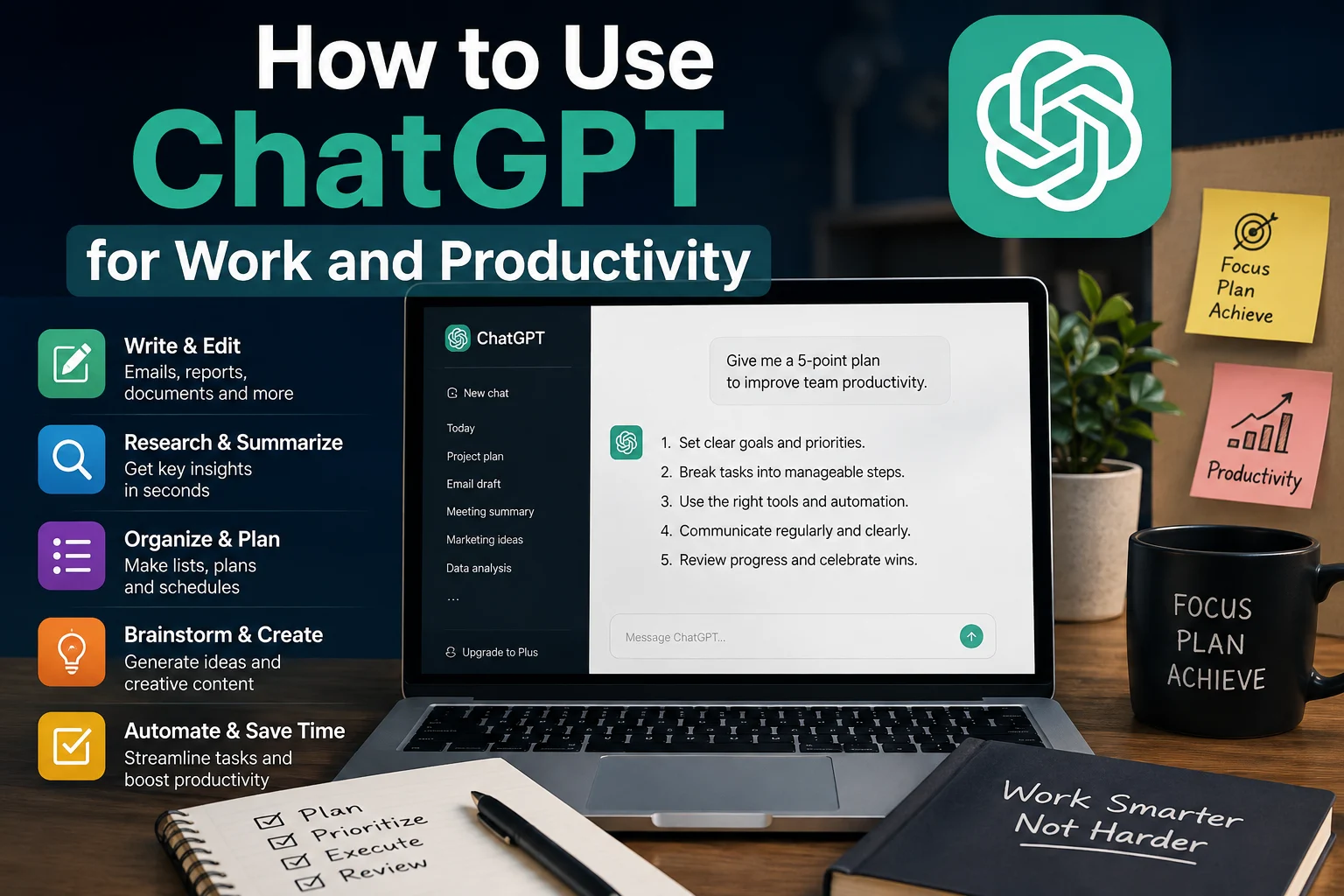
ChatGPT can assist with many common workplace activities. Depending on your role, you can use it as a writing assistant, brainstorming partner, research helper, productivity coach, or coding assistant.
- Write and improve emails
- Summarize long documents
- Brainstorm ideas
- Create meeting agendas
- Turn notes into organized documents
- Create project plans
- Generate reports and outlines
- Explain complex topics
- Analyze and organize information
- Write and review code
- Create presentations and content outlines
- Help prioritize tasks
1. Use ChatGPT to Write Better Emails
Email is one of the most repetitive tasks in many workplaces. ChatGPT can help you create professional emails from a few simple instructions.
For example, instead of spending several minutes deciding how to phrase an email, you can provide the important details and ask ChatGPT to turn them into a professional message.
A useful prompt could be:
Write a concise and professional email to a client explaining that the project deadline has been moved to Friday. Apologize for the delay and maintain a positive, helpful tone.
You can also ask ChatGPT to make an existing email more concise, professional, friendly, persuasive, or easier to understand.
2. Summarize Long Documents
Reading long documents can take a significant amount of time. When appropriate, ChatGPT can help summarize information and identify the most important points.
You can ask it to create:
- A short executive summary
- A list of key points
- Important decisions
- Action items
- Questions that require follow-up
For example:
Summarize this document in five key points. Then list the most important action items and explain who needs to complete each one.
Always review summaries of important business, financial, legal, or technical documents yourself. AI can misunderstand context or leave out important details.
3. Create Meeting Agendas
Preparing a clear meeting agenda can make meetings more focused and productive. ChatGPT can turn a list of topics into a structured agenda.
For example:
Create a 45-minute team meeting agenda covering project progress, current problems, upcoming deadlines, and next steps. Include estimated time for each topic.
You can also use ChatGPT after a meeting to turn your notes into a clean list of decisions and action items.
4. Turn Notes Into Organized Documents
Work notes are often messy and incomplete. ChatGPT can help transform rough notes into a structured document.
You might provide several bullet points and ask:
Turn these notes into a clear professional project update. Organize the information into progress, completed tasks, current challenges, and next steps.
This can be especially useful when preparing weekly reports, project updates, internal documentation, or client communications.
5. Brainstorm Ideas
ChatGPT can act as a brainstorming partner when you need new ideas.
Instead of asking a vague question such as “Give me some ideas,” provide context and constraints.
Give me 15 marketing campaign ideas for a technology website targeting beginners interested in artificial intelligence. Keep the ideas practical and suitable for a small budget.
You can then ask ChatGPT to rank the ideas according to cost, potential impact, difficulty, or time required.
6. Create Project Plans
Large projects become easier to manage when they are divided into smaller tasks. ChatGPT can help you create an initial project plan.
For example:
Create a four-week project plan for launching a small company website. Divide the project into weekly goals, tasks, dependencies, and deliverables.
You can then modify the plan based on your team's resources, deadlines, and priorities.
7. Prioritize Your Tasks
If you have a long list of tasks, ChatGPT can help organize them according to urgency and importance.
Try providing your tasks and asking:
Organize these tasks into high priority, medium priority, and low priority. Explain why each task belongs in its category and suggest what I should work on first.
This does not replace your own judgment, but it can give you a useful starting point when your workload feels overwhelming.
8. Improve Your Writing
ChatGPT can help improve workplace writing without changing the underlying meaning.
You can ask it to:
- Correct grammar
- Improve clarity
- Make text more concise
- Change the tone
- Remove unnecessary repetition
- Make technical information easier to understand
For example:
Rewrite this message to sound professional, friendly, and concise while keeping the original meaning.
9. Use ChatGPT for Research and Learning
ChatGPT can help you understand unfamiliar concepts and prepare questions for further research.
You can ask it to explain a complicated topic at different levels of difficulty.
Explain cloud computing to me as if I were a beginner. Then give me a more technical explanation and provide five questions I should research next.
For important professional decisions, verify critical facts using reliable primary or authoritative sources rather than relying solely on an AI-generated answer.
10. Analyze Information
When you have structured information, ChatGPT can help identify patterns, categorize items, generate summaries, and suggest ways to interpret the information.
For example, you might use it to organize customer feedback into categories such as:
- Product problems
- Feature requests
- Customer complaints
- Positive feedback
- Common questions
When working with sensitive company information, follow your organization's data protection and AI usage policies before sharing anything with an AI service.
11. Use ChatGPT for Coding
Developers can use ChatGPT as a programming assistant for many tasks.
It can help explain code, identify potential bugs, create examples, generate functions, write documentation, and suggest approaches to technical problems.
A useful prompt is:
Review this PHP function and explain what it does. Identify potential bugs or security problems and suggest improvements. Do not rewrite the entire project unless necessary.
Generated code should always be tested and reviewed before being used in production, especially when it involves authentication, payments, databases, security, or sensitive data.
12. Create Reusable Work Prompts
One of the best ways to improve productivity with ChatGPT is to create reusable prompts for tasks you perform regularly.
For example, if you frequently write reports, create a standard prompt that tells ChatGPT the desired structure, tone, audience, and formatting.
A reusable prompt might look like this:
You are my professional writing assistant. Rewrite the information I provide into a clear business report. Use short paragraphs, descriptive headings, bullet points where appropriate, and a professional but easy-to-understand tone. Do not invent facts that are not provided.
You can adapt this template for emails, reports, customer support messages, project updates, marketing content, and other repetitive tasks.
How to Write Better ChatGPT Prompts
The quality of the instructions you provide can have a major effect on the usefulness of the response. Instead of asking a very general question, provide context and explain what you want.
A strong workplace prompt usually includes:
- Role: Tell ChatGPT what perspective it should use.
- Task: Clearly describe what you want it to do.
- Context: Provide relevant background information.
- Audience: Explain who will read or use the result.
- Tone: Specify whether the response should be professional, friendly, technical, or concise.
- Format: Tell it whether you want bullets, a table, an email, a report, or another format.
- Constraints: Include word limits, deadlines, or information that must not be changed.
A Simple Prompt Formula
You can use this simple structure for many professional tasks:
Act as [role]. Help me [task]. Here is the context: [context]. The audience is [audience]. Use a [tone] tone. Format the response as [format]. Do not [important constraint].
This formula gives ChatGPT enough information to produce a more useful first response.
What You Should Not Give ChatGPT
Before using ChatGPT for work, think carefully about the information you are sharing.
Avoid entering confidential information, passwords, private customer information, sensitive company data, or other restricted information unless your organization's policies and the relevant AI service's privacy controls explicitly allow it.
When possible, anonymize information before using it. For example, replace real customer names with generic labels such as “Customer A.”
Always Review AI-Generated Work
ChatGPT can save time, but it should not automatically be treated as an authority.
AI-generated content can contain inaccurate information, incorrect assumptions, calculation errors, or inappropriate wording. Review important outputs before sending them to customers, publishing them, or using them to make business decisions.
This is especially important for legal, financial, medical, security, compliance, and other high-stakes topics.
ChatGPT as a Productivity Assistant
The most effective way to use ChatGPT at work is not necessarily to ask it to complete everything for you. Instead, use it to reduce repetitive work while keeping yourself responsible for decisions and final quality.
For example, you can use ChatGPT to create a first draft, organize information, generate alternatives, or identify potential problems. You then review, correct, and finalize the result.
Conclusion
ChatGPT can become a valuable productivity assistant when it is integrated into your daily workflow. From writing emails and summarizing documents to brainstorming ideas, planning projects, analyzing information, and assisting with code, there are many practical ways to use it at work.
The key is to give clear instructions, provide useful context, protect sensitive information, and review important results before using them.
Start with one repetitive task you perform every day and experiment with using ChatGPT to make that task faster. Once you find a workflow that works well, turn it into a reusable prompt and gradually expand your AI-assisted workflow.