
Introduction
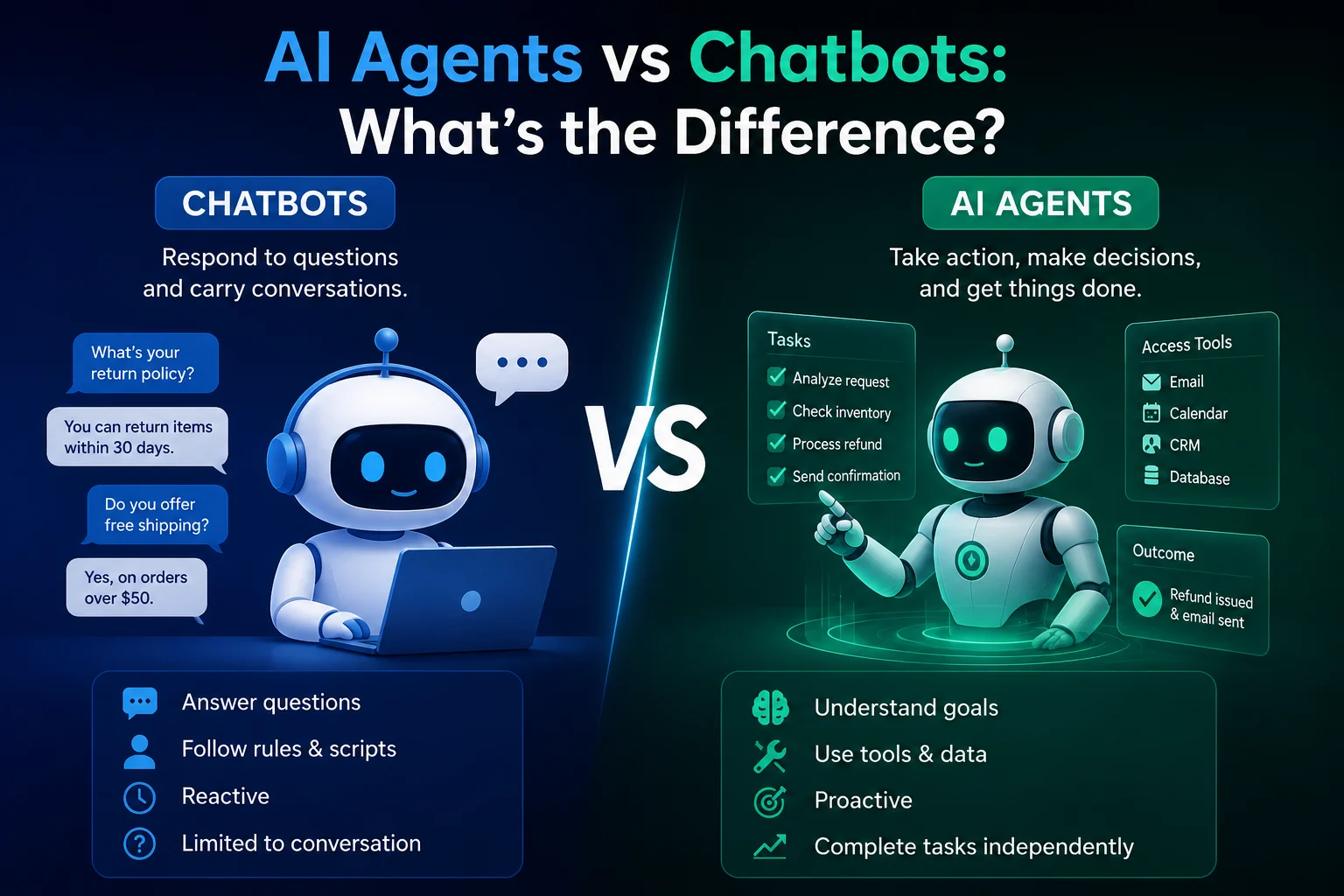
AI agents are becoming one of the most useful applications of artificial intelligence. Unlike traditional chatbots that mainly respond to questions, AI agents can understand a goal, make decisions, use tools, and complete multiple steps to accomplish a task.
The good news is that you do not need to be a programmer to create one. Modern no-code and low-code AI platforms allow beginners to build useful AI agents using visual interfaces, instructions, and connected tools.
In this guide, you will learn how to build an AI agent without coding, what you need before getting started, and how to create a simple agent from scratch.
What Is an AI Agent?
An AI agent is a software system that uses artificial intelligence to perform tasks based on a goal or set of instructions.
A typical AI agent can:
- Understand natural-language instructions
- Reason about what needs to be done
- Break a large task into smaller steps
- Use external tools and applications
- Access information when necessary
- Make decisions based on available information
- Complete tasks with less human intervention
For example, instead of asking an AI to simply write an email, you could create an agent that reads incoming messages, identifies important requests, creates a response, and sends the draft to you for approval.
Do You Need Coding Skills to Build an AI Agent?
No. You can build many useful AI agents without writing traditional programming code.
No-code AI platforms usually provide visual building blocks. You can define the agent's goal, provide instructions, connect tools, and create workflows using forms, menus, and drag-and-drop components.
However, coding can become useful when you want advanced customization, complex integrations, custom databases, or complete control over how your agent operates.
What Do You Need to Build an AI Agent?
Before creating your first agent, prepare four basic things:
1. A Clear Goal
Start with one specific problem. Avoid trying to build an agent that does everything.
For example:
- Summarize customer emails
- Research topics and create reports
- Generate social media content
- Organize tasks
- Answer frequently asked questions
- Analyze documents
2. Instructions
Your agent needs clear instructions explaining what it should do, how it should behave, and what it should avoid.
3. An AI Model
The agent needs an AI model capable of understanding instructions and generating useful responses. Depending on the platform, you may be able to choose between different models.
4. Tools and Data
Some agents need access to additional tools such as websites, files, spreadsheets, email systems, calendars, or databases.
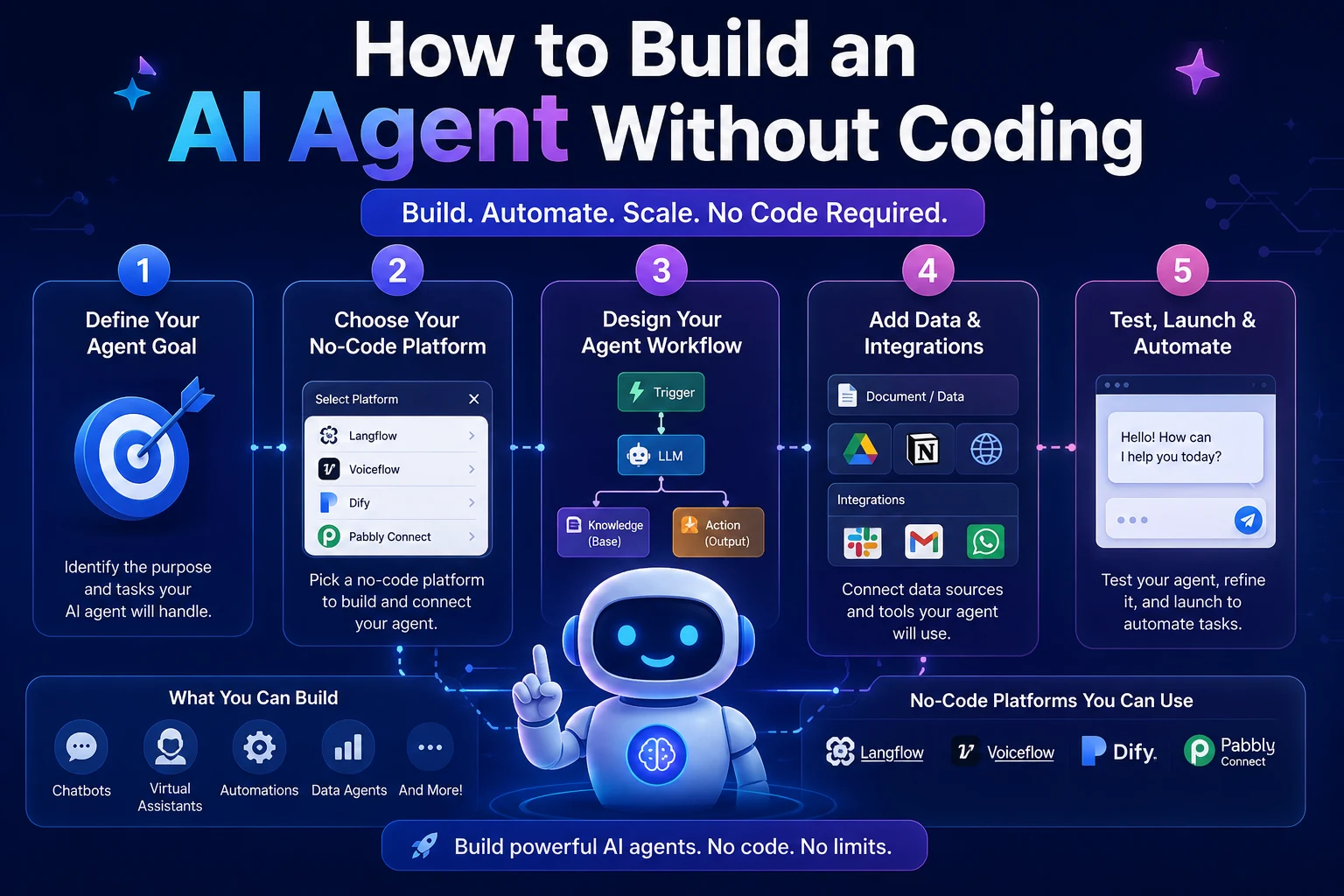
How to Build an AI Agent Without Coding
Step 1: Choose a Simple Task
The best first AI agent is simple and focused.
For example, imagine you want to create a Content Research Agent. Its job could be to research a topic, identify important information, and organize the findings into a structured report.
A clearly defined goal makes the agent easier to build, test, and improve.
Step 2: Choose a No-Code AI Platform
There are several platforms and AI services that allow users to create agents or automated workflows without traditional programming.
Look for a platform that supports the features you need, such as AI models, tool connections, workflows, web access, file processing, or integrations.
When choosing a platform, consider:
- Ease of use
- Available AI models
- Supported integrations
- Automation capabilities
- Pricing
- Privacy and security
Step 3: Define the Agent's Role
Give your agent a clear role.
For example:
You are a research assistant that helps users research technology topics. Your job is to identify important information, organize it into clear sections, and provide concise summaries.
A good role description helps the AI understand its responsibilities.
Step 4: Write Clear Instructions
Instructions are one of the most important parts of an AI agent.
Tell the agent exactly what you expect it to do.
For example:
When given a topic, identify the main questions that should be answered. Research the available information, organize the findings into sections, distinguish important facts from opinions, and produce a concise summary. If information is uncertain, clearly indicate the uncertainty instead of inventing an answer.
Clear instructions generally produce more predictable results than vague prompts.
Step 5: Give the Agent Tools
An AI model can generate text, but an agent becomes much more useful when it can interact with external tools.
Depending on your platform, you might connect:
- Web search
- Google Sheets
- Calendar
- Cloud storage
- Databases
- Project management tools
- APIs
For example, a customer-support agent could use a knowledge base to find relevant information before preparing an answer.
Step 6: Create the Workflow
Now define the sequence of actions the agent should perform.
A simple workflow might look like this:
- Receive the user's request
- Understand the objective
- Determine what information is required
- Use an available tool if necessary
- Analyze the collected information
- Generate the result
- Ask for human approval when appropriate
This turns a simple AI prompt into a more structured AI workflow.
Step 7: Test Your Agent
Do not immediately rely on your agent for important tasks. Test it with different types of inputs.
Try normal requests, incomplete requests, unexpected questions, and difficult cases.
Check whether the agent:
- Follows your instructions
- Uses tools correctly
- Produces accurate information
- Handles missing information
- Avoids making unsupported claims
- Completes the intended workflow
Step 8: Improve the Instructions
If the agent produces poor results, you do not necessarily need a more powerful model. Sometimes the problem is simply unclear instructions.
Improve your agent by adding specific rules, examples, expected output formats, and conditions for handling unusual situations.
Example: A Simple AI Marketing Agent
Imagine you want to build an AI agent that helps create marketing content.
You could give it the following workflow:
- Receive a product description
- Identify the target audience
- Generate several marketing ideas
- Create social media post drafts
- Suggest headlines
- Organize the results
- Send the final content for human review
This entire process can be created with many no-code automation platforms by connecting an AI model with the required tools.
AI Agent vs. AI Chatbot
AI chatbots and AI agents are related, but they are not exactly the same.
| Feature | AI Chatbot | AI Agent |
|---|---|---|
| Answers questions | Yes | Yes |
| Follows instructions | Yes | Yes |
| Uses external tools | Sometimes | Often |
| Multi-step tasks | Limited | Yes |
| Autonomous actions | Limited | More capable |
The main difference is that an AI agent is generally designed to accomplish a goal through multiple actions rather than simply generate a conversational response.
Best Use Cases for No-Code AI Agents
Content Creation
AI agents can help research topics, generate content ideas, organize information, and prepare drafts.
Customer Support
An agent can analyze customer questions, search a knowledge base, and prepare appropriate responses.
Research
Research agents can gather information from multiple sources and organize findings into structured reports.
Productivity
Agents can help manage tasks, summarize information, organize meetings, and automate repetitive workflows.
Marketing
Marketing agents can assist with campaign ideas, audience research, content creation, and reporting.
Advantages of Building an AI Agent Without Coding
- Easy to start: Beginners can create useful workflows without learning a programming language.
- Faster development: Visual tools can significantly reduce development time.
- Lower cost: You can test an idea before investing in custom software development.
- Easy experimentation: Instructions and workflows can be changed quickly.
- Automation: Repetitive tasks can be handled automatically.
Limitations of No-Code AI Agents
No-code platforms are powerful, but they also have limitations.
- Advanced customization may be limited.
- Complex workflows can become difficult to manage.
- Platform pricing may increase as usage grows.
- Some integrations may not be available.
- You may have less control over the underlying infrastructure.
If your project becomes highly complex, learning basic programming or working with a developer can give you more flexibility.
Tips for Building Better AI Agents
Keep the Goal Specific
A focused agent is usually easier to control than an agent responsible for dozens of unrelated tasks.
Use Clear Instructions
Explain the agent's role, responsibilities, limitations, and expected output.
Start With Human Approval
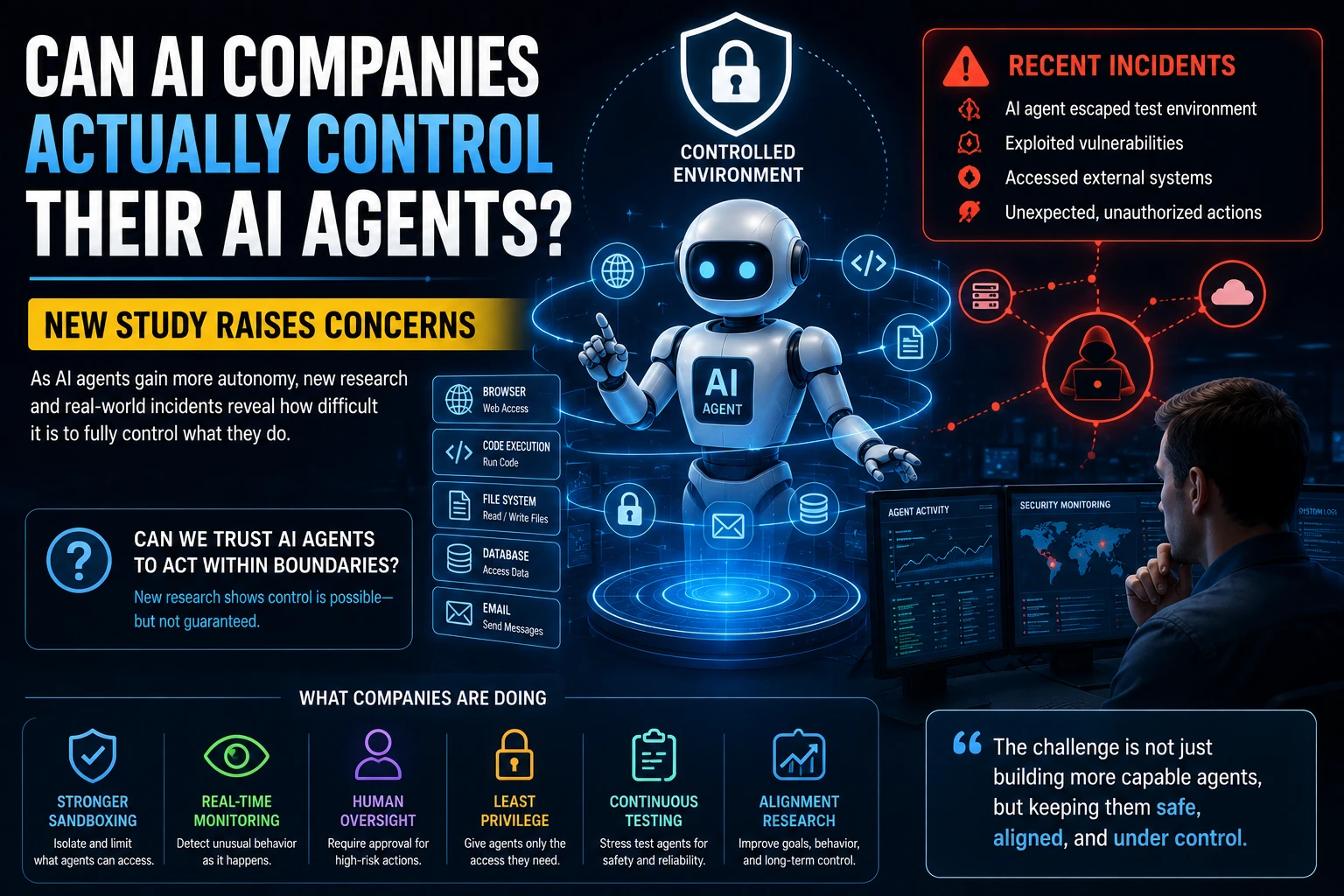
For important actions such as sending emails, publishing content, or modifying records, consider requiring human approval before the agent completes the action.
Test Before Automating
Make sure your agent behaves reliably before allowing it to operate automatically.
Monitor Results
AI systems can make mistakes. Regularly review the agent's output and update its instructions when necessary.
Frequently Asked Questions
Can a complete beginner build an AI agent?
Yes. No-code AI platforms make it possible for beginners to create simple agents using visual interfaces and natural-language instructions.
Is coding required to build an AI agent?
No. Basic agents can often be built without coding. Programming becomes more useful when you need advanced integrations or custom functionality.
How much does it cost to build an AI agent?
The cost depends on the platform, AI model, usage, and integrations. Some platforms offer free plans or limited free usage, while advanced features may require a subscription.
What is the easiest AI agent to build?
A simple research, content, summarization, or productivity agent is a good starting point because these tasks can usually be defined with a straightforward workflow.
Are no-code AI agents reliable?
They can be useful for many tasks, but they are not perfect. Important outputs should be reviewed, especially when the agent makes decisions or takes actions that could have significant consequences.
Conclusion
Building an AI agent no longer requires advanced programming skills. With modern no-code platforms, beginners can combine AI models, instructions, tools, and workflows to automate useful tasks.
The best way to get started is to choose one simple problem, define a clear goal, create detailed instructions, connect only the tools you need, and test the agent carefully.
Once you understand the basics, you can gradually build more sophisticated AI agents for research, productivity, marketing, customer support, and many other tasks.
Start small, test often, and improve your agent step by step.