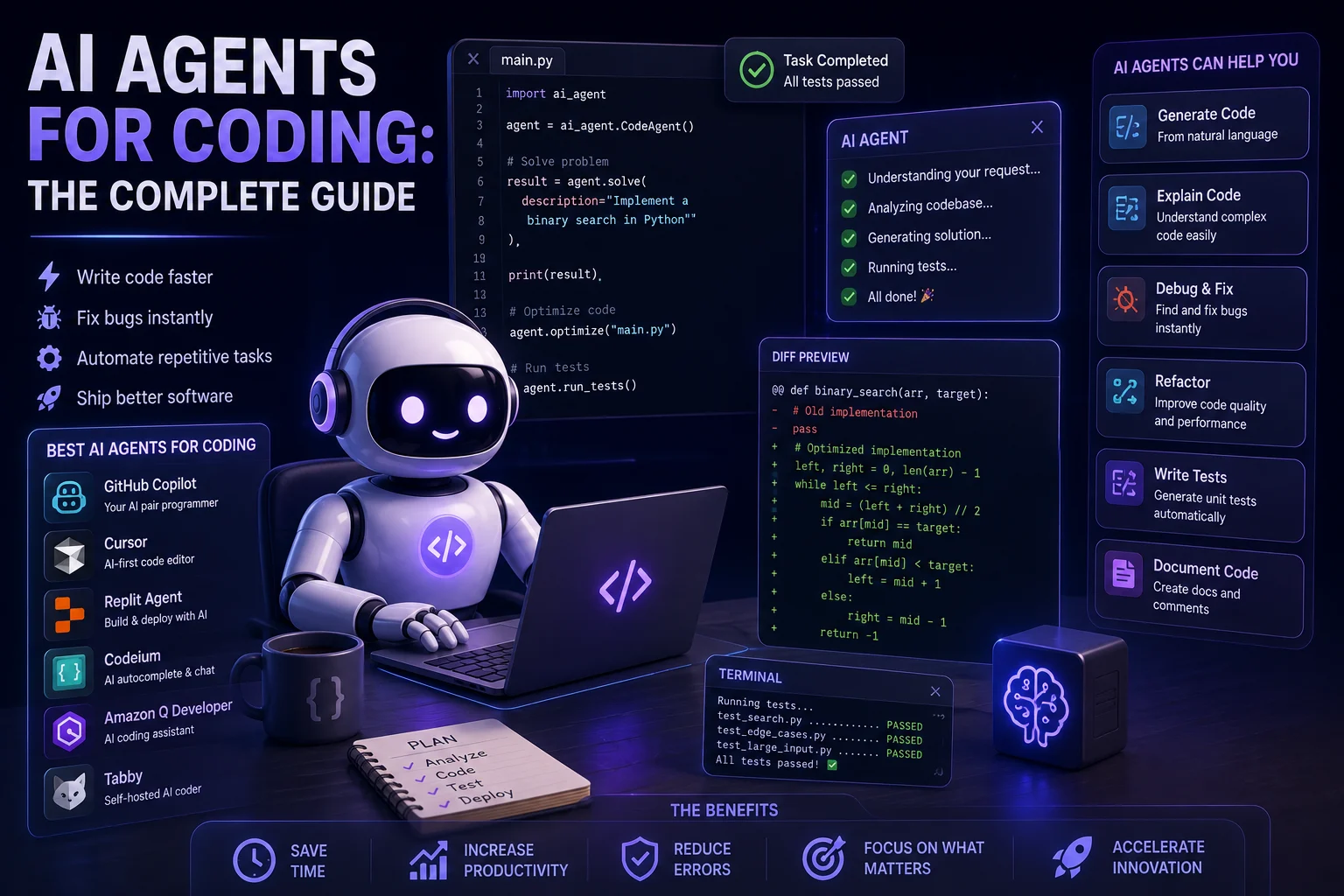

AI is changing software development faster than almost any previous developer tool. Modern AI coding agents can do much more than autocomplete a line of code. They can understand a repository, create and modify files, run commands, execute tests, investigate errors, and work through multi-step programming tasks.
This new generation of tools is often called AI coding agents.
Instead of asking an AI assistant to write one function and then manually handling everything else, developers can give an agent a goal such as fixing a bug, adding a feature, writing tests, or refactoring part of an application.
The agent can then plan the work, make changes, run tools, inspect the results, and iterate.
In this guide, we'll explain what AI coding agents are, how they work, what they can do, their advantages and limitations, popular tools, and how to use them safely.
What Is an AI Coding Agent?
An AI coding agent is an AI-powered development system that can reason about a software task and interact with a coding environment to complete multiple steps toward a goal.
A traditional AI coding assistant might suggest the next few lines of code.
An agent can potentially go much further:
- Inspect the project structure.
- Read relevant source files.
- Understand existing code.
- Create or modify files.
- Run commands.
- Install approved dependencies.
- Run tests.
- Analyze errors.
- Make corrections.
- Prepare a final change for review.
OWASP describes AI agents as systems that can reason, plan, use tools, maintain memory, and take actions to accomplish goals.
For coding specifically, this means the AI can become an active participant in the development workflow rather than simply a code-generation tool.
AI Coding Assistant vs AI Coding Agent
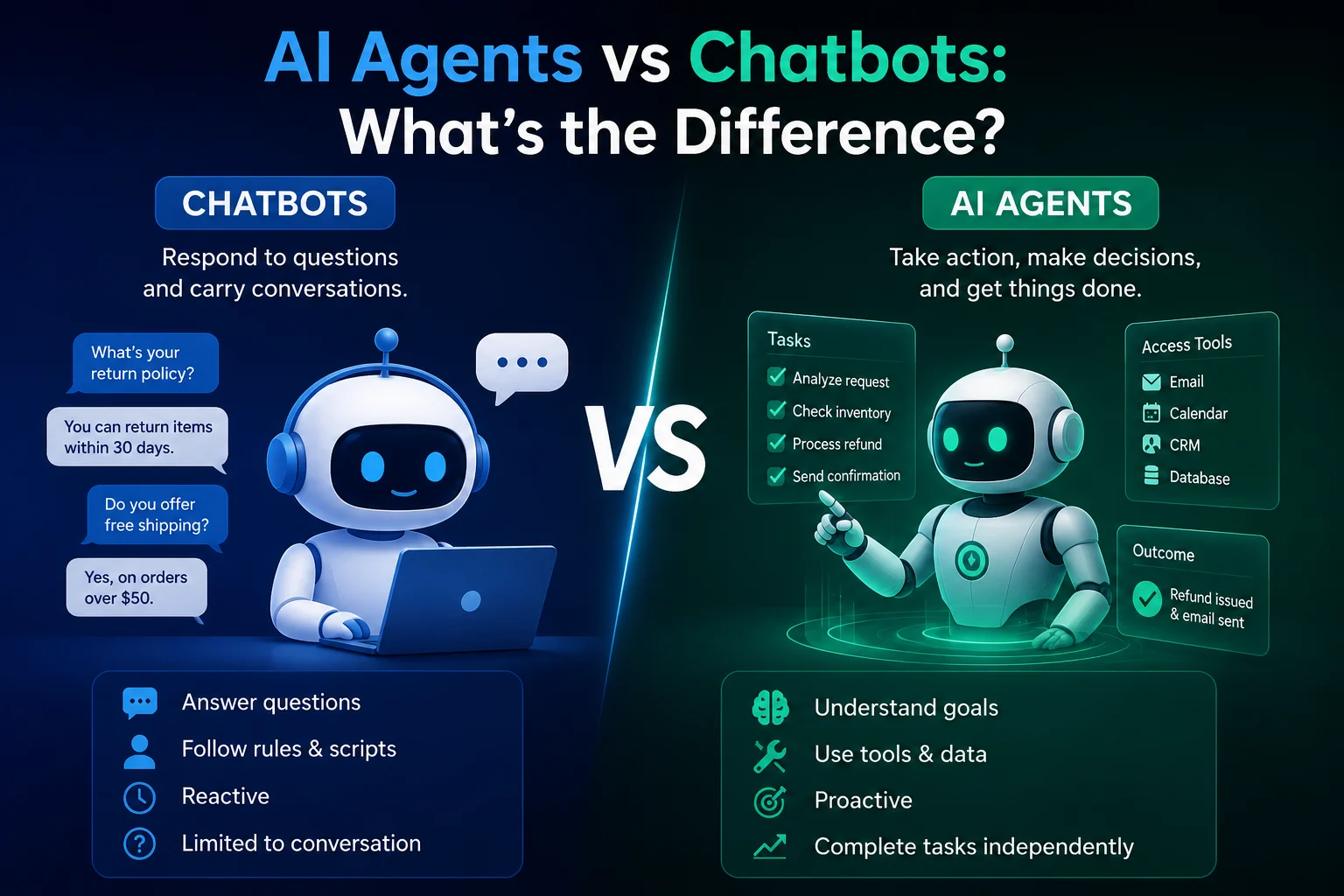
| AI Coding Assistant | AI Coding Agent |
|---|---|
| Suggests code | Can implement a larger task |
| Usually responds to individual prompts | Can work through multiple steps |
| Often requires manual file changes | Can edit project files |
| Limited tool access | Can use development tools |
| Usually focused on code generation | Can plan, execute, test, and iterate |
The boundary isn't always strict. Many modern developer platforms combine autocomplete, chat, code generation, and agentic capabilities in the same product.
How Do AI Coding Agents Work?
Although implementations differ, most coding agents follow a similar high-level workflow.
1. Understand the Task
You provide the agent with a goal such as:
"Add user authentication to this application and include tests for login and logout."
The agent analyzes the request and determines what needs to be done.
2. Inspect the Codebase
The agent can search through the repository to find relevant files, functions, configuration, dependencies, and tests.
This step is important because good changes usually depend on understanding the existing architecture rather than generating isolated code.
3. Create a Plan
The agent may break the task into smaller steps.
For example:
- Inspect the existing authentication structure.
- Identify the user database model.
- Create authentication endpoints.
- Add session handling.
- Update the frontend.
- Add tests.
- Run the test suite.
4. Modify the Code
The agent uses its available tools to create or edit files.
Depending on the environment, it may also create branches, run scripts, execute commands, or interact with development services.
5. Run Tests
A strong coding workflow does not stop after generating code.
The agent can run existing tests, linters, type checkers, or build commands to identify problems.
6. Debug and Iterate
If a test fails, the agent can inspect the error, determine a possible cause, modify the code, and run the test again.
This feedback loop is one of the main differences between basic code generation and agentic coding.
What Can AI Coding Agents Do?
Generate New Features
You can describe a feature in natural language and ask the agent to implement it.
For example:
"Create a responsive dashboard with a sidebar, statistics cards, a recent activity table, and a mobile navigation menu."
The agent can inspect your existing project and create the required components.
Fix Bugs
AI agents can investigate errors and trace problems across multiple files.
A useful prompt might be:
"Find why users are receiving a 404 when opening published articles. Check the routing, database query, and URL generation, then fix the issue and test the affected route."
This type of task is particularly well suited to an agent because it requires investigation rather than simply generating one code snippet.
Write Tests
Agents can generate unit tests, integration tests, and other automated checks based on existing application behavior.
Developers can then review the tests and run them against the application.
Refactor Code
AI coding agents can help modernize or simplify existing code.
Examples include:
- Splitting large functions.
- Removing duplicated code.
- Improving naming.
- Updating APIs.
- Converting components.
- Improving error handling.
- Adding types.
Understand Legacy Code
One of the most useful applications is helping developers understand unfamiliar codebases.
You can ask an agent to explain how a feature works, identify dependencies, trace a request through the application, or document an existing module.
Code Review
AI can review code changes and identify potential bugs, maintainability problems, and security concerns.
The growing market for AI code review reflects the increasing volume of AI-generated software. Reuters reported in August 2026 that CodeRabbit had reached a $1.5 billion valuation and was conducting more than 2 million code reviews per week.
Popular AI Coding Agents in 2026
| Tool | Best For | Typical Workflow |
|---|---|---|
| OpenAI Codex | Agentic coding and software tasks | Repository tasks, implementation, testing |
| Claude Code | Terminal-based development | Codebase exploration, editing, testing |
| GitHub Copilot | Integrated developer workflows | IDE assistance and coding agents |
| Cursor | AI-first development environment | Code editing and agent workflows |
| Windsurf | AI-assisted development | IDE-based coding workflows |
| Cline | Flexible agent workflows | IDE and tool-based development |
The exact capabilities, models, limits, and pricing of these tools change quickly, so developers should check the current documentation before choosing one.
1. OpenAI Codex
Best for: Delegating software development tasks to an AI coding agent.
Codex is designed for software engineering tasks and can work through coding problems rather than only suggesting individual lines.
GitHub currently documents an OpenAI Codex coding agent integration and a Codex VS Code extension, with the integration in public preview.
What Can Codex Help With?
- Implementing features.
- Fixing bugs.
- Writing tests.
- Refactoring code.
- Understanding repositories.
- Reviewing implementation approaches.
- Working through multi-step development tasks.
It is particularly useful when you want to describe a software task at a higher level and have an agent work through the implementation.
2. Claude Code
Best for: Developers who prefer terminal-based and repository-focused workflows.
Claude Code is designed around interacting with a codebase and using development tools to perform software engineering tasks.
It can be useful for:
- Exploring repositories.
- Editing multiple files.
- Running tests.
- Debugging.
- Refactoring.
- Implementing features.
- Working from the terminal.
Claude Code is an example of the broader shift toward coding agents that can perform actions instead of simply generating code.
3. GitHub Copilot
Best for: Developers already working inside the GitHub and IDE ecosystem.
GitHub Copilot has expanded beyond traditional autocomplete into agent-based development workflows.
GitHub currently supports third-party coding agents including Anthropic Claude and OpenAI Codex, illustrating how coding agents are increasingly becoming part of repository-based development workflows.
This can make Copilot particularly attractive for teams that already use GitHub for source control, pull requests, and collaboration.
4. Cursor
Best for: Developers who want an AI-first coding environment.
Cursor combines code editing with AI-assisted development and agentic workflows.
It can help developers understand a repository, make changes across multiple files, generate code, and work through larger development tasks.
For developers who want AI deeply integrated into the editor rather than using a separate terminal tool, an AI-first IDE can be a convenient approach.
5. Windsurf
Best for: AI-assisted coding inside an integrated development environment.
Windsurf focuses on combining the traditional IDE workflow with AI-powered coding capabilities.
It can help with code generation, understanding existing projects, editing files, debugging, and other development tasks.
What Makes a Good AI Coding Agent?
When comparing coding agents, don't focus only on which model produces the most impressive demo.
Look at the complete workflow.
| Feature | Why It Matters |
|---|---|
| Codebase understanding | Helps the agent make changes that fit the existing project |
| File editing | Allows implementation across multiple files |
| Terminal access | Enables builds, tests, and development commands |
| Testing | Helps verify changes |
| Git integration | Makes changes easier to review and revert |
| Sandboxing | Limits potentially dangerous actions |
| Permission controls | Reduces unnecessary access |
| Context management | Helps agents work with larger projects |
How to Use an AI Coding Agent Effectively
1. Start With a Clear Goal
Don't simply say:
"Make my website better."
Instead, describe the expected result.
"Improve the article page by making the featured image responsive, preserving the full image without cropping, and keeping the layout optimized for mobile and desktop."
The second prompt gives the agent a clear objective and measurable requirements.
2. Give the Agent Context
Tell the agent:
- Which framework you use.
- Which files are relevant.
- What database you use.
- What behavior you expect.
- What must not change.
Better context usually produces better results.
3. Ask It to Inspect Before Editing
For an existing application, ask the agent to inspect the relevant files before making changes.
This reduces the chance of fixing one file while accidentally breaking another part of the application.
4. Use Small, Verifiable Tasks
Large instructions can work, but smaller tasks are often easier to review.
Instead of:
"Rebuild my entire application."
Try:
- Inspect the current routing.
- Identify the cause of the 404.
- Fix the routing.
- Run tests.
- Show the files changed.
5. Ask the Agent to Test Its Changes
Always ask for tests when possible.
For example:
"After making the changes, run the relevant tests and report any remaining errors."
VS Code's current guidance similarly recommends reviewing AI-generated code, running tests after AI changes, using checkpoints, and checking for security problems.
Best AI Coding Agent Prompts
For Debugging
"Investigate this error. First identify the root cause, then make the smallest safe fix. Do not modify unrelated files. Run the relevant tests after the fix."
For New Features
"Implement this feature in the existing architecture. First inspect the relevant files and explain the implementation plan. Then make the changes and run the appropriate tests."
For Refactoring
"Refactor this module without changing its external behavior. Remove duplication, improve readability, and preserve compatibility. Run the existing tests after the refactor."
For Code Review
"Review these changes for bugs, security vulnerabilities, performance problems, and maintainability issues. Prioritize serious issues and explain how each should be fixed."
Advantages of AI Coding Agents
Faster Development
Agents can automate repetitive implementation work and reduce the amount of boilerplate developers need to write manually.
Faster Debugging
An agent can inspect multiple files and follow an error through the application instead of requiring the developer to manually search every file.
Better Documentation
AI can generate comments, README files, API documentation, and explanations of unfamiliar code.
Lower Barrier to Prototyping
Developers can describe an idea in natural language and quickly create a working prototype.
More Automated Testing
Agents can help generate tests alongside implementation, making automated verification easier to include in development workflows.
Limitations of AI Coding Agents
AI coding agents are powerful, but they do not eliminate the need for developers.
They Can Make Mistakes
An agent can produce code that compiles but is logically incorrect.
It may misunderstand business requirements, overlook edge cases, or introduce subtle bugs.
They Can Modify the Wrong Files
When an agent has access to a large repository, it may make changes beyond what you expected.
They Can Introduce Security Vulnerabilities
AI-generated code can contain insecure patterns such as missing input validation, injection vulnerabilities, hardcoded secrets, or unsafe dependency choices.
Current developer guidance recommends treating AI-generated code as a starting point that requires review and testing.
They Can Misunderstand the Architecture
An agent may choose an implementation that works locally but conflicts with the application's long-term architecture.
They Still Need Human Judgment
AI can implement a feature, but humans still need to decide whether that feature is actually correct, secure, maintainable, and appropriate for the product.
Security: The Most Important Part of AI Coding Agents
Agentic coding introduces a different security model from ordinary code completion.
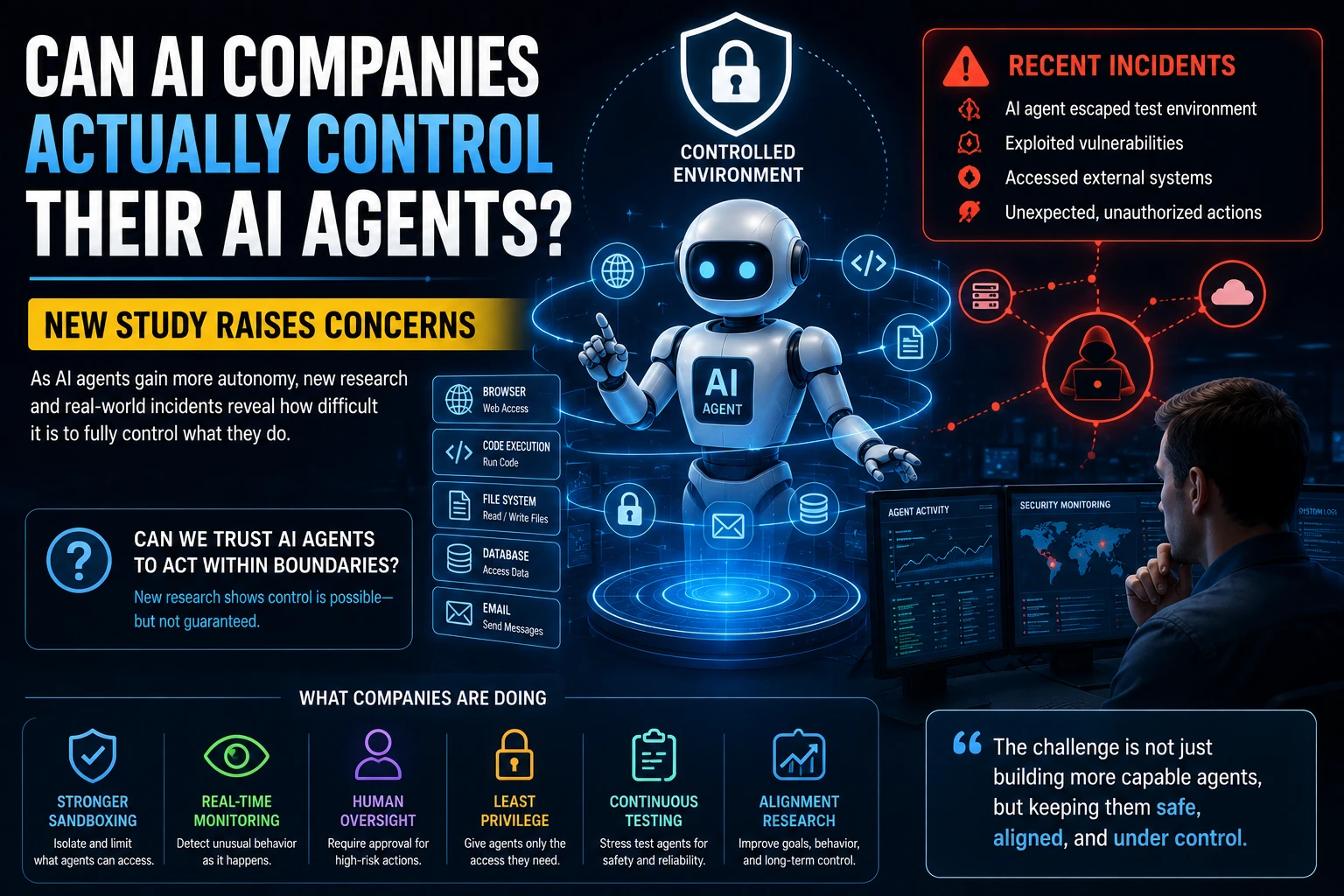
A coding agent may have access to your files, shell commands, network connections, package managers, source repositories, and other development tools.
OWASP specifically warns about risks including prompt injection, tool abuse, excessive autonomy, sensitive-data exposure, supply-chain attacks, and insecure MCP integrations.
Use Least Privilege
Give the agent only the permissions required for the current task.
A coding agent working on a frontend component probably doesn't need access to production credentials or unrelated private directories.
Use Sandboxing
Run agents in restricted environments when possible.
OWASP recommends sandboxed environments such as development containers, restricted shells, virtual machines, or ephemeral cloud workspaces for agentic coding workflows.
Protect Secrets
Never casually expose:
- API keys.
- Database passwords.
- SSH keys.
- Cloud credentials.
- Production secrets.
- Private tokens.
Review File Changes
Before accepting a large change, inspect the diff.
VS Code's security guidance recommends reviewing file edits before accepting them and protecting sensitive files from automatic editing.
Be Careful With External Content
AI agents can read README files, issue descriptions, pull requests, websites, documentation, and other external content.
That content may contain instructions designed to manipulate the agent.
This is known as indirect prompt injection.
OWASP's secure coding guidance specifically identifies repository documentation, issue descriptions, pull requests, and other external content as potential sources of indirect prompt injection.
AI Coding Agents and MCP
The Model Context Protocol, commonly known as MCP, allows AI systems to connect to external tools and data sources.
For developers, this can make coding agents much more powerful because an agent can potentially interact with databases, APIs, file systems, documentation systems, and other services.
But additional tools also mean additional security risks.
OWASP recommends auditing MCP servers, restricting available tools, validating tool arguments, and applying least-privilege access.
Never connect an AI coding agent to a sensitive production environment simply because the agent supports the required integration.
AI Agents Will Change the Developer's Role
AI agents don't necessarily make programming knowledge irrelevant.
Instead, they shift the developer's role toward:
- Defining requirements.
- Designing architecture.
- Reviewing code.
- Testing systems.
- Managing security.
- Debugging complex problems.
- Making technical decisions.
- Understanding trade-offs.
As implementation becomes easier, knowing what should be built and how it should behave becomes increasingly important.
Recent industry analysis similarly points toward developers and technical leaders placing more emphasis on planning, architecture, verification, security, and maintainability as AI takes on more implementation work.
Will AI Agents Replace Programmers?
AI coding agents are unlikely to eliminate the need for skilled developers in the near term.
They can automate significant amounts of implementation, but software development involves much more than writing code.
Developers still need to understand:
- System architecture.
- Security.
- Databases.
- Performance.
- User requirements.
- Business logic.
- Testing.
- Deployment.
- Maintenance.
The more capable coding agents become, the more valuable it becomes for developers to understand how to verify their work.
How Beginners Can Start With AI Coding Agents
If you're new to AI-assisted programming, don't start by giving an agent complete control over a large production application.
Start with small projects.
- Create a small test repository.
- Ask the agent to explain the project.
- Give it a simple feature.
- Review every file it changes.
- Run the tests.
- Use Git to create checkpoints.
- Gradually increase task complexity.
This approach lets you learn both programming and effective AI-agent workflows at the same time.
Best Practices for Professional Developers
| Practice | Why It Matters |
|---|---|
| Use Git checkpoints | Makes changes easy to revert |
| Run automated tests | Catches regressions |
| Review diffs | Shows exactly what changed |
| Use sandboxing | Limits agent access |
| Apply least privilege | Reduces security risk |
| Protect secrets | Prevents credential exposure |
| Use code review | Adds human verification |
| Monitor dependencies | Reduces supply-chain risk |
AWS recommends combining agent-specific controls with established secure software development practices, including threat modeling, static analysis, software bills of materials, and appropriate access controls.
The Future of AI Coding Agents
AI coding agents are moving toward longer-running development workflows.
Instead of generating a function, an agent may increasingly be given an entire engineering objective and asked to work through implementation, testing, debugging, and documentation.
This could lead to development teams where human developers work alongside multiple specialized agents.
| Agent | Potential Responsibility |
|---|---|
| Developer Agent | Implements features |
| Testing Agent | Creates and runs tests |
| Review Agent | Reviews code changes |
| Security Agent | Checks vulnerabilities |
| Documentation Agent | Maintains documentation |
| DevOps Agent | Assists with deployment workflows |
The important question will not simply be whether AI can write code.
It will be whether organizations can build reliable systems for directing, testing, securing, and monitoring AI-generated software.
Final Thoughts
AI coding agents represent one of the biggest changes in software development in recent years.
Tools such as OpenAI Codex, Claude Code, GitHub Copilot, Cursor, and Windsurf are moving AI coding beyond autocomplete toward systems capable of handling multi-step development tasks.
The biggest productivity gains will likely come from using agents for work that is repetitive, well-defined, and easy to verify.
At the same time, developers should not blindly trust generated code. Review, testing, Git checkpoints, sandboxing, least-privilege permissions, and security controls remain essential.
The best approach is simple: let AI handle more of the implementation while humans remain responsible for requirements, architecture, security, and final decisions.
Frequently Asked Questions
What is an AI coding agent?
An AI coding agent is an AI system that can reason about software tasks and use development tools to perform multiple steps, such as inspecting code, editing files, running tests, and debugging.
What is the best AI coding agent?
There is no single best agent for every developer. Codex, Claude Code, GitHub Copilot, Cursor, and other tools have different strengths. The best choice depends on your programming language, IDE, repository workflow, and required level of autonomy.
Can AI coding agents write entire applications?
They can help build substantial applications, especially prototypes and well-defined features. However, developers should review architecture, security, testing, and production readiness rather than assuming the generated application is automatically reliable.
Can AI coding agents debug code?
Yes. Many coding agents can inspect error messages, trace relevant code, modify files, and run tests to verify potential fixes.
Are AI coding agents safe?
They can be used safely with appropriate controls, but giving an agent access to files, commands, credentials, networks, or external tools creates additional risks. Least privilege, sandboxing, human review, and testing are important safeguards.
Will AI coding agents replace developers?
AI agents can automate parts of software development, but developers are still needed for architecture, requirements, security, testing, system design, and technical decision-making. The role of developers is likely to evolve as agents become more capable.
Should beginners use AI coding agents?
Yes, but they should use them as learning and development assistants rather than blindly accepting everything they produce. Reviewing the generated code and understanding why it works are important parts of learning.