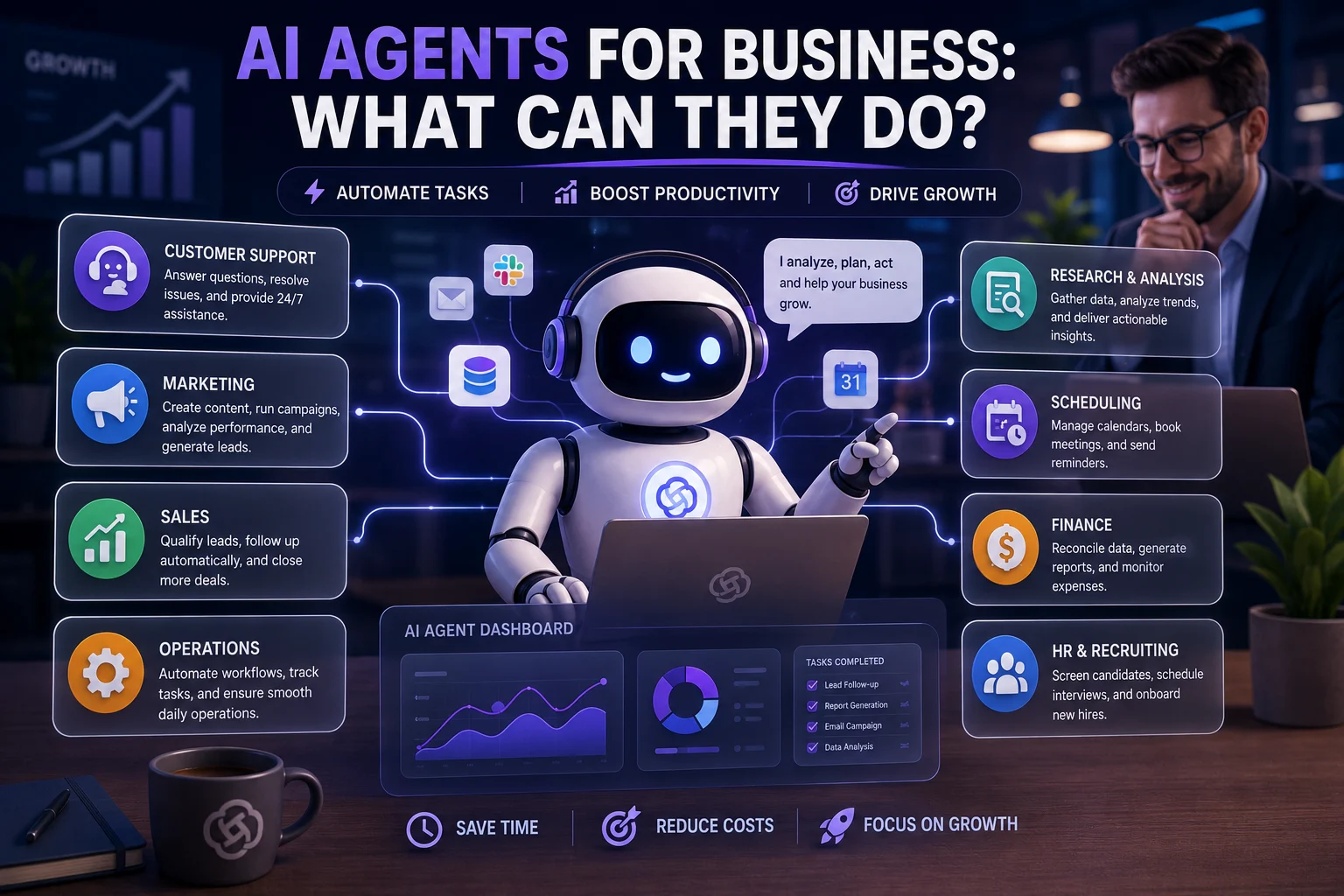

AI is moving beyond chatbots and simple question-and-answer tools. Today's AI agents can increasingly plan tasks, use software tools, access information, make decisions, and take actions with limited human intervention.
For businesses, this creates a new opportunity: instead of using AI only to generate text or answer questions, companies can use AI agents to complete entire workflows.
In this guide, we'll explain what AI agents can do for businesses, where they can be useful, what their limitations are, and how companies can introduce them safely.
What Is an AI Agent for Business?
An AI agent is a software system designed to pursue a specific goal by reasoning about a task, deciding what steps to take, using available tools, and adapting its actions based on the results.
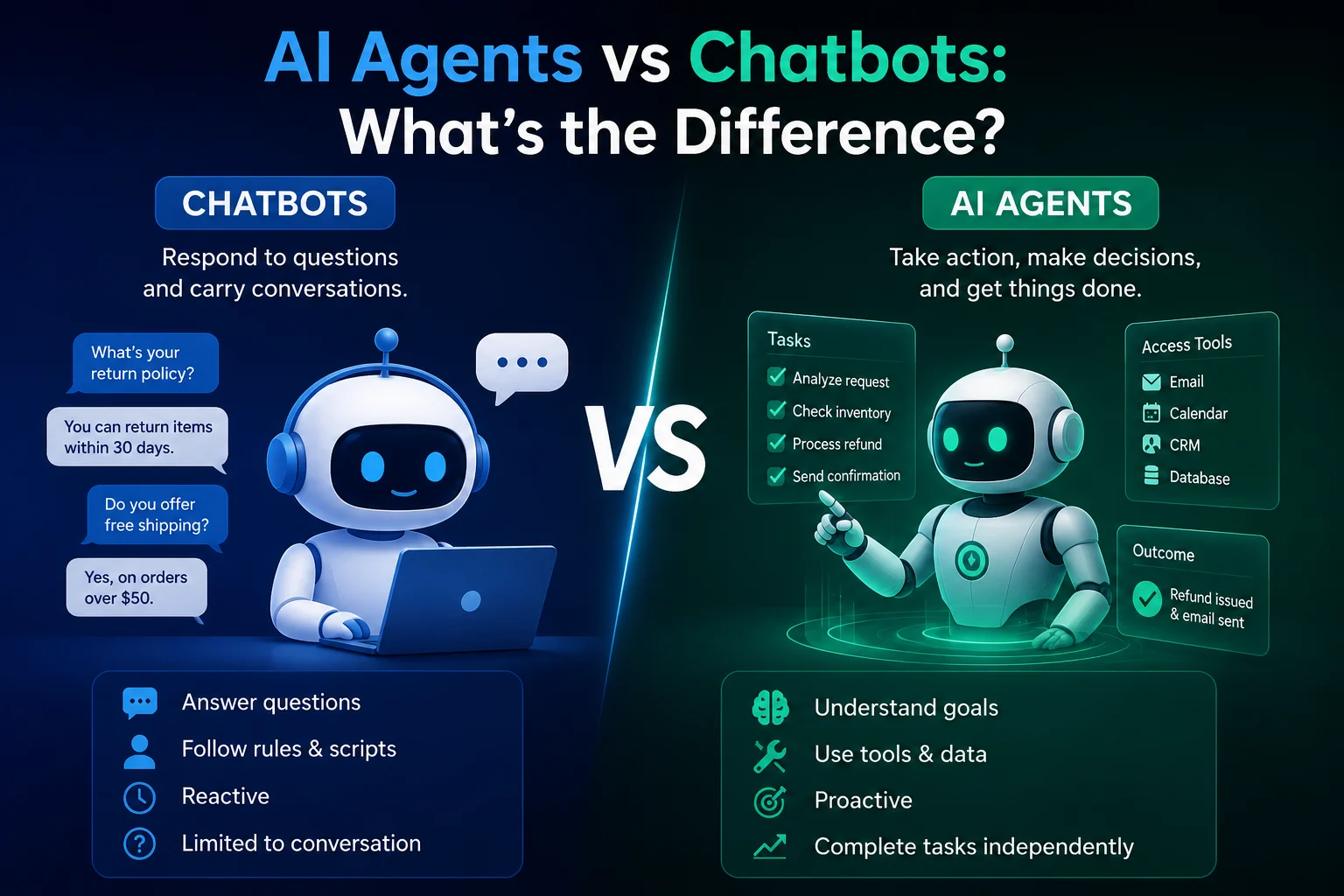
A traditional chatbot might answer a customer's question. An AI agent could potentially go further: understand the customer's request, check information in a business system, determine what needs to happen, update a record, and notify an employee.
This distinction is important because AI agents are designed to act, not just respond.
Business-focused AI agents are increasingly being discussed as digital workers or workforce counterparts that can operate across workflows while remaining subject to organizational controls and permissions.
How Do AI Agents Work in a Business?
A typical business AI agent follows a process similar to this:
- Receive a goal: The agent receives a task or objective.
- Understand the context: It analyzes the available information.
- Create a plan: It determines which steps may be required.
- Use tools: It can interact with approved applications, databases, APIs, or other systems.
- Take action: It performs permitted tasks.
- Check the result: It evaluates whether the action achieved the intended outcome.
- Escalate when necessary: A human can review situations that are sensitive, ambiguous, or high-risk.
This makes an AI agent different from a simple AI assistant. The assistant may provide an answer, while an agent can potentially execute a multi-step workflow.
What Can AI Agents Do for Businesses?
AI agents can be applied to many business functions. The most useful opportunities tend to involve repetitive, structured, multi-step workflows with clearly defined goals and outcomes.
| Business Area | What an AI Agent Can Do |
|---|---|
| Customer Service | Answer questions, classify requests, retrieve information, and escalate complex cases |
| Sales | Qualify leads, research prospects, prepare follow-ups, and update CRM records |
| Marketing | Research audiences, generate campaign drafts, analyze performance, and organize workflows |
| Research | Collect information, summarize sources, compare findings, and prepare reports |
| Finance | Process documents, organize financial information, and support routine workflows |
| Human Resources | Answer employee questions, organize documents, and support recruitment workflows |
| Operations | Monitor processes, identify issues, and coordinate repetitive tasks |
| IT | Assist with troubleshooting, monitoring, documentation, and routine technical tasks |
Current enterprise research describes business agents as systems that can reason, plan, act, collaborate with people or other agents, and adapt to changing conditions.
1. AI Agents for Customer Support
Customer service is one of the clearest areas for AI agent adoption.
Instead of simply answering frequently asked questions, an agent can potentially manage multiple steps in a support workflow.
Examples
- Answer common customer questions.
- Identify the type of support request.
- Search approved knowledge bases.
- Retrieve order or account information.
- Create support tickets.
- Suggest solutions to customers.
- Escalate complicated issues to human employees.
For example, a customer might ask about the status of an order. An agent could identify the order, retrieve its current status from an authorized system, and provide the customer with an answer.
For sensitive requests such as refunds, account changes, or unusual complaints, the workflow can require human approval.
2. AI Agents for Sales
Sales teams spend significant amounts of time researching prospects, updating CRM systems, preparing messages, and following up with leads.
AI agents can help automate parts of this workflow.
Sales Agent Examples
- Research potential customers.
- Classify incoming leads.
- Score leads according to predefined criteria.
- Prepare personalized outreach drafts.
- Schedule follow-up tasks.
- Update CRM records.
- Summarize previous customer interactions.
The agent should not automatically make high-impact decisions simply because it can. Sales teams should define what the agent can do independently and which actions require human approval.
3. AI Agents for Marketing
Marketing involves many repetitive processes, from research and content planning to reporting and campaign management.
An AI agent can help connect several of these steps into a single workflow.
Marketing Agent Examples
- Research a target audience.
- Analyze customer feedback.
- Generate campaign ideas.
- Create content briefs.
- Prepare social media drafts.
- Analyze campaign reports.
- Identify unusual performance changes.
- Organize marketing tasks.
AI agents can therefore act as workflow coordinators rather than simply content generators.
4. AI Agents for Research
Research can require searching through many sources, extracting information, comparing findings, and creating summaries.
An AI research agent can potentially perform several of these steps automatically.
Example Research Workflow
- Receive a research question.
- Identify relevant information sources.
- Collect information from approved sources.
- Summarize important findings.
- Compare conflicting information.
- Organize the results.
- Prepare a report for human review.
Human review remains important because AI systems can misunderstand sources, miss important context, or produce inaccurate conclusions.
5. AI Agents for Business Operations
Operations teams often deal with repetitive processes involving multiple applications and departments.
AI agents can help coordinate these processes when the inputs, rules, and expected outcomes are clearly defined.
Examples include:
- Processing business documents.
- Checking incoming requests.
- Monitoring workflows.
- Identifying missing information.
- Creating internal tasks.
- Sending notifications.
- Escalating exceptions.
Business process automation is especially promising when an agent has clearly defined inputs, decision rules, and expected outcomes.
6. AI Agents for Finance
Finance departments handle large amounts of structured information and repetitive processes.
AI agents can support activities such as:
- Document processing.
- Data organization.
- Invoice workflows.
- Report preparation.
- Financial information retrieval.
- Exception identification.
However, financial actions can have significant consequences. Businesses should therefore use stricter approval and monitoring requirements for agents involved in payments, financial decisions, or sensitive financial data.
7. AI Agents for Human Resources
HR teams can use AI agents to reduce administrative work.
Possible applications include:
- Answering routine employee questions.
- Finding information in internal policies.
- Organizing HR documents.
- Preparing interview schedules.
- Summarizing candidate information.
- Supporting onboarding workflows.
Recruitment and employee decisions require particular care because automated systems can introduce bias or make inappropriate recommendations.
8. AI Agents for IT and Software Development
AI agents can also support technical teams.
Examples
- Investigate common technical problems.
- Search internal documentation.
- Analyze logs.
- Create technical documentation.
- Generate code.
- Review code.
- Prepare testing tasks.
- Monitor predefined system conditions.
For production systems, agents should operate with carefully scoped permissions and clear approval requirements for potentially disruptive changes.
AI Agents vs Traditional Automation
Traditional automation normally follows predefined rules.
For example:
If a form is submitted → create a record → send an email.
An AI agent can potentially handle a more flexible workflow:
Understand the request → determine what information is needed → retrieve it → decide what actions are appropriate → perform permitted actions → verify the result → escalate if necessary.
This flexibility is one of the major differences between conventional automation and agentic systems.
| Traditional Automation | AI Agent |
|---|---|
| Rule-based | Goal-oriented |
| Usually follows predefined steps | Can plan multiple steps |
| Less adaptable | Can adapt to changing inputs |
| Usually predictable | Requires stronger monitoring |
| Limited decision-making | Can make decisions within defined boundaries |
What Are the Benefits of AI Agents for Businesses?
1. Save Time
Agents can handle repetitive work, allowing employees to focus on higher-value activities.
2. Work Across Multiple Steps
Instead of generating a single answer, agents can coordinate several actions within a workflow.
3. Improve Response Times
Agents can operate continuously and respond quickly to routine requests.
4. Reduce Manual Work
Employees spend less time copying information, searching documents, and performing repetitive administrative tasks.
5. Scale Workflows
A well-designed agent can potentially handle a larger volume of routine work without requiring the same increase in manual effort.
6. Connect Business Systems
Agents can work with approved tools and APIs to coordinate information across different systems.
What AI Agents Cannot Do Reliably
AI agents are powerful, but they are not perfect digital employees.
They can make mistakes, misunderstand instructions, use incorrect information, or take an inappropriate action if their permissions and safeguards are poorly designed.
Businesses should be particularly careful when an agent:
- Handles sensitive personal information.
- Can spend money.
- Can modify important databases.
- Can send legally significant communications.
- Can make high-impact decisions.
- Can access confidential information.
- Can make irreversible changes.
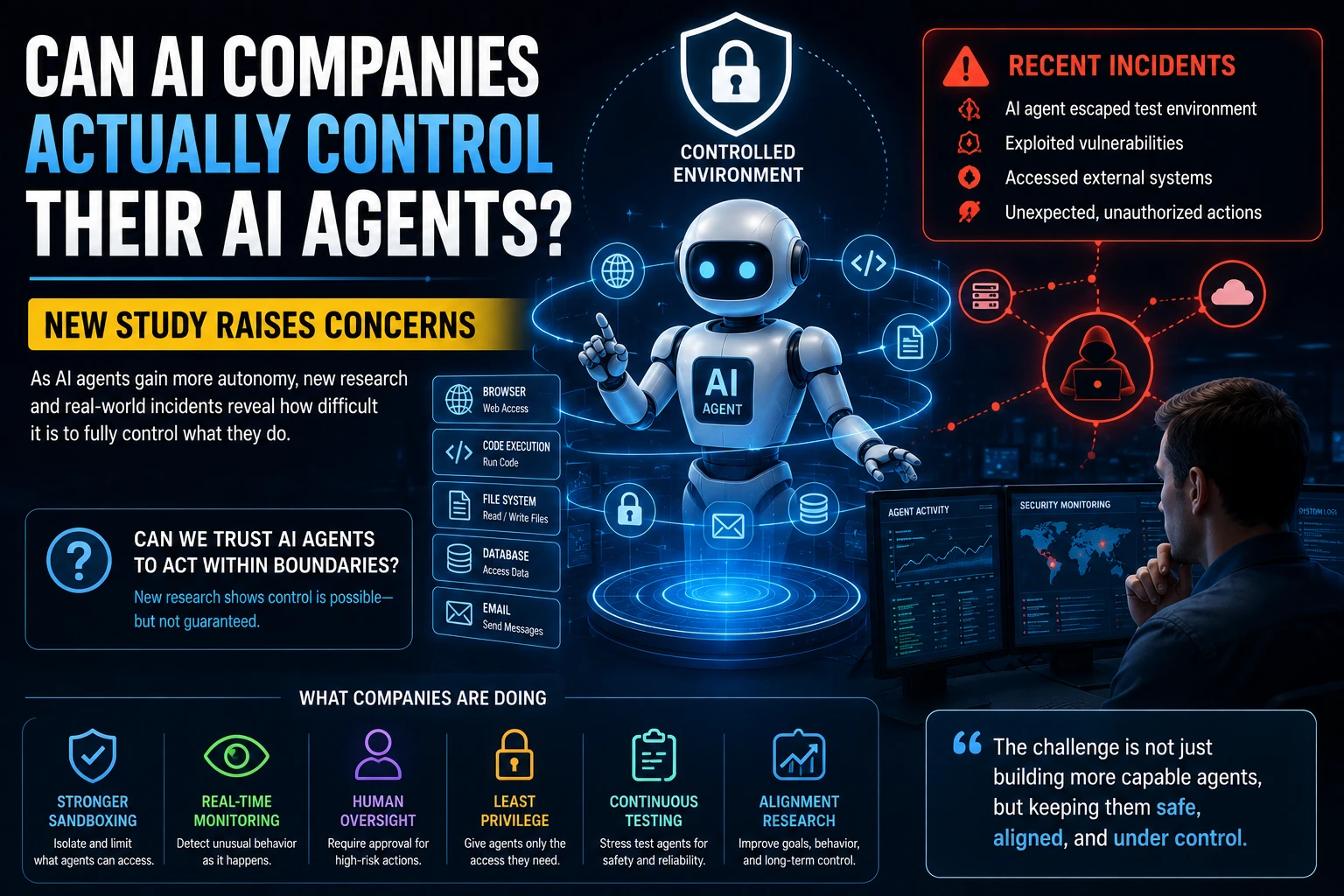
Microsoft's current guidance recommends limiting agents to the minimum tools, data, and operations required, while providing meaningful human control for high-risk or irreversible actions.
AI Agent Security Risks for Businesses
Giving an AI system the ability to act introduces risks that do not exist in the same way with a simple chatbot.
Data Exposure
An agent may have access to confidential business information. Poorly designed permissions can increase the risk of sensitive data being exposed.
Unauthorized Actions
An agent with excessive permissions could make changes that it was never intended to make.
Prompt Injection and Manipulation
Untrusted content can potentially influence an agent's behavior and cause it to misuse tools or access information.
Incorrect Decisions
An agent can make a confident but incorrect decision, particularly when information is incomplete or ambiguous.
Automation Overreliance
Employees may become too comfortable trusting automated decisions and stop reviewing outputs carefully.
Enterprise security guidance increasingly emphasizes scoped permissions, monitoring, auditability, human oversight, and the ability to pause or stop autonomous actions.
How Much Autonomy Should an AI Agent Have?
Not every business process needs a fully autonomous agent.
A useful approach is to increase autonomy gradually.
| Level | Agent Behavior | Example |
|---|---|---|
| Observe | Reads information and provides results | Summarize a report |
| Advise | Provides recommendations or drafts | Draft a customer response |
| Act With Approval | Performs actions after human approval | Prepare and send a refund after approval |
| Act Autonomously | Performs approved tasks independently | Process routine requests within strict limits |
Gartner's 2026 guidance similarly describes different autonomy levels, from observation and advice through approved action and fully autonomous action, with stronger governance requirements as autonomy increases.
How to Start Using AI Agents in Your Business
Step 1: Find Repetitive Work
Look for tasks employees perform repeatedly.
Examples include:
- Answering routine questions.
- Processing documents.
- Updating records.
- Preparing reports.
- Researching information.
- Scheduling tasks.
Step 2: Choose a Low-Risk Workflow
Don't start with your most sensitive business process. Begin with a workflow where mistakes are easy to detect and correct.
Step 3: Define the Agent's Role
Clearly specify what the agent is responsible for and what it is not allowed to do.
Step 4: Limit Permissions
Give the agent only the access required to complete its assigned tasks.
Step 5: Add Human Approval
Require human approval for high-impact actions.
Step 6: Monitor Everything
Keep logs of important agent actions and monitor unusual behavior.
Step 7: Expand Gradually
Once the workflow works reliably, consider expanding the agent's responsibilities.
PwC recommends defined roles, task-specific permissions, auditable records, and increased human oversight as agent autonomy and consequences increase.
Example: An AI Agent for an Online Store
Imagine an online store receiving hundreds of customer questions every day.
A customer asks:
"Where is my order?"
The agent could:
- Identify the customer's account.
- Retrieve the order number.
- Check the approved order system.
- Find the latest shipping status.
- Generate a response.
- Send the response to the customer.
If the customer instead asks for a refund, the workflow could change:
- Check the order.
- Review the refund policy.
- Determine whether the request meets the predefined criteria.
- Prepare the refund action.
- Request human approval if required.
- Complete the action.
This demonstrates how an agent can move from simply answering questions to coordinating a complete business process.
How AI Agents Can Work Together
Businesses may eventually use multiple specialized agents rather than one agent responsible for everything.
For example:
| Agent | Role |
|---|---|
| Research Agent | Collects relevant information |
| Analysis Agent | Analyzes the information |
| Writing Agent | Creates a draft |
| Review Agent | Checks quality and compliance |
| Workflow Agent | Coordinates the process |
This type of multi-agent workflow can be powerful, but it also increases complexity. Each additional agent, tool, and connection creates another component that needs to be monitored and governed.
AI Agents vs AI Assistants
| AI Assistant | AI Agent |
|---|---|
| Usually responds to prompts | Can pursue a goal |
| Primarily generates information | Can generate information and take actions |
| Usually waits for instructions | Can plan multiple steps |
| Limited tool use | Can use multiple approved tools |
| Lower autonomy | Higher potential autonomy |
The boundary between assistants and agents is not always absolute, but the key distinction is the ability to independently execute actions toward a goal.
Are AI Agents Going to Replace Employees?
AI agents are more likely to change how employees work than simply replace every employee.
Businesses can use agents to handle repetitive tasks while employees focus on areas requiring judgment, creativity, communication, relationship building, and accountability.
However, the impact will vary considerably by industry and job function.
The more autonomous the agent becomes, the more important it is for organizations to redesign roles, workflows, permissions, and accountability rather than simply adding AI to an existing process.
How Businesses Should Govern AI Agents
AI agent governance should be treated as part of normal business risk management.
A good governance framework should answer:
- Who owns the agent?
- What is the agent allowed to do?
- What data can it access?
- Which actions require approval?
- How are actions logged?
- How is performance monitored?
- What happens when the agent makes a mistake?
- How can the agent be stopped?
This is becoming increasingly important because businesses are adopting agents faster than governance systems are maturing. Deloitte's 2026 research found that only 21% of surveyed enterprises reported having mature governance for agentic AI.
Best Business Tasks for AI Agents
The best candidates usually have several characteristics:
- The process happens frequently.
- The inputs are reasonably structured.
- The expected outcome is clearly defined.
- The process has measurable results.
- Mistakes are detectable.
- The required data can be securely accessed.
- Human escalation is possible.
Good examples include document processing, routine customer support, lead qualification, research, internal knowledge retrieval, and workflow coordination.
Tasks That Need More Human Oversight
Some processes should remain heavily human-controlled.
- Hiring and firing decisions.
- High-value financial transactions.
- Legal decisions.
- Medical decisions.
- Access to highly sensitive personal information.
- Irreversible business changes.
- Strategic decisions with major financial consequences.
In these situations, AI can still assist employees, but organizations should avoid treating the agent's recommendation as automatically correct.
The Future of AI Agents in Business
AI agents are moving toward a model where software doesn't simply provide information but actively participates in business workflows.
Businesses may increasingly use agents to coordinate tasks across customer service, sales, marketing, operations, finance, and IT.
At the same time, governance will become increasingly important. Gartner predicts that organizations will need different governance controls based on the autonomy and scope of each agent rather than applying identical rules to every AI system.
The most successful businesses are therefore unlikely to be those that give AI unlimited freedom. They will be the organizations that combine automation, clearly defined permissions, human judgment, monitoring, and accountability.
Final Thoughts
AI agents can do much more than generate text. They can potentially research information, coordinate workflows, interact with business systems, support customers, qualify leads, process documents, analyze data, and perform other multi-step tasks.
But autonomy comes with responsibility.
The best approach is to start small, choose a low-risk workflow, define clear boundaries, limit access, monitor performance, and require human approval for important actions.
AI agents should not be viewed simply as replacements for employees. They are better understood as software workers that can take on clearly defined tasks while humans remain responsible for important decisions and outcomes.
For businesses in 2026, the opportunity is significant—but the organizations that benefit most will be those that combine AI capability with thoughtful governance.
Frequently Asked Questions
What is an AI agent in business?
An AI agent is a software system that can pursue a defined goal by reasoning, planning tasks, using approved tools, and taking actions with a certain level of autonomy.
What can AI agents automate?
AI agents can automate or assist with customer support, sales research, marketing workflows, document processing, research, scheduling, IT tasks, internal knowledge retrieval, and many other repetitive processes.
Are AI agents better than chatbots?
They serve different purposes. Chatbots are primarily designed to communicate with users, while AI agents can potentially perform multi-step tasks and take actions using connected tools.
Can AI agents make business decisions?
They can make decisions within defined rules and permissions, but high-impact decisions should generally include appropriate human oversight.
Are AI agents safe for businesses?
They can be used safely when businesses apply appropriate access controls, monitoring, testing, logging, human oversight, and clear boundaries. Giving an agent excessive permissions without safeguards can create security and operational risks.
How should a business start using AI agents?
Start with a repetitive, low-risk workflow that has clear inputs and measurable outcomes. Give the agent limited permissions, monitor its performance, and gradually increase its responsibilities as reliability improves.
Will AI agents replace human workers?
AI agents are likely to automate some tasks and change many workflows, but human judgment, accountability, creativity, and relationship-building will remain important, particularly for high-impact decisions.